Just Enough Items (JEI) Optional for Create: Winery create_winery-2.0.2-neoforge-1.21.1.jar
optionalMatching file found Matched file: 19.56.0.439 for NeoForge 1.21.1
CurseForge · Minecraft mod
Build your own winery with Create.
Quick answer
Create: Winery create_winery-2.0.2-neoforge-1.21.1.jar targets 1.21, 1.21.1 with NeoForge. The project page does not say whether this file belongs on the client, dedicated server, or both. All 1 required mods have matching files.
Where it goes
The project page does not say whether this file belongs on the client, dedicated server, or both.
The source does not explicitly classify this release as client-only or server-only.
create_winery-2.0.2-neoforge-1.21.1.jar. Change the file and its required mods may change too.
Install Create first. We found matching files for this game-version and loader setup. 1 comes through another mod in the chain.
1 extra mod was pulled in by another dependency. Indented rows show who needs each one. We only count dependency files that match this setup. A file for another loader does not fill the gap.
Before you install it
Built for Create: Winery create_winery-2.0.2-neoforge-1.21.1.jar. Pick another file and the loader, install side or required mods may change.
Use create_winery-2.0.2-neoforge-1.21.1.jar. It targets 1.21, 1.21.1 with NeoForge; another release may have different loader, side or dependency requirements.
Install Create first. We found matching files for this game-version and loader setup. 1 comes through another mod in the chain.
The project page does not say whether this file belongs on the client, dedicated server, or both.
Use the “Get this file” button beside create_winery-2.0.2-neoforge-1.21.1.jar. It opens that exact file at the source.
About this project
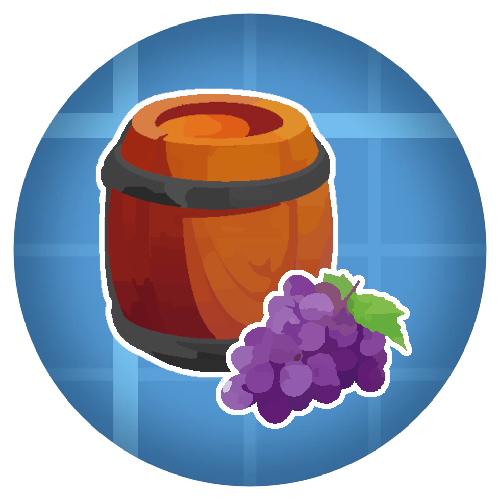
Create: Winery is an addon for Create which adds new wine-themed blocks, items and recipes using Create's mechanisms, allowing you to build your own winery!
 Red and White Grapes: Commonly found in plains and forest type biomes
 Grape Pomace and Apple Must, made with Create's Mechanical Press
 The Wine Cellar: A fully automatable workstation for making wine and cider
 Red Wine, White Wine, Rosé and Cider, to drink with moderation...
 Many other features and Create interractions to discover!


You can add or remove beverages as possible outputs from the Wine Cellar, using item tags:
• Red Wines: red_wines
• White Wines: white_wines
• Rosé Wines: rose_wines
• Ciders: ciders
Structure is as follows: create_winery:{tag}
This mod requires Create for all of the features to work, but can technically be played without.
JEI is recommended for recipes but not required.
Add the .jar mod file into your mods folder.
Alternatively, you can browse the CurseForge launcher for the mod (if it doesn't show up, try typing the autor's name). Once found, click "Install" to add it to your modpack.
You are free to include this mod in any modpack, public or private.
 Download my projects on CurseForge
 Download my projects on Modrinth
 Donate on Paypal
Project description from CurseForge.
Pick your setup
Choose the version and loader you play, then open the matching release.
Check the dependencies, then try the file in a copied instance before changing a world you care about.
Recent files
28 Mar 2026
28 Mar 2026
25 Jan 2026
25 Jan 2026
19 Jan 2026
19 Jan 2026
13 Dec 2025
13 Dec 2025
1 Nov 2025
1 Nov 2025
9 Jul 2025
9 Jul 2025
Looking for an older file? The official CurseForge project page is in Resources.