Legendary Tooltips [Fabric] Optional for Loot Beams Up lootbeams-3.6.1-mc1.21.4.jar
optionalMatching file found Matched file: LegendaryTooltips-1.21.4-fabric-1.5.1.jar

CurseForge · Minecraft mod
Customizable loot beams for items
Quick answer
Loot Beams Up lootbeams-3.6.1-mc1.21.4.jar targets 1.21.4 with Fabric, Quilt. The project page does not say whether this file belongs on the client, dedicated server, or both. All 4 required mods have matching files.
Where it goes
The project page does not say whether this file belongs on the client, dedicated server, or both.
The source does not explicitly classify this release as client-only or server-only.
lootbeams-3.6.1-mc1.21.4.jar. Change the file and its required mods may change too.
Install Mod Menu, Cloth Config API (Fabric/Forge/NeoForge), Fabric API, Text Placeholder API first. We found matching files for this game-version and loader setup. 1 comes through another mod in the chain.
1 extra mod was pulled in by another dependency. Indented rows show who needs each one. We only count dependency files that match this setup. A file for another loader does not fill the gap.
Before you install it
Built for Loot Beams Up lootbeams-3.6.1-mc1.21.4.jar. Pick another file and the loader, install side or required mods may change.
Use lootbeams-3.6.1-mc1.21.4.jar. It targets 1.21.4 with Fabric, Quilt; another release may have different loader, side or dependency requirements.
Install Mod Menu, Cloth Config API (Fabric/Forge/NeoForge), Fabric API, Text Placeholder API first. We found matching files for this game-version and loader setup. 1 comes through another mod in the chain.
The project page does not say whether this file belongs on the client, dedicated server, or both.
Use the “Get this file” button beside lootbeams-3.6.1-mc1.21.4.jar. It opens that exact file at the source.
About this project
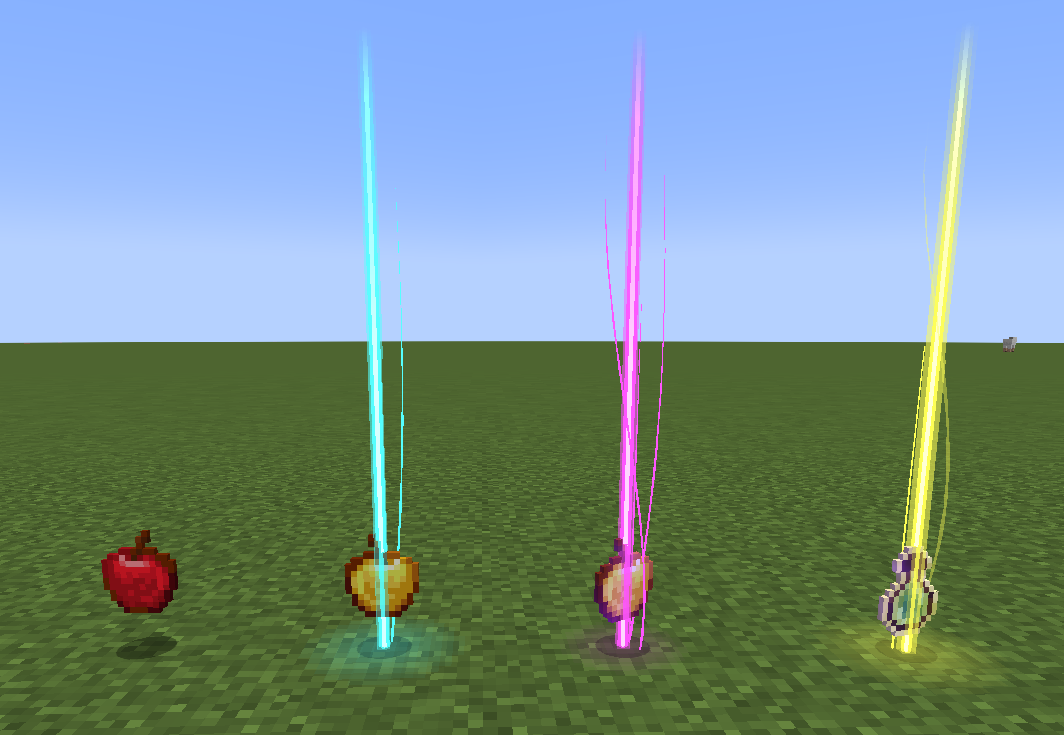
A Fabric client-side Minecraft mod that adds colorful and customizable loot beams to dropped items!
This mod is an Fabric fork version of Loot Beams, but totally overwritten.
Loot Beams are added to all items by default and they change colors depending on the items name. You can, however, specify a whitelist/blacklist for Beams, color overrides, and even NBT tags to change their color! (like "lootbeams.color":"0xFFFFFF").
Beams also have nametags that show up when looking at an item or crouching so you can see what an item is without even picking it up. This mod is client-side, meaning it will run on vanilla servers and forge servers that do not have this mod installed!
Also this version fixes many bugs of original version:
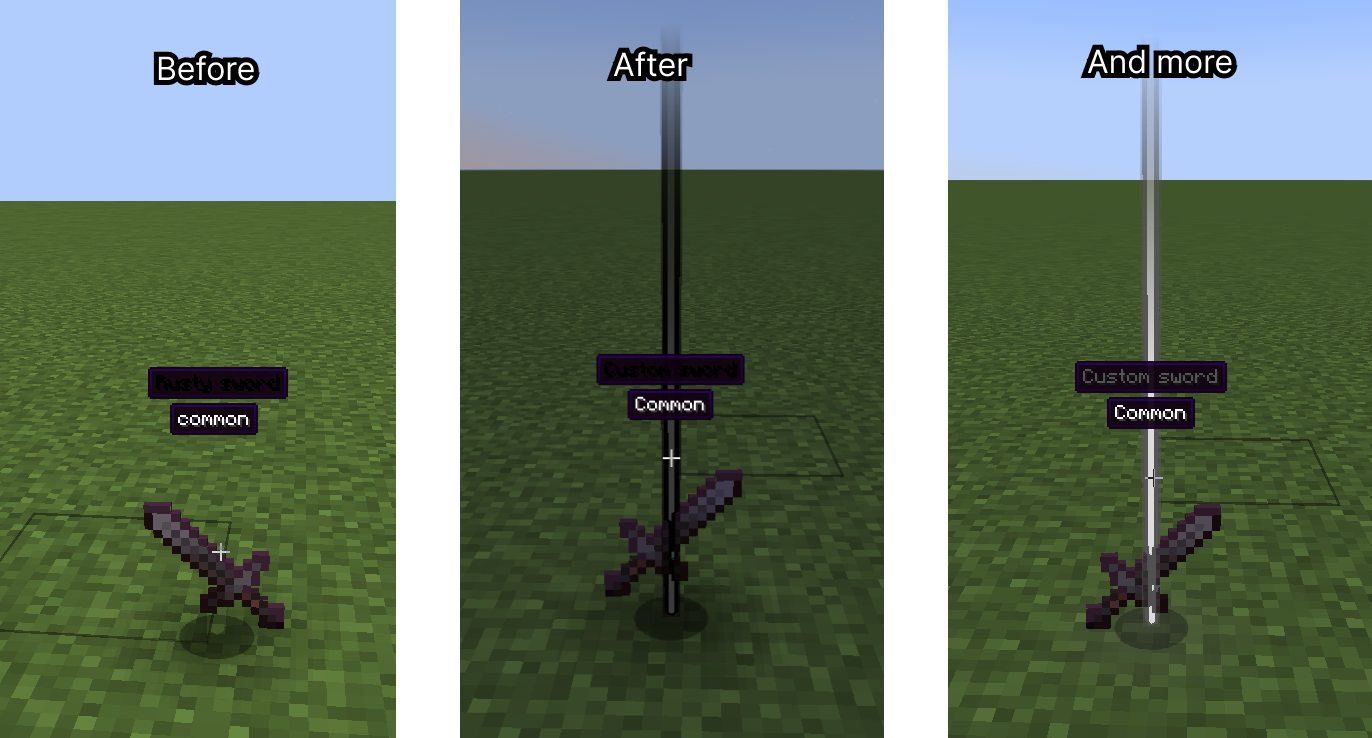
2. Multiplied item glow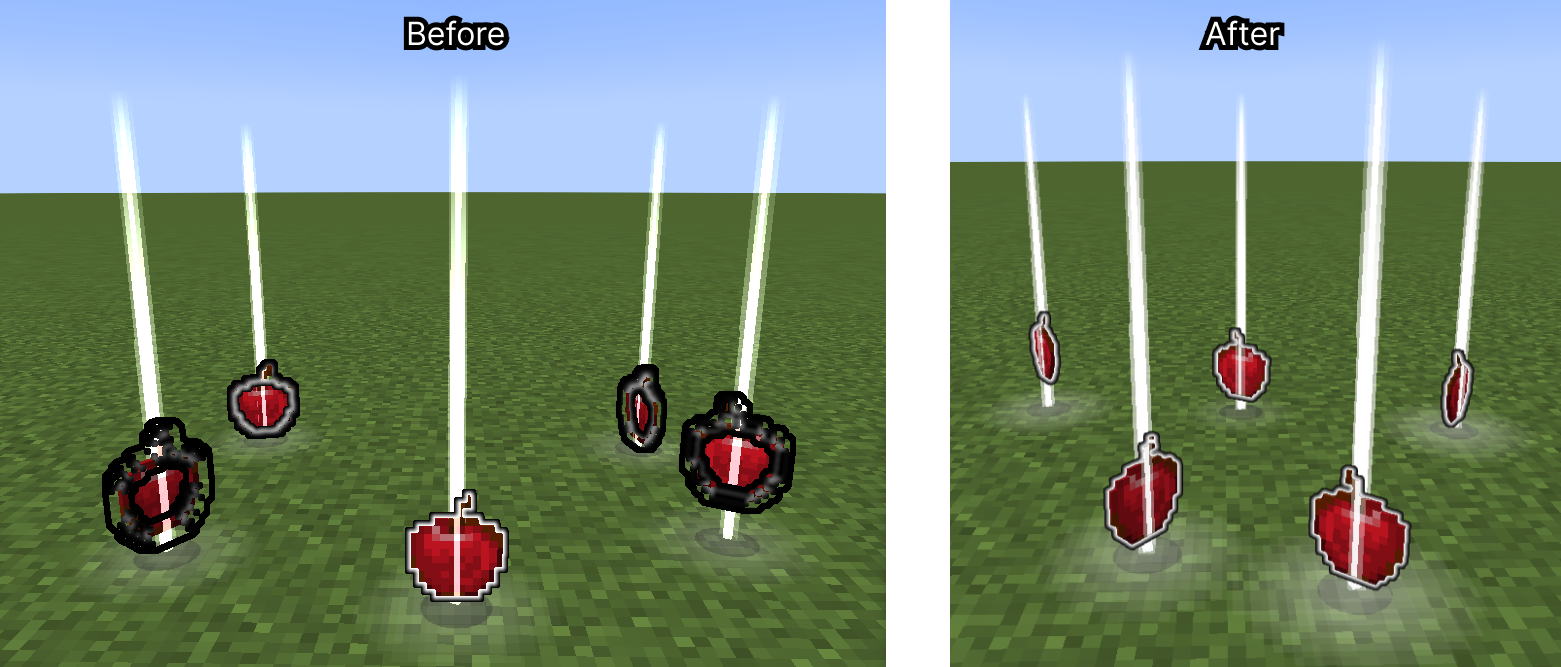
3. Particle spawn rate on FPS
4. More…
And implement new features:
minecraft:custom_data){custom_rarity:{name:"Legendary",color:"#FF9900"}} {custom_rarity:{name:"my.custom.rarity.legendary",color:"#FF9900"}} New features:
Droplight (like in Droplights mod)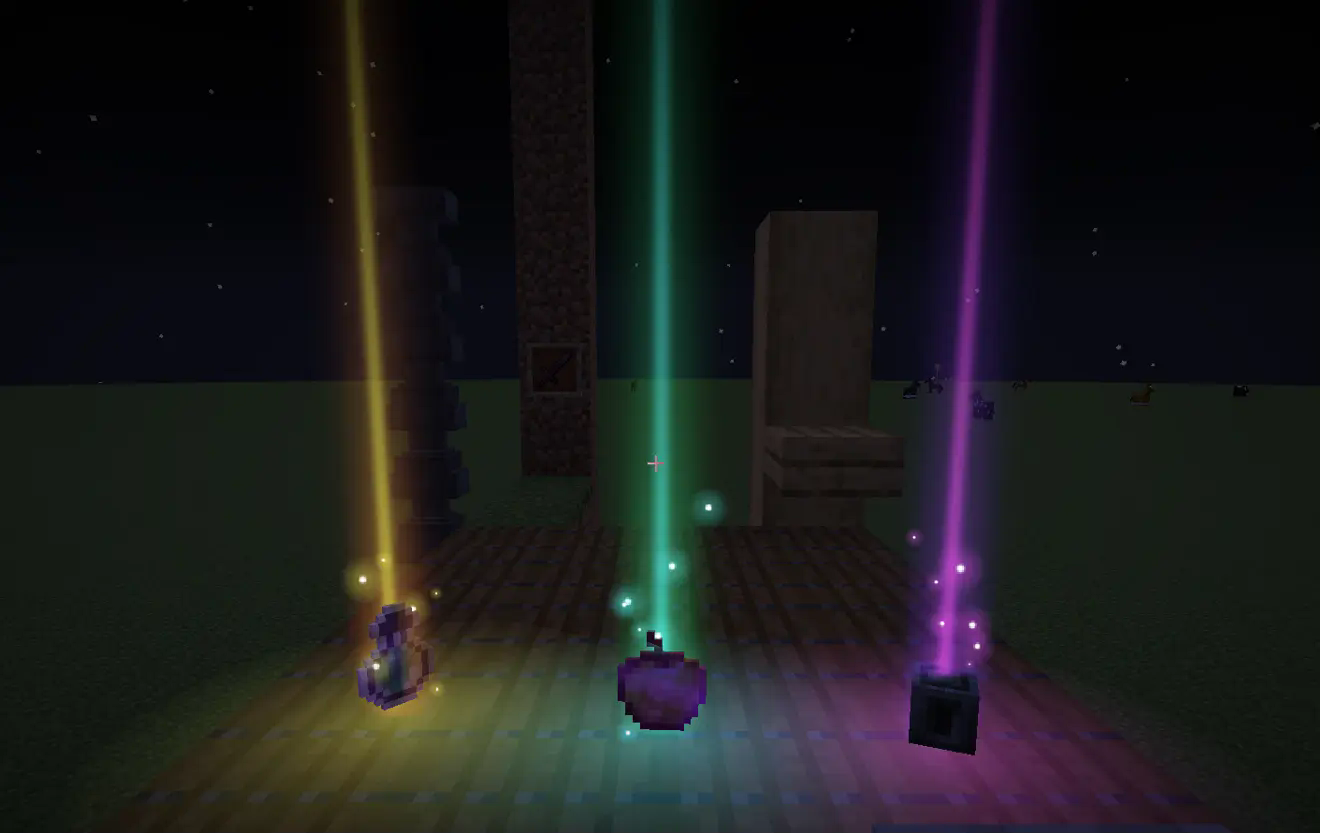
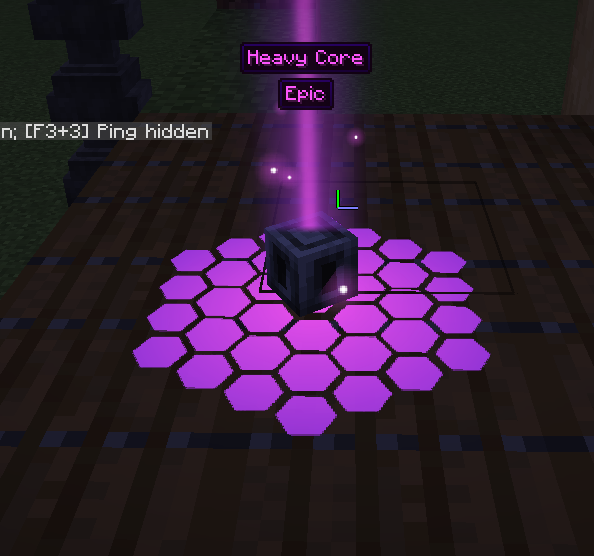
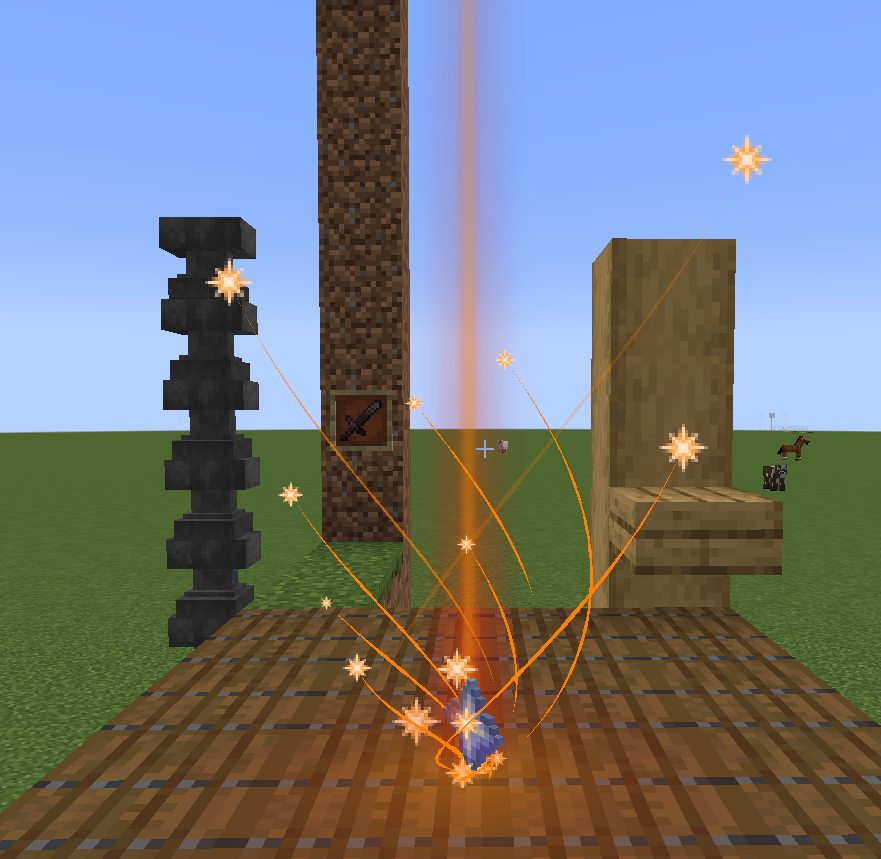
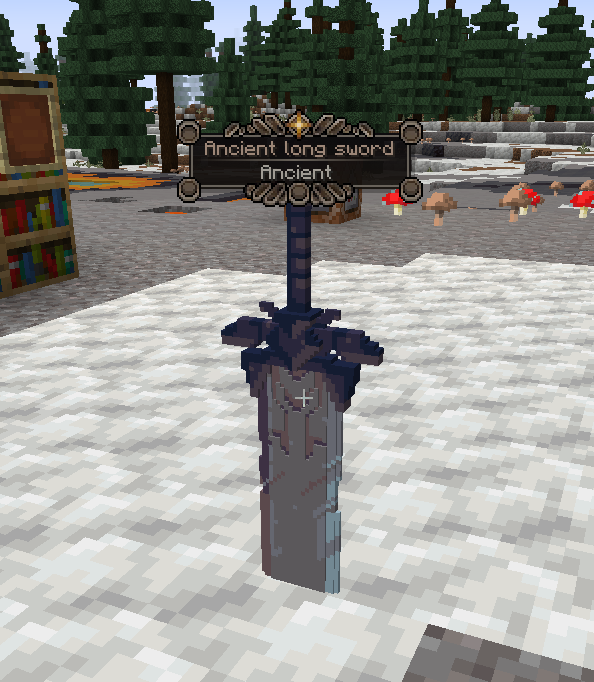
_colored postfix, example: cake_colored.png)Added a resource pack example.
assets/lootbeams/textures/ground_glow_effects/ 

assets/lootbeams/textures/particle/. Particles can be animated with .mcmeta file.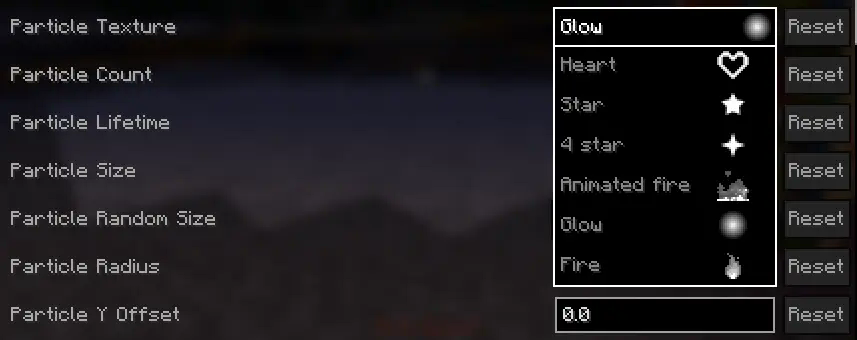
assets/lootbeams/custom_rarities.json custom_rarity_id (String) custom_rarity_id and custom_rarity are set, custom_rarity will take priority /lootbeams item-custom-config available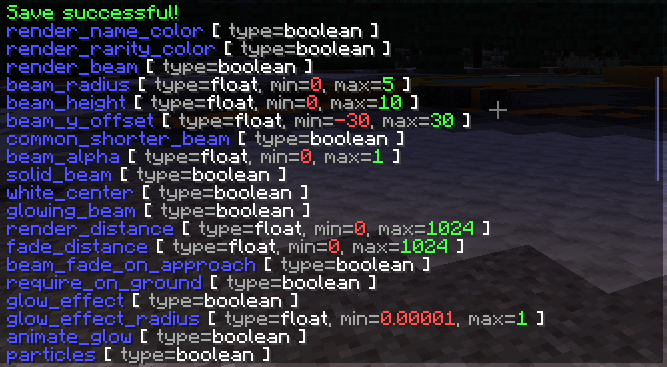
Below are some examples of beam configuration with the new features.
custom_rarities.json example:
{
    "custom_rarities": [
        {
            "id": "snowy",
            "name": "Snowy", // also may be a translation string
            "color": "#ddeeff",
            "config": {
                "trails": false,
                "particle_use_constant_vertical_speed": true,
                "render_name_color": false,
                "render_rarity_color": true,
                "particle_random_y": false,
                "particle_y_offset": 2,
                "particle_lifetime": 40,
                "particle_size": 0.5,
                "particle_speed": 0.00001,
                "particle_speed_x": 0.1,
                "particle_speed_y": -0.004,
                "particle_speed_z": 0.1,
                "particle_count": 10,
                "pulse_glow": false,
                "rotate_glow": false,
                "glow_effect_texture": "lootbeams:vortex_2", // For this effect you need resource pack example (listed below)
                "glow_effect_radius": 1,
                "glow_effect_alpha": 1
            },
            "selectors": [ // Applies this rarity to all items cantains "snow" in name
                "%Snow", "%snow"
            ]
        },
        {
            "id": "fire_infused",
            "name": "Fire infused", // also may be a translation string
            "color": "#ff4400",
            "animated_color": "2_#ff4400_#ff0000_#ffff00", // Can be used if Prism installed
            "config": {
                "trails": false,
                "render_name_color": false,
                "render_rarity_color": true,
                "particle_random_y": false,
                "spin_around_beam": false,
                "particle_texture": "lootbeams:animated_fire",
                "particle_size": 2,
                "particle_radius": 0.4,
                "particle_speed": 0.00001,
                "particle_speed_y": 0,
                "particle_count": 20,
                "pulse_glow": true,
                "rotate_glow": false,
                "glow_effect_texture": "lootbeams:glow",
                "pulse_glow_min_alpha": 0.6,
                "pulse_glow_max_alpha": 0.8,
                "pulse_glow_min_radius": 0.75,
                "pulse_glow_max_radius": 1
            },
            "selectors": [ // Applies this rarity to all items cantains "Nether" in name, and excludes "erite" (netherite), "Wart", "Sprouts", "Star" and "Quartz"
                "%ether+~%erite+~%Wart+~%Sprouts+~%Star+~%Quartz"
            ]
        },
        {
            "id": "love",
            "name": "Love", // also may be a translation string
            "color": "#ff6666",
            "config": {
                "beam_height": 3,
                "beam_alpha": 0.6,
                "trails": false,
                "render_name_color": false,
                "render_rarity_color": true,
                "particle_texture": "lootbeams:heart",
                "particle_size": 1,
                "particle_speed_y": 0.0003,
                "particle_count": 20
            },
            "selectors": [ // Applies this rarity to pink bed
                "minecraft:pink_bed"
            ]
        },
        {
            "id": "---emerald---",
            "name": "---emerald---",
            "color": "#40ff80",
            "config": {
                "render_item_rarity": false,
                "pulse_glow": false,
                "rotate_glow": false,
                "glow_effect_texture": "lootbeams:tech_1", // For this effect you need resource pack example (listed below)
                "glow_effect_radius": 1,
                "glow_effect_alpha": 1
            },
            "selectors": [ // Applies this rarity to emerald
                "minecraft:emerald"
            ]
        }
    ]
}
Snowy rarity effect:
minecraft:custom_data { // If version < 1.20.5 then "tag:"
  custom_rarity_id: "snowy"
}

Fire infused rarity effect:
minecraft:custom_data { // If version < 1.20.5 then "tag:"
  custom_rarity_id: "fire_infused"
}

Love rarity effect:
minecraft:custom_data { // If version < 1.20.5 then "tag:"
  custom_rarity_id: "love"
}

Smoke rarity effect:
minecraft:custom_data { // If version < 1.20.5 then "tag:"
  custom_rarity_id: "smoke"
}

Multiple configs at the same time:
Project description from CurseForge.
Pick your setup
Choose the version and loader you play, then open the matching release.
Check the dependencies, then try the file in a copied instance before changing a world you care about.
Recent files
16 Mar 2025
16 Mar 2025
16 Mar 2025
16 Mar 2025
16 Mar 2025
16 Mar 2025
16 Mar 2025
16 Mar 2025
16 Mar 2025
16 Mar 2025
16 Mar 2025
27 Dec 2024
Looking for an older file? The official CurseForge project page is in Resources.
 mod
A multiloader fork of Domestication Innovation: improving upon and complimenting tameable mobs!
 mod
Introduces a wide range of features to enhance the gameplay experience. From quality of life improvements to new mob behaviors and random sh*t, this mod offers a little bit of everything. The mod is designed to work on server-side as well!
 mod
A lightweight RPG economy with physical coins, a persistent wallet, player payments, and fully configurable rewards