Back to mods
Create : New Furnitures project artwork

CurseForge · Minecraft mod

Create : New Furnitures

Create Furnitures Mod Multiplayer 3rd Party Chair Seat

Choose a version Pick your version below, then grab the matching file.

Quick answer

Which Create : New Furnitures release matches Forge?

Updated today
Best match for your filters create_furnitures-1.1.3-forge-1.20.1.jar
Game version 1.20.1
Loader Forge

Create : New Furnitures create_furnitures-1.1.3-forge-1.20.1.jar targets 1.20.1 with Forge. The project page does not say whether this file belongs on the client, dedicated server, or both. All 1 required mods have matching files.

Where it goes

Is Create : New Furnitures required on the client, server, or both?

The project page does not say whether this file belongs on the client, dedicated server, or both.

Client Source doesn’t say
Dedicated server Source doesn’t say
Loader for this release Forge
Required install it here Optional supported, not mandatory Not supported do not install here Source doesn’t say do not assume

The source does not explicitly classify this release as client-only or server-only.

What else does Create : New Furnitures create_furnitures-1.1.3-forge-1.20.1.jar need?

create_furnitures-1.1.3-forge-1.20.1.jar on Forge. Every mod below is checked against that same setup.

All 1 required mods have matching files

Install Create first. We found matching files for this game-version and loader setup.

Create Needed by Create : New Furnitures create_furnitures-1.1.3-forge-1.20.1.jar
required
Matching file found Matched file: Create 6.0.8 for mc1.20.1
Create : New Coins Optional for Create : New Furnitures create_furnitures-1.1.3-forge-1.20.1.jar
optional
Matching file found Matched file: create__coins-1.0.0-forge-1.20.1.jar

We only count dependency files that match this setup. A file for another loader does not fill the gap.

Before you install it

Add Create : New Furnitures without breaking your instance.

Built for Create : New Furnitures create_furnitures-1.1.3-forge-1.20.1.jar on Forge. Pick another file and the loader, install side or required mods may change.

  1. 01

    Stick to this file

    Use create_furnitures-1.1.3-forge-1.20.1.jar. It targets 1.20.1 with Forge; another release may have different loader, side or dependency requirements.

  2. 02

    Bring the mods it needs

    Install Create first. We found matching files for this game-version and loader setup.

  3. 03

    Put it on the correct side

    The project page does not say whether this file belongs on the client, dedicated server, or both.

  4. 04

    Pick the file you checked

    Use the “Get this file” button beside create_furnitures-1.1.3-forge-1.20.1.jar. It opens that exact file at the source.

About this project
What does Create : New Furnitures add?

Create : New Furnitures

Discord Minecraft 1.21.1 NeoForge Create 6.0.10+

Steel bridges under your Create trains, lamp posts, seats and tables

Version 2.0 is a complete rewrite for Minecraft 1.21.1, NeoForge and Create 6. Every piece is designed to sit next to Create's own blocks: same materials, same colours, same wrench.

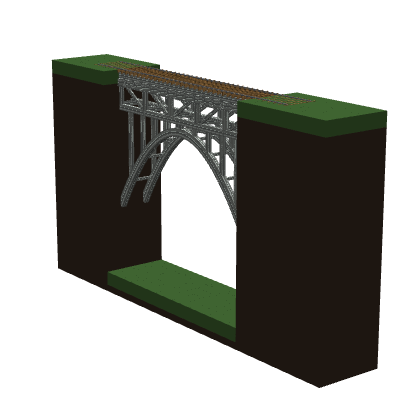
Bridges on Create curves

A bridge kit turns any Create track into a real railway bridge. The bridge is drawn under the track and follows every curve, slope and S-bend, with no blocks to place.
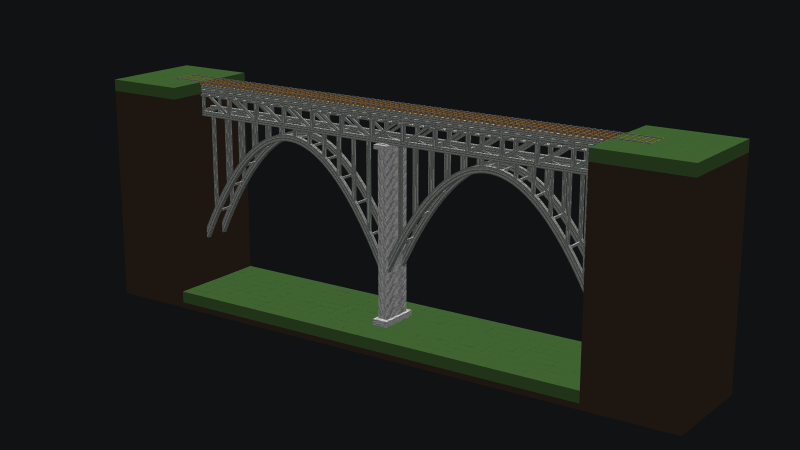
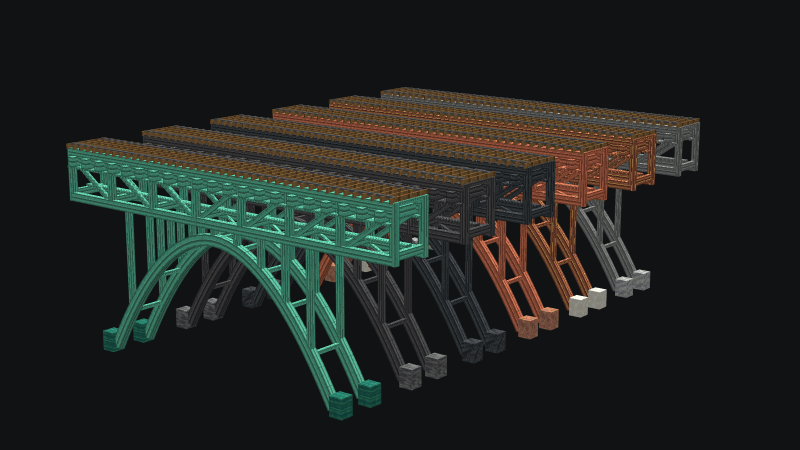
  • 6 materials: andesite, brass, copper, railway, industrial iron and oxidized copper.
  • Deck and Pratt truss under the rails, like a real steel railway bridge.
  • Supports that read the terrain: steel arches spring from the canyon walls, masonry piers split the wide gaps, and trestle legs carry the track over shallow ground. Nothing floats: every leg goes down to the ground.
  • 4 styles, changed with Create's wrench: arches, stepped arches (an aqueduct on piers), truss only, deck only.
  • Ponder scene included: hold W on the kit to see how it works.

How to use it

  • Curves: hold the kit in your off hand while you place a curved track, like Create's metal girders, or right-click an existing curve with it.
  • Straight track: click the first rail of the run, then the last one.
  • Wrench on the track: next style. Sneak + right-click with a kit: removes the bridge.
Two steel arches and a masonry pier over a valleyThe six bridge materials

Lamp posts

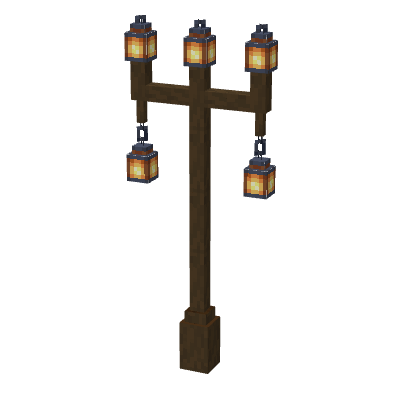
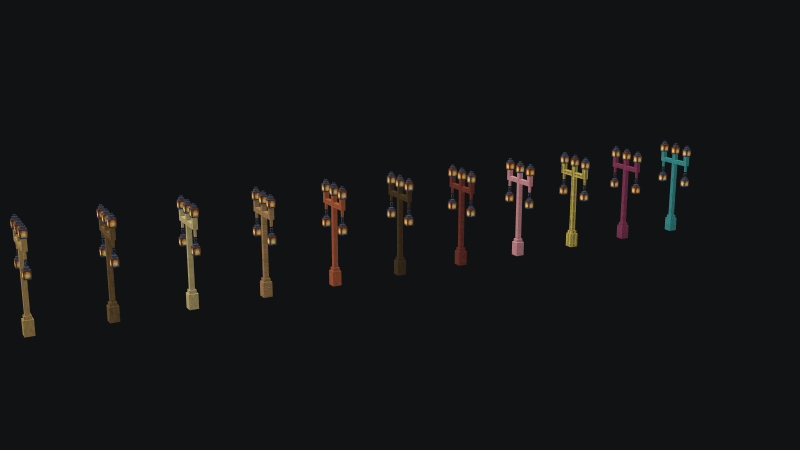
The lamp posts of the old mod, rebuilt in stripped wood, in all 11 woods. One item places the whole lamp post at once, then Create's wrench does the rest.
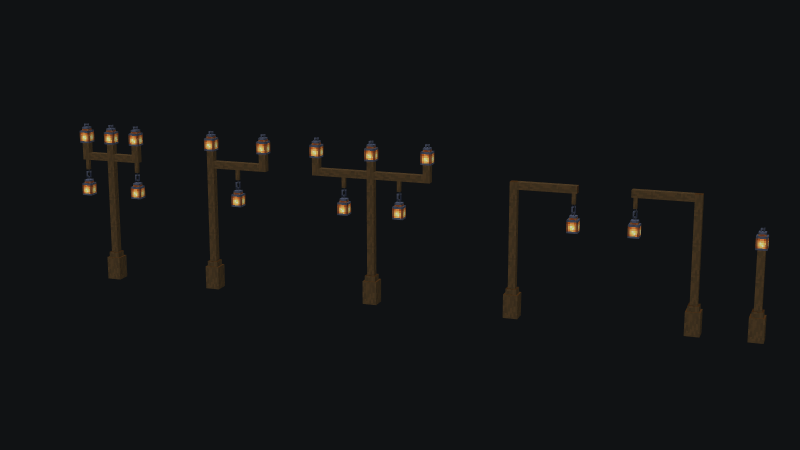
  • 5 shapes: T, one side, two sides, upside-down L and double L, plus a small post.
  • Wrench on the foot: turns the head a quarter turn, lanterns included.
  • Wrench on the post: one block taller. Sneak: one block lower.
  • Wrench on an arm: next shape. Sneak + wrench on the foot or an arm: picks it up.
  • Lanterns snap into place: right-click a riser or the top of the post to stand one on it, or the underside of an arm to hang one from it. Works with lanterns, soul lanterns and most lanterns from other mods.
  • Breaking any block of a lamp post removes the whole lamp post and gives the item back.
The lamp post shapesLamp posts in the 11 woods

Seats

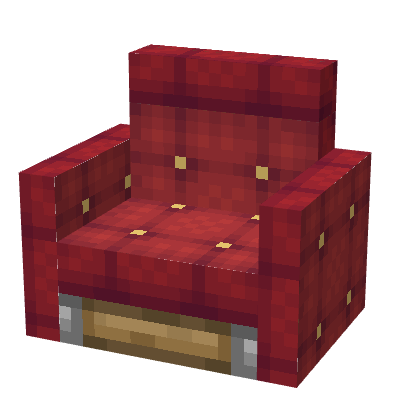
Nine seats built from Create's own seats. You can sit on all of them, and a dye recolours the cushions in the 16 colours, like Create's seats.
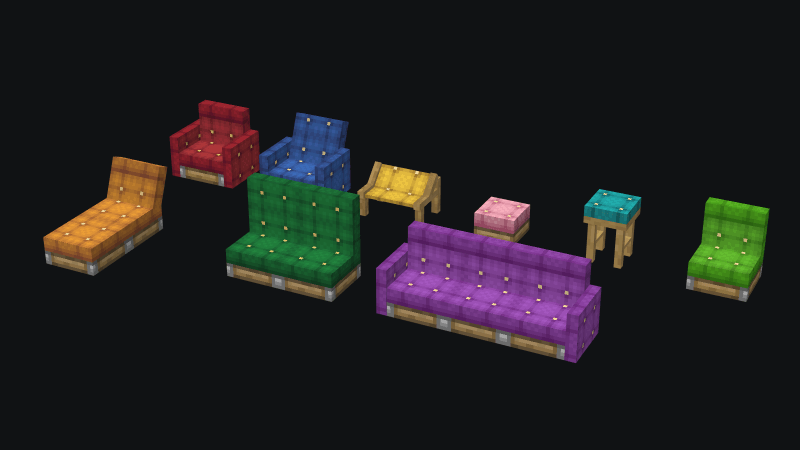
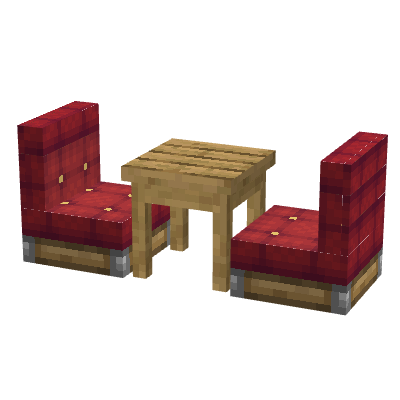
  • Chair, armchair, sofa, recliner, chaise longue, deck chair, train bench, pouf and high stool.
The nine seats

Tables

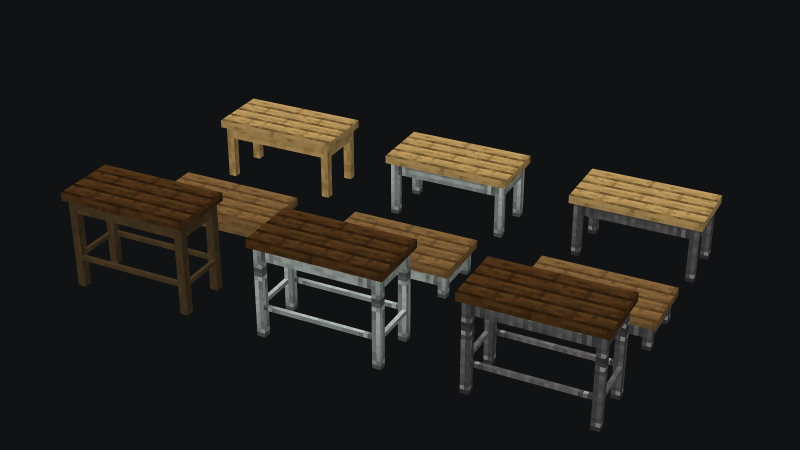
5 tables in all 11 woods: table, coffee table, bar table, pedestal table and train table.
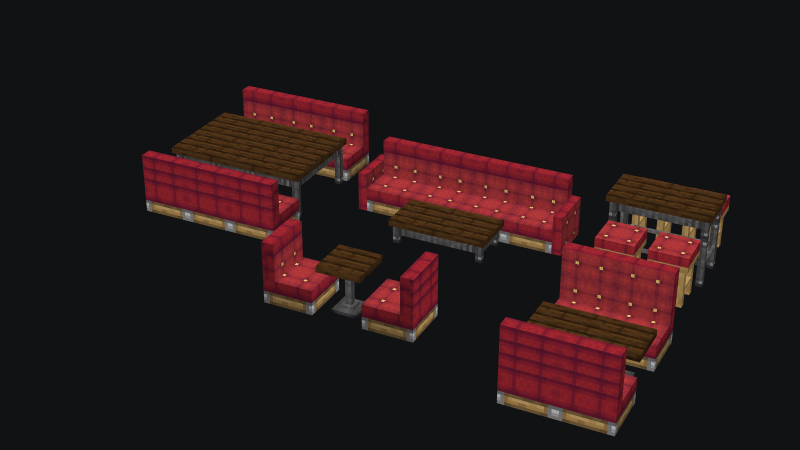
  • Tables of the same height join into one big table, with legs only at the outer corners.
  • Change the legs: andesite alloy for andesite legs, an iron sheet for industrial iron legs, an axe to get the wooden legs back.
A dining room with tables and seatsWooden, andesite and industrial iron legs

Crafting

  • Bridge kits: the kit's material (andesite alloy, brass ingot, ...) with Create's metal girders. 8 kits per craft.
  • Lamp posts: stripped logs of the wood you want, in a T. Small post: 3 stripped logs in a column.
  • Seats: Create seats. Tables: planks with stripped logs, sticks or metal girders.

With JEI or EMI installed, you can look up every recipe in game.

Installation

  • Minecraft 1.21.1 with NeoForge.
  • Create 6.0.10 or newer.
  • Needed on both the client and the server.

Coming from version 1.x?

Version 2.0 is a new mod under the hood. Blocks placed with the 1.x versions (Forge 1.20.1 and NeoForge 1.21.1) are not converted: do not update a world that uses them. The 1.x files stay available in the Files tab.

Community

Creator: arginou57. Built for the Create mod, which this addon needs and is inspired by.

Thank you for downloading Create : New Furnitures! A comment or a rating helps the mod a lot.

Project description from CurseForge.

Pick your setup

Create : New Furnitures by Minecraft version and loader

Choose the version and loader you play, then open the matching release.

2 available setups

Check the dependencies, then try the file in a copied instance before changing a world you care about.

Recent files

Create : New Furnitures versions and loaders

12 of 17 releases match
Clear filters

Looking for an older file? The official CurseForge project page is in Resources.