Minecraft version
Back to mods 
CurseForge · Minecraft mod
DraganBor's New Dimensions
This mod adds opportunity travel to others dimensions and blocks, items, weapon from dimensions.
Choose a version Pick your version below, then grab the matching file.
Quick answer
Which DraganBor's New Dimensions release should I use?
Latest stable file DraganBor's New Dimensions 1.1.1 for 1.12.2.jar
Game version 1.12.2
Loader Forge
DraganBor's New Dimensions 1.1.1 for 1.12.2.jar targets 1.12.2 with Forge. The project page does not say whether this file belongs on the client, dedicated server, or both. No extra mods listed for this file.
Where it goes
Is DraganBor's New Dimensions required on the client, server, or both?
The project page does not say whether this file belongs on the client, dedicated server, or both.
Client Source doesn’t say
Dedicated server Source doesn’t say
Loader for this release Forge
Required install it here Optional supported, not mandatory Not supported do not install here Source doesn’t say do not assume
The source does not explicitly classify this release as client-only or server-only.
What else does DraganBor's New Dimensions 1.1.1 for 1.12.2.jar need?
DraganBor's New Dimensions 1.1.1 for 1.12.2.jar. Change the file and its required mods may change too.
This file does not list any required mods. Do not add a library just because a different file uses it.
This file does not list any required or optional mods.
Before you install it
Add DraganBor's New Dimensions without breaking your instance.
Built for DraganBor's New Dimensions 1.1.1 for 1.12.2.jar. Pick another file and the loader, install side or required mods may change.
- 01
Stick to this file
Use DraganBor's New Dimensions 1.1.1 for 1.12.2.jar. It targets 1.12.2 with Forge; another release may have different loader, side or dependency requirements.
- 02
Bring the mods it needs
This file does not list any required mods. Do not add a library just because a different file uses it.
- 03
Put it on the correct side
The project page does not say whether this file belongs on the client, dedicated server, or both.
- 04
Pick the file you checked
Use the “Get this file” button beside DraganBor's New Dimensions 1.1.1 for 1.12.2.jar. It opens that exact file at the source.
About this project
What does DraganBor's New Dimensions add?
This mod add technologies to travel in dimensions, items, food, tools , weapons from dimensions. Also this mod add a lot of mobs with their mechanic, statistic and loot. I am a beginer in making mods so this is my first mod. I try to do all to make my mod better. I will read suggestions, advices,wishes from you and I will try to stick with them. Thank you for reading and downlowning my first mod , enjoy it! Good luck)
HERE'S THE TUTORIAL FOR HOW TO PLAY WITH MOD:
I will show all steps for travelling to dimension "Uniplex"
It is recommended to use Just Enough Items to view recipes!
This mod is made for the late game stages in vanilla Minecraft as it requires a lot of resources.
So,
To access another dimension, its coordinates stored on a flash drive are required. The data from the flash drive can be uploaded to the Multi-spatial coordinate logger ( M.C.L ).
To load the flash drive in M.C.L., resources are needed, both regular and capsule with plazma and simple atom. To do this exotic items follow the step number 1 .
1. You need to make a plasmatron to create special items. Its recipe is not easy, but I'm sure you can handle it)
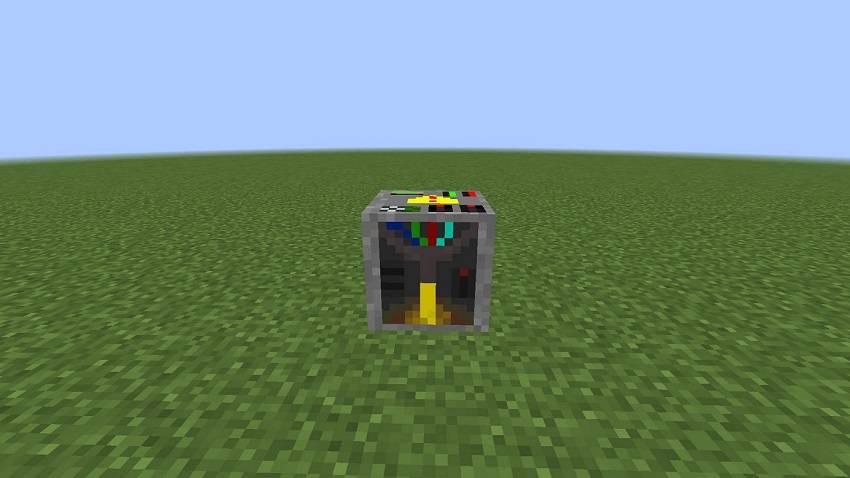
In our case, we need to do capsule with simple plazma, so open the plazmatron's GUI and put items in the correct order:
Unusual simple substance ( at the left of recipe) you may find it in the structure Laboratory:
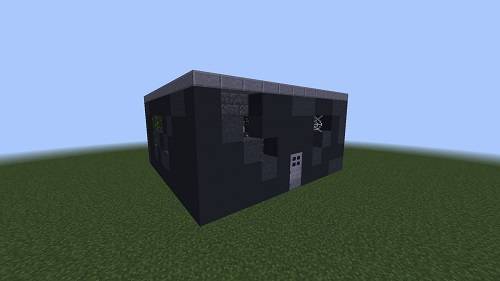
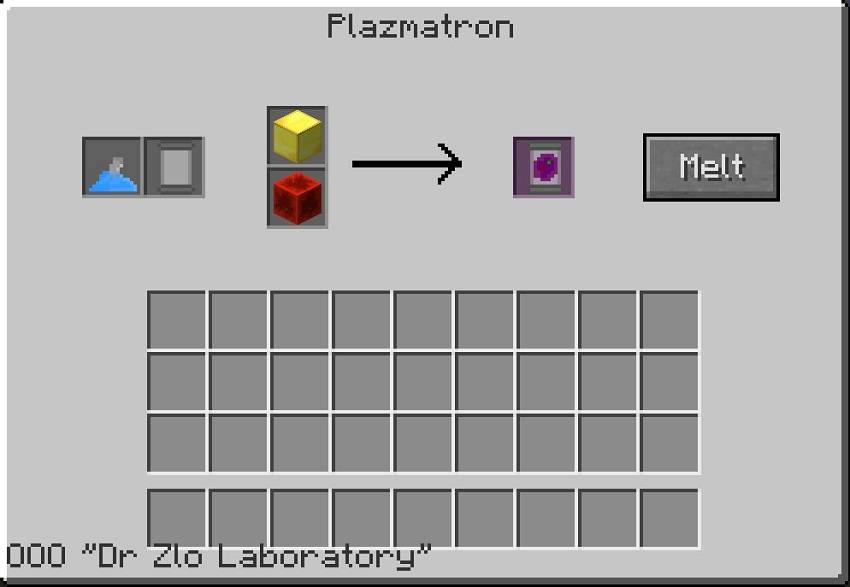
To make capsule with simple atom you need just to follow the recipe ( it requires simple plazma)
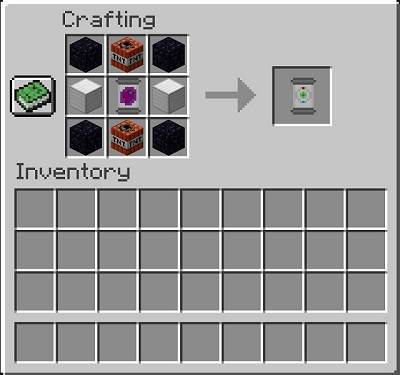
- After that, you need to make a Multi-spatial coordinate logger (M.C.L) and in addition to it, a blank flash drive for uploading coordinates.
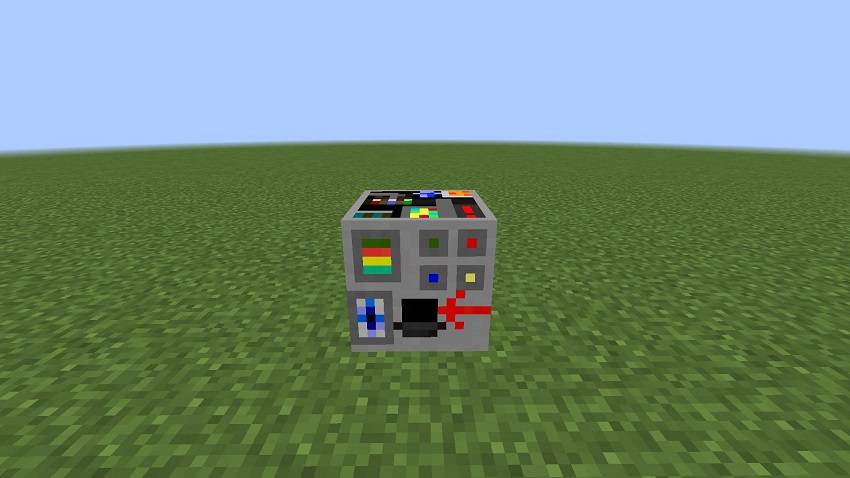
Resources mentioned above are required to upload data to the flash drive. Follow the recipe:
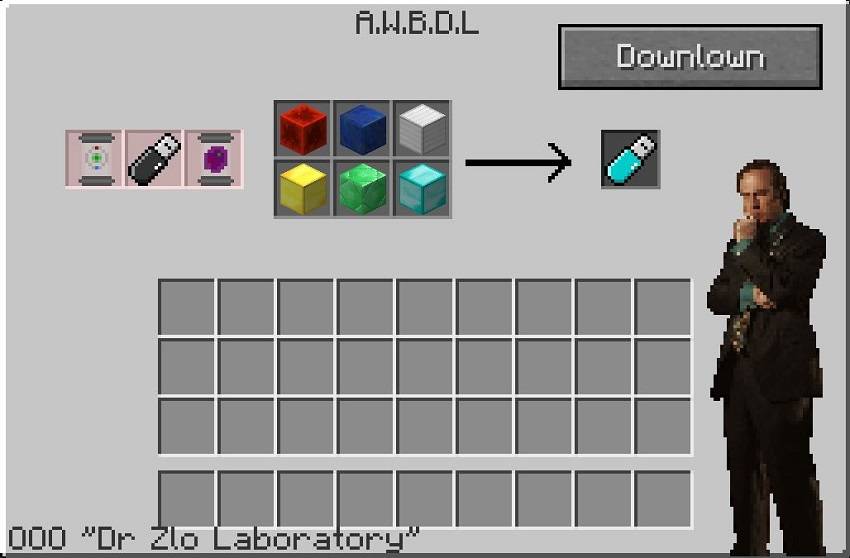
- Then you need to create a 'portal' to another dimension, in our case a miniature hadron collider that consists of components:
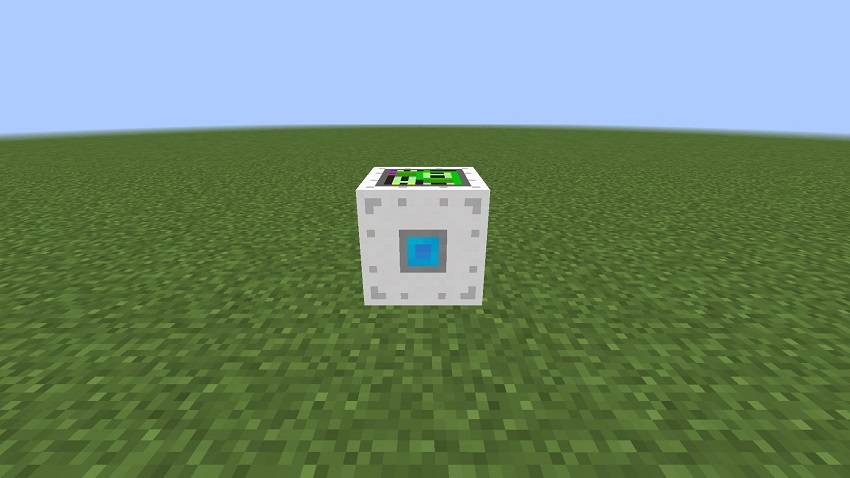
To create a hadron collider, you need to assemble its components just like you build a portal to the underworld. Of course, building a hadron collider costs a fortune, but THIS is just a miniature hadron collider! After the construction, you just need to activate it using a flash drive with the Uniplex measurement coordinates.
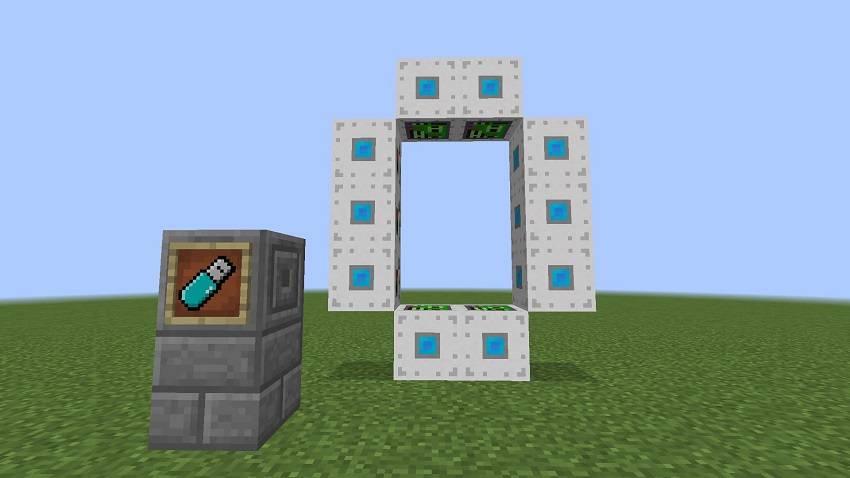
It's better to build the hadron collider like in the photo, you'll just save resources.
- Activate the collider and DONE, you have access to another dimension!
What is so interesting about measuring Uniplex? Besides the vanilla resources, there are mobs, dungeons, fuel, blocks, and ores. From peat, marble, and up to ancient metal - enigmium!
A lot of strong items and blocks can be made from enigma, but how to extract this metal?

There are 3 ways to extract enigmium:
- Ore extraction in the mine, the ore is rare and it takes longer to smelt in the furnaces.
- Finding in dungeons
- Extraction of nuggets by dissolving the flowers of enigmus in an oxidation press:
3.1. First, you need to make an oxidation press. Also, for the enigmus block, you need a lot of enigmus (flowers)
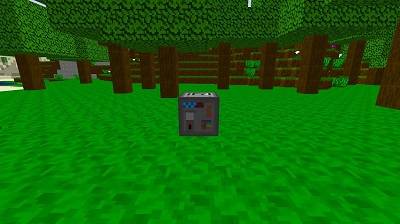
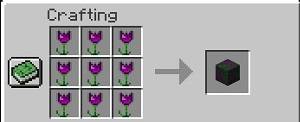
3.2. To obtain enigmium nuggets, follow this recipe:
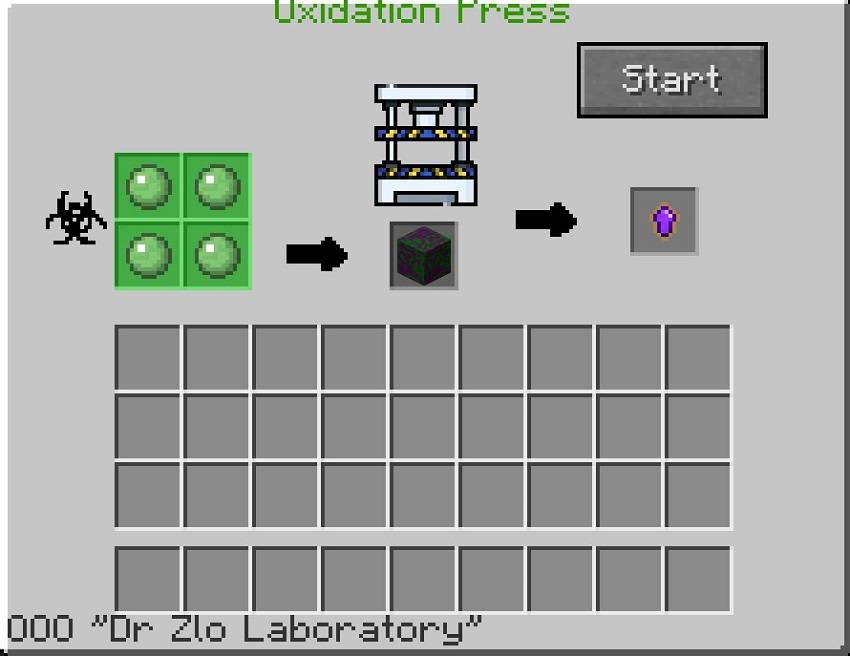
3.3. You can find the Enigmus in the Uniplex dimension in the forests and clearings.
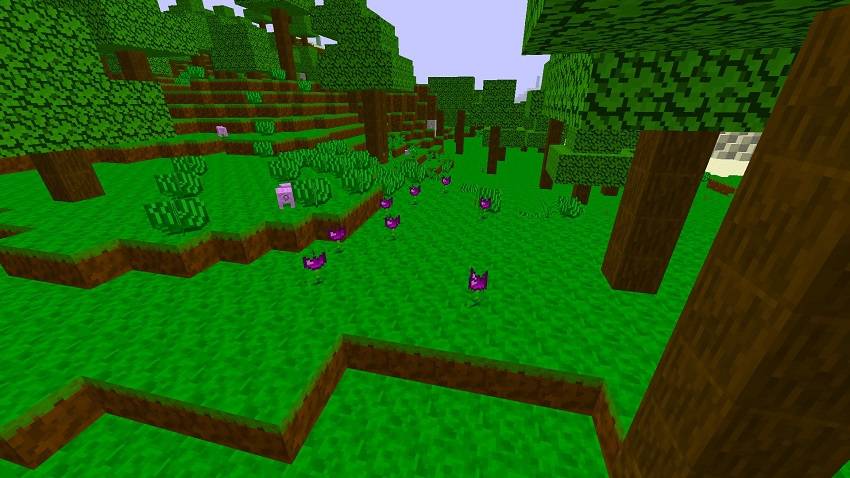
That's all, thank you for your attention!


The author condemns and does not promote drugs, in general it is harmful!
Project description from CurseForge.
Pick your setup
DraganBor's New Dimensions by Minecraft version and loader
Choose the version and loader you play, then open the matching release.
Check the dependencies, then try the file in a copied instance before changing a world you care about.
Recent files
DraganBor's New Dimensions versions and loaders
DraganBor's New Dimensions 1.1.1 for 1.12.2.jar
26 Aug 2025
Client Source doesn’t say Server Source doesn’t say Dependencies No extras listed Listed on Release listing
Check the 1.12.2 · Forge setup Forge1.12.2 release
DraganBor's New Dimensions 1.1.0 (1.12.2)
DraganBor's New Dimensions 1.1.0 (1.12.2).jar
6 May 2025
Client Source doesn’t say Server Source doesn’t say Dependencies No extras listed Listed on Release listing
Check the 1.12.2 · Forge setup Forge1.12.2 alpha
DraganBor's New Dimensions Mod 1.0.1 (1.12.2).jar
8 Jan 2025
Client Source doesn’t say Server Source doesn’t say Dependencies No extras listed Listed on Release listing
Check the 1.12.2 · Forge setup Forge1.12.2 alpha
DraganBor's New Dimensions v1.0 - 1.12.2
DraganBor's Multiverse Mod (Pre-Alpha 1.0).jar
28 Dec 2024
Client Source doesn’t say Server Source doesn’t say Dependencies No extras listed Listed on Release listing
Check the 1.12.2 · Forge setup Forge1.12.2 alpha
Looking for an older file? The official CurseForge project page is in Resources.
 mod
CurseForge + Modrinth · Minecraft
Hexalia
Practice folk witchcraft through herbalism, rituals, brewing, enchanted flora, magical tools, and the living forces of nature.
 mod
CurseForge + Modrinth · Minecraft
Mob Heads: Tropical Fish
Adds 3072 tropical fish heads, one for every variant, to Jodek's Mob Heads
 mod
CurseForge + Modrinth · Minecraft
Jodek's Mob Heads
Mobs can drop their head when killed by a player, easy drop rate config, drop messages, advancement collection and more