Minecraft version
Back to mods 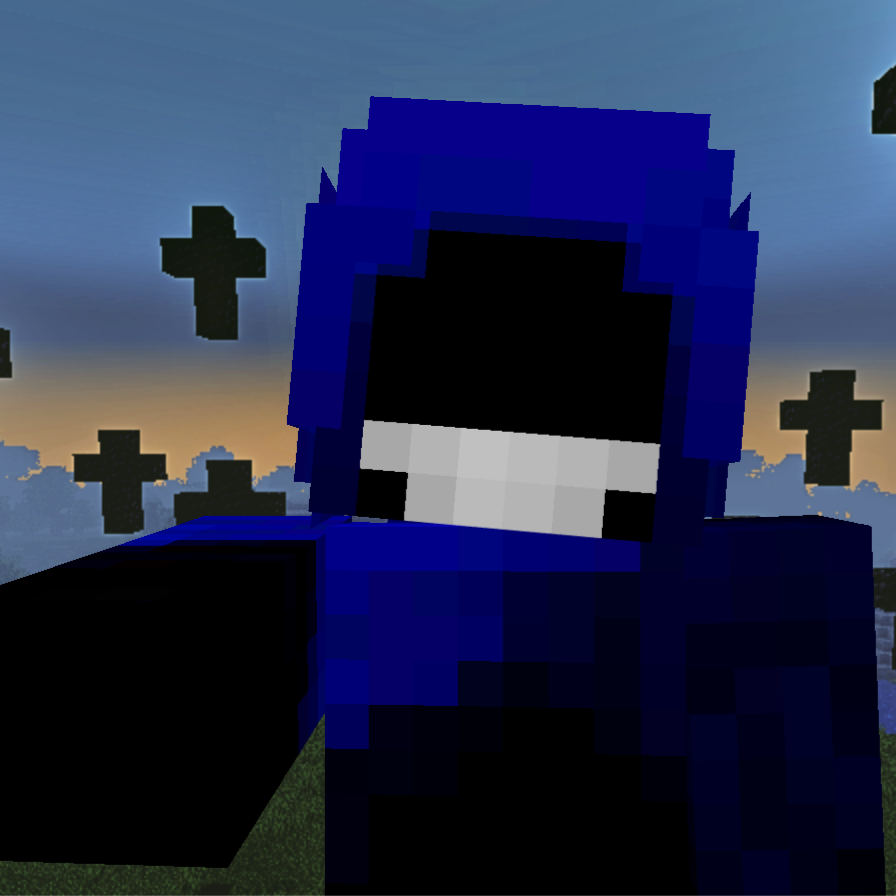
CurseForge · Minecraft mod
The Watching Shade
Added a creepy entity that can stalk you and mess with your world
Choose a version Pick your version below, then grab the matching file.
Quick answer
Which The Watching Shade release should I use?
beta file the_shade-1.4.1-1.20.1.jar
Game version 1.20.1
Loader Forge
The Watching Shade the_shade-1.4.1-1.20.1.jar targets 1.20.1 with Forge. The project page does not say whether this file belongs on the client, dedicated server, or both. No extra mods listed for this file.
Where it goes
Is The Watching Shade required on the client, server, or both?
The project page does not say whether this file belongs on the client, dedicated server, or both.
Client Source doesn’t say
Dedicated server Source doesn’t say
Loader for this release Forge
Required install it here Optional supported, not mandatory Not supported do not install here Source doesn’t say do not assume
The source does not explicitly classify this release as client-only or server-only.
What else does The Watching Shade the_shade-1.4.1-1.20.1.jar need?
the_shade-1.4.1-1.20.1.jar. Change the file and its required mods may change too.
This file does not list any required mods. Do not add a library just because a different file uses it.
This file does not list any required or optional mods.
Before you install it
Add The Watching Shade without breaking your instance.
Built for The Watching Shade the_shade-1.4.1-1.20.1.jar. Pick another file and the loader, install side or required mods may change.
- 01
Stick to this file
Use the_shade-1.4.1-1.20.1.jar. It targets 1.20.1 with Forge; another release may have different loader, side or dependency requirements.
- 02
Bring the mods it needs
This file does not list any required mods. Do not add a library just because a different file uses it.
- 03
Put it on the correct side
The project page does not say whether this file belongs on the client, dedicated server, or both.
- 04
Pick the file you checked
Use the “Get this file” button beside the_shade-1.4.1-1.20.1.jar. It opens that exact file at the source.
About this project
What does The Watching Shade add?
This mod is recommened to be played with Fog mod
I am planning on fully remaking this mod since currently it is quite buggy
This mod adds a creepy entity that can stalk you and mess with your world, breaking your torches and building strange structures
This entity can spawn at night or in the caves and it has a very unpredictable behavior
The mod is intended to be played without much more knowledge about the entity, so i wont spoil what it can do
The mod also has a configuration so you can disable certian features but i don't recommend to check it until playing cause it may spoil some stuff about the entity
The mod is inspired by Josh Blue Moon's video where he recreated a "rejected mob"
And it's also heavily based on minecraft myths/creepypastas
Don't forget to report about any bugs you find!
Known bugs:
- Spawn mechanic is really unstable
- Raytracing is abit broken
- Signs Shade places don't have any text on 1.19.2
- Chat response cooldown doesn't work
You can also join wonderland.hub Discord server where you can talk to me and some other mod developers aswell as get sneak peeks and announcements about the mod
Credits:
Itszhaba - most of the hood texture (I should have mention this before but better late than never)
Mr. Gibbo - jumpscare sound
Riverrflower - idea and design of Victim and Vortex
Project description from CurseForge.
Pick your setup
The Watching Shade by Minecraft version and loader
Choose the version and loader you play, then open the matching release.
Minecraft version
1.19.2
1 loader buildCheck the dependencies, then try the file in a copied instance before changing a world you care about.
Recent files
The Watching Shade versions and loaders
the_shade-1.4.1-1.20.1.jar
16 Dec 2025
Client Source doesn’t say Server Source doesn’t say Dependencies No extras listed Listed on Release listing
Check the 1.20.1 · Forge setup 1.20.1Forge beta
the_shade-1.4.1-1.19.2.jar
16 Dec 2025
Client Source doesn’t say Server Source doesn’t say Dependencies No extras listed Listed on Release listing
Check the 1.19.2 · Forge setup Forge1.19.2 beta
the_shade-1.4.0a-1.20.1.jar
11 Dec 2025
Client Source doesn’t say Server Source doesn’t say Dependencies No extras listed Listed on Release listing
Check the 1.20.1 · Forge setup 1.20.1Forge alpha
the_shade-1.4.0a-1.19.2.jar
11 Dec 2025
Client Source doesn’t say Server Source doesn’t say Dependencies No extras listed Listed on Release listing
Check the 1.19.2 · Forge setup Forge1.19.2 alpha
the_shade-1.4.0-1.20.1.jar
23 Nov 2025
Client Source doesn’t say Server Source doesn’t say Dependencies No extras listed Listed on Release listing
Check the 1.20.1 · Forge setup 1.20.1Forge alpha
the_shade-1.4.0-1.19.2.jar
23 Nov 2025
Client Source doesn’t say Server Source doesn’t say Dependencies No extras listed Listed on Release listing
Check the 1.19.2 · Forge setup Forge1.19.2 alpha
Looking for an older file? The official CurseForge project page is in Resources.
 mod
mod CurseForge · Minecraft
Pyrologer And Friends Port
This is a continuation of the discontinued PNF Mod! Ported To 1.20.1!
 mod
mod CurseForge · Minecraft
Beyond The End - Ender Journey
The Ender Journey mod add The Forgotten Realm dimmension used as a lobby for the players in the Beyond The End Modpack
 mod
mod CurseForge + Modrinth · Minecraft
Insane's Survival Overhaul (aka IguanaTweaks Reborn)
Overhaul survival with many changes to existing mechanics. Weapon rebalance, enchanting rework, and much more