Best match for your filtersbanksystem-neoforge-26.1-2.2.0.jar
Game version26.1.2
LoaderNeoForge
banksystem-neoforge-26.1-2.2.0.jar targets 26.1.2 with NeoForge. The project page does not say whether this file belongs on the client, dedicated server, or both. All 1 required mods have matching files.
Where it goes
Is BankSystem required on the client, server, or both?
The project page does not say whether this file belongs on the client, dedicated server, or both.
ClientSource doesn’t say
Dedicated serverSource doesn’t say
Loader for this releaseNeoForge
Required install it hereOptional supported, not mandatoryNot supported do not install hereSource doesn’t say do not assume
The source does not explicitly classify this release as client-only or server-only.
Matching file found Matched file: [NeoForge 26.1.2] v20.2.19
We only count dependency files that match this setup. A file for another loader does not fill the gap.
Before you install it
Add BankSystem without breaking your instance.
Built for banksystem-neoforge-26.1-2.2.0.jar on 26.1.2. Pick another file and the loader, install side or required mods may change.
01
Stick to this file
Use banksystem-neoforge-26.1-2.2.0.jar. It targets 26.1.2 with NeoForge; another release may have different loader, side or dependency requirements.
02
Bring the mods it needs
Install Architectury API first. We found matching files for this game-version and loader setup.
03
Put it on the correct side
The project page does not say whether this file belongs on the client, dedicated server, or both.
04
Pick the file you checked
Use the “Get this file” button beside banksystem-neoforge-26.1-2.2.0.jar. It opens that exact file at the source.
About this project
What does BankSystem add?
Bank System Mod
About
BankSystem is a Minecraft mod that adds a full banking system to the game. Every player gets an account that can hold money and items, with support for shared accounts, per-user permissions, redstone automation, in-world balance displays, and an interactive balance-history chart. Players can found companies, hire workers, mint physical share items, pay wages on a schedule and hand out dividends to shareholders. The Bank Terminal includes a full crafting grid that can pull ingredients directly from your account, and individual slots can be bound to third-party currency mods so a single balance is shared across every system that touches it. Server admins get a complete toolbox: a transaction ledger, an audit screen, suspicious-activity alerts, account freezing, LuckPerms permission nodes, placeholders for TAB and Placeholder API, and a Discord feed of bank events. Ideal for multiplayer servers with active economies, and the financial backbone for the Stock Market Mod.
Version 2.2.0 runs on Fabric and NeoForge for Minecraft 1.21.1 – 1.21.11, 26.1, 26.2 and 26.3. Worlds from older BankSystem versions are upgraded automatically on the first start, and a backup of all bank data is saved first. Feedback and bug reports are welcome on GitHub.
Features
Bank Accounts
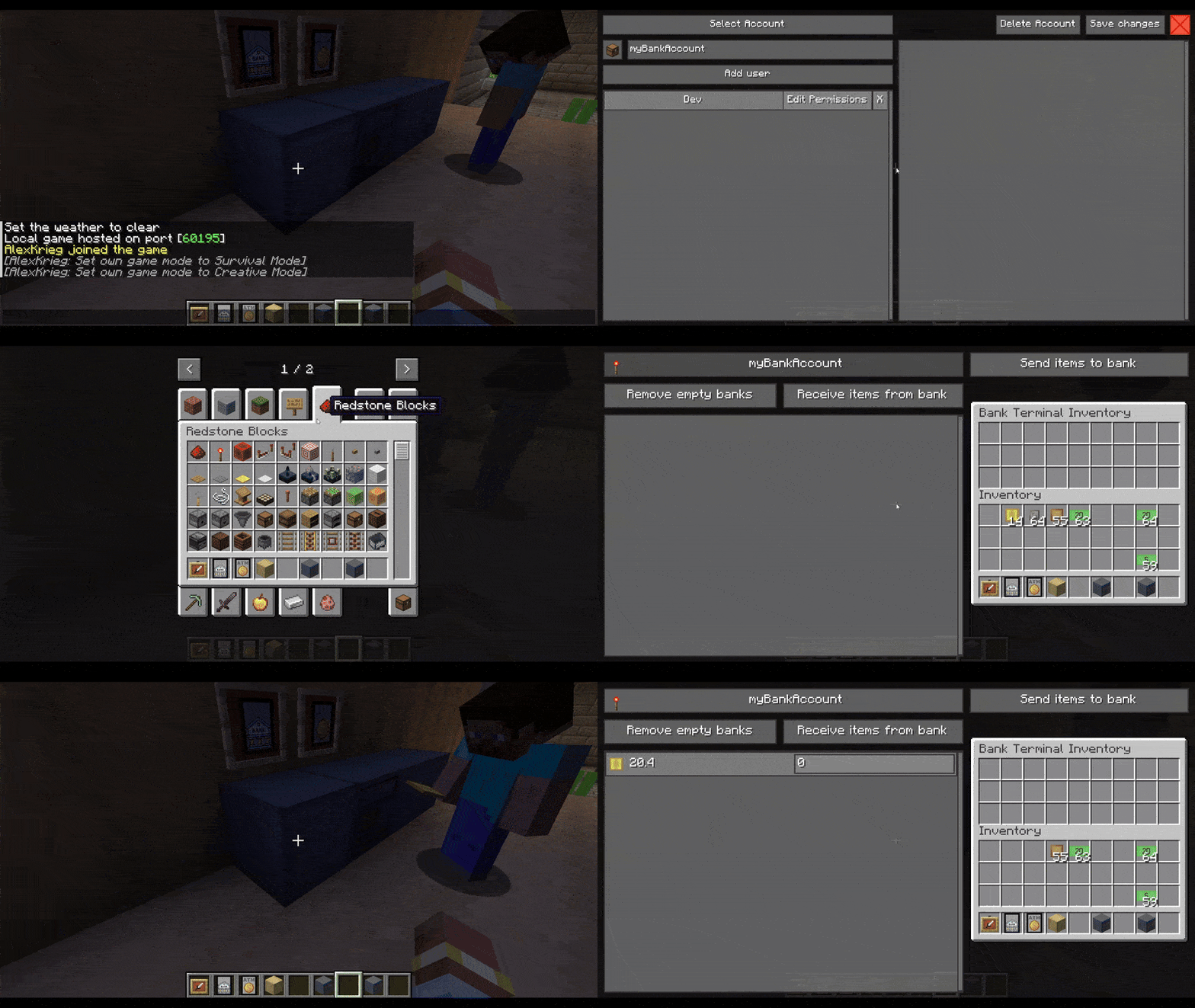
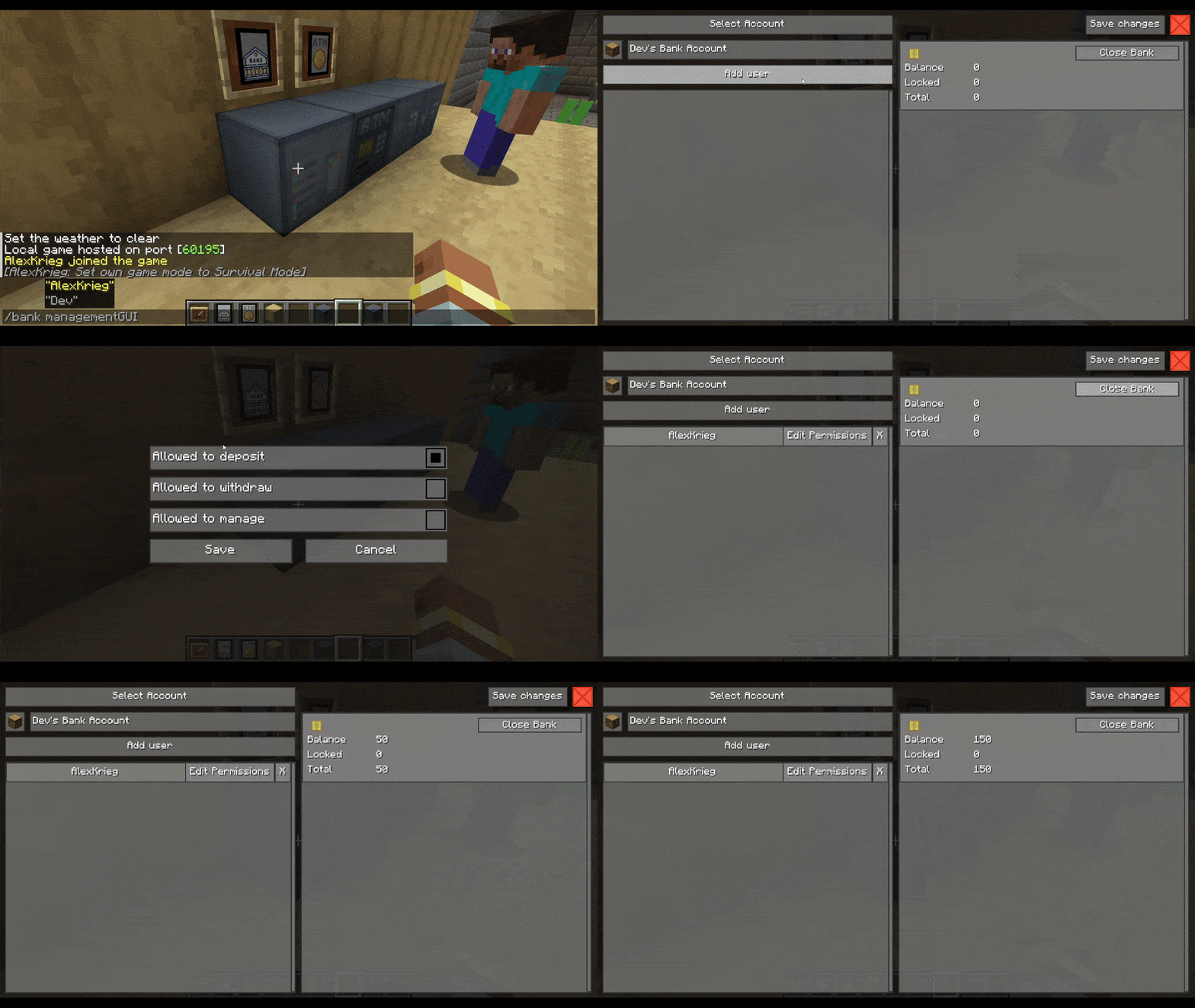
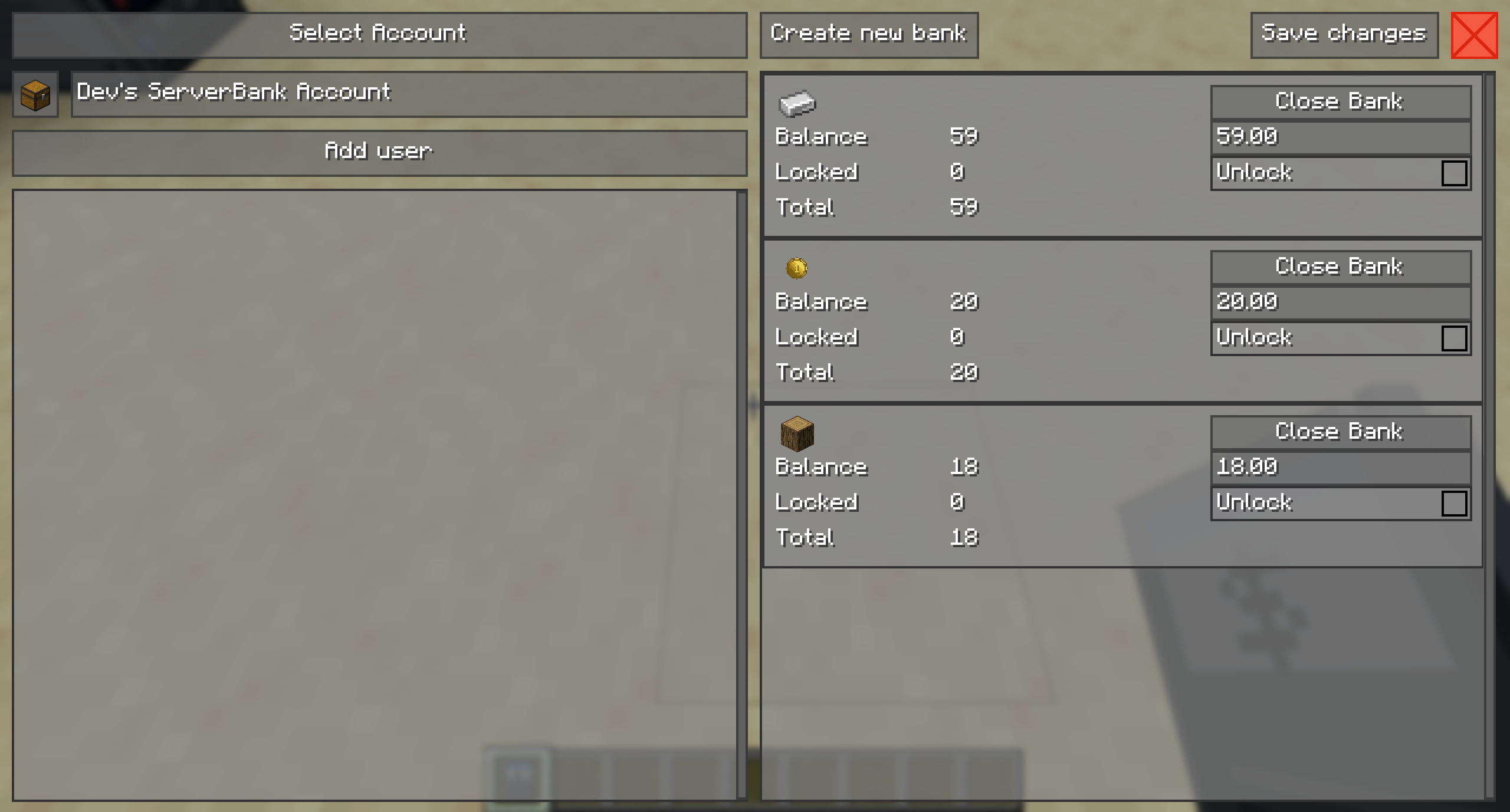
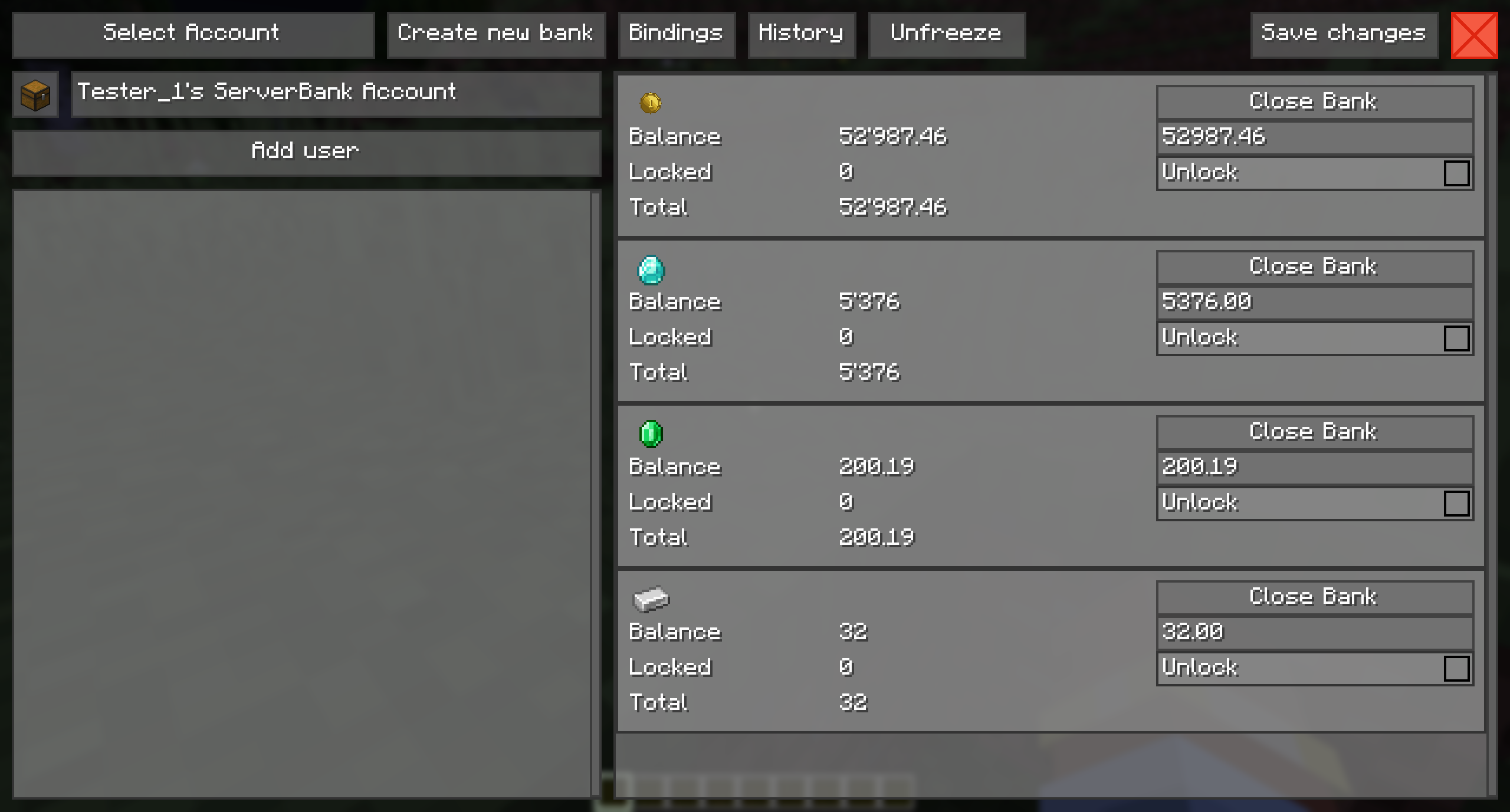
Personal and shared bank accounts holding both money and items in the same slot list.
Per-user permissions — Deposit, Withdraw, and Manage, mixed and matched per account and per member.
Shared accounts always keep at least one manager — the last user cannot be removed by accident.
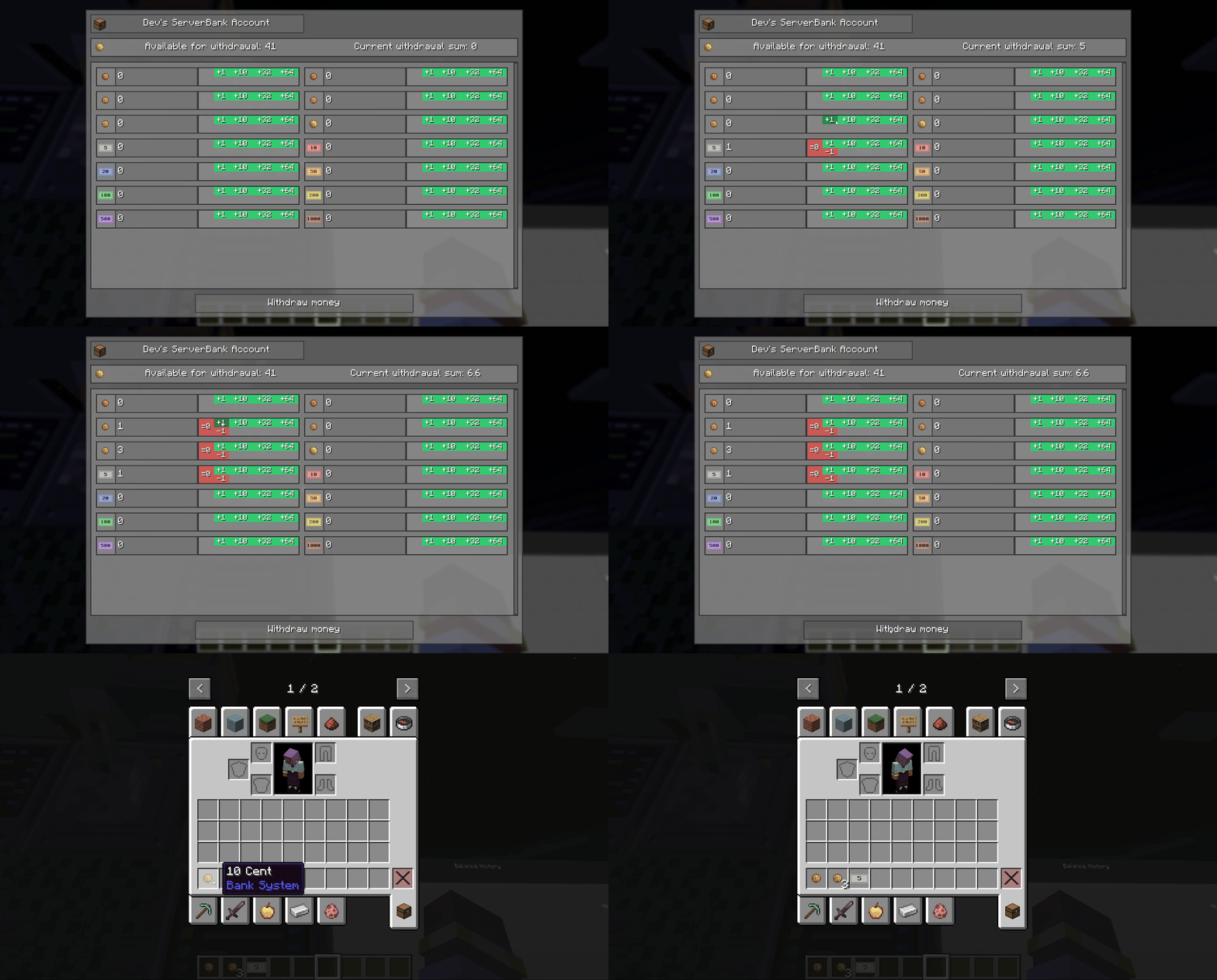
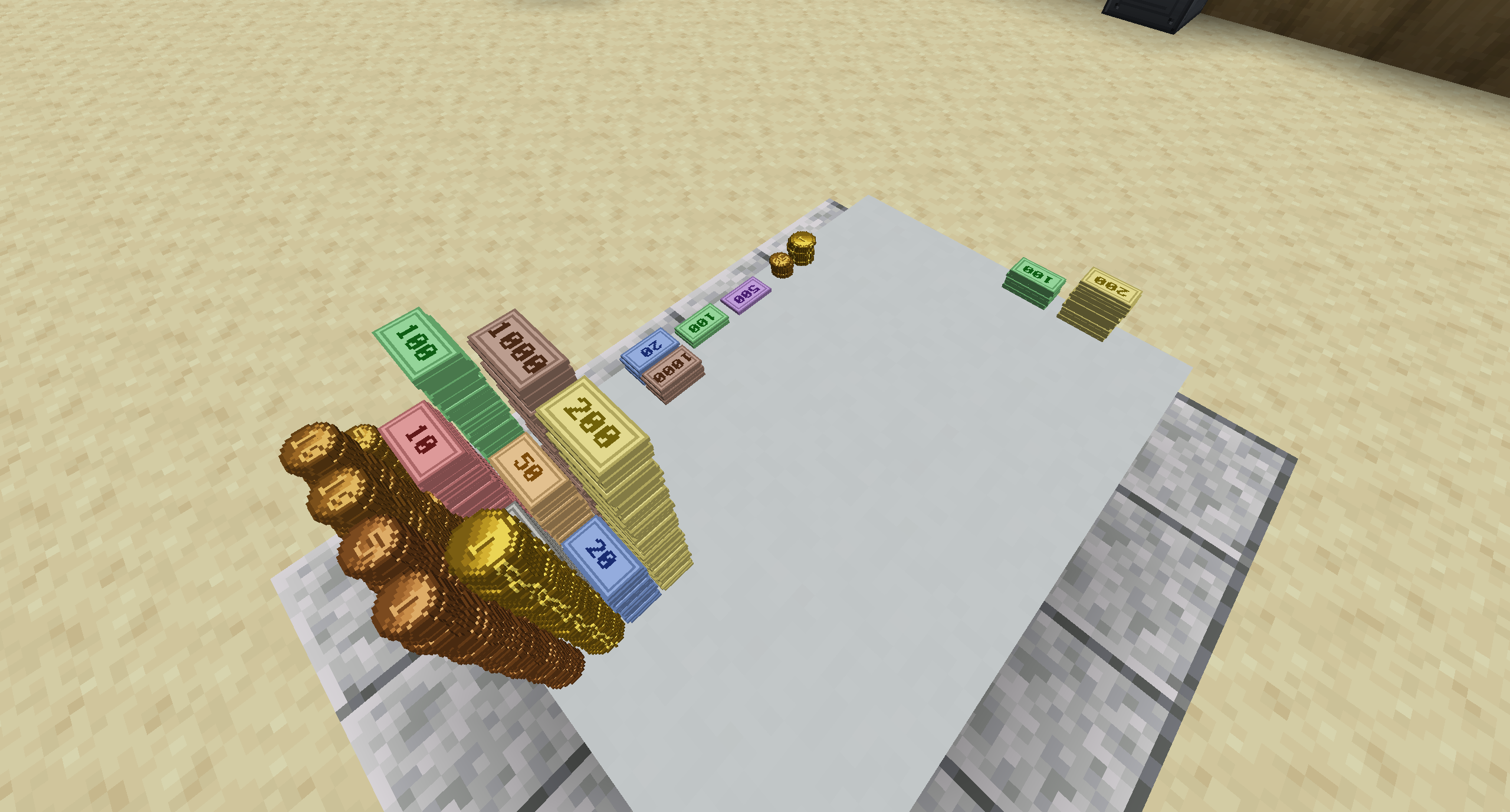
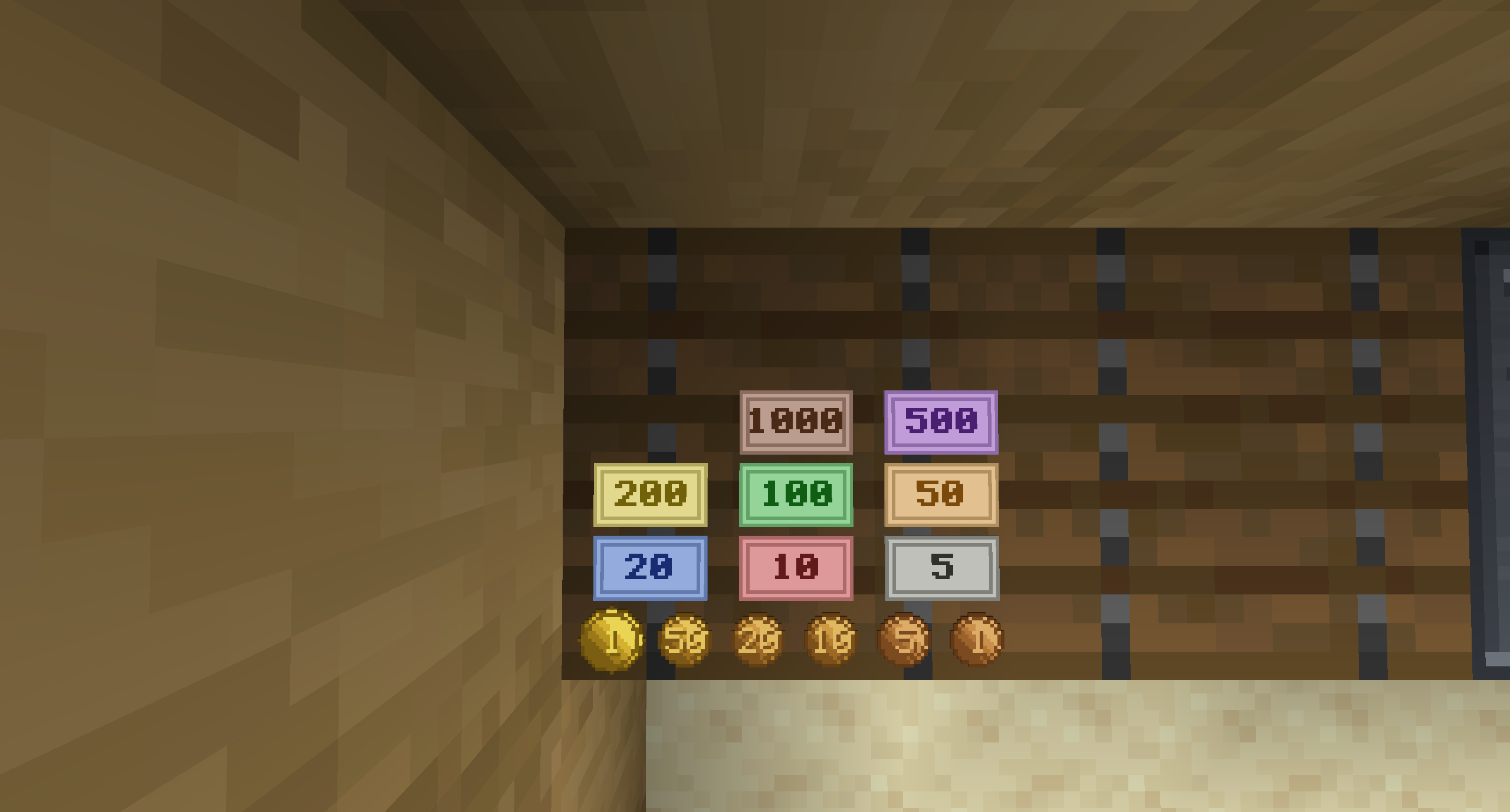
Money system with 21 denominations — cent coins (1¢, 5¢, 10¢, 20¢, 50¢), a $1 coin, everyday notes ($5, $10, $20, $50, $100, $200, $500, $1000) and a high-value tier for large economies ($5K, $10K, $20K, $50K, $100K, $500K, $1M). Each has its own artwork, converts into its neighbours in a crafting grid, and is placeable as a decorative block.
Configurable allowed-items list prevents the bank from being used as infinite storage; admins can disallow any item, money included.
Account picker with a filter box (account number or name) that shows each account's members on hover.
Your accounts stay private — other players can't read your balances, members, history or account number.
Bank Terminal
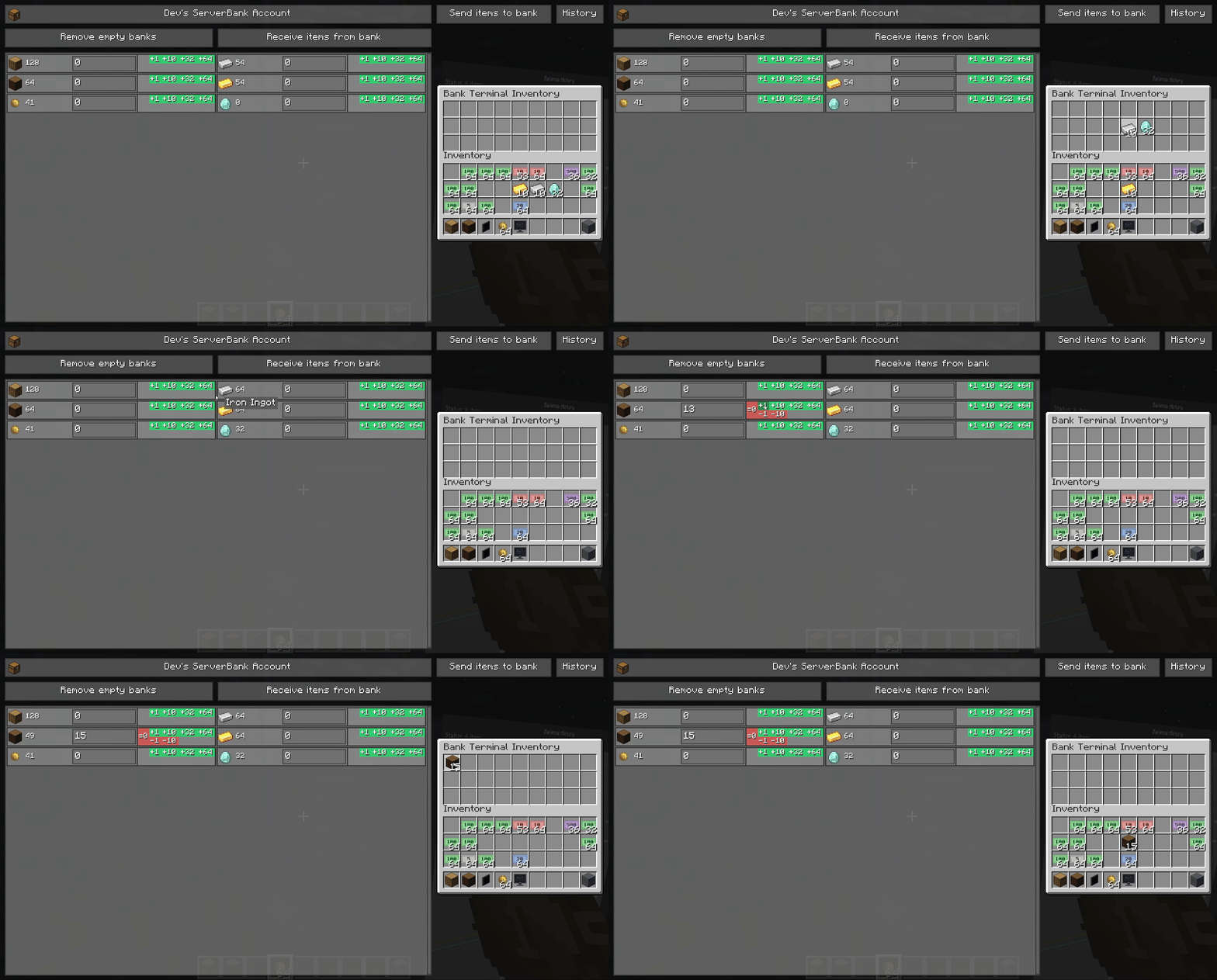
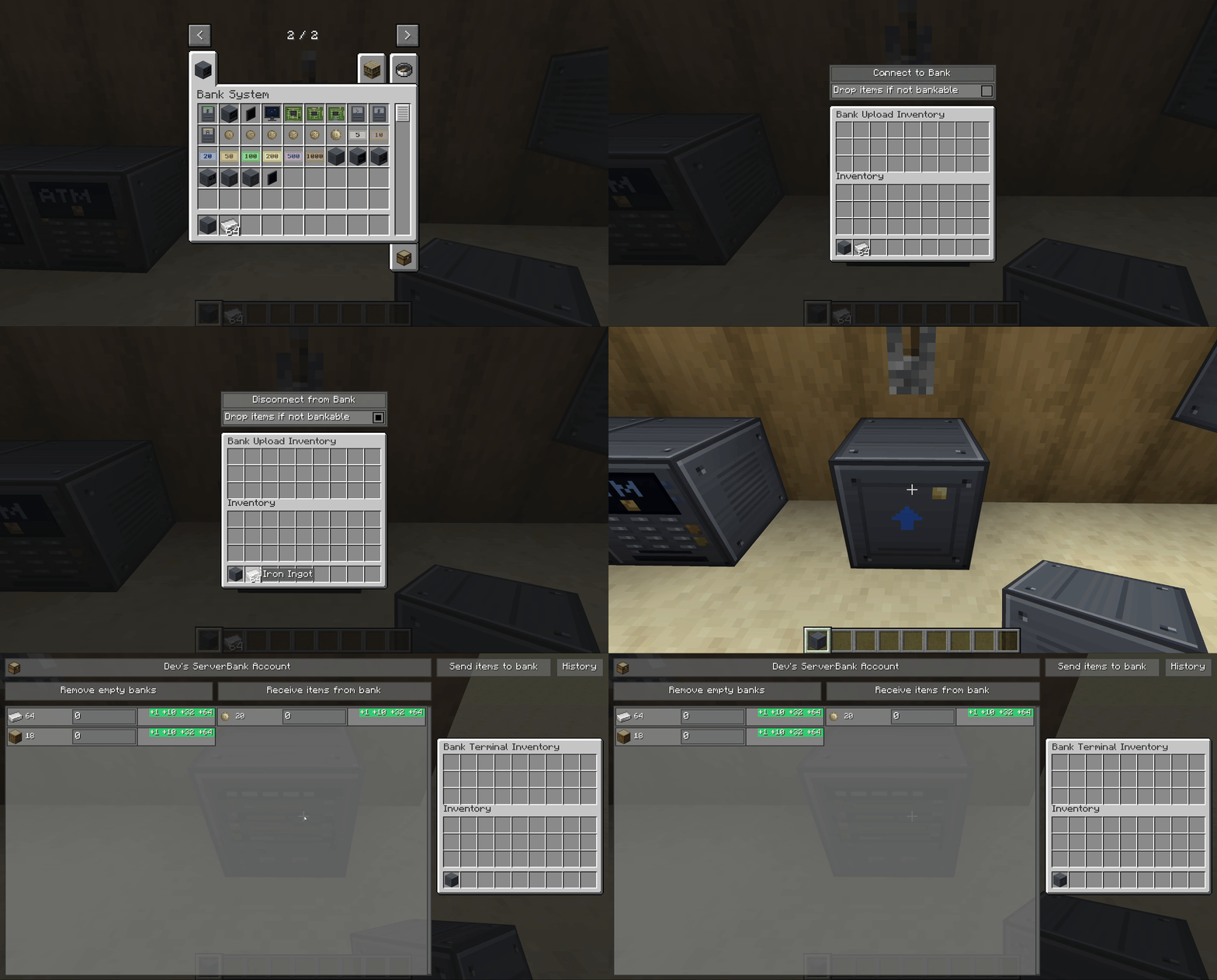
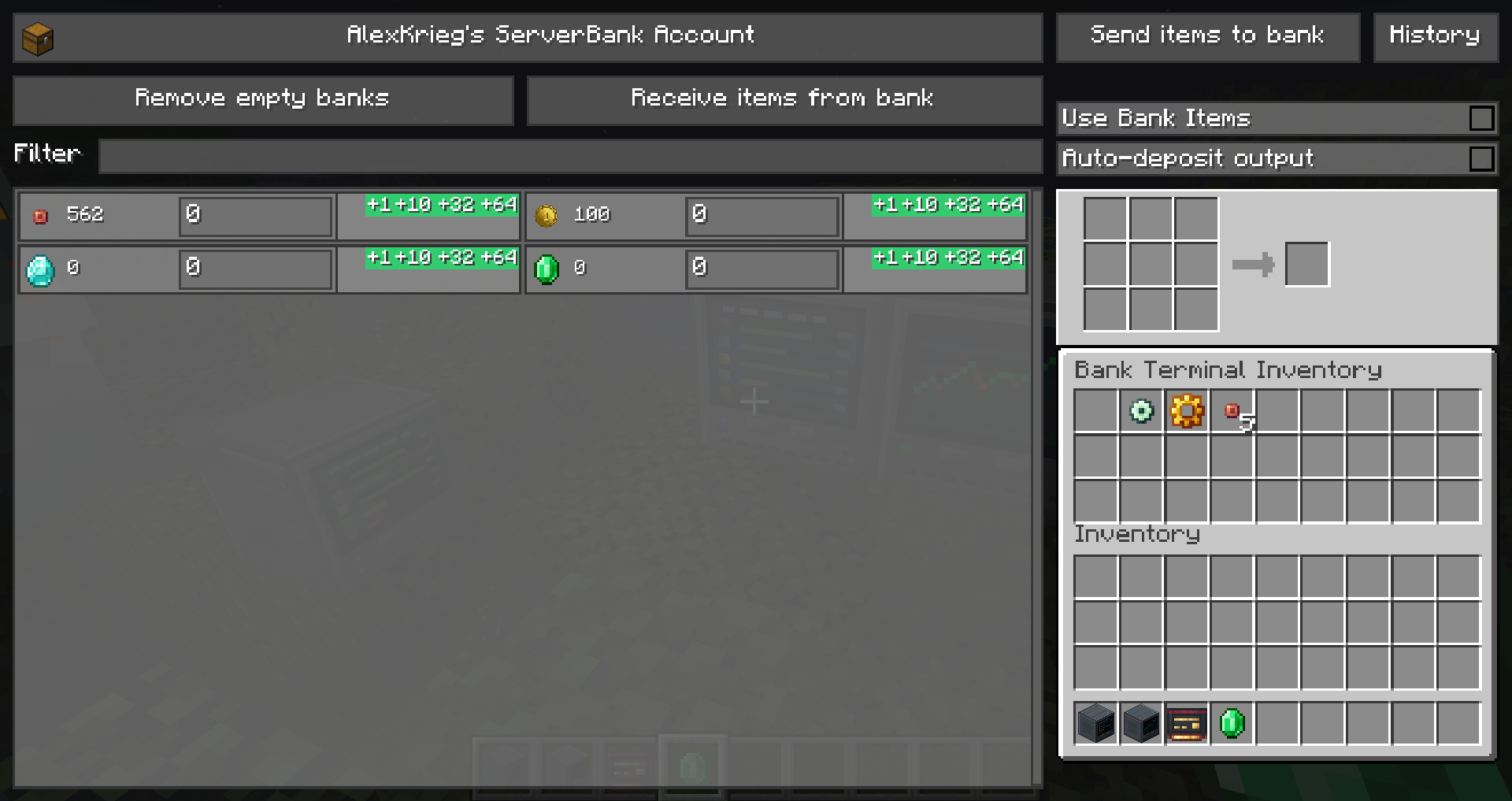
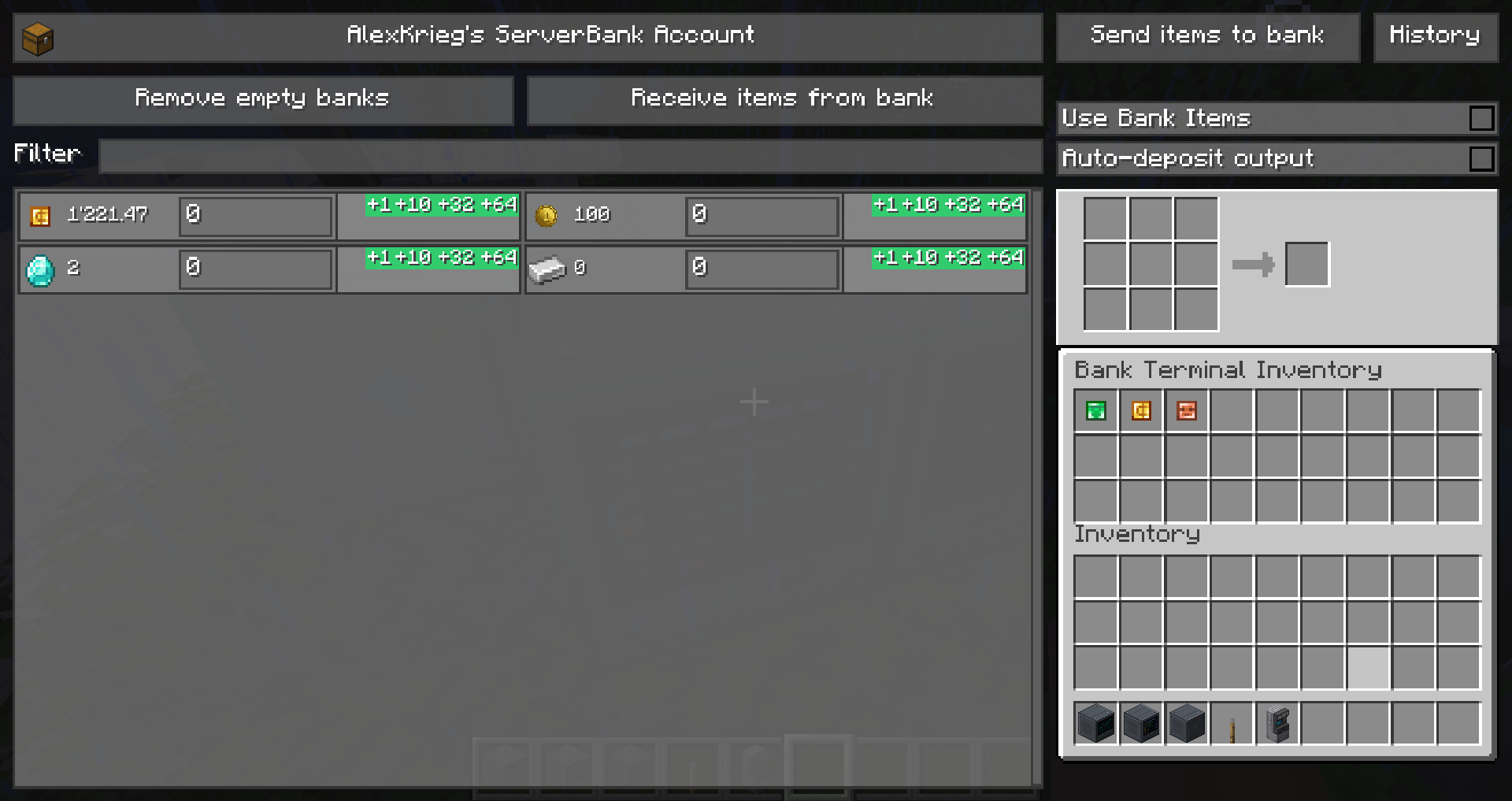
Deposit and withdraw money and items from a single screen.
Full 3×3 crafting grid inside the terminal that can source missing ingredients from your bank account and auto-deposit the crafted output.
JEI integration — the "+" button on any recipe fills the grid, and clicking any item in the bank list looks up its recipes and applies the best one your bank can satisfy.
Item filter box narrows the balance list by name or tag.
The terminal remembers your last-selected account across every terminal on the server.
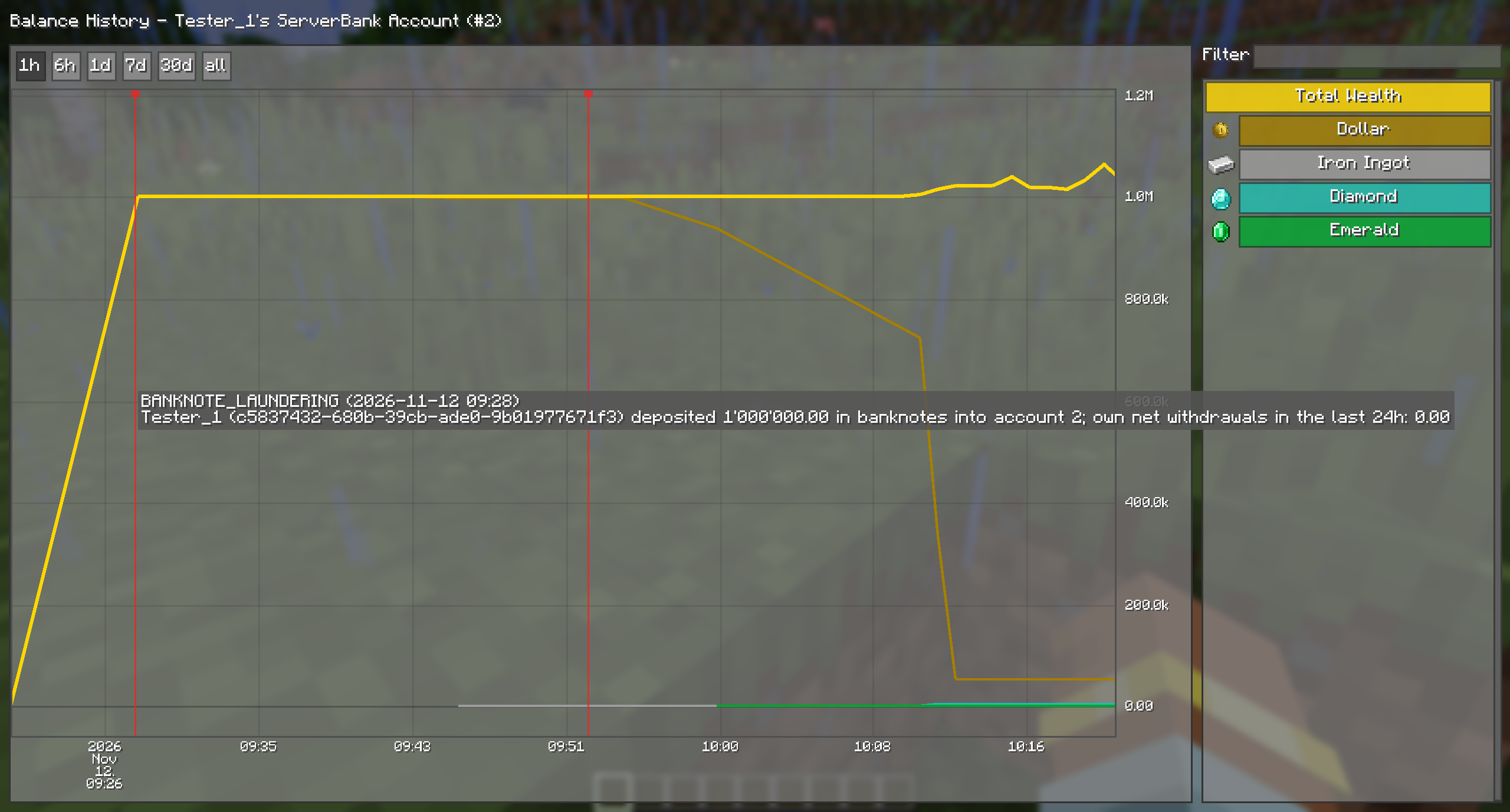
Interactive balance-history chart with zoom, pan, tag-based search, and per-item series filters that persist across sessions — also reachable from the History button in Bank Account Management.
ATM & Automation
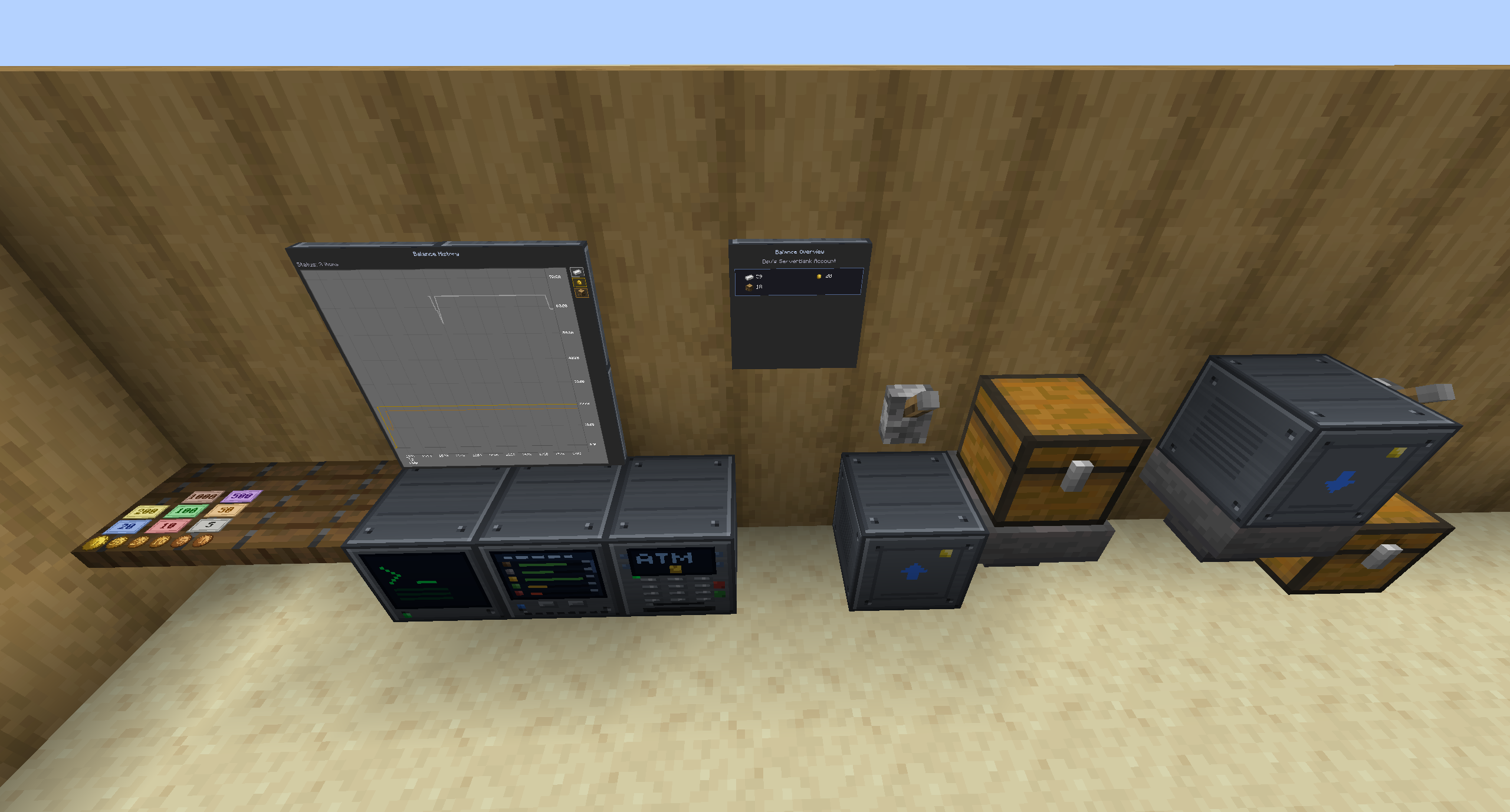
ATM block — withdraw money as specific note denominations.
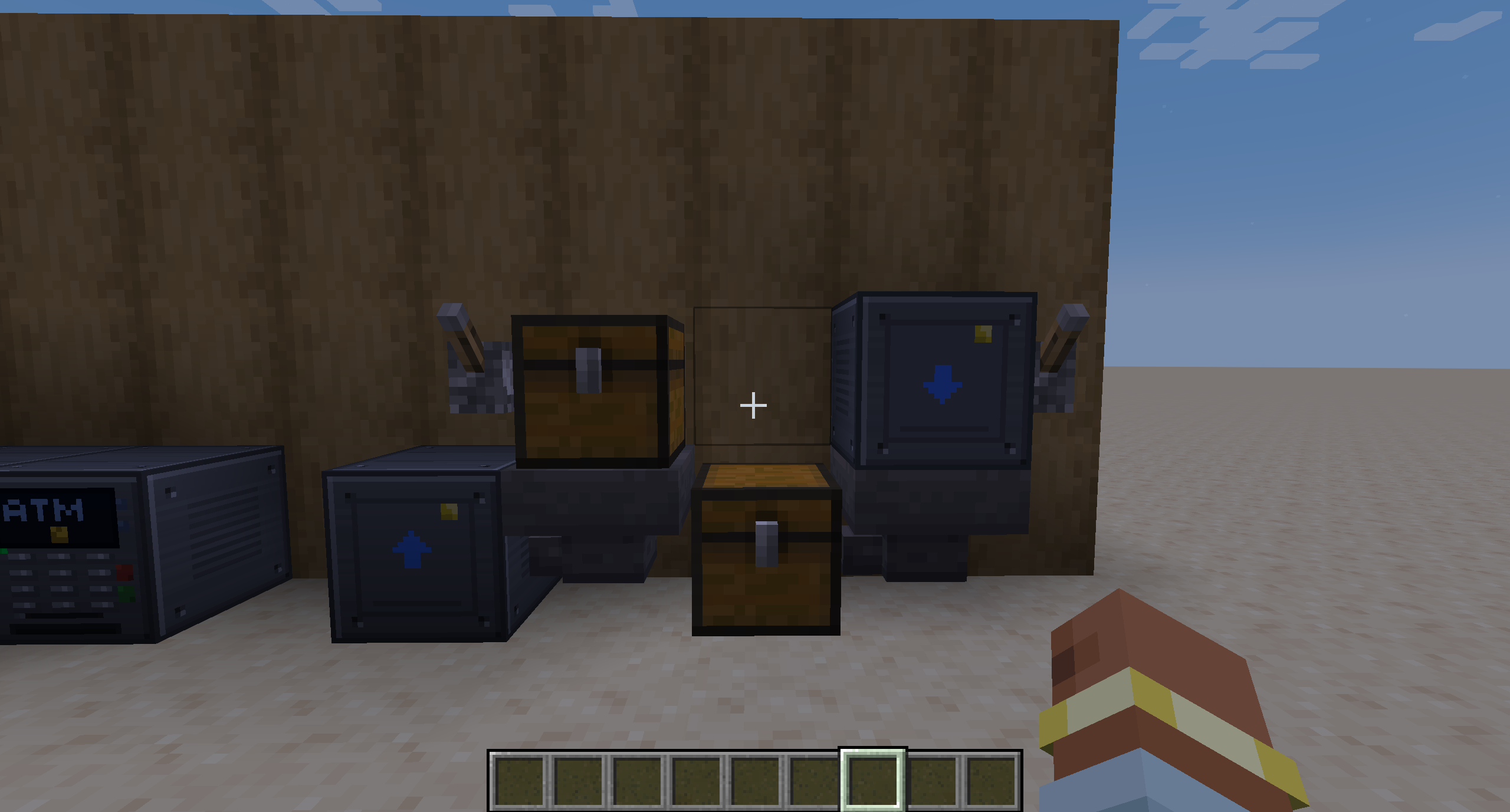
Bank Upload and Bank Download blocks — redstone-powered automation that connects to hoppers, pipes, and modded item conduits on a configurable interval.
Every part of a Download block's withdraw condition explains itself with a tooltip.
Coin-variant deposits are routed to the account's money slot at the currency mod's live face value — no per-variant sub-accounts are created.
Found a company with /company create <name> <maxSupply> — it gets its own shared bank account with you as founder.
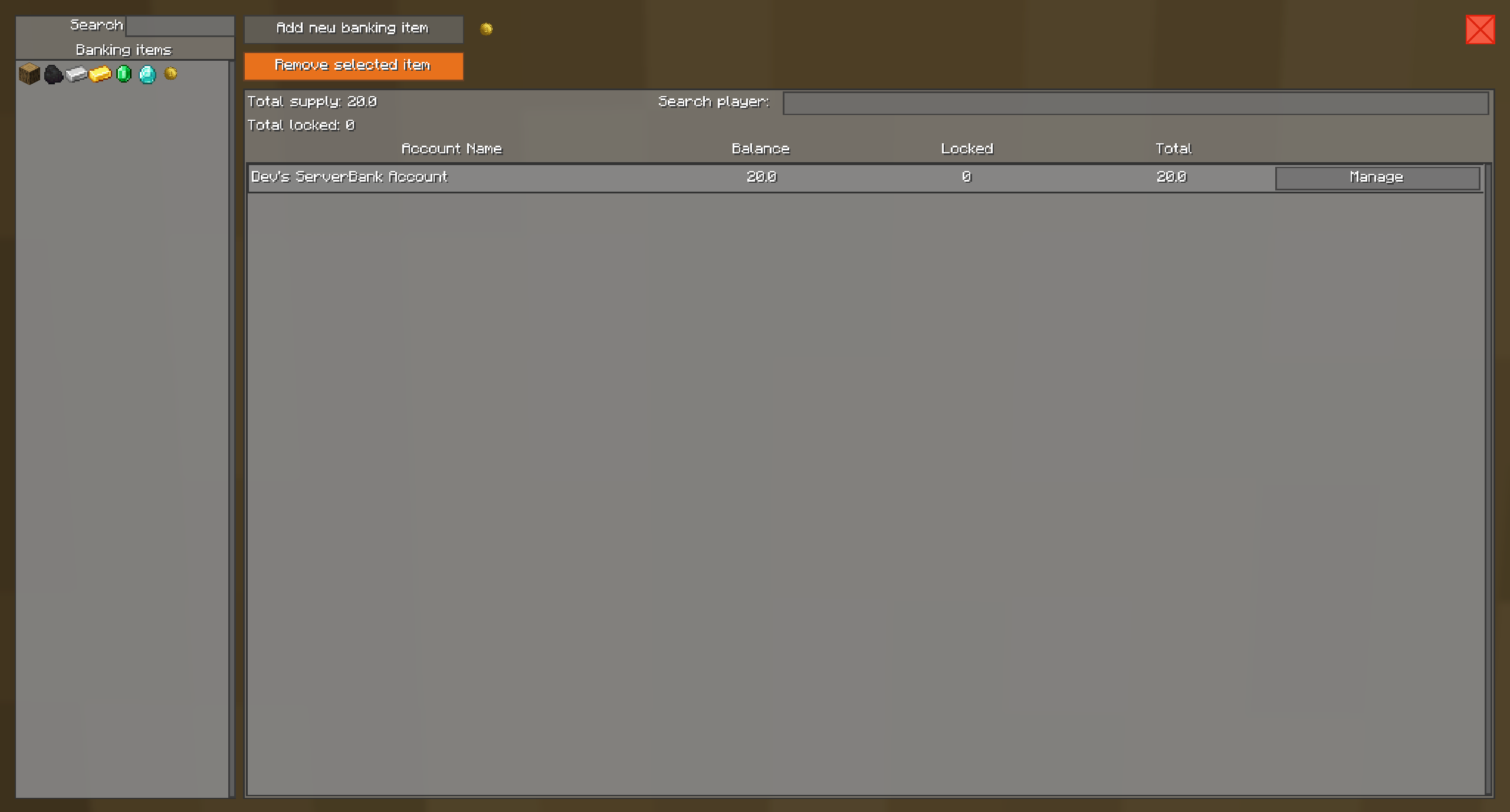
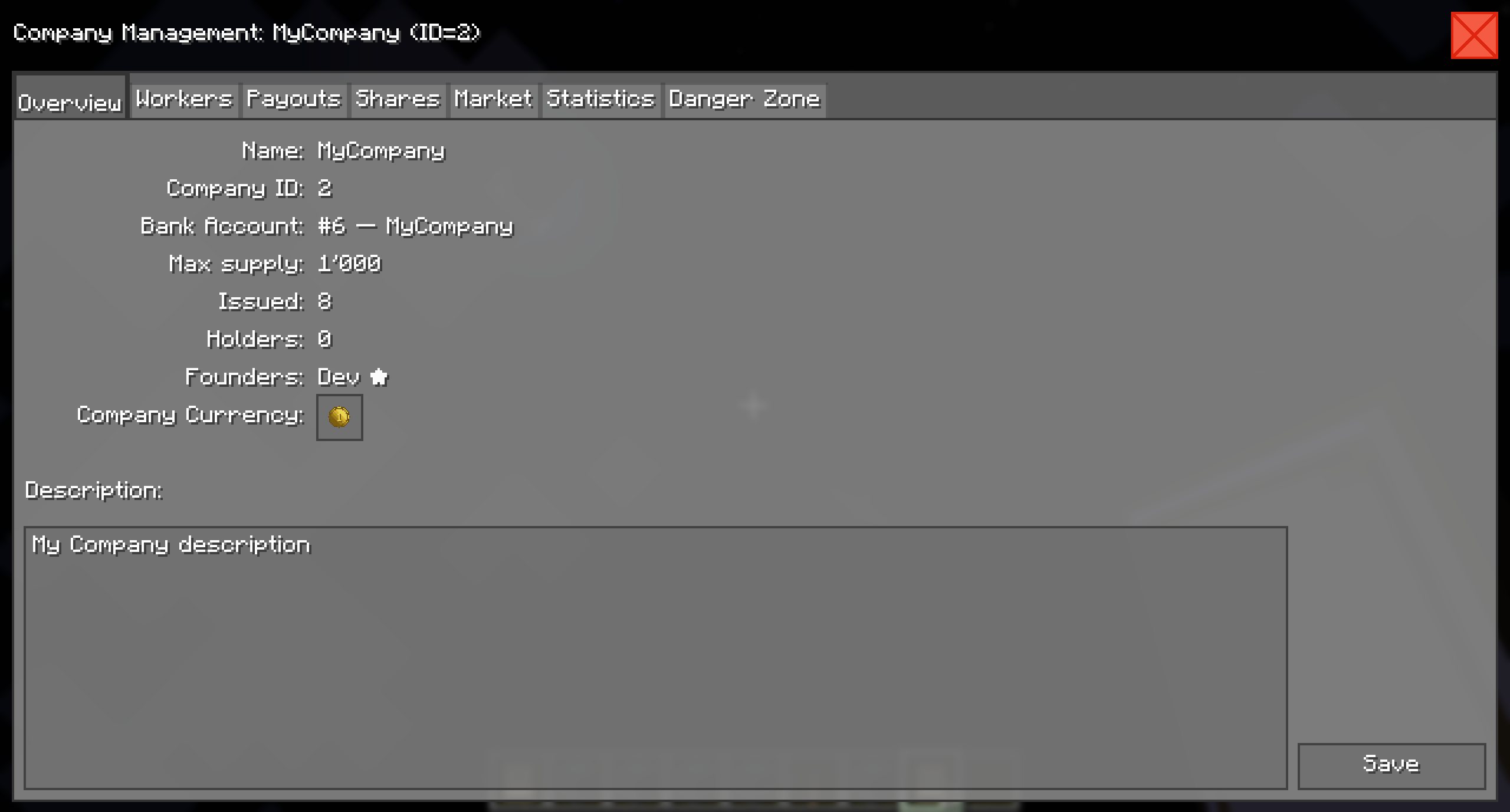
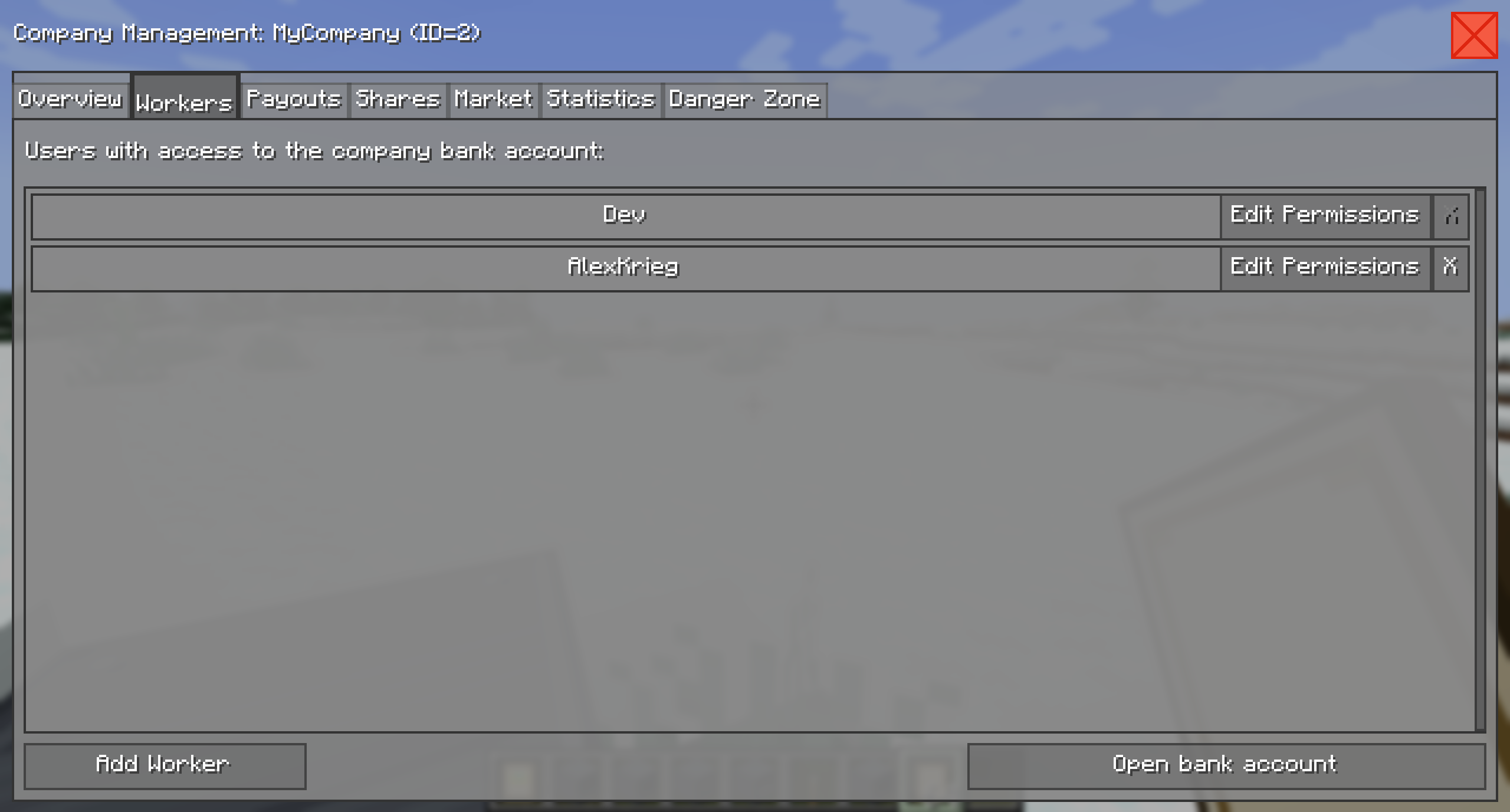
Company Management screen with seven tabs — Overview, Workers, Payouts, Shares, Market, Statistics and a founder-only Danger Zone.
Hire workers straight from the Workers tab with per-user Deposit / Withdraw / Manage toggles; founders can never be locked out of their own company.
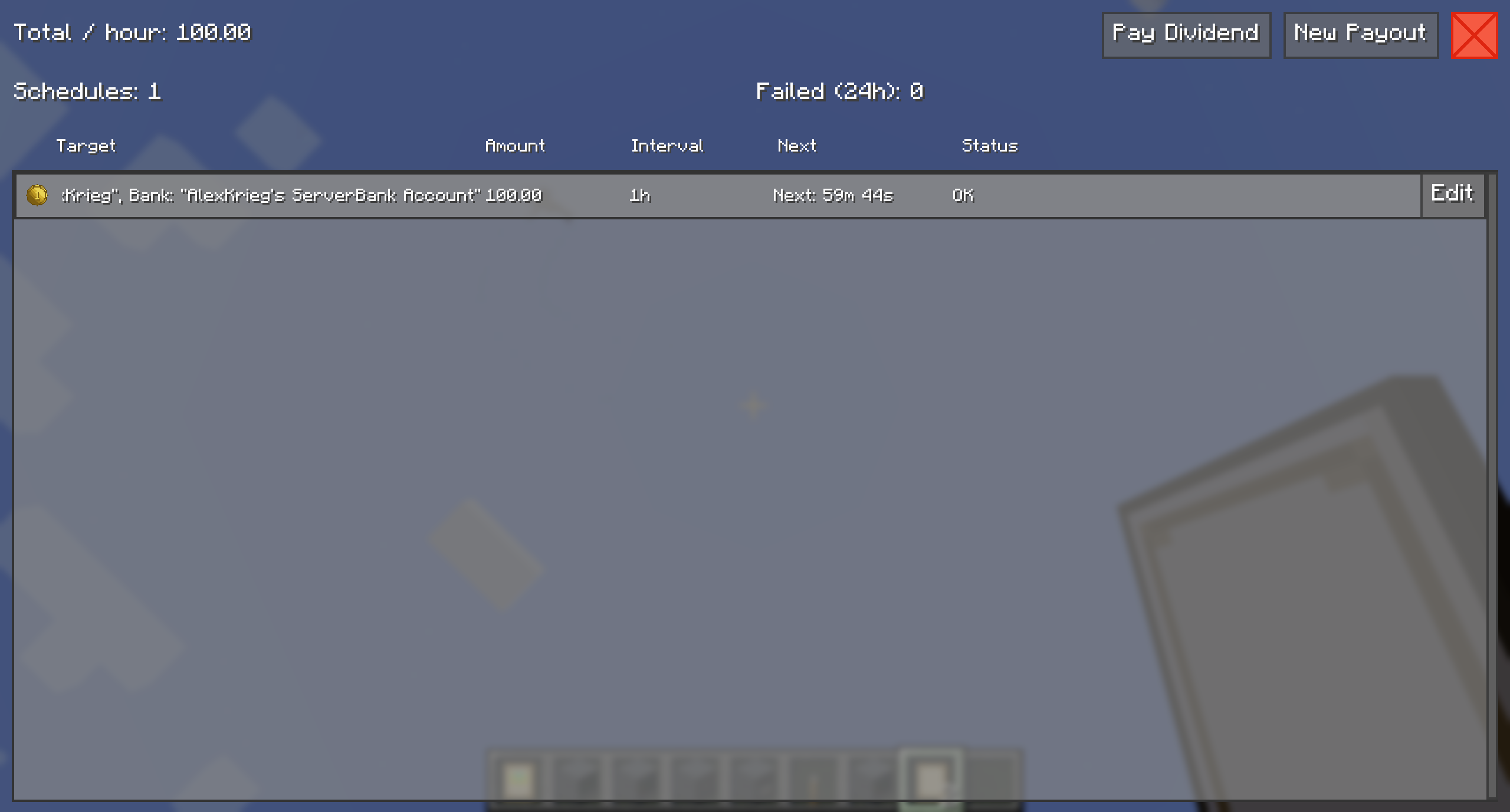
Recurring wages and one-time payouts — pick a target, an amount, a currency (money or any item) and an interval. Missed runs are listed with a per-row retry.
Dividends — pay every shareholder a per-share amount in one all-or-nothing run; the run is refused outright if the company can't cover it.
Statistics dashboard — cashflow chart over 24 h / 7 d / 30 d / 90 d / all-time, balance, net cashflow, days-to-insolvency estimate, missed payouts, and a live shareholder table.
Transfer the founder role to one of your workers, or dissolve the company, from the Danger Zone — both behind typed confirmation.
Server admins can cap how many bank accounts and companies each player may create.
Shares
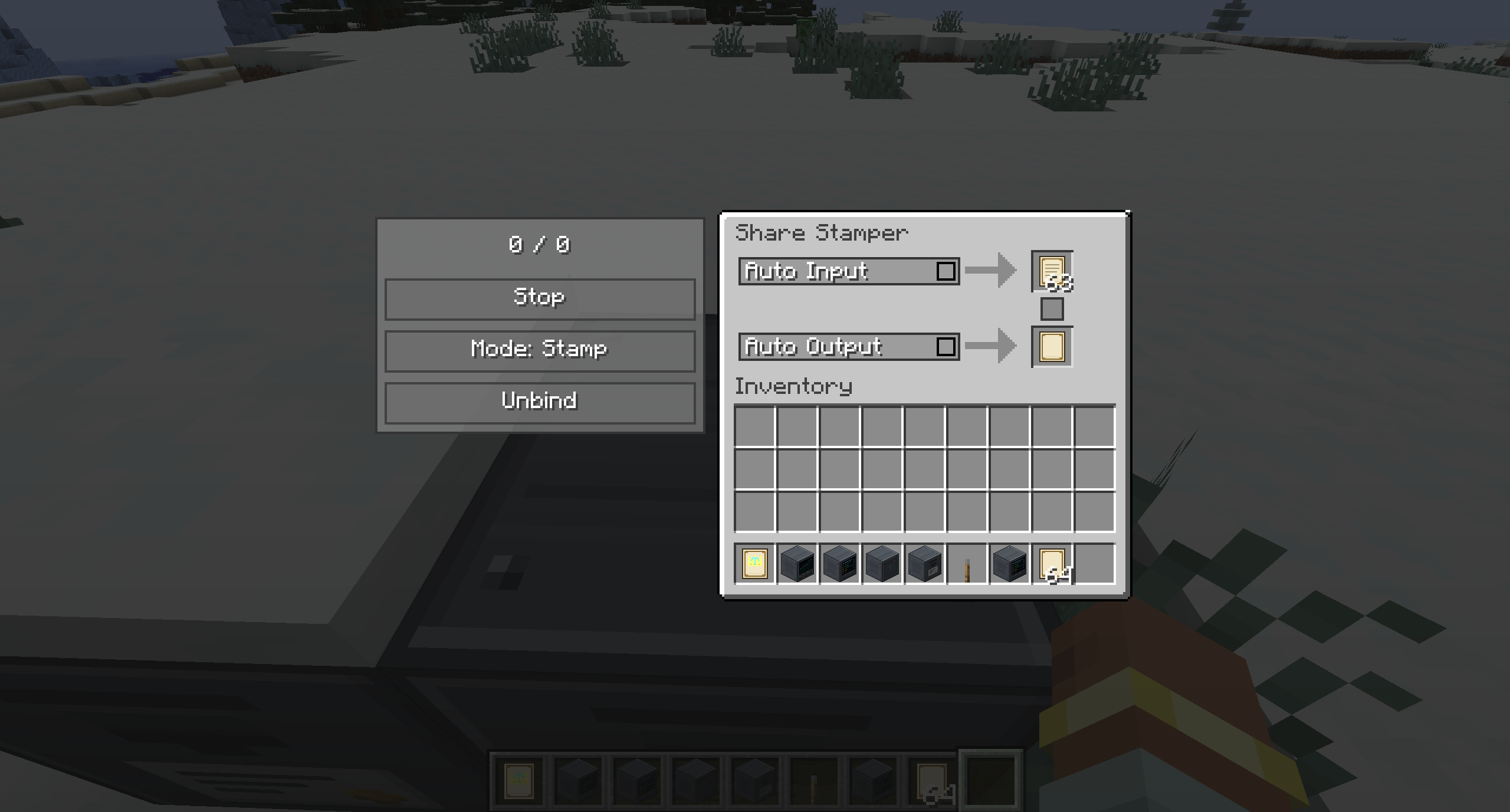
Blank Share item (paper + leather) and the Share Stamper block that turns blanks into Stamped Shares of a specific company.
Share Stamper runs continuously until you stop it, the input runs out, the output fills, or the company hits its maximum supply — with optional hopper auto-input and auto-output, each behind its own permission-gated toggle. It works on trusted multi-server slaves too.
REDEEM mode runs the stamper backwards, burning shares and freeing supply again.
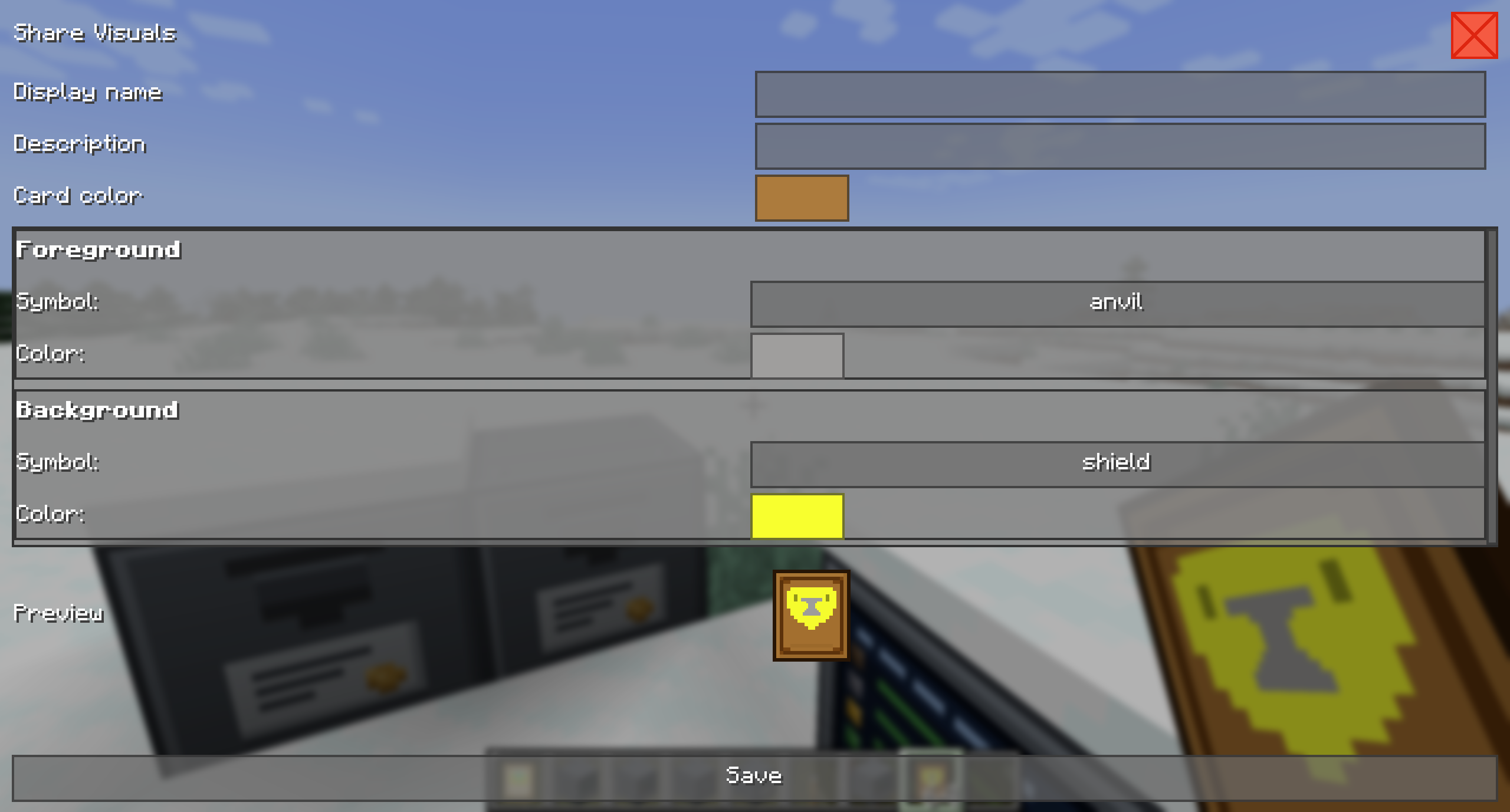
Share Visual editor — design your company's share card from a card colour plus a two-layer symbol design, with a live preview. 45 bundled pixel-art symbols, and server operators can drop in their own PNGs, which reach clients without a resource-pack reload.
Stamped shares render their full card art everywhere — inventory, hand, on the ground and in item frames — and their tooltip shows the company, its description and a live issued / max supply count.
Shares of different companies never stack together; shares of the same company do.
Share integrity check — if more shares are banked than were ever stamped, admins are alerted, dividends pause and (with StockMarket) the company's market closes until it is sorted out.
With StockMarket installed, the Market tab opens a real tradeable market for your company's shares, with a live price chart and an Open in StockMarket button.
Bank Displays
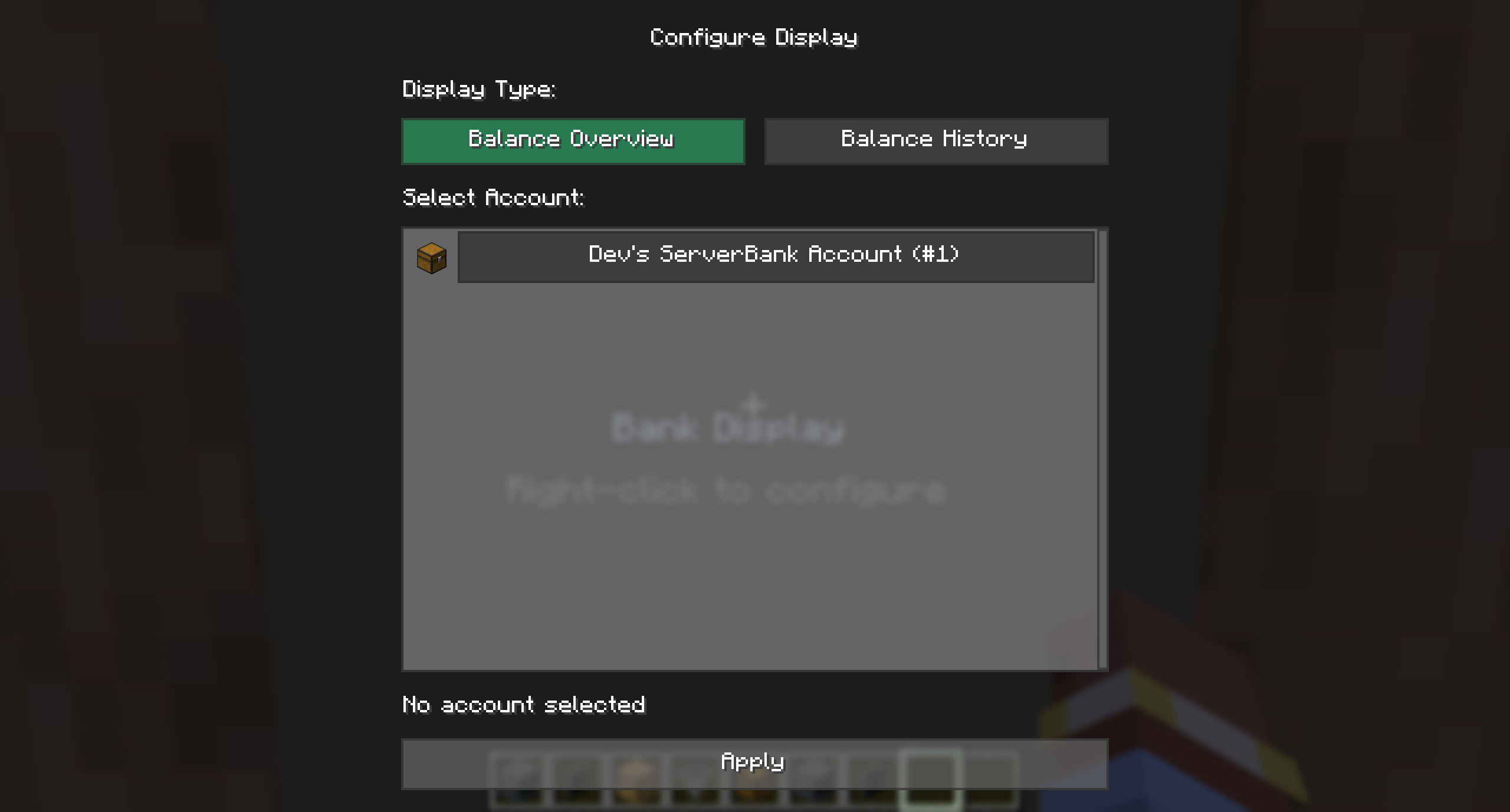
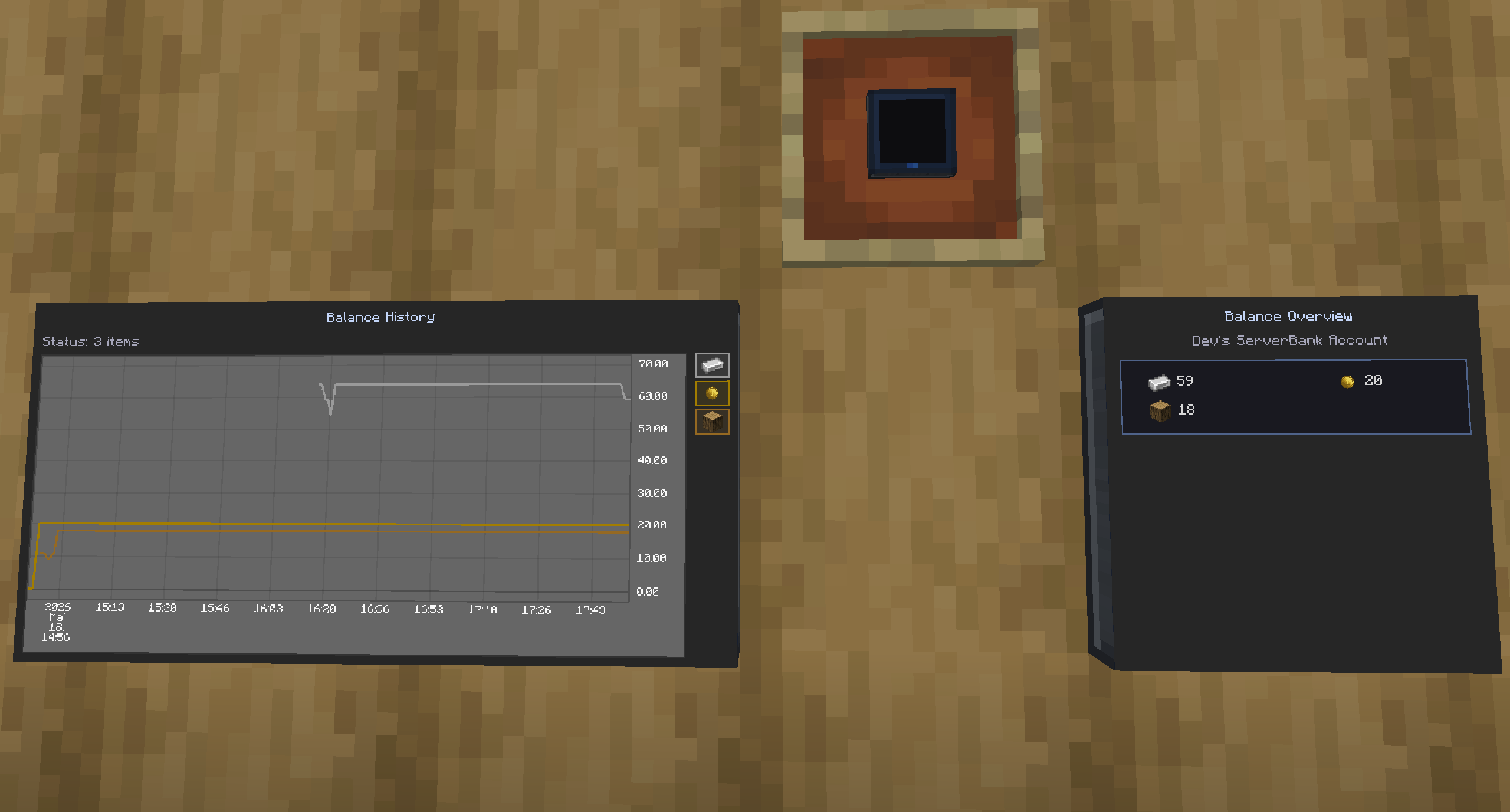
Configurable in-world display showing a live balance overview grid or a balance-history line chart for any account you are a member of.
Adjacent displays automatically link into a multi-block screen and inherit configuration from neighbors on placement.
Chart colors are derived per item from the item's own texture for a distinct look per market.
Currency Mod Bindings
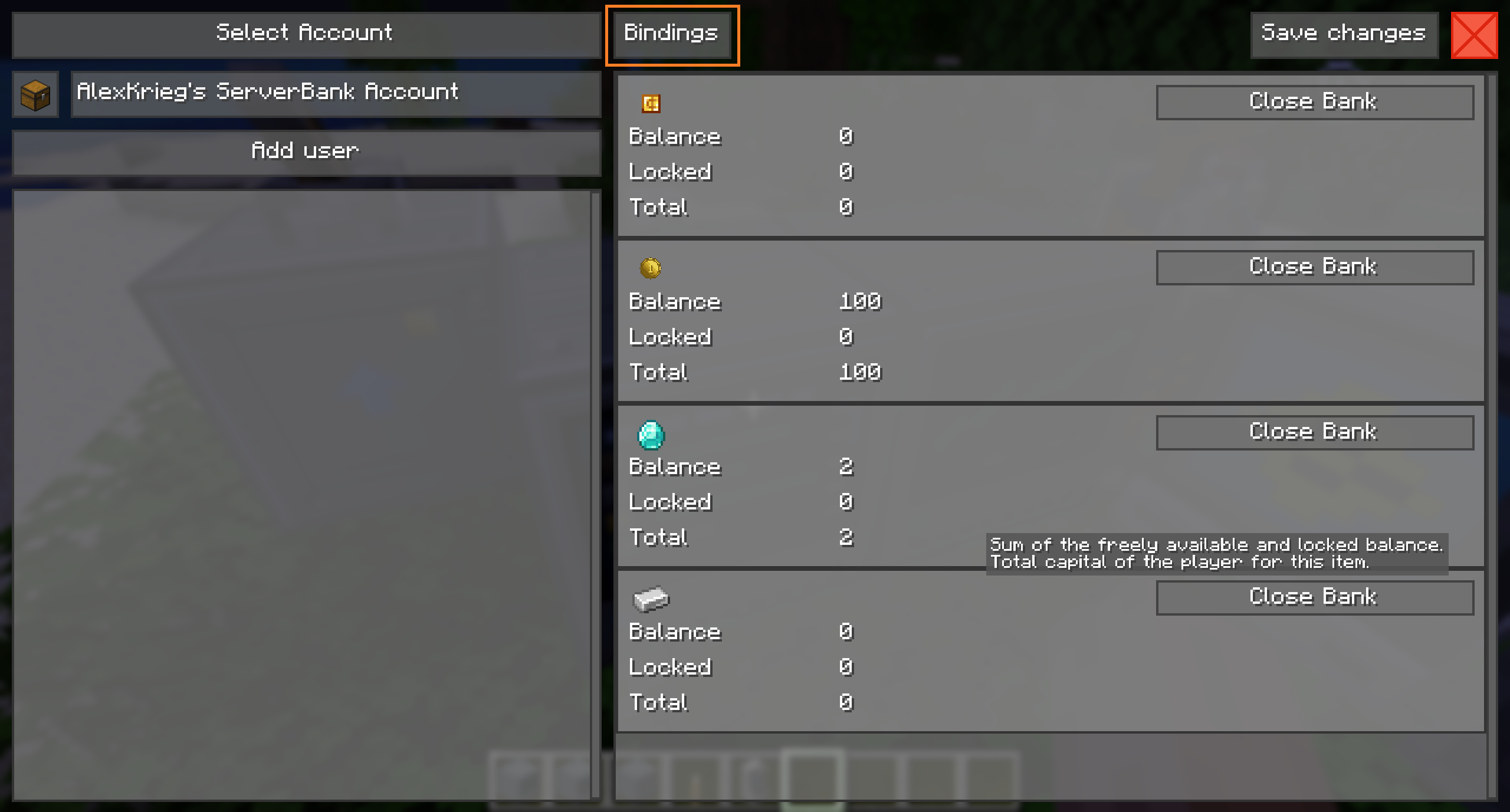
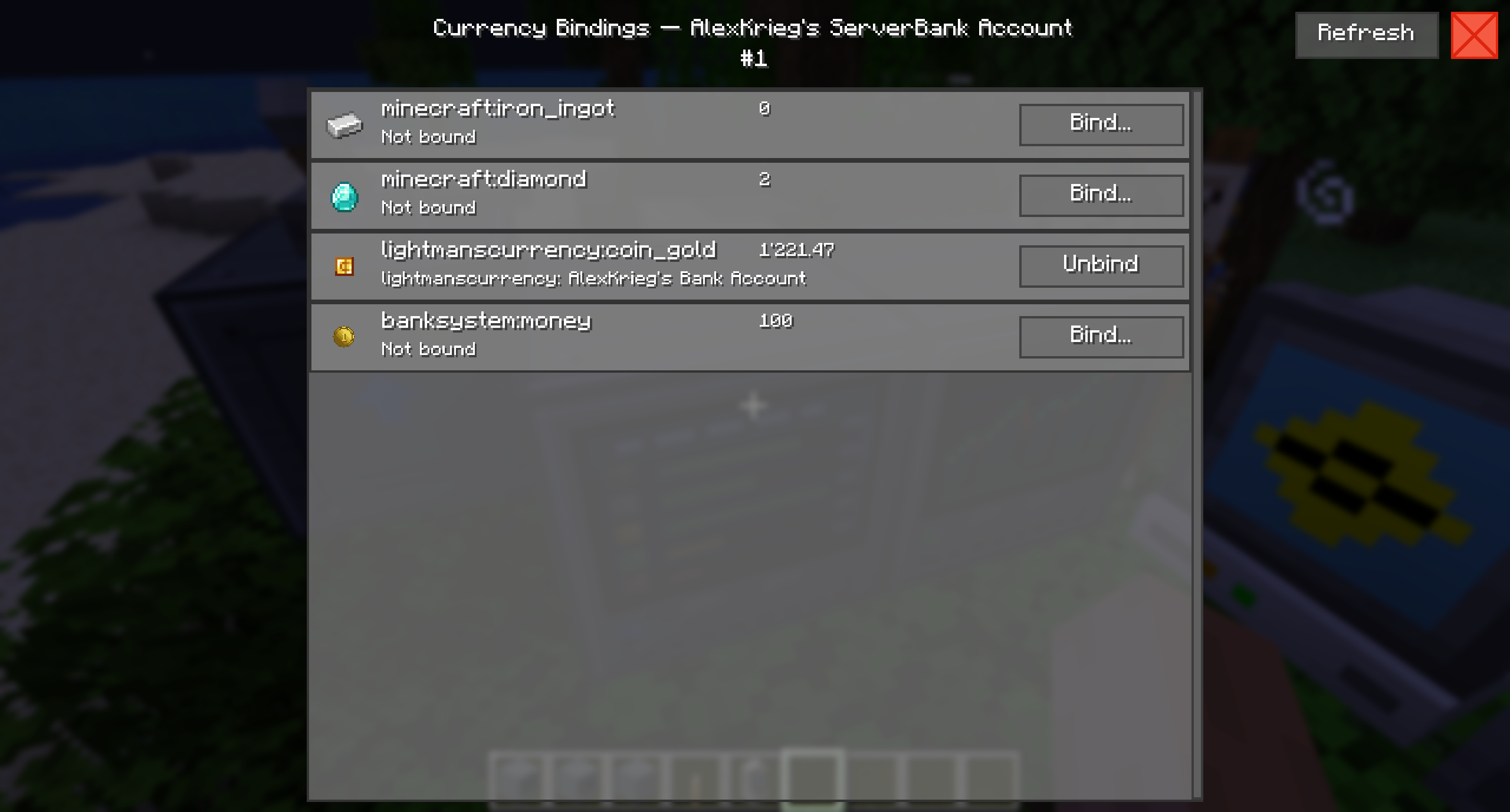
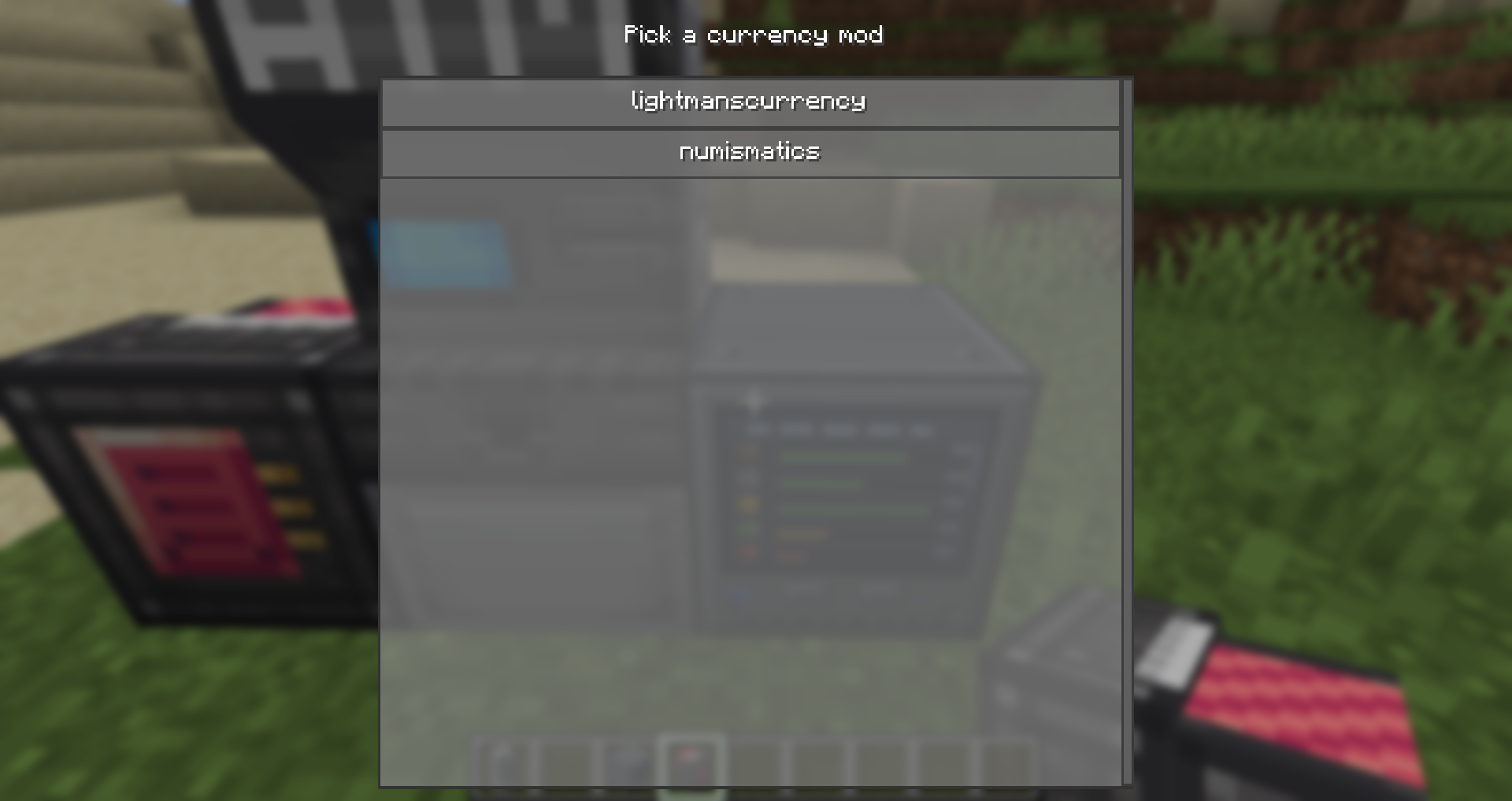
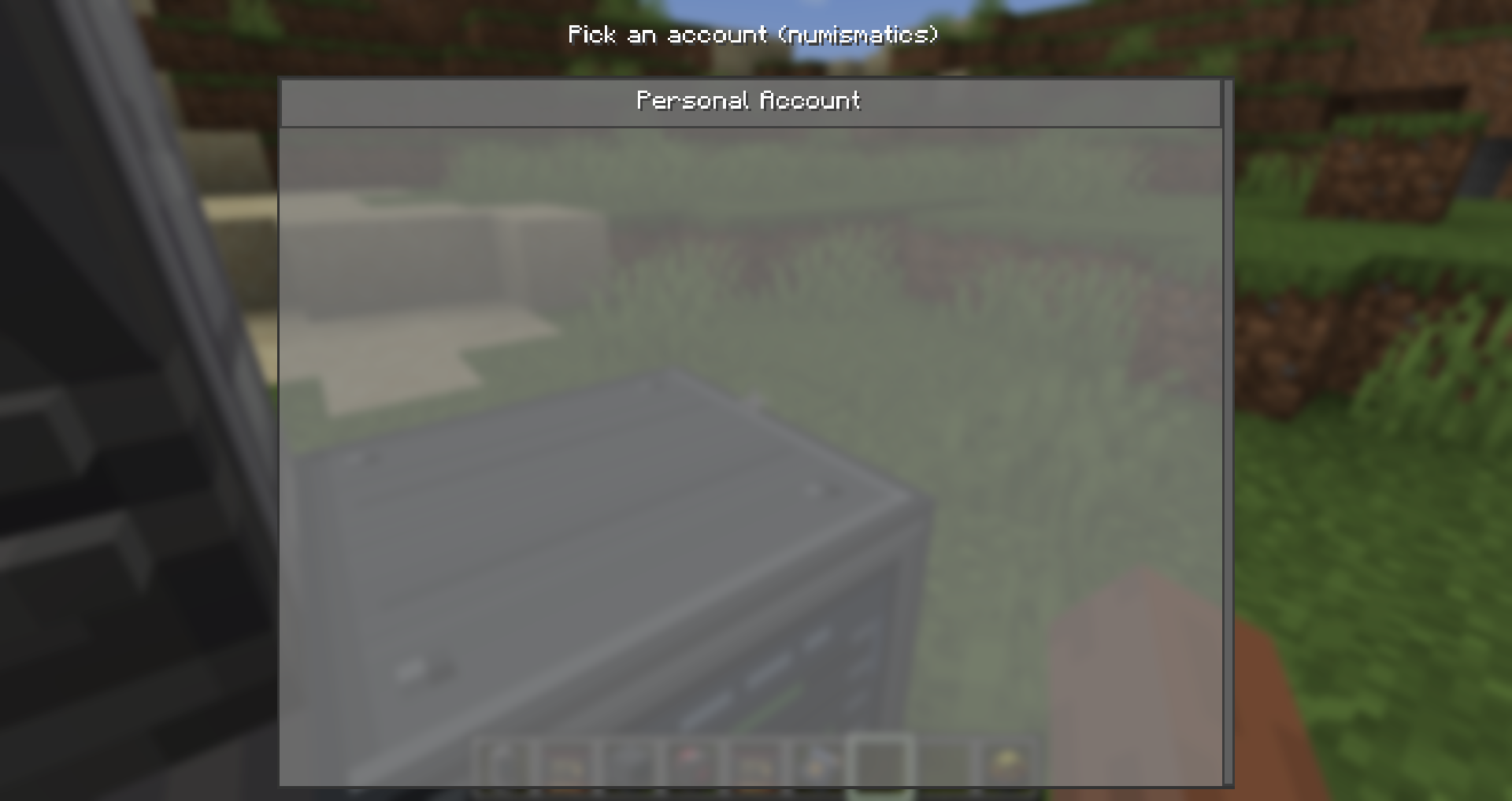
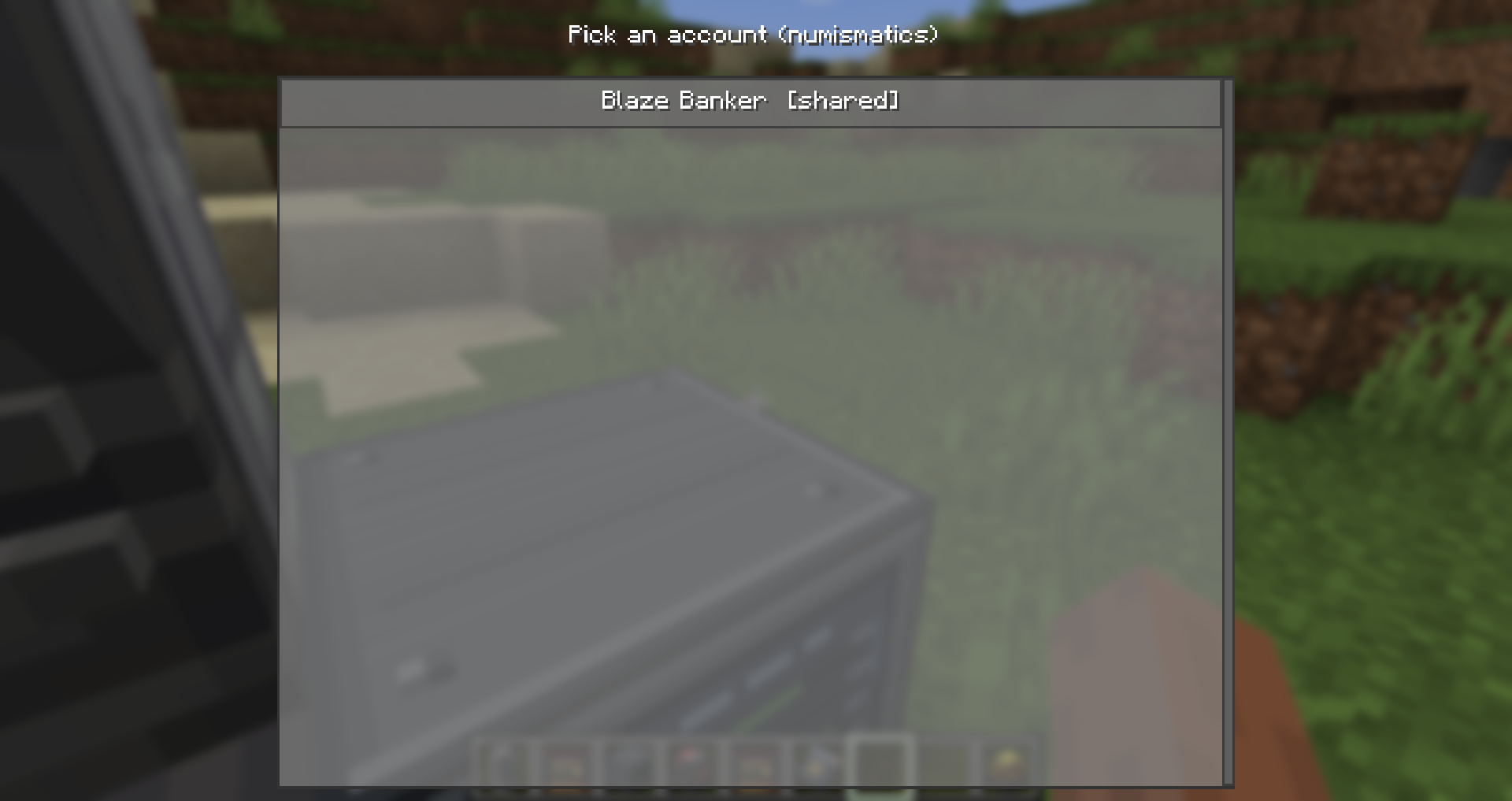
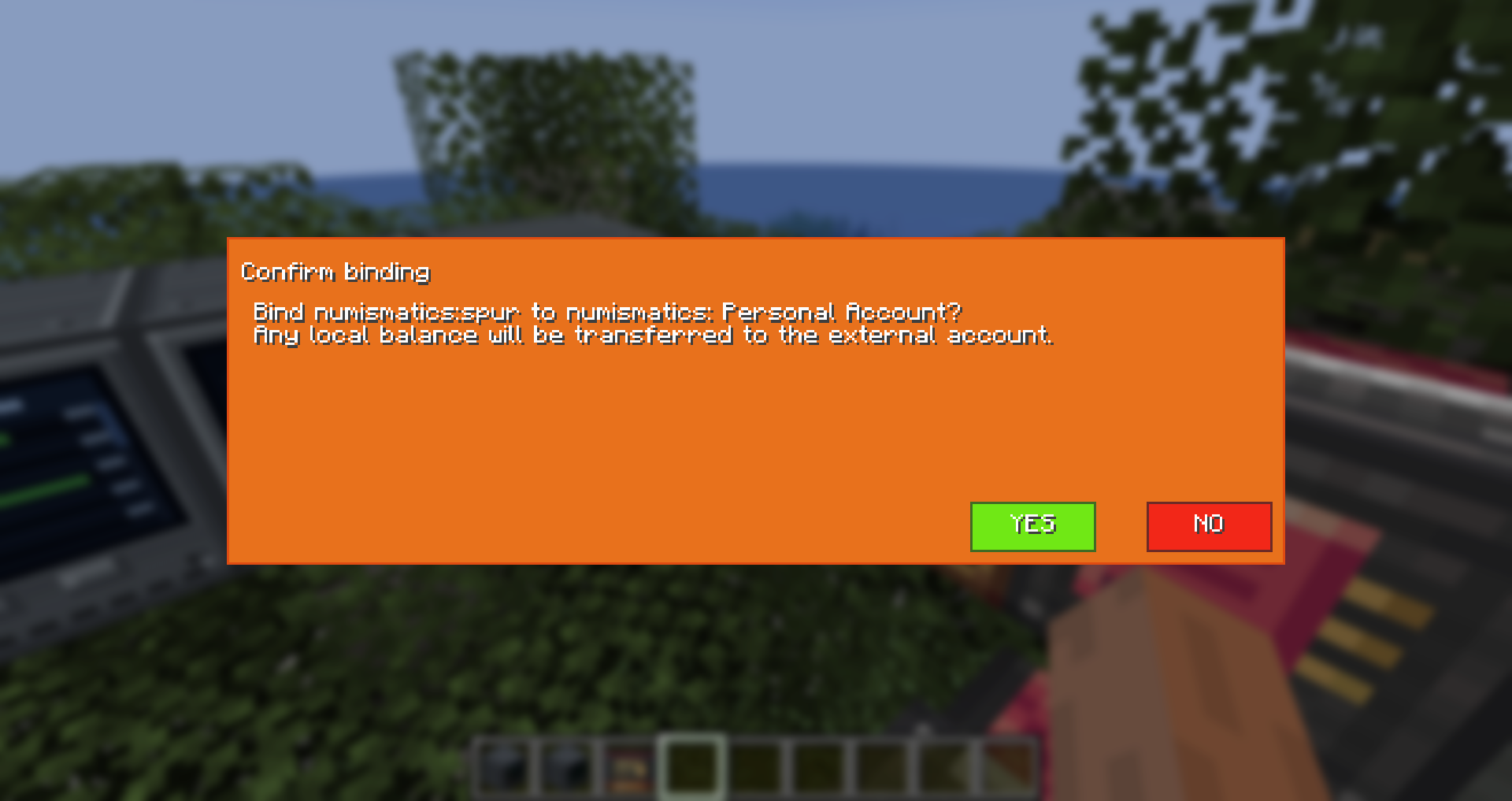
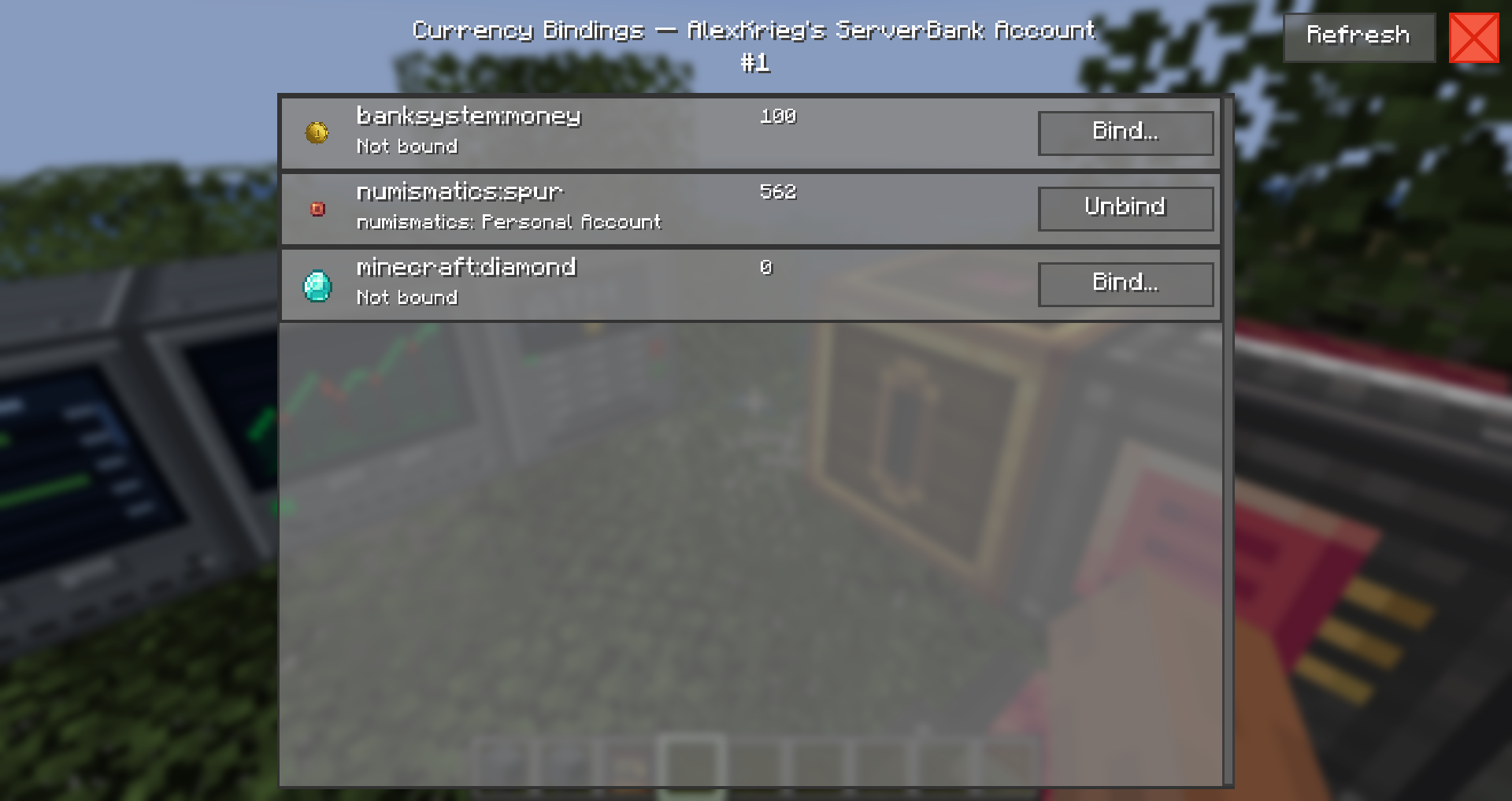
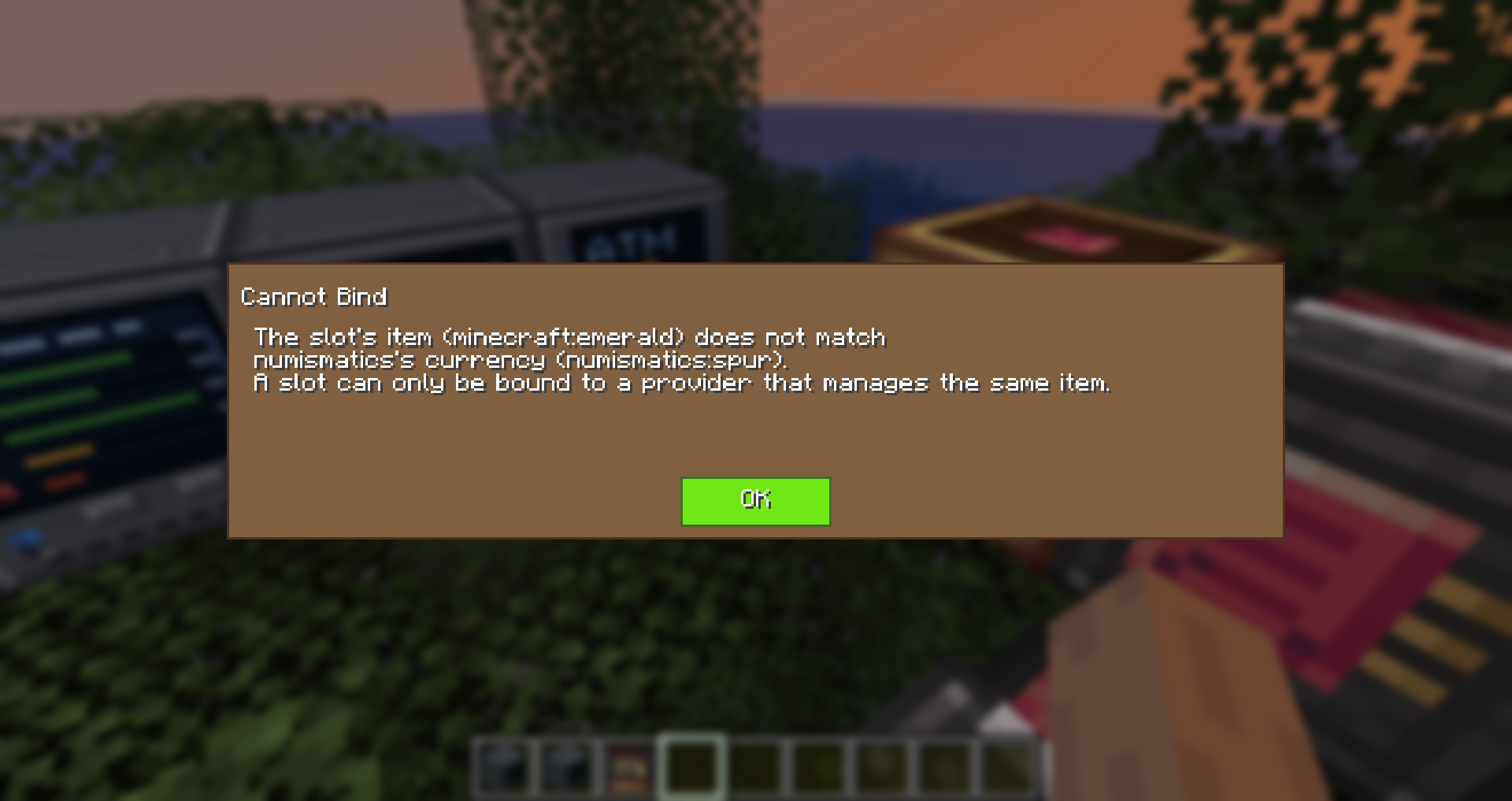
Bind any bank slot to one of your own external currency mod accounts. Supported are:
Numismatics
Lightman's Currency.
Every deposit, withdrawal, and StockMarket trade routes through the bound account transparently.
Coin variants auto-convert at the mod's live face value — Numismatics spurs / bevels / sprockets / cogs / crowns / suns and Lightman's copper / iron / gold / emerald / diamond / netherite coins.
Locked-balance protocol keeps pending StockMarket orders intact across bind and unbind.
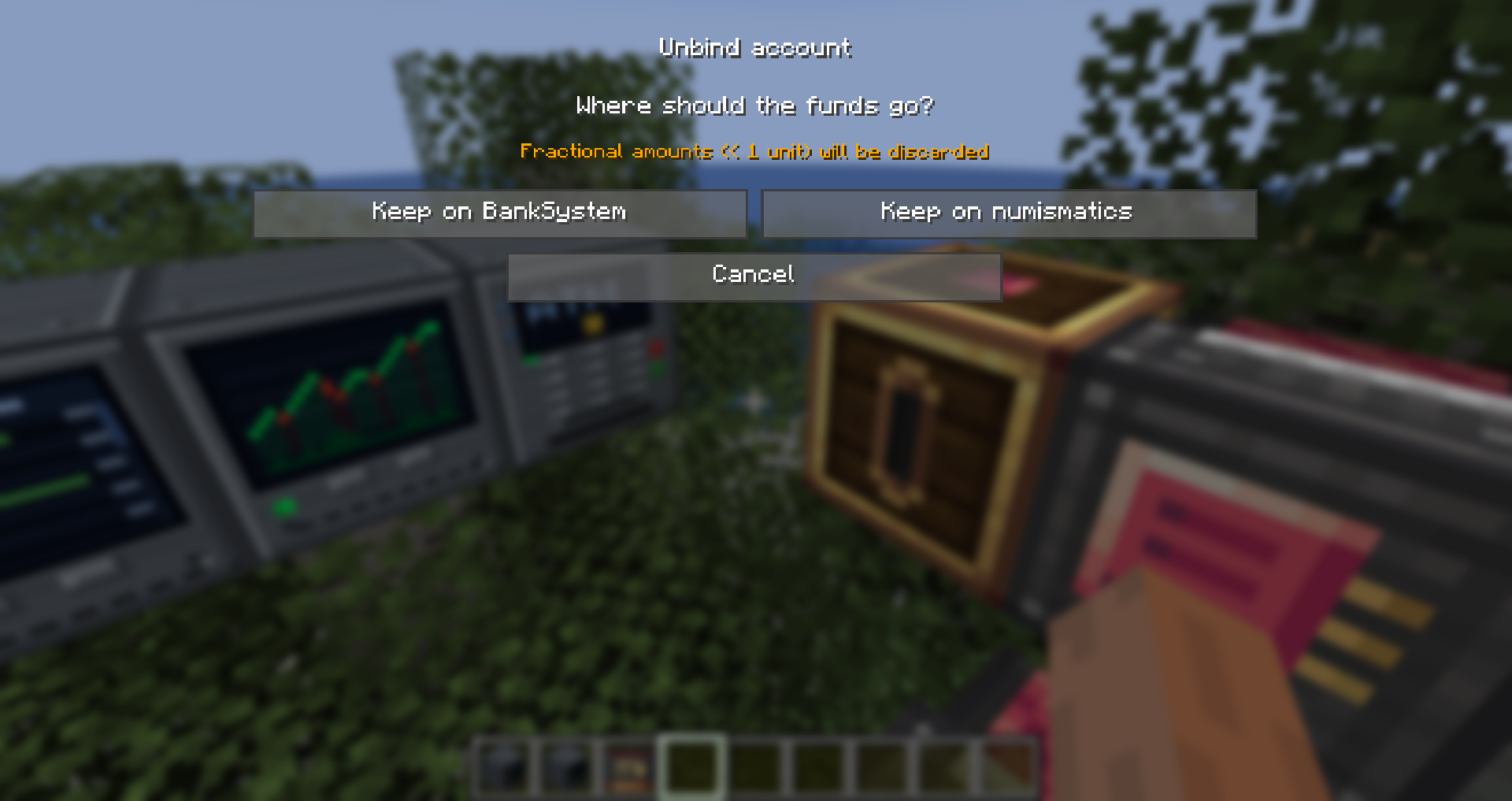
Unbind offers a three-way choice — keep funds on BankSystem, keep them on the external provider, or cancel.
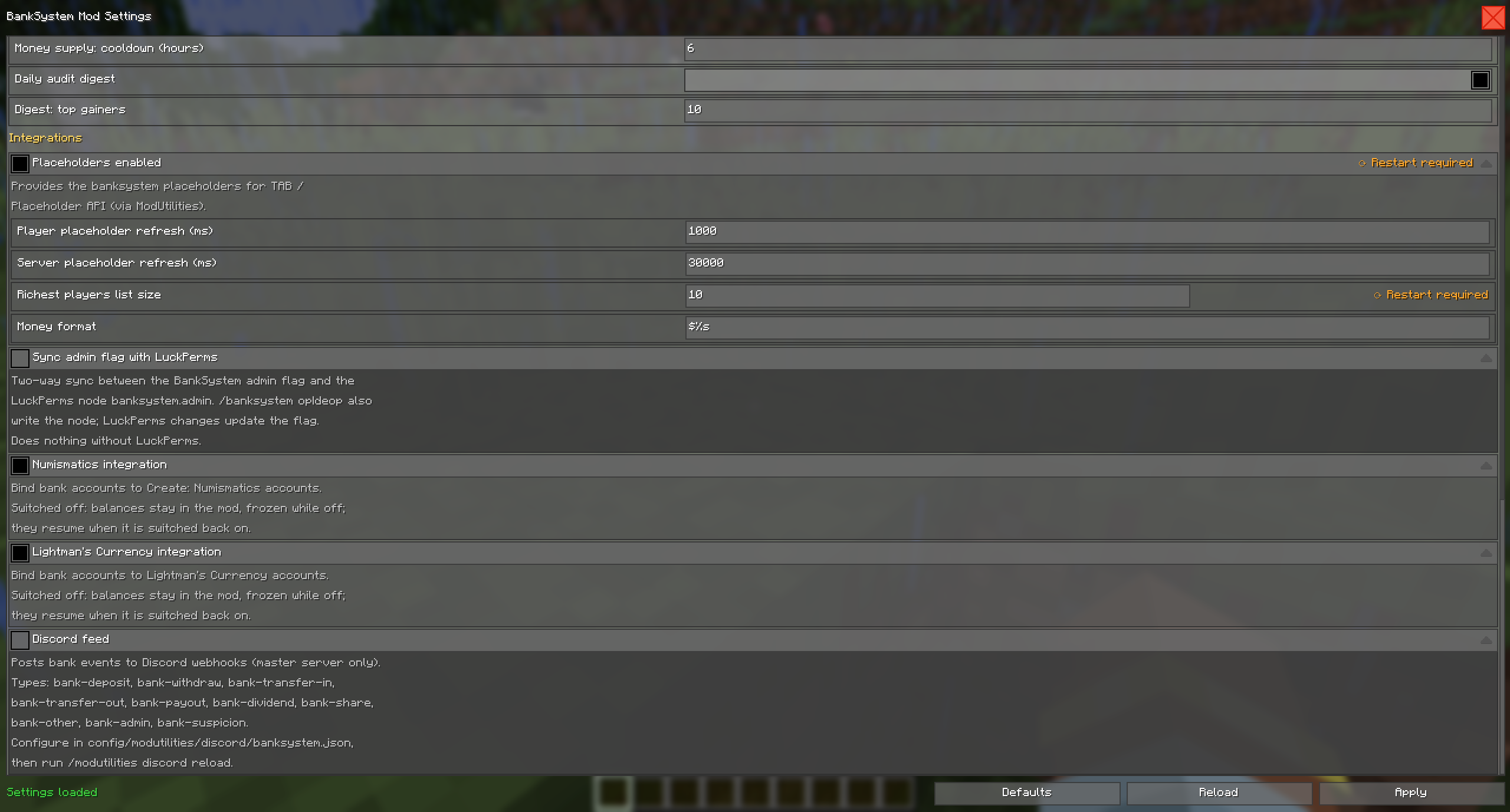
Each currency mod can be switched off in Mod Settings → Integrations; bound balances stay untouched in that mod.
Public ExternalCurrencyProvider SPI lets third-party mod authors add more providers via Architectury service loader.
Administration & Auditing
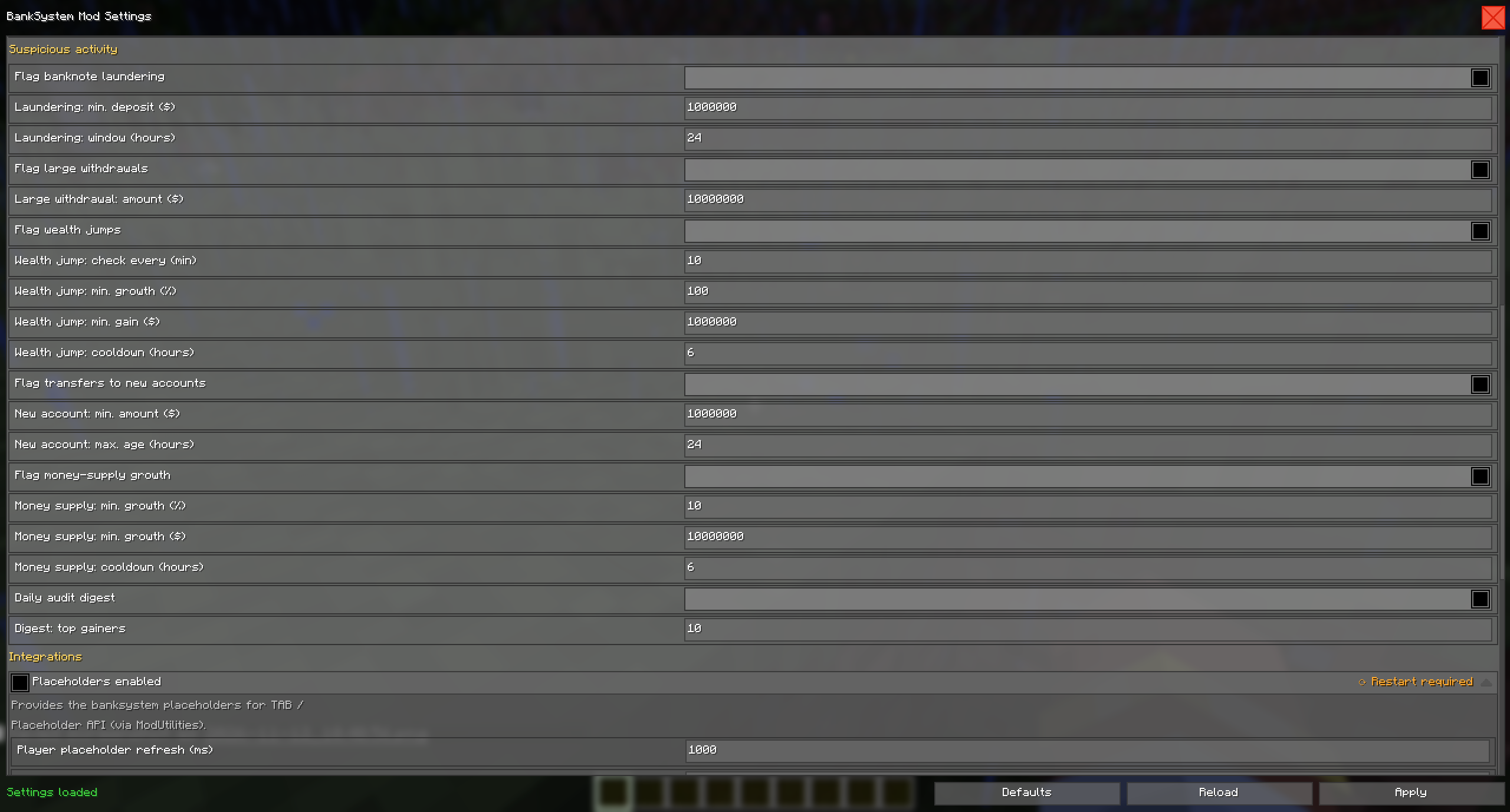
In-game Mod Settings screen for server admins (master only) — every settings.json value editable with validation; hand-edited values are checked against the same limits when the server loads.
BankSystem-admin flag plus permission nodes for every admin command (works with LuckPerms; operator level 2 without a permission mod), with an optional two-way LuckPerms sync for the admin flag.
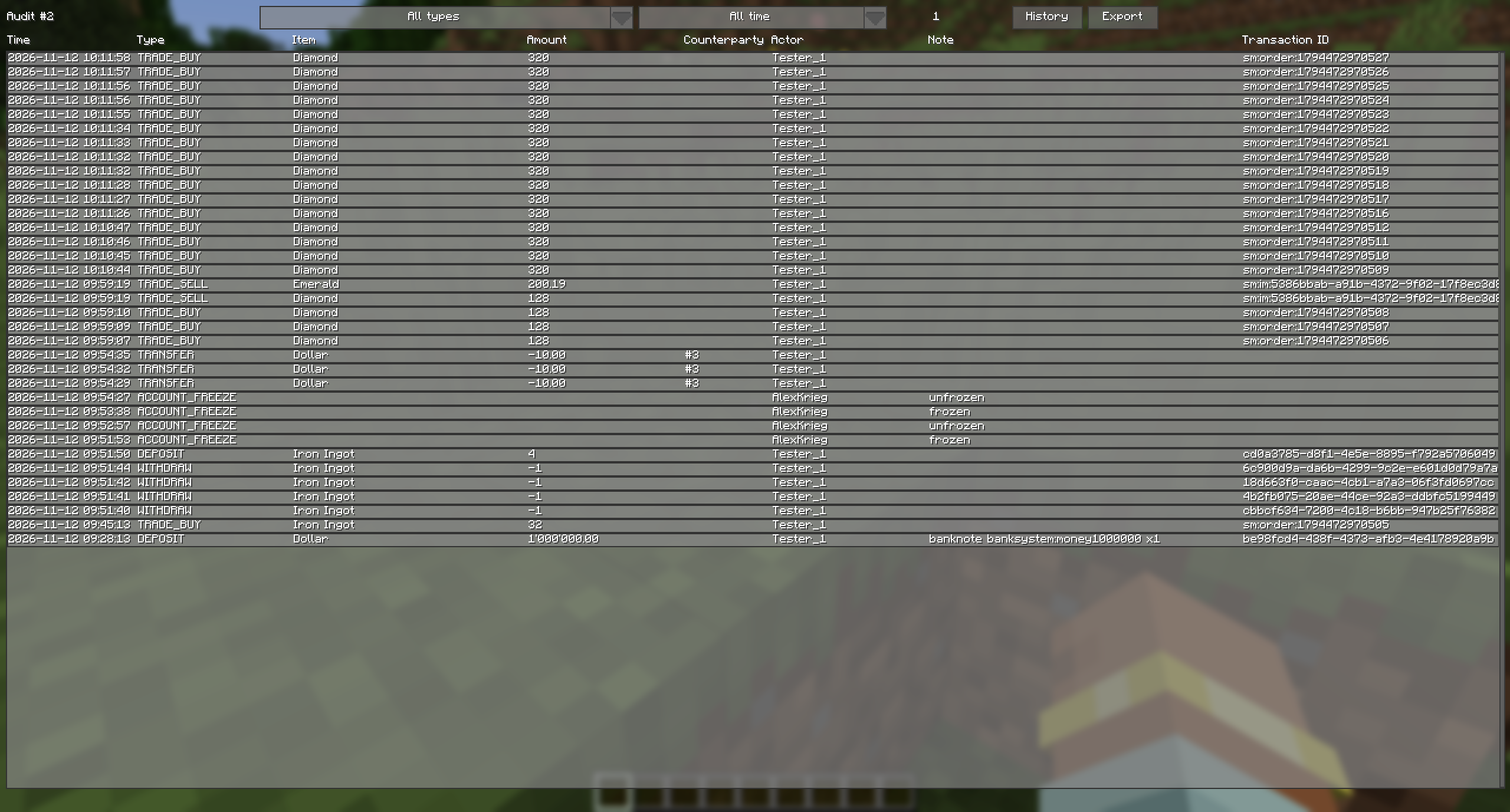
Transaction ledger records every balance change — deposits, withdrawals, transfers, crafting, admin edits, payouts, dividends, share movements and StockMarket trades — with who caused it and where.
Audit screen (/banksystem audit <player|account> or the Audit button) — filter an account's ledger by type and time, copy entries and export them as CSV.
Admin audit trail — every admin action is written to a daily audit file and sent as a short chat alert to online admins (/banksystem alerts on|off).
Suspicious-activity flags — very large withdrawals, sudden wealth jumps, large transfers, banknotes deposited by someone else, money-supply spikes and more, each with its own switch and thresholds. Flags appear as markers on the balance-history chart.
Daily audit digest and /banksystem auditreport <hours> — a short summary of money supply, top gainers, payouts, flags and admin actions.
Freeze any bank account with /banksystem freeze or the Freeze button — every player deposit, withdrawal and transfer is blocked until it is unfrozen.
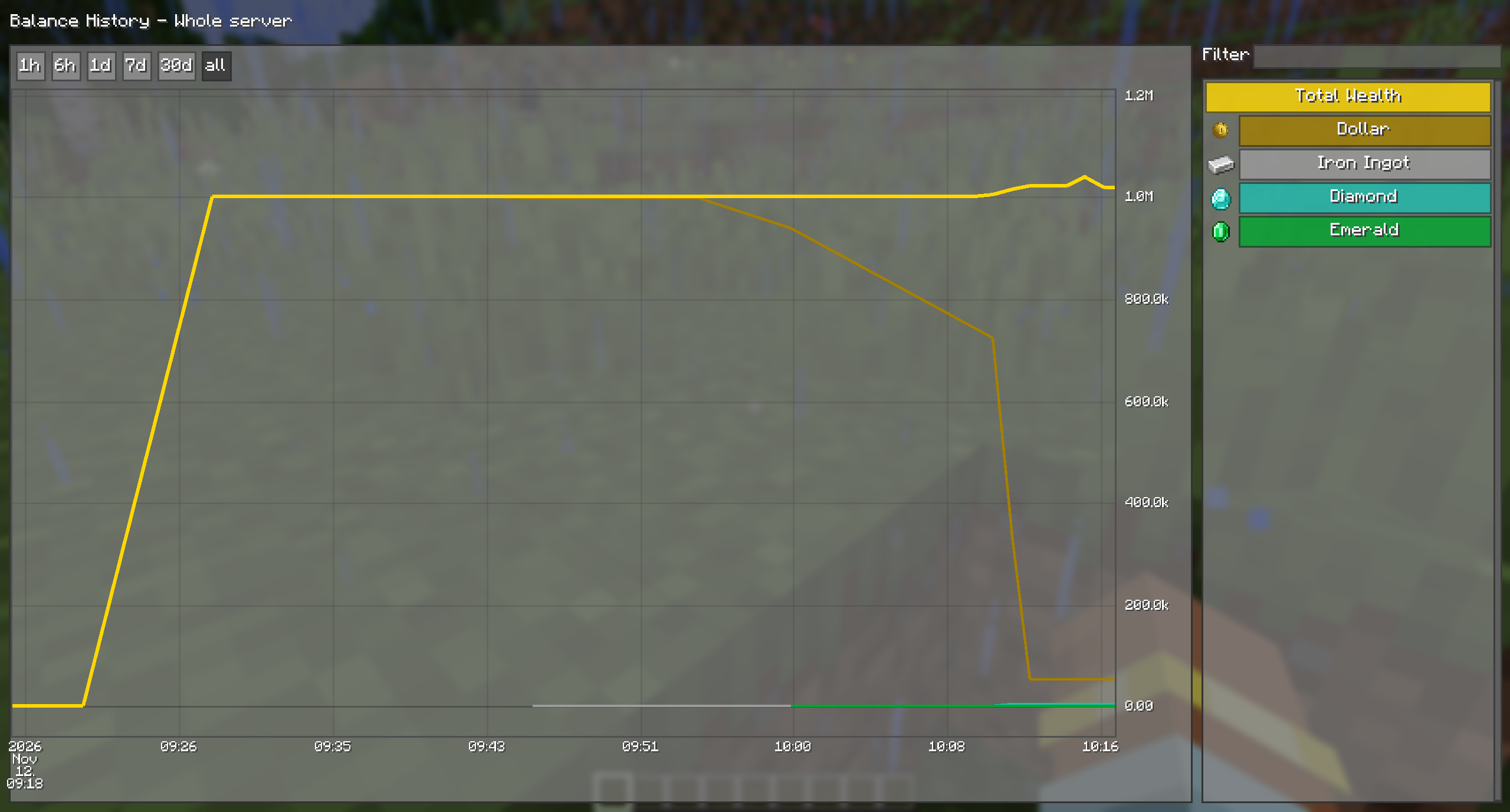
Whole-server balance history in /banksystem manage, and /banksystem history <player|account> for any account.
Support export — /banksystem backup export packs a consistent, checksummed copy of all bank data into a .zip while the server keeps running.
/banksystem symbols admin commands to add, remove, list and reload the server's share-symbol library.
Screens with a Save or Apply button ask before closing with unsaved changes.
Integrations
Placeholders for TAB and Placeholder API — player balances, money in circulation, account counts and a richest-players list.
Discord feed — the server can post deposits, withdrawals, transfers, payouts, dividends, share movements, admin actions and suspicious-activity flags to Discord webhooks, each type with its own channels and minimum amount, in English, German, Swiss German or Chinese. Off by default.
All integrations are collected in Mod Settings → Integrations, each with its own on/off switch.
World-Data Safety
Automatic world upgrade from older BankSystem versions, with a zip backup of all bank data taken first.
A world saved by a newer BankSystem version is refused by older ones instead of losing data.
Removed a mod whose items are still in the bank? The world stops with a screen that names the missing mods and lets you remove those items or go back — nothing is dropped silently, and bank items of a removed mod come back when it is reinstalled.
ItemID merge guard and monotonic short counter protect world data against silent corruption from mod updates.
TerraFirmaCraft-compatible item identity — banked food no longer spoils inside the account, and spoiled items can't be laundered into fresh ones.
Multi-Server
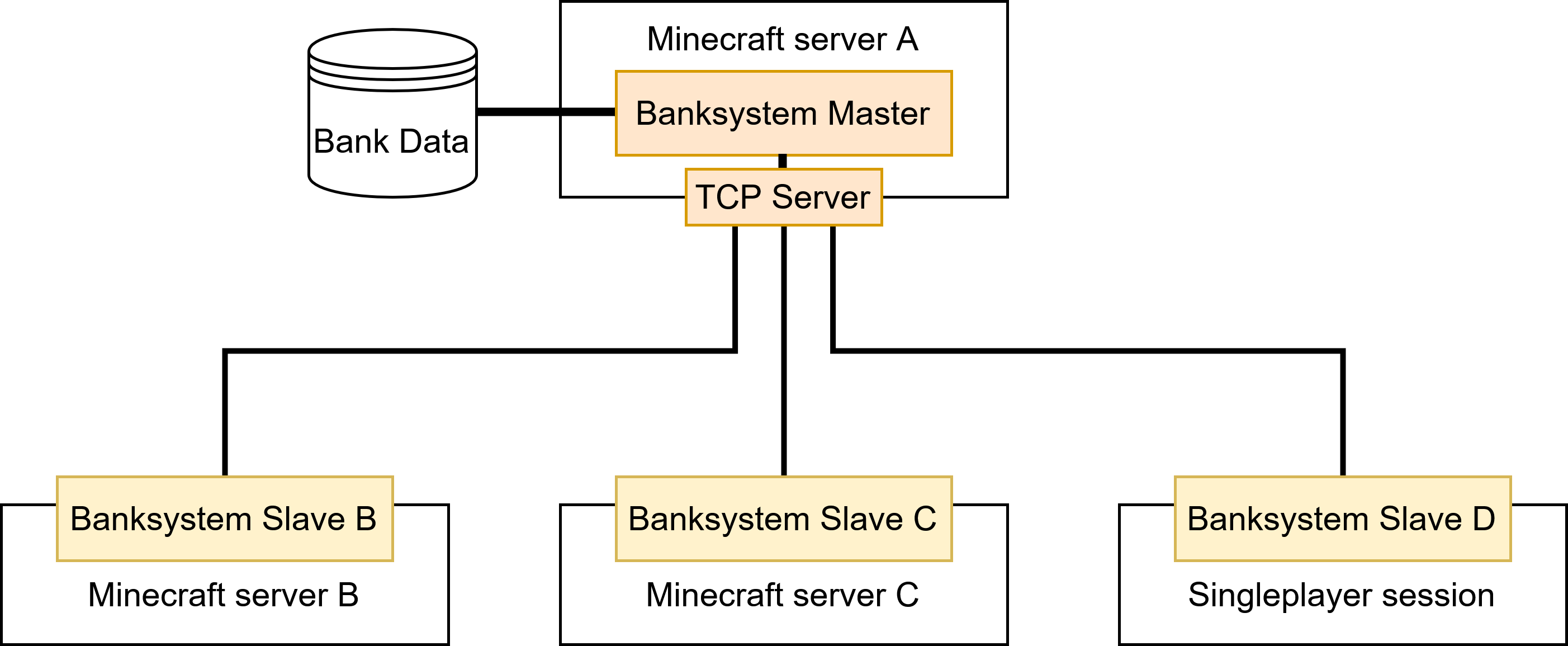
Master/slave architecture for server networks — one master holds authoritative balances, slave servers forward requests.
Trust-based access control — untrusted slaves are read-only and tell players why, trusted slaves can write. Admins toggle trust with /banksystem trust <slaveID>.
Every transfer between a slave and the master is applied at most once and checked before anything is refunded — no duplicated or lost money when a connection drops.
Requests that get no answer fail cleanly instead of hanging; screens show "could not load" instead of freezing.
Master is the sole ItemID minter so mixed-mod setups can never desynchronise item identities.
Mixed-mod slaves hide items they can't resolve — no broken "air" rows in the terminal or chart.
API for Developers
Sync and async interfaces for bank accounts, banks, and the bank manager, exposed through BankSystemAPI for other mods.
ItemPriceProvider API — external mods can supply market prices for total-wealth tracking.
ExternalCurrencyProvider SPI — third-party currency mods plug in via Architectury service loader.
Company APIs — payout manager, dividend payer, share-visual lookup and share-icon renderer, all exposed through BankSystemAPI.
Ledger API, account-freeze API, money formatting helper, and an AuditExport hook for add-ons to add their own files to the support export.
Full event and signal system for dependent mods — user, account, ItemID-merge, item-removal, transaction-logged, suspicious-activity and multi-server lifecycle events, documented in documentation/developer-guide/EventsAndSignals.md.
What's new in 2.2.0
2.2.0 is the new stable release, following 1.4.1 and the 2.1.x test versions. Highlights since 2.1.0, grouped by area:
Every Minecraft version from 1.21.1 to 26.3
Fabric and NeoForge builds for 1.21.1 – 1.21.11, 26.1, 26.2 and 26.3.
Admin & Audit Tools
Full transaction ledger, audit screen with CSV export, daily audit files and chat alerts for every admin action.
Suspicious-activity flags with per-check switches and thresholds, shown on the balance-history chart.
Daily audit digest, /banksystem auditreport, whole-server balance history and /banksystem history.
Account freezing, support export (/banksystem backup export) and share-integrity alerts.
Permission nodes for every admin command, with optional LuckPerms admin sync.
Per-player limits for bank accounts and companies.
Integrations
Placeholders for TAB and Placeholder API.
Discord feed of bank events.
New Integrations group in Mod Settings with an on/off switch per integration.
Security & Reliability
Account data, balance history and account numbers are only visible to the account's members and BankSystem admins.
You can only link your own Numismatics or Lightman's Currency accounts; existing links that could have been abused are suspended at start-up until an admin restores them.
Multi-server transfers are applied at most once and checked before any refund — deposits, withdrawals, the ATM converter and the Share Stamper are safe against dropped connections.
Deleting an online user pays out the correct amount, and company accounts are kept instead of duplicated.
Bank items of removed mods are kept instead of erased, and missing mods are reported before the world loads.
Quality of Life
Save / Discard prompts on every screen with unsaved changes, with an amber Save button while there are changes.
History button in Bank Account Management, a filterable account picker, and tooltips on Bank Download conditions.
The company Market tab shows the live share price and opens StockMarket directly.
The Share Stamper ejects its contents on unbind and is freed for other players as soon as you close it.
The Metal Case Block and the Bank Display now drop themselves when broken.
Updating from an older version
Your world is upgraded automatically on the first start; a backup of all bank data is saved to <world>/data/BankSystem_backups/ first.
Bank Download blocks placed before 2.2.0 stay idle until a player with withdraw permission opens them and saves their settings once.
On multi-server networks, slaves that are not trusted yet are read-only — run /banksystem trust <slaveID> on the master.
Coming from 1.4.1: a custom SAVE_INTERVAL_MINUTES must be set again as SAVE_INTERVAL_SECONDS.

 mod
 mod
 mod
