Cloth Config API (Fabric/Forge/NeoForge) Needed by Dice Rebuild dice-1.0.3.jar
requiredMatching file found Matched file: [Fabric 1.20(.1)] v11.1.136
CurseForge · Minecraft mod
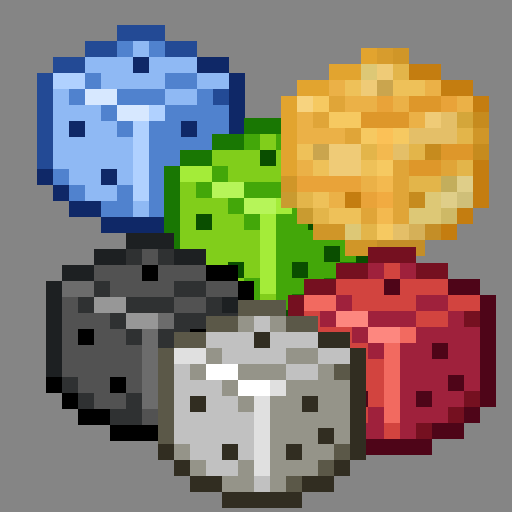
Roll the dice! A rebuild dice mod with better in-game experience!
Quick answer
Dice Rebuild dice-1.0.3.jar targets 1.20.1 with Fabric. The project page does not say whether this file belongs on the client, dedicated server, or both. All 1 required mods have matching files.
Where it goes
The project page does not say whether this file belongs on the client, dedicated server, or both.
The source does not explicitly classify this release as client-only or server-only.
dice-1.0.3.jar. Change the file and its required mods may change too.
Install Cloth Config API (Fabric/Forge/NeoForge) first. We found matching files for this game-version and loader setup.
We only count dependency files that match this setup. A file for another loader does not fill the gap.
Before you install it
Built for Dice Rebuild dice-1.0.3.jar. Pick another file and the loader, install side or required mods may change.
Use dice-1.0.3.jar. It targets 1.20.1 with Fabric; another release may have different loader, side or dependency requirements.
Install Cloth Config API (Fabric/Forge/NeoForge) first. We found matching files for this game-version and loader setup.
The project page does not say whether this file belongs on the client, dedicated server, or both.
Use the “Get this file” button beside dice-1.0.3.jar. It opens that exact file at the source.
About this project
The rebuild dice mod (Original 1.20.1 Forge Mod here) for Fabric 1.21 with better in-game content.
--All the dices in game:
 -Regular dice & Sticky dice could be thrown to roll for a random point, with a solid hitbox, the sticky one won't bounce upon touching the ground. Can be lunched by dispensor.
 -A piled dice pillar.
 --Dice in-game features
-Recipe
The regular dyed dice(Take light gray as an example):

For sticky dice: Replace the dye slot with slime ball or honey comb.
-The dice's three main interaction
(Left click) punch & push it for a new random pont
(Right click + Shift) modify the point to make it plus 1
(Left click + Shift) destroy it, in creative it won't drop
-All the dices will be immediately destroyed via magma block.
-The thrown dice can be glinted by holding glowstone dust in your offhand, then it can glow in the darkness, with special illuminating particles.

-The dice has an nbt tag that contains the UUID of the owner who threw it. If it has an owner and the interact player(In Survival Mode) matches the UUID, it can have a full access. But if it does not contain an owner tag(dispensed by dispensor or command place), you can't modify the point. Or if the UUID is invalid, you will be denied to do any interaction.
-You can turn it off by making the gamerule dicePrivacy false
--Gambler

-A neutral illager that spawn in the woodland mansion. With regular 24 Health point. Use sword in combat. Will drop the holding dice or emerald upon death. He trully LOVES emeralds! You can use emeralds to have a gamble match with him. Remember to bring a regular dice that holds a different color. His default lucky color is gray. In game, You and your rival will throw two dices that contains an event tag, and wait for 6 seconds, when the dices lands on the ground, the result is judged by who got the larger point. If you win, you can double the amount of the emerald you put in. If it's a fair round, you get them back with the same amount. Or if you lose, your emerald is gone forever. Don't forget to to gamble in a relatively flat land with no holes or liquids nearby, these things could interrupt the result. A dice with an event tag can not be pushed or modified, You can only destroy it.(If it's your dice, it will drop) The event use dice has a decay time, default is 4800 ticks(4 minutes). Similar to dropped item. You can adjust it by changing the gamerule eventUseDiceDecayTime.
-He will be cheer up when you got emeralds in hand.

-He will be angry if you attack him or win in a single round of gamble(50% chance)

-A fair round

--Easter Egg
-Color lover
You can change gambler's default color by giving it a name "<color-name> Dice Lover", like this:

-Luck & Unluck
If you have the the vanilla luck & unluck effect(high amplifier), your dice point will be influnced. You can't gamble with these two effects.


--WIP Feature
-Dice point detector 
-A block that detects the exact sum of dice points in its front direction. The detection range lasts for 2 blocks in length. This block is unobtainable in survival as it is a wip feature.
-This feature needs rigorous tests to prove the stability in game, it won't be added in survival unless my fiddle could make it work properly. You can find it in your creative Redstone tab.

Project description from CurseForge.
Pick your setup
Choose the version and loader you play, then open the matching release.
Check the dependencies, then try the file in a copied instance before changing a world you care about.
Recent files
21 Dec 2025
21 Dec 2025
24 Jun 2025
24 Jun 2025
16 Jun 2025
24 Jan 2025
Looking for an older file? The official CurseForge project page is in Resources.
 mod
Clay Soldiers Remake is a data driven remake of the classic Clay Soldiers mod.
 mod
A mod based on The Vampire Diaries & The Originals.
 mod
a mod that adds new emotes, and various assets