Mod Menu Optional for Interaction Manager 1.8.3+1.21.2
optionalMatching file found Matched file: 12.0.1
CurseForge · Minecraft mod
Customize how you interact with blocks, mobs and items to prevent accidents and improve your Minecraft experience!
Quick answer
Interaction Manager 1.8.3+1.21.2 targets 1.21.2 with Fabric. It must be installed on the client. Do not install it on the dedicated server. All 1 required mods have matching files.
Where it goes
It must be installed on the client. Do not install it on the dedicated server.
This file is marked client-only.
1.8.3+1.21.2 on 1.21.2. Every mod below is checked against that same setup.
Install Fabric API first. We found matching files for this game-version and loader setup. 4 come through another mod in the chain.
4 extra mods were pulled in by other dependencies. Indented rows show who needs each one. We only count dependency files that match this setup. A file for another loader does not fill the gap.
Before you install it
Built for Interaction Manager 1.8.3+1.21.2 on 1.21.2. Pick another file and the loader, install side or required mods may change.
Use 1.8.3+1.21.2. It targets 1.21.2 with Fabric; another release may have different loader, side or dependency requirements.
Install Fabric API first. We found matching files for this game-version and loader setup. 4 come through another mod in the chain.
It must be installed on the client. Do not install it on the dedicated server.
Use the “Get this file” button beside 1.8.3+1.21.2. It opens that exact file at the source.
About this project
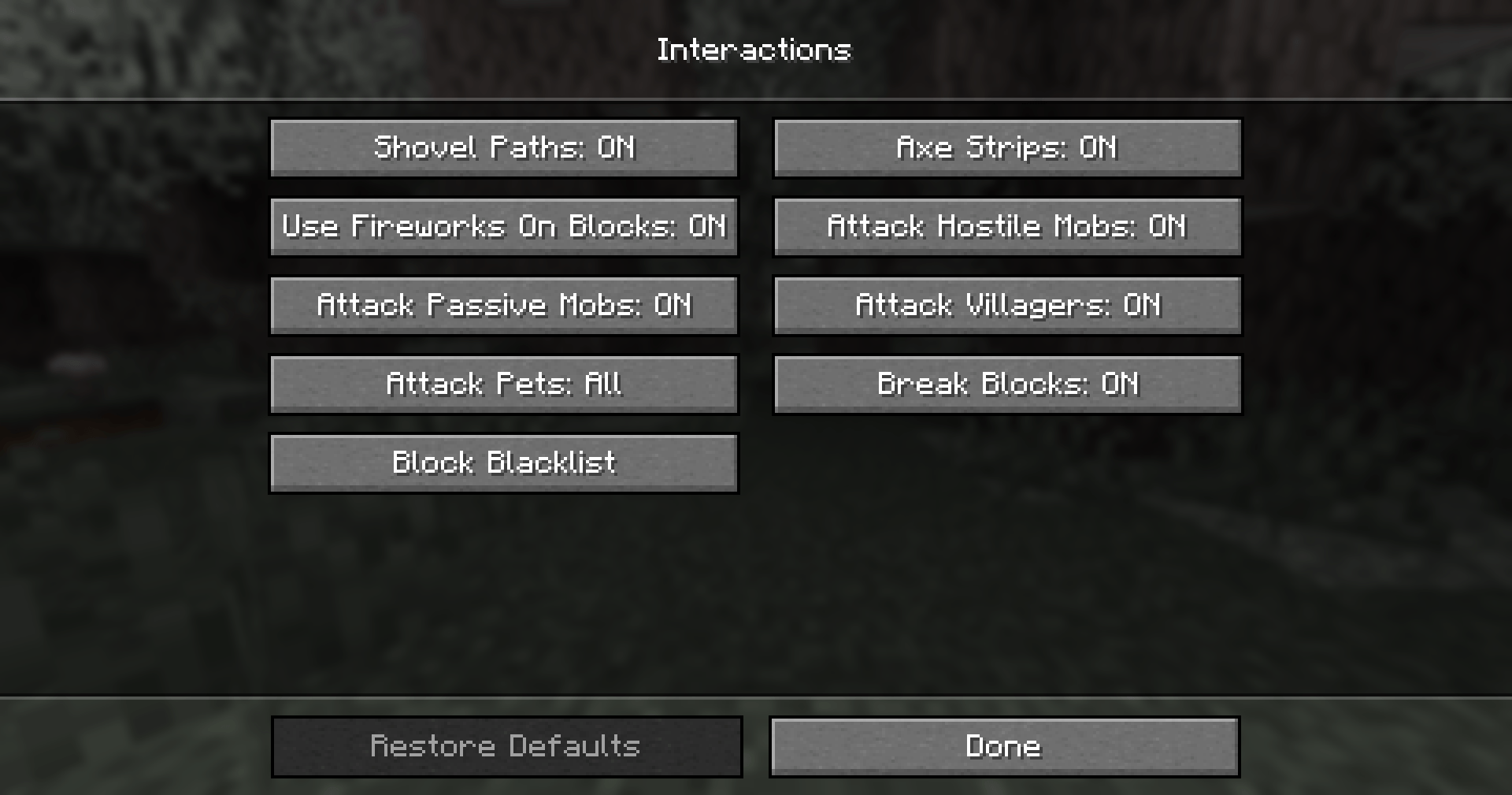
Interaction Manager is a client side mod allowing you to toggle certain block and mob interactions. This mod aims to streamline the player experience, as some may find many vanilla features annoying or unnecessary. By default, vanilla behaviour is preserved.
It also gives you the option to stop the player from attacking your pets, others' pets or all tamable mobs. You can blacklist blocks, so that you can't break them.
These options are easily found in the in game _Interactions_ menu. To access them go to _Options_>_Interactions_
If Mod Menu is installed, by default the Interactions button is hidden. And the settings can be accessed using Mod Menu. To show the Interacions button if Mod Menu is installed see the Config Section.
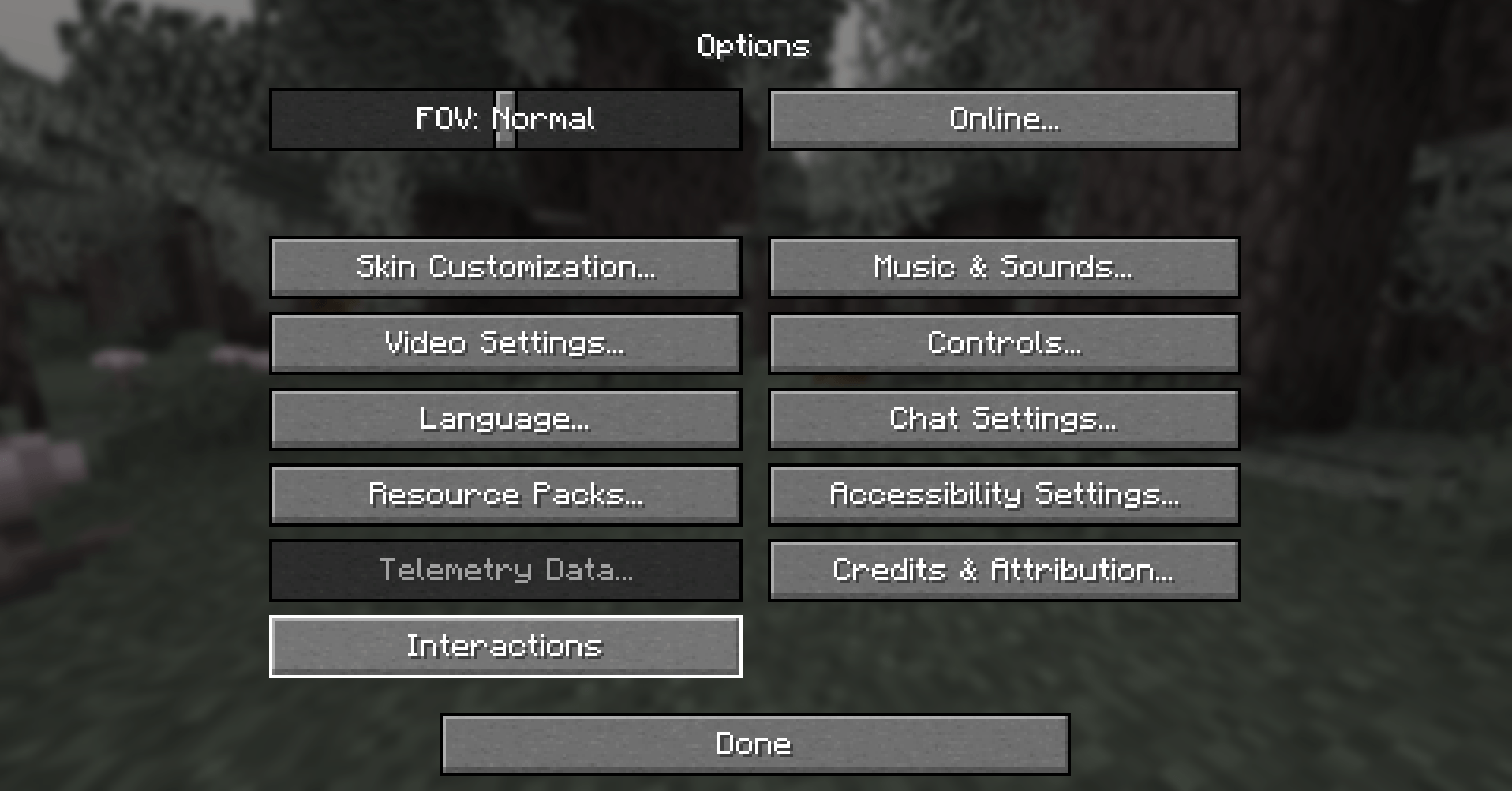
If you don't intend to change more advanced options feel free to skip this section. Options related to player behaviour (block and mob interactions) are accessible in the in game options menu. The configuration file allows for more fine-tuning and isn't necessary to edit. It's located in config/interactionmanager.json. It's stored in JSON, which is easy to read and modify.
If you have any suggestions or run into some issues please create a new ticket on the Issue Tracker.
This mod's code is free to view and modify, publicly available on GitHub.
Project description from CurseForge.
Pick your setup
Choose the version and loader you play, then open the matching release.
Showing the newest 12 of 13 game versions. Older files are in the list below.
Check the dependencies, then try the file in a copied instance before changing a world you care about.
Recent files
interactionmanager-1.8.3+1.21.2.jar
26 Jul 2025
24 Jun 2025
interactionmanager-1.8.1+1.21.2.jar
27 May 2025
interactionmanager-1.8.0+1.21.2.jar
25 May 2025
30 Mar 2025
20 Feb 2025
20 Feb 2025
19 Feb 2025
18 Feb 2025
interactionmanager-1.5.1+1.21.2.jar
17 Feb 2025
14 Feb 2025
interactionmanager-1.4.1+1.21.jar
14 Feb 2025
Looking for an older file? The official CurseForge project page is in Resources.
 mod
A Carpet mod (fabric-carpet) extension, a collection of carpet mod style useful tools and interesting features
 mod
Minecraft mod that applies armor trims to naturally generated armor and equipment from mobs, loot tables and trades
 mod
Library mod for building Minecraft screens and HUDs with Jetpack Compose. Made by Polyfrost. Formerly known as Compose Multiplatform.