Shogi Needed by unbreakables-neoforge-26.3-26.3.0.1.jar
requiredMatching file found Matched file: shogi-neoforge-26.3-26.3.0.1.jar

CurseForge · Minecraft mod
Configure blocks to be unbreakable under certain conditions. Compatible with Waystones.
Quick answer
unbreakables-neoforge-26.3-26.3.0.1.jar targets 26.3 with NeoForge. The project page does not say whether this file belongs on the client, dedicated server, or both. All 2 required mods have matching files.
Where it goes
The project page does not say whether this file belongs on the client, dedicated server, or both.
The source does not explicitly classify this release as client-only or server-only.
unbreakables-neoforge-26.3-26.3.0.1.jar. Change the file and its required mods may change too.
Install Shogi, Balm first. We found matching files for this game-version and loader setup.
We only count dependency files that match this setup. A file for another loader does not fill the gap.
Before you install it
Built for unbreakables-neoforge-26.3-26.3.0.1.jar. Pick another file and the loader, install side or required mods may change.
Use unbreakables-neoforge-26.3-26.3.0.1.jar. It targets 26.3 with NeoForge; another release may have different loader, side or dependency requirements.
Install Shogi, Balm first. We found matching files for this game-version and loader setup.
The project page does not say whether this file belongs on the client, dedicated server, or both.
Use the “Get this file” button beside unbreakables-neoforge-26.3-26.3.0.1.jar. It opens that exact file at the source.
About this project
This mod adds configurable rules for controlling whether a block can be broken. Rules allow for granular control through conditions and even modifiers (such as costing xp or items). This mod does not enable any unbreakable rules by default. Modpack developers or server owners must configure the mod, e.g. by enabling the "waystones:generated_waystones" ruleset. This mod is useless unless configured by a modpack or server owner.
This mod requires Balm, which must be installed alongside the mod.


Modpack developers or server owners must configure this mod in order for it to be useful.
That means configuring rules in the config file or optionally enabling an inbuilt ruleset.
For usage examples, see the wiki.
Project description from CurseForge.
Pick your setup
Choose the version and loader you play, then open the matching release.
Showing the newest 12 of 17 game versions. Older files are in the list below.
Check the dependencies, then try the file in a copied instance before changing a world you care about.
Recent files
16 Sept 2026
16 Sept 2026
16 Jun 2026
16 Jun 2026
22 Apr 2026
unbreakables-forge-1.21.1-21.1.15.jar
22 Apr 2026
22 Apr 2026
unbreakables-neoforge-1.21.1-21.1.15.jar
22 Apr 2026
22 Apr 2026
29 Mar 2026
29 Mar 2026
24 Mar 2026
Looking for an older file? The official CurseForge project page is in Resources.
 mod
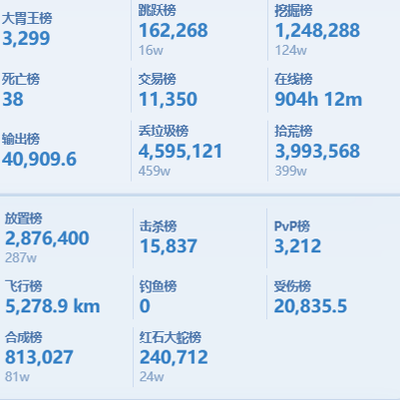
modScoreboard ranking mod: web dashboard access, historical data query, point lookup for arbitrary post-install dates.
 mod
modInteractive compartment storage for your workshops.
 mod
modRewrites parts of Minecraft in Rust Lang