Minecraft version
Back to mods 
CurseForge · Minecraft mod
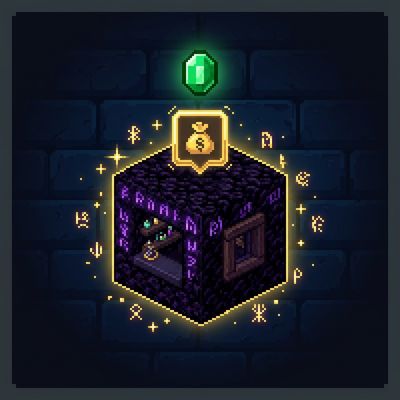
Ultimate Shop
Allows for creation of a Shop, useful of modpacks
Choose a version Pick your version below, then grab the matching file.
Quick answer
Which Ultimate Shop release should I use?
Latest stable file Ultimate Shop-1.6.3
Game version 1.21.1
Loader NeoForge
Ultimate Shop-1.6.3 targets 1.21.1 with NeoForge. The project page does not say whether this file belongs on the client, dedicated server, or both. No extra mods listed for this file.
Where it goes
Is Ultimate Shop required on the client, server, or both?
The project page does not say whether this file belongs on the client, dedicated server, or both.
Client Source doesn’t say
Dedicated server Source doesn’t say
Loader for this release NeoForge
Required install it here Optional supported, not mandatory Not supported do not install here Source doesn’t say do not assume
The source does not explicitly classify this release as client-only or server-only.
What else does Ultimate Shop-1.6.3 need?
Ultimate Shop-1.6.3. Change the file and its required mods may change too.
This file does not list any required mods. Do not add a library just because a different file uses it.
This file does not list any required or optional mods.
Before you install it
Add Ultimate Shop without breaking your instance.
Built for Ultimate Shop-1.6.3. Pick another file and the loader, install side or required mods may change.
- 01
Stick to this file
Use Ultimate Shop-1.6.3. It targets 1.21.1 with NeoForge; another release may have different loader, side or dependency requirements.
- 02
Bring the mods it needs
This file does not list any required mods. Do not add a library just because a different file uses it.
- 03
Put it on the correct side
The project page does not say whether this file belongs on the client, dedicated server, or both.
- 04
Pick the file you checked
Use the “Get this file” button beside Ultimate Shop-1.6.3. It opens that exact file at the source.
About this project
What does Ultimate Shop add?
Now with a guide book
Allows for creation of a Shop with a GUI, adds a currency, commands and an editor GUI to help with creating your custom Shop (the commands should have a correct permision levels), here is a list of those
/USAddBalance (adds money for target player)
/USCreateTierIncreaser (Create a Tier Increaser (an item that set a shop tier for the player that uses it))
/USList (list the items you can buy or sell)
/USOpenEditor (opens th editor GUI)
there is also an item that opens the shop as GUI on right click (US Buyer) crafted with 7 iron and 2 glass and a item that opens th Sell menu (US Seller) crafted by converting the other item, as well a constant buyer and seller block for automation o buying and selling.
NEW WARNING: the mod is still in active development so things might and probably will break so be careful and make backups
PS: taking requests on things to add just leave a comment and I'll let you know if I will or won't, can or can't add your suggestion
PS2: please report bugs and crushes in the comments I will try to fix any as long as you provide enough inforamtion
Project description from CurseForge.
Pick your setup
Ultimate Shop by Minecraft version and loader
Choose the version and loader you play, then open the matching release.
Check the dependencies, then try the file in a copied instance before changing a world you care about.
Recent files
Ultimate Shop versions and loaders
Ultimate Shop-1.6.3
ultimate_shop-1.6.3-neoforge-1.21.1.jar
10 Mar 2025
Client Source doesn’t say Server Source doesn’t say Dependencies No extras listed Listed on Release listing
Check the 1.21.1 · NeoForge setup NeoForge1.21.1 release
Ultimate Shop-1.6.2
ultimate_shop-1.6.2-neoforge-1.21.1.jar
9 Mar 2025
Client Source doesn’t say Server Source doesn’t say Dependencies No extras listed Listed on Release listing
Check the 1.21.1 · NeoForge setup NeoForge1.21.1 release
Ultimate Shop-1.6.1
ultimate_shop-1.6.1-neoforge-1.21.1.jar
8 Mar 2025
Client Source doesn’t say Server Source doesn’t say Dependencies No extras listed Listed on Release listing
Check the 1.21.1 · NeoForge setup NeoForge1.21.1 release
Ultimate Shop-1.6.0
ultimate_shop-1.6.0-neoforge-1.21.1.jar
8 Mar 2025
Client Source doesn’t say Server Source doesn’t say Dependencies No extras listed Listed on Release listing
Check the 1.21.1 · NeoForge setup NeoForge1.21.1 release
Ultimate Shop-1.5.0
ultimate_shop-1.5.0-neoforge-1.21.1.jar
7 Mar 2025
Client Source doesn’t say Server Source doesn’t say Dependencies No extras listed Listed on Release listing
Check the 1.21.1 · NeoForge setup NeoForge1.21.1 release
Ultimate Shop-1.4.0
ultimate_shop-1.4.0-neoforge-1.21.1.jar
3 Mar 2025
Client Source doesn’t say Server Source doesn’t say Dependencies 1 required · 1 unchecked Listed on Release listing
Check the 1.21.1 · NeoForge setup NeoForge1.21.1 release
Ultimate Shop-1.3.0
ultimate_shop-1.3.0-neoforge-1.21.1.jar
2 Mar 2025
Client Source doesn’t say Server Source doesn’t say Dependencies No extras listed Listed on Release listing
Check the 1.21.1 · NeoForge setup NeoForge1.21.1 release
Ultimate Shop-1.2.0
ultimate_shop-1.2.0-neoforge-1.21.1.jar
1 Mar 2025
Client Source doesn’t say Server Source doesn’t say Dependencies No extras listed Listed on Release listing
Check the 1.21.1 · NeoForge setup NeoForge1.21.1 release
Ultimate Shop-1.1.1
ultimate_shop-1.1.1-neoforge-1.21.1.jar
24 Feb 2025
Client Source doesn’t say Server Source doesn’t say Dependencies No extras listed Listed on Release listing
Check the 1.21.1 · NeoForge setup NeoForge1.21.1 release
Ultimate Shop-1.1.0
ultimate_shop-1.1.0-neoforge-1.21.1.jar
21 Feb 2025
Client Source doesn’t say Server Source doesn’t say Dependencies No extras listed Listed on Release listing
Check the 1.21.1 · NeoForge setup NeoForge1.21.1 release
Ultimate Shop-1.0.1
ultimate_shop-1.0.1-neoforge-1.21.1.jar
19 Feb 2025
Client Source doesn’t say Server Source doesn’t say Dependencies No extras listed Listed on Release listing
Check the 1.21.1 · NeoForge setup NeoForge1.21.1 release
Ultimate Shop-1.0.0
ultimate_shop-1.0.0-neoforge-1.21.1.jar
18 Feb 2025
Client Source doesn’t say Server Source doesn’t say Dependencies No extras listed Listed on Release listing
Check the 1.21.1 · NeoForge setup NeoForge1.21.1 release
Looking for an older file? The official CurseForge project page is in Resources.