Minecraft version
Back to mods 
CurseForge · Minecraft mod
Chaolux
A small set of tools I use while developing and testing my mods.
Choose a version Pick your version below, then grab the matching file.
Quick answer
Which Chaolux release should I use?
Latest stable file chaolux-1.20.1-1.0.0
Game version 1.20.1
Loader Forge
chaolux-1.20.1-1.0.0 targets 1.20.1 with Forge. The project page does not say whether this file belongs on the client, dedicated server, or both. No extra mods listed for this file.
Where it goes
Is Chaolux required on the client, server, or both?
The project page does not say whether this file belongs on the client, dedicated server, or both.
Client Source doesn’t say
Dedicated server Source doesn’t say
Loader for this release Forge
Required install it here Optional supported, not mandatory Not supported do not install here Source doesn’t say do not assume
The source does not explicitly classify this release as client-only or server-only.
What else does chaolux-1.20.1-1.0.0 need?
chaolux-1.20.1-1.0.0. Change the file and its required mods may change too.
This file does not list any required mods. Do not add a library just because a different file uses it.
This file does not list any required or optional mods.
Before you install it
Add Chaolux without breaking your instance.
Built for chaolux-1.20.1-1.0.0. Pick another file and the loader, install side or required mods may change.
- 01
Stick to this file
Use chaolux-1.20.1-1.0.0. It targets 1.20.1 with Forge; another release may have different loader, side or dependency requirements.
- 02
Bring the mods it needs
This file does not list any required mods. Do not add a library just because a different file uses it.
- 03
Put it on the correct side
The project page does not say whether this file belongs on the client, dedicated server, or both.
- 04
Pick the file you checked
Use the “Get this file” button beside chaolux-1.20.1-1.0.0. It opens that exact file at the source.
About this project
What does Chaolux add?


Chaolux is a small set of tools I use while developing and testing my mods, and also when making screenshots or preparing their pages. Fast time and weather switching, camera controls, my own post-shader, and a few smaller things that i honestly don’t really wanna work without anymore.
So, what is this mod?
What is Chaolux?
My personal toolbox for testing mods, working with the camera, and making screenshots.
Why does it exist?
I kept using the same commands and small tools again and again while developing stuff, so eventually i just started putting the things i needed into one mod instead. Nothing too deep here.
What should you expect?
Mostly dev/debug and camera tools. No survival progression, no new world content, no giant gameplay overhaul. Just stuff for testing, screenshots, camera work, and a few things that make development less annoying.
Okay... so what’s actually in it?
This used to be a private mod i kept around only for my own projects. At some point i thought there’s not much reason to keep it private anymore, so here we are.
Time & Weather Menu
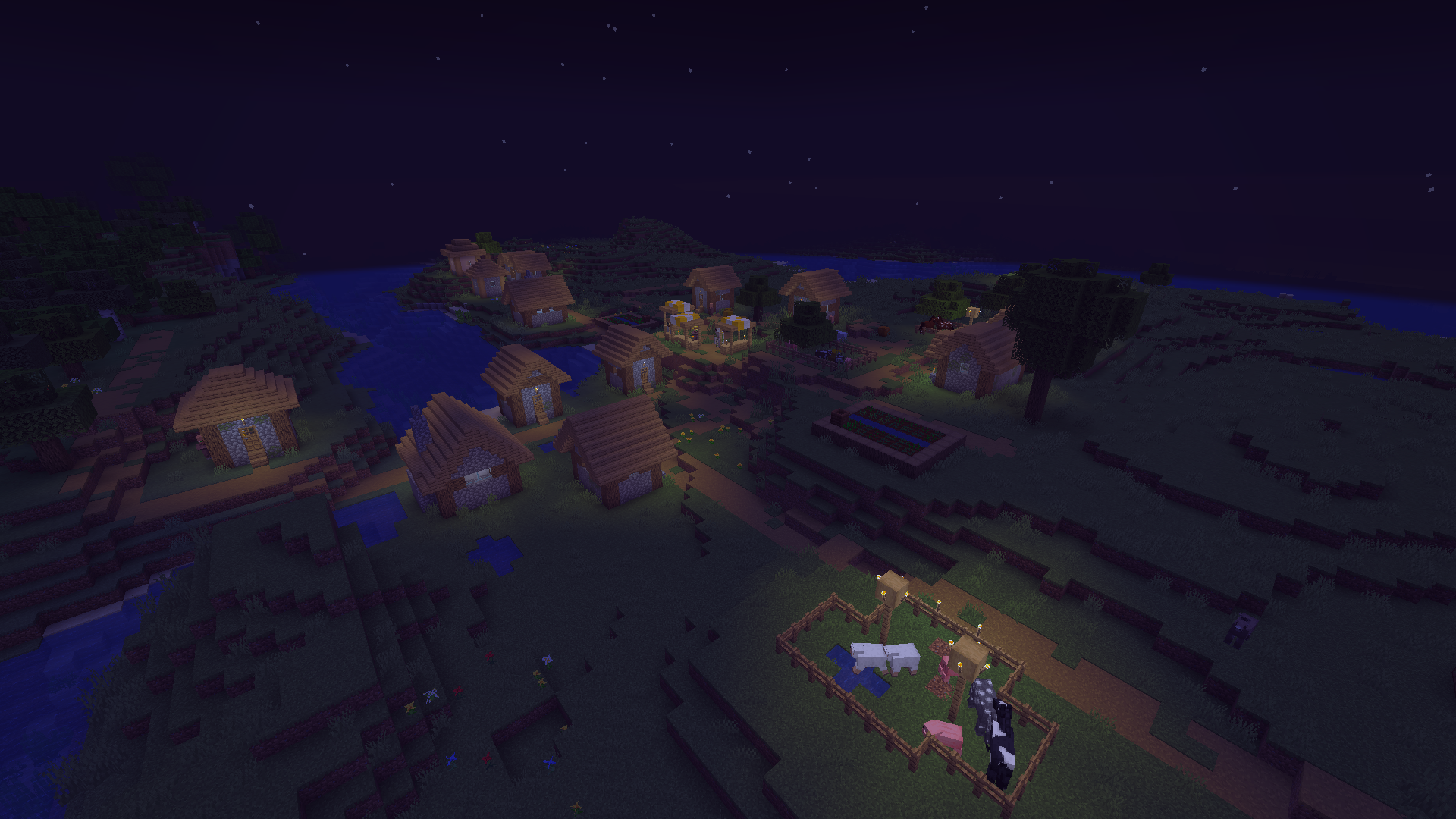
This one works kinda like the gamemode menu on F3 + F4, except mine is on F5 + F6. You can switch between day and night, set your own time from 0 to 23, and change the weather between clear, rain, and thunderstorm. Mostly made because typing /weather clear for the hundredth time gets old pretty fast.
EYE
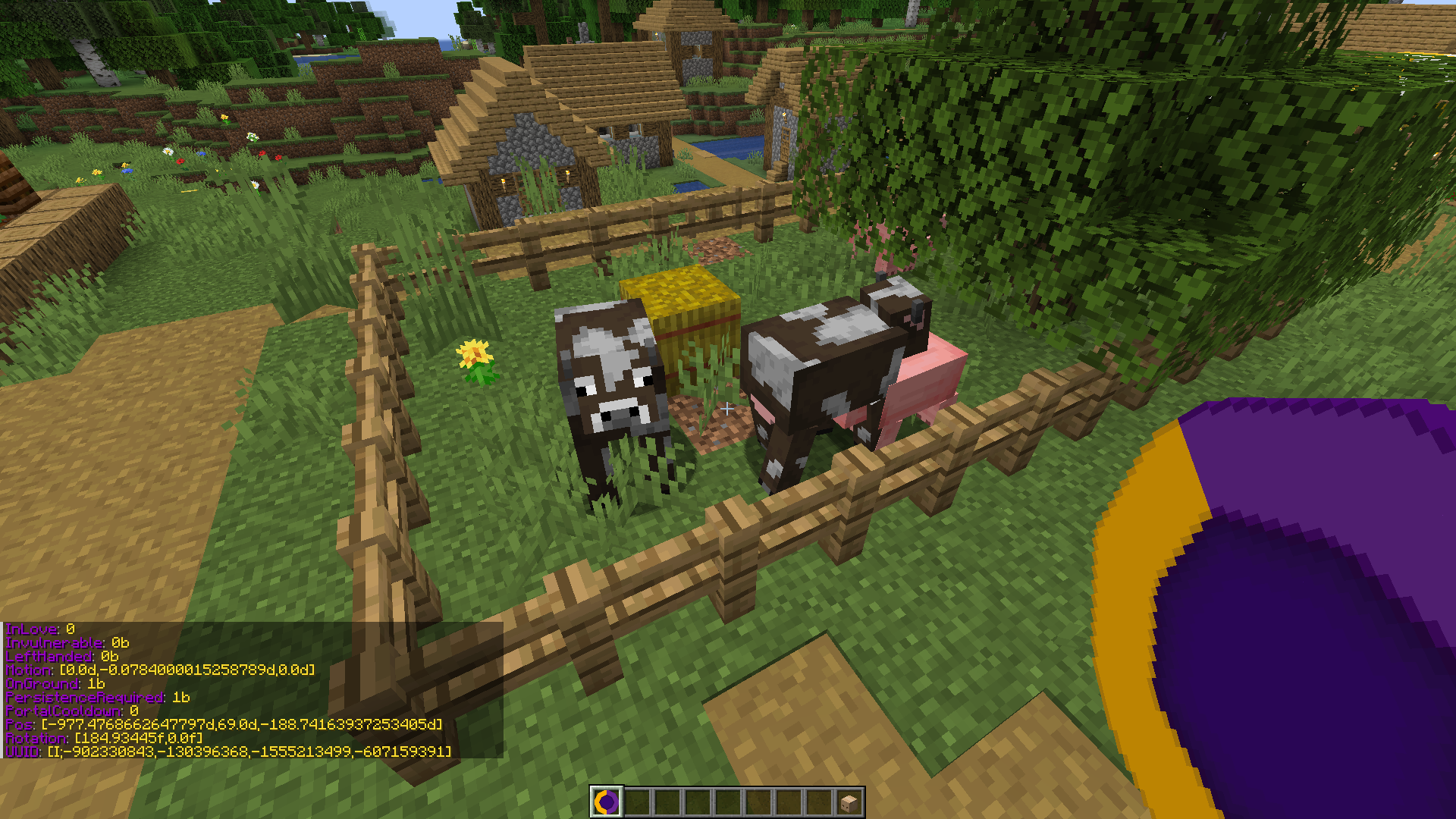
EYE is a tiny debug tool for checking entity data. Click an entity and it shows its information, click into the air and it shows the player instead. I used this one a lot while working on Lender’s Delight. Recommended btw :)
Camera Offset
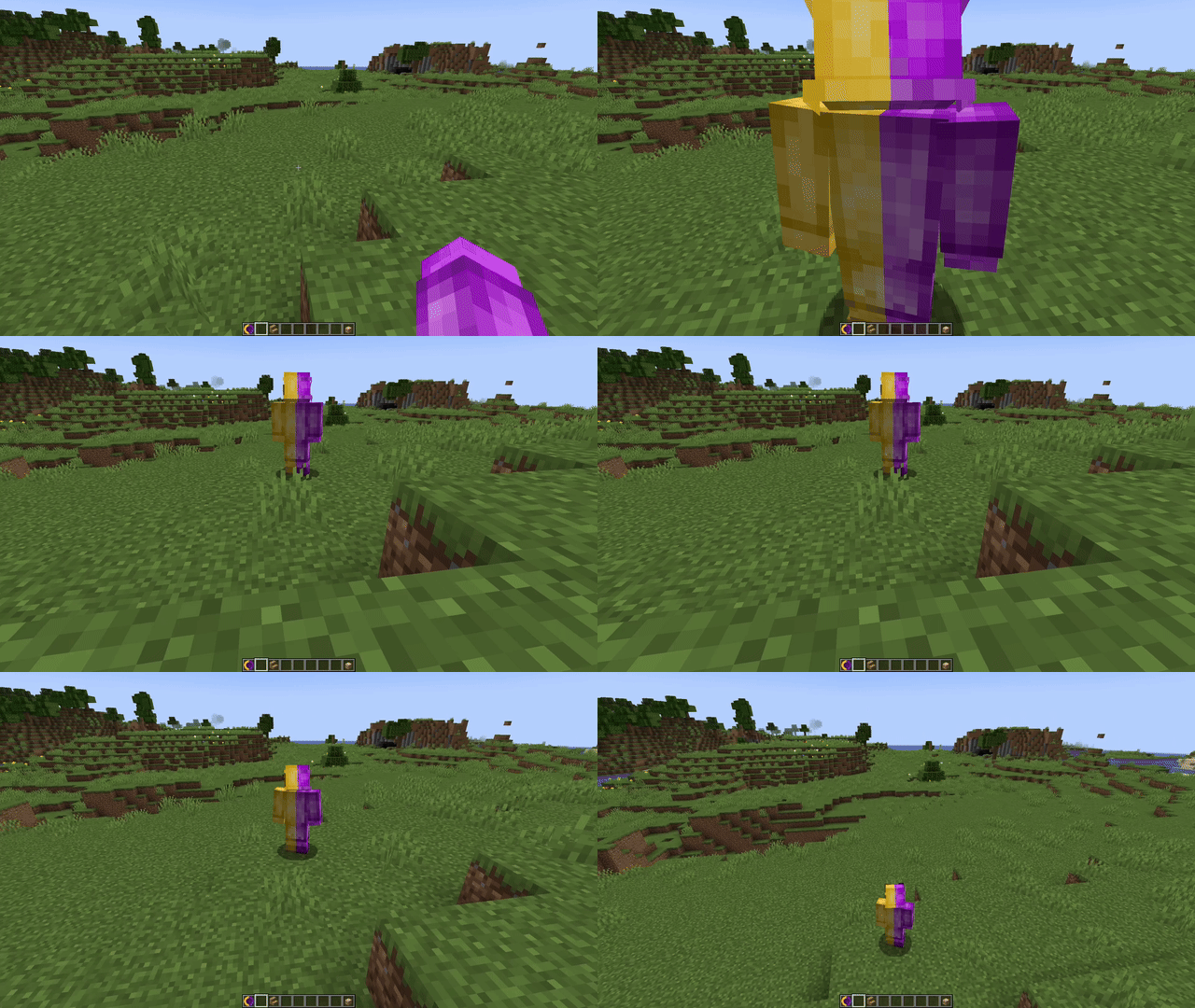
Kinda freecam-ish, but not really freecam. Press F7, then use the arrow keys, Shift, and Ctrl to move the camera around your character and push it farther away. That’s basically it. I mostly use it to get angles that normal third-person camera doesn’t really allow. And looking at your own character from stupid angles is also an option.
And some smaller things
Minecraft 1.20.1 version keeps the last 64 commands, similar to the command history added in newer versions. There’s also Camera Roll: hold G and use the arrow keys to rotate the camera in 5-degree steps. Press G once and it resets. I use this a lot for screenshots when the normal straight camera feels too boring. You can also locally hide a player nickname if it gets in the way of a screenshot. Or if you just don’t wanna see it.
My Post-Shader
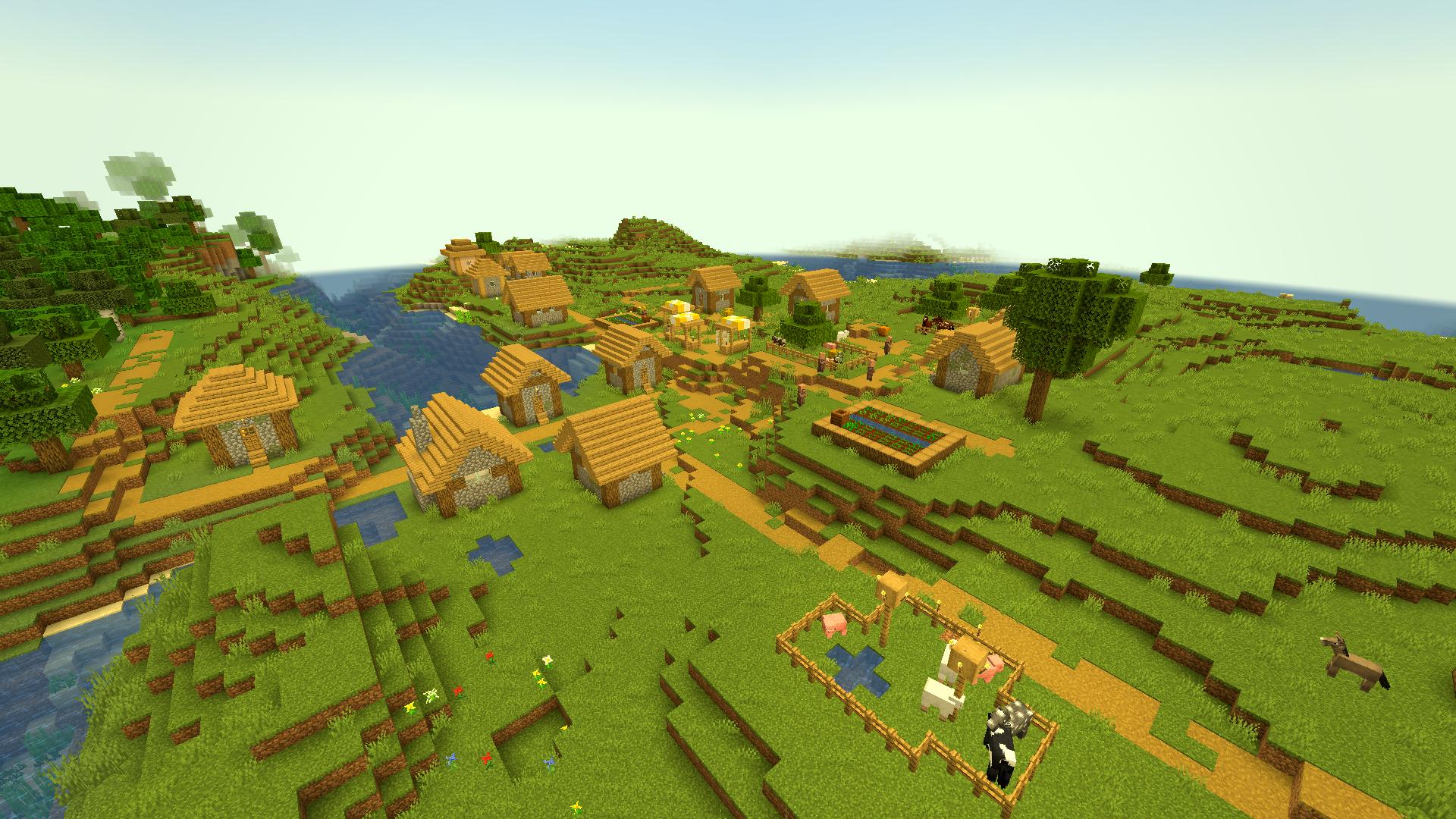
There’s also a small post-shader i made for myself. It doesn’t try to completely change how Minecraft looks. It mostly pushes the image closer to the style i usually use for screenshots. Toggle it with H.
Credits
For everyone who kept asking why my screenshots look kinda unnatural — most of the tools i use for that are here now. You can make them look weird yourself :)
Why I Made This
This mod didn’t really start as a proper project. At first it was just one useful thing. Then another. Then some camera stuff, then weather controls, then the shader, and at some point i had enough random tools sitting together that calling it a separate mod started making sense. Most of it exists because i needed something while working on another project and didn’t feel like searching for another mod or typing the same command again. Chaolux kinda built itself around my workflow.
Project description from CurseForge.
Pick your setup
Chaolux by Minecraft version and loader
Choose the version and loader you play, then open the matching release.
Check the dependencies, then try the file in a copied instance before changing a world you care about.
Recent files
Chaolux versions and loaders
chaolux-1.20.1-1.0.0
chaolux-1.20.1-1.0.0.jar
9 Oct 2026
Client Source doesn’t say Server Source doesn’t say Dependencies No extras listed Listed on Release listing
Check the 1.20.1 · Forge setup 1.20.1Forge release
Looking for an older file? The official CurseForge project page is in Resources.
 mod
mod CurseForge + Modrinth · Minecraft
Held Item Info
Shows information (like enchantments) about the held item under its name.
 mod
mod CurseForge + Modrinth · Minecraft
TaczCurios
TaczCurios adds custom curios (accessories) to the game Tacz.
 mod
mod CurseForge + Modrinth · Minecraft
MDM (formerly Modern Decorations Mod)
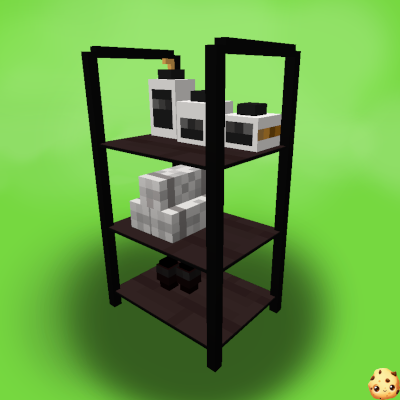
A mod that adds decorative furniture such as kitchen sets, bathroom accessories, office, etc.