Sodium Needed by Sodium/Embeddium Device Check lsdc-neoforge-6.0.0-snapshot+mc26.1-local.jar
requiredMatching file found Matched file: Sodium 0.9.2 for NeoForge 26.2

CurseForge · Minecraft mod
A Minecraft mod can check you device
Quick answer
Sodium/Embeddium Device Check lsdc-neoforge-6.0.0-snapshot+mc26.1-local.jar targets 26.1, 26.1.1, 26.1.2 with NeoForge. The project page does not say whether this file belongs on the client, dedicated server, or both. All 1 required mods have matching files.
Where it goes
The project page does not say whether this file belongs on the client, dedicated server, or both.
The source does not explicitly classify this release as client-only or server-only.
lsdc-neoforge-6.0.0-snapshot+mc26.1-local.jar on 26.2. Every mod below is checked against that same setup.
Install Sodium first. We found matching files for this game-version and loader setup.
We only count dependency files that match this setup. A file for another loader does not fill the gap.
Before you install it
Built for Sodium/Embeddium Device Check lsdc-neoforge-6.0.0-snapshot+mc26.1-local.jar on 26.2. Pick another file and the loader, install side or required mods may change.
Use lsdc-neoforge-6.0.0-snapshot+mc26.1-local.jar. It targets 26.1, 26.1.1, 26.1.2 with NeoForge; another release may have different loader, side or dependency requirements.
Install Sodium first. We found matching files for this game-version and loader setup.
The project page does not say whether this file belongs on the client, dedicated server, or both.
Use the “Get this file” button beside lsdc-neoforge-6.0.0-snapshot+mc26.1-local.jar. It opens that exact file at the source.
About this project


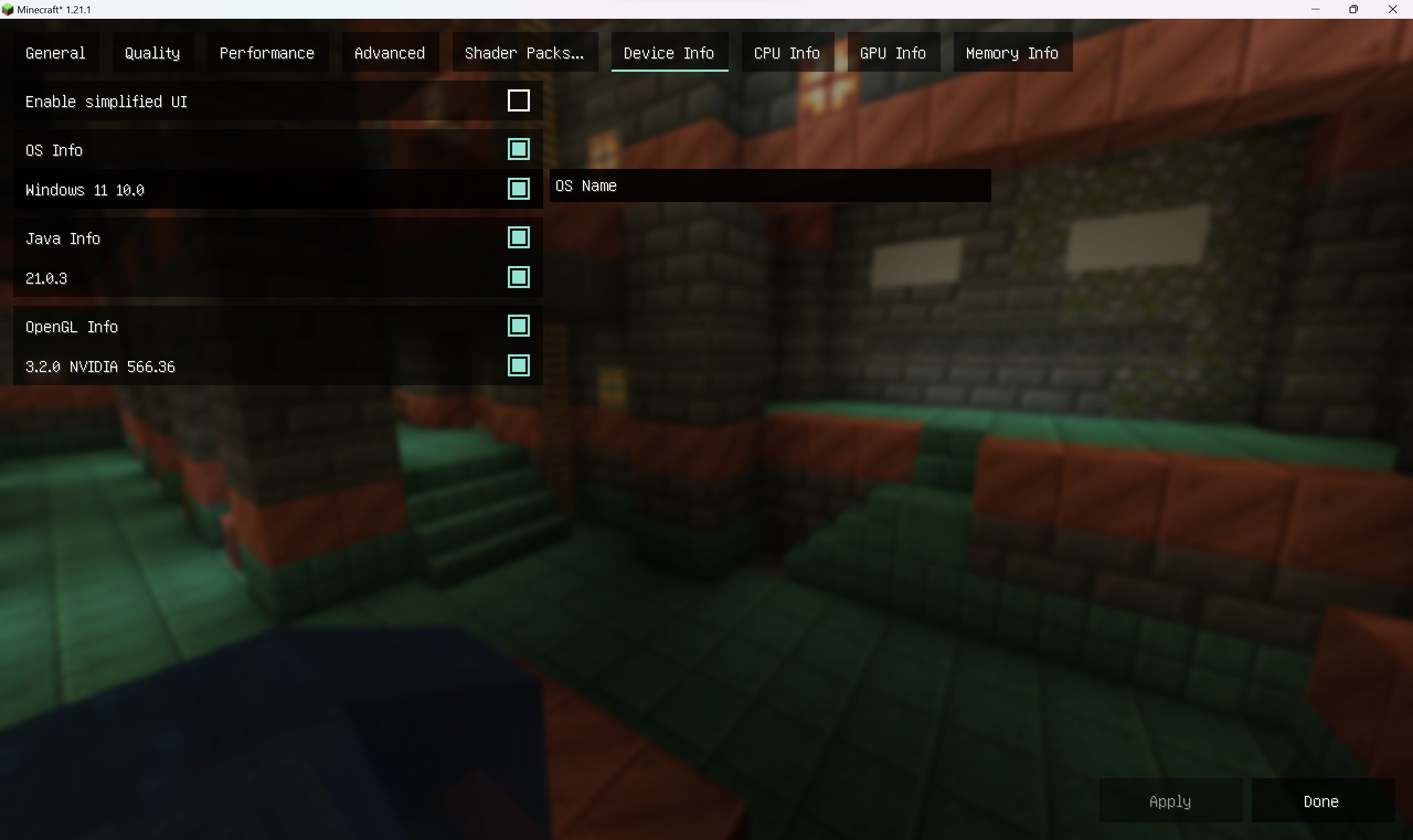
Sodium Device Check is an auxiliary module for sodium. Please install the Sodium before installation
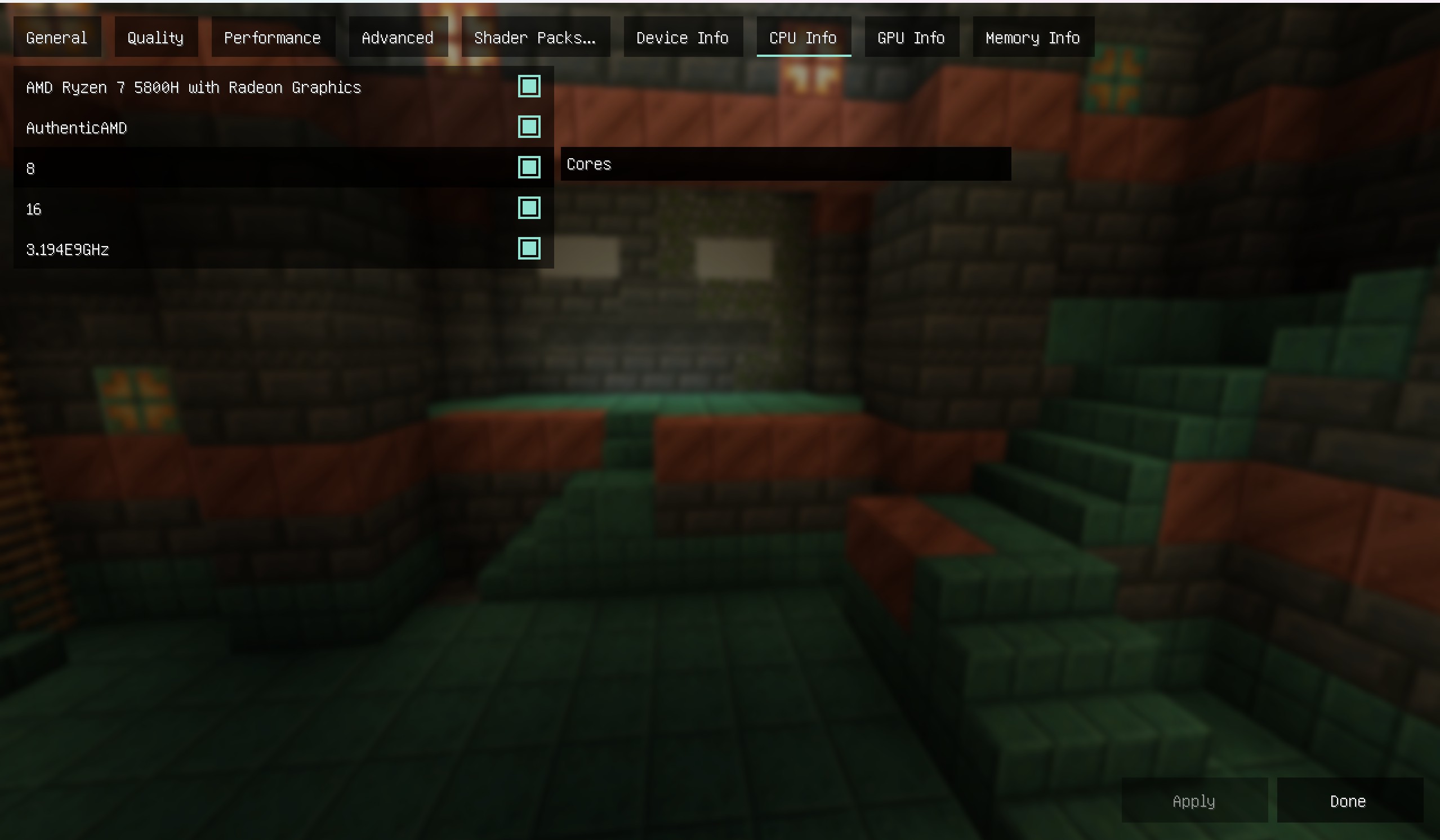
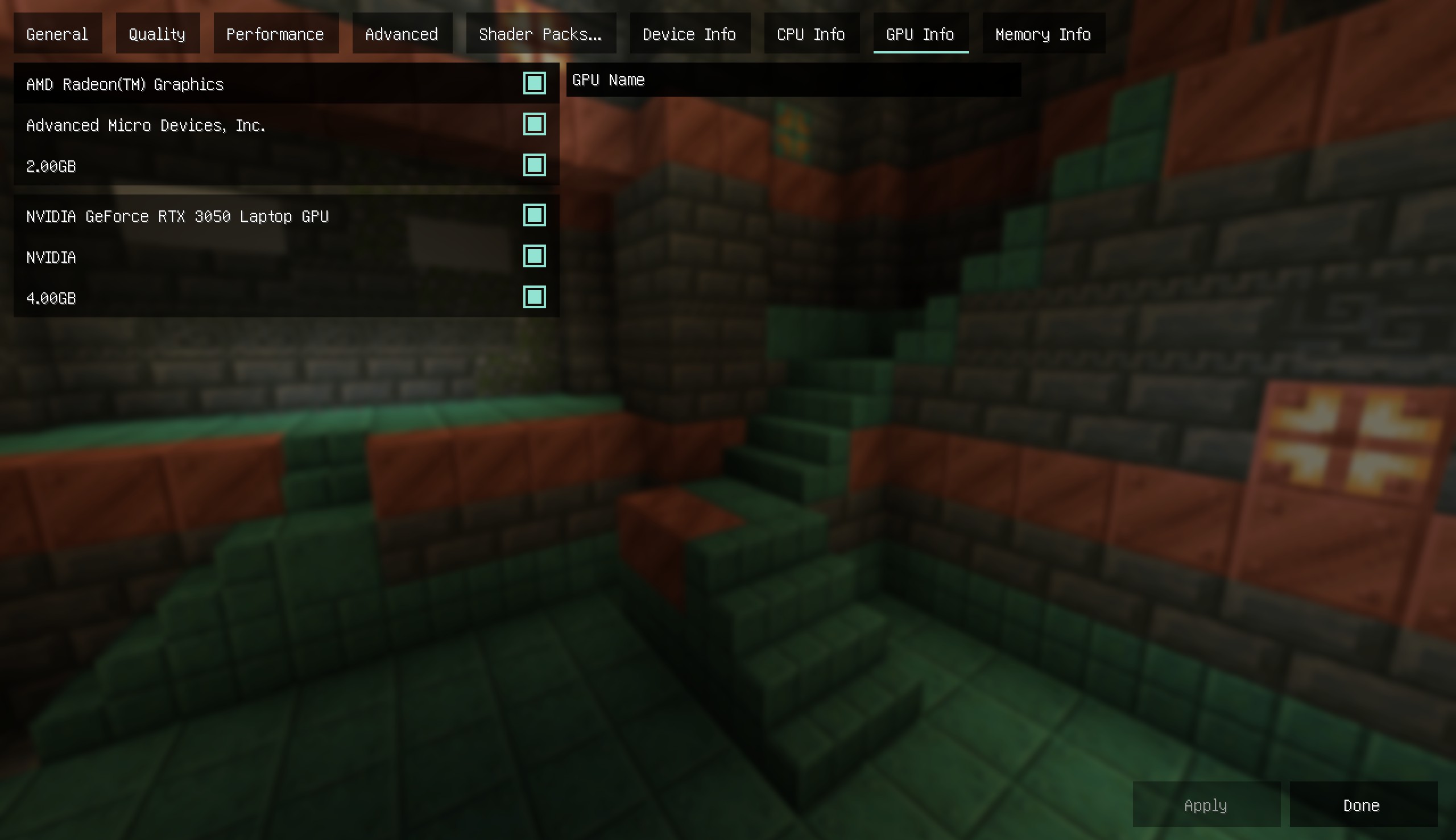
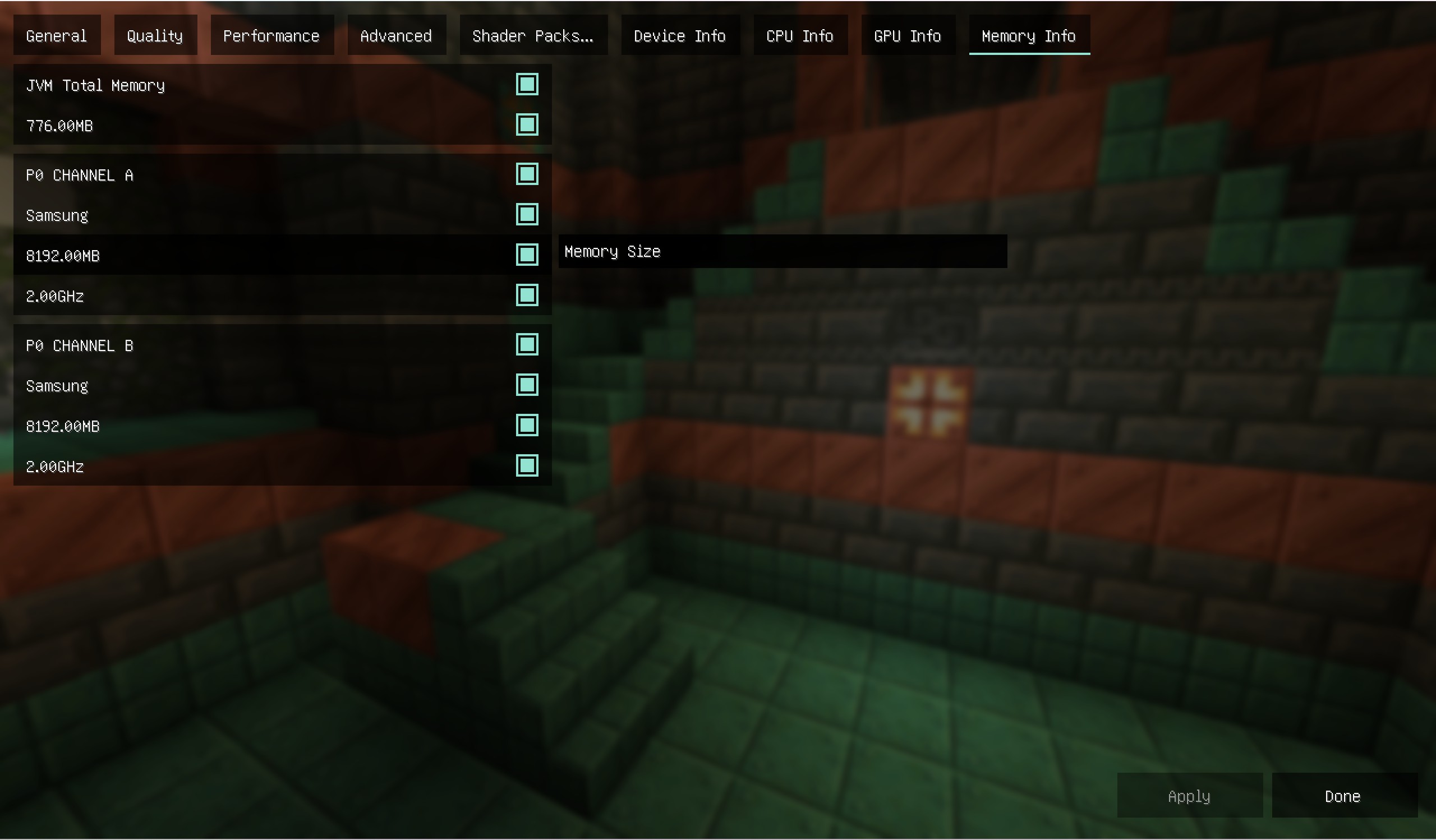
After installing the module, you can view platform information as a reference for adjusting image quality
The functions are as follows
View CPU information, including model, supplier, number of physical cores (cores), number of logical cores (threads), frequency
View graphics card information, including the model, supplier, and memory of each graphics card on the computer
View memory information, including the model, supplier, and size of each memory module on the computer
View software information, including Java information, operating system information, and OpenGL information
钠-设备检测是钠的附属模组,安装前请先安装钠模组(Sodium)
安装模组后可以查看平台信息以作为调节画质时的参考
功能如下
1.查看CPU信息,包含型号,供应商,物理核心数(核心数),逻辑核心数(线程数),频率
2.查看显卡信息,包含计算机上每一张显卡的型号,供应商,显存
3.查看内存信息,包含计算机上每一根内存条的型号,供应商,大小
4.查看软件信息,包含Java信息,操作系统信息和OpenGL信息

Project description from CurseForge.
Pick your setup
Choose the version and loader you play, then open the matching release.
Showing the newest 12 of 35 game versions. Older files are in the list below.
Check the dependencies, then try the file in a copied instance before changing a world you care about.
Recent files
5 Apr 2026
2 Apr 2026
Looking for an older file? The official CurseForge project page is in Resources.
 mod
Connects Better Revive with PlayerRevive, providing a clean handoff between both revival systems while preventing repeated bleed-out and death loops.
 mod
A mod to showcase places where hostile mobs can spawn.
 mod
Player mobs with behaviours, items / chest interactions and motives.