Minecraft version
Back to mods 
CurseForge · Minecraft mod
LinguaChat
Fabric mod for automatic bidirectional chat translation. Supports multiple providers: Google Translate, DeepL, and Kagi.
Choose a version Pick your version below, then grab the matching file.
Quick answer
Which LinguaChat release matches 26.3?
Best match for your filters 3.0.0+26.3
Game version 26.3
Loader Fabric
LinguaChat 3.0.0+26.3 targets 26.3 with Fabric. It must be installed on the client. Do not install it on the dedicated server. No extra mods listed for this file.
Where it goes
Is LinguaChat required on the client, server, or both?
It must be installed on the client. Do not install it on the dedicated server.
Client Required
Dedicated server Not supported
Loader for this release Fabric
Required install it here Optional supported, not mandatory Not supported do not install here Source doesn’t say do not assume
This file is marked client-only.
What else does LinguaChat 3.0.0+26.3 need?
3.0.0+26.3 on 26.3. Every mod below is checked against that same setup.
This file does not list any required mods. Do not add a library just because a different file uses it.
This file does not list any required or optional mods.
Before you install it
Add LinguaChat without breaking your instance.
Built for LinguaChat 3.0.0+26.3 on 26.3. Pick another file and the loader, install side or required mods may change.
- 01
Stick to this file
Use 3.0.0+26.3. It targets 26.3 with Fabric; another release may have different loader, side or dependency requirements.
- 02
Bring the mods it needs
This file does not list any required mods. Do not add a library just because a different file uses it.
- 03
Put it on the correct side
It must be installed on the client. Do not install it on the dedicated server.
- 04
Pick the file you checked
Use the “Get this file” button beside 3.0.0+26.3. It opens that exact file at the source.
About this project
What does LinguaChat add?
LinguaChat makes your communication in Minecraft accessible in any language, automatically translating chat messages without interrupting gameplay!
You can configure the translation directions for both sides (Client/Server) in the configuration file See description below.
📥 Installation
- Install Fabric Loader for your Minecraft version
- Install Fabric API matching your version
- Download LinguaChat for your version
For official Minecraft Launcher:
- Place the JAR file in your
modsfolder:- Windows:
%APPDATA%\.minecraft\mods - Linux:
~/.minecraft/mods - macOS:
~/Library/Application Support/minecraft/mods
- Windows:
For Prism Launcher and other instance-based launchers:
- Open instance settings → Mods tab
- Click Add / Install Mods and select the JAR file
- Make sure Fabric API is installed for this instance
Final step:
- Launch Minecraft with Fabric profile
📝 Usage Example
When properly configured, the mod automatically translates messages:
Player1: привет
[Chat for you]: hello

Player2: hello
[Chat for you]: привет
[!TIP] The original text of the message is available by hovering over the translated message!
⚙️ Configuration
Mod settings are accessible via the K key in-game.
You can also edit the file directly: config/linguachat.json
Keybinds
| Key | Action |
|---|---|
| K | Open settings screen |
| N | Toggle outgoing message translation |
Settings
| Parameter | Default | Description |
|---|---|---|
enabled |
true |
Enable/disable the mod |
translateIncoming |
true |
Translate incoming messages |
translateOutgoing |
true |
Translate outgoing messages |
defaultSourceLang |
"auto" |
Source language (auto for detection) |
defaultTargetLang |
"en" |
Target language for both incoming messages (messages from other players) and outgoing messages (your messages sent to server) |
preferredTranslator |
"google" |
Provider: google, deepl, kagi |
deeplApiKey |
"" |
DeepL API key |
kagiApiKey |
"" |
Kagi API token |
kagiSessionToken |
"" |
Kagi session token |
showOriginalOnHover |
true |
Show original on hover |
cacheSize |
512 |
Translation cache size |
debugMode |
false |
Debug logging |
Translation Providers
| Provider | Cost | API Key | Languages |
|---|---|---|---|
| Free | Not required | 100+ | |
| DeepL | Free/Paid | Get API Key | 30+ |
| Kagi | Kagi Pass | API Token, or the kagi_session cookie value from DevTools. The session link itself does not work (it's an OAuth login page, not a token). |
Multiple |
🐛 Reporting Issues
Found a bug or have a suggestion? Create an issue:
👉 https://github.com/Lintech-1/LinguaChat/issues
Please include:
- Minecraft version
- Mod version
- Log excerpts
- Steps to reproduce
Project description from CurseForge.
Pick your setup
LinguaChat by Minecraft version and loader
Choose the version and loader you play, then open the matching release.
Minecraft version
1.21.11
1 loader buildMinecraft version
1.21.5
1 loader buildMinecraft version
1.21.4
1 loader buildMinecraft version
1.21.1
1 loader buildMinecraft version
1.20.1
1 loader buildMinecraft version
1.19.2
1 loader buildMinecraft version
1.18.2
1 loader buildMinecraft version
1.16.5
1 loader buildCheck the dependencies, then try the file in a copied instance before changing a world you care about.
Recent files
LinguaChat versions and loaders
3.0.0+26.3
linguachat-26.3-3.0.0.jar
26 Oct 2026
Client Required Server Not supported Dependencies No extras listed Listed on Release listing
Check the 26.3 · Fabric setup 26.3Fabric release
Looking for an older file? The official CurseForge project page is in Resources.
 mod
mod CurseForge · Minecraft
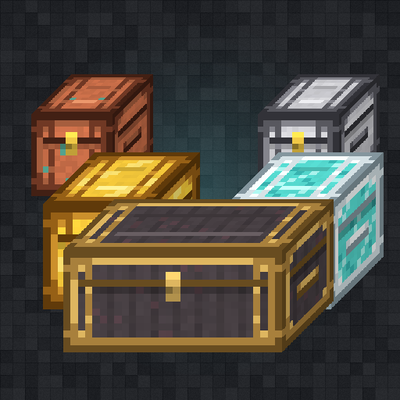
Upgraded Chests
Tiered chests from Copper to Netherite, plus chests made from almost any item, with upgrade kits, sorting, locking, double chests and chest minecarts.
 mod
mod CurseForge · Minecraft
Down Fall
Watch the end of your world
 mod
mod CurseForge · Minecraft
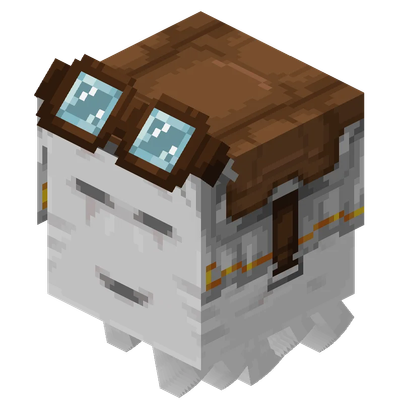
Better, Faster Happy Ghasts (Mod Version)
Adds configurable speeds for the Happy Ghast, perfect for survival servers! Available as plugin / datapack / mod