Just Enough Items (JEI) Optional for Enough Rubies v1.0.0
optionalMatching file found Matched file: 19.76.1.484 for Fabric 1.21.1
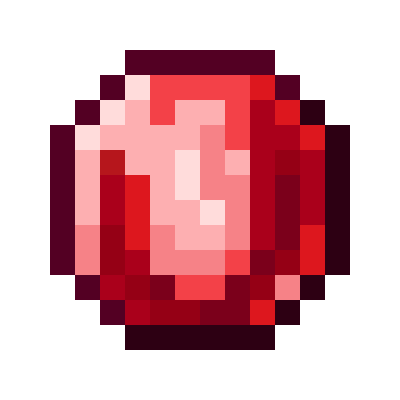
CurseForge · Minecraft mod
Adds everything Ruby!
Quick answer
Enough Rubies v1.0.0 targets 1.21.1 with Fabric. The project page does not say whether this file belongs on the client, dedicated server, or both. No extra mods listed for this file.
Where it goes
The project page does not say whether this file belongs on the client, dedicated server, or both.
The source does not explicitly classify this release as client-only or server-only.
Enough Rubies v1.0.0. Change the file and its required mods may change too.
This file does not list any required mods. Do not add a library just because a different file uses it.
3 extra mods were pulled in by other dependencies. Indented rows show who needs each one. We only count dependency files that match this setup. A file for another loader does not fill the gap.
Before you install it
Built for Enough Rubies v1.0.0. Pick another file and the loader, install side or required mods may change.
Use Enough Rubies v1.0.0. It targets 1.21.1 with Fabric; another release may have different loader, side or dependency requirements.
This file does not list any required mods. Do not add a library just because a different file uses it.
The project page does not say whether this file belongs on the client, dedicated server, or both.
Use the “Get this file” button beside Enough Rubies v1.0.0. It opens that exact file at the source.
About this project
 Enough Rubies adds Vanilla+ Decoration & Utilities for your use based on the scrapped Ruby ore.
Found underground, mine Ruby ore to get Rubies, or mine Deepslate Ruby ore to gain multiple Rubies, craft Tool & Armor sets and apply the Heartstone Armor Trim, craft a Ruby Hammer to mine in a 3x3, craft a Ruby Bow to do more damage than a basic bow, craft a Ruby Chisel to chip down on certain stones to make bricks!
Only for 1.21.1 Fabric, Im new to coding (This is my first project lol) maybe I'll add more versions as they come out but I dont plan on porting to (Neo)forge or Quilt.
Mod was tested for JEI if you want.
Project description from CurseForge.
Pick your setup
Choose the version and loader you play, then open the matching release.
Check the dependencies, then try the file in a copied instance before changing a world you care about.
Recent files
enoughrubies-1.0.1.jar
19 Apr 2025
Enough Rubies v1.0.0 Fabric 1.21.1.jar
16 Mar 2025
Looking for an older file? The official CurseForge project page is in Resources.
 mod
Aim with binoculars, call in drones, missiles or a bomber, and defend your base with a SAM. Includes nuclear strikes.
 mod
Continuing the way of the thaumaturge, touch the void, warps and expansion of your consciousness
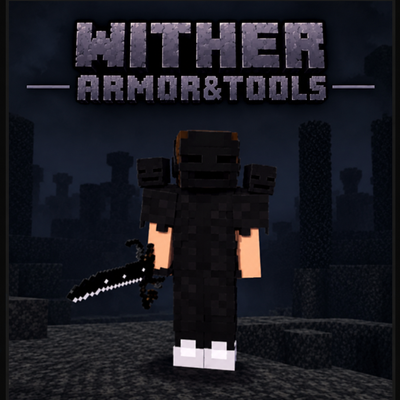 mod
This is my first mod, and it includes Wither armor, a Wither sword, etc.