Minecraft version
Back to mods 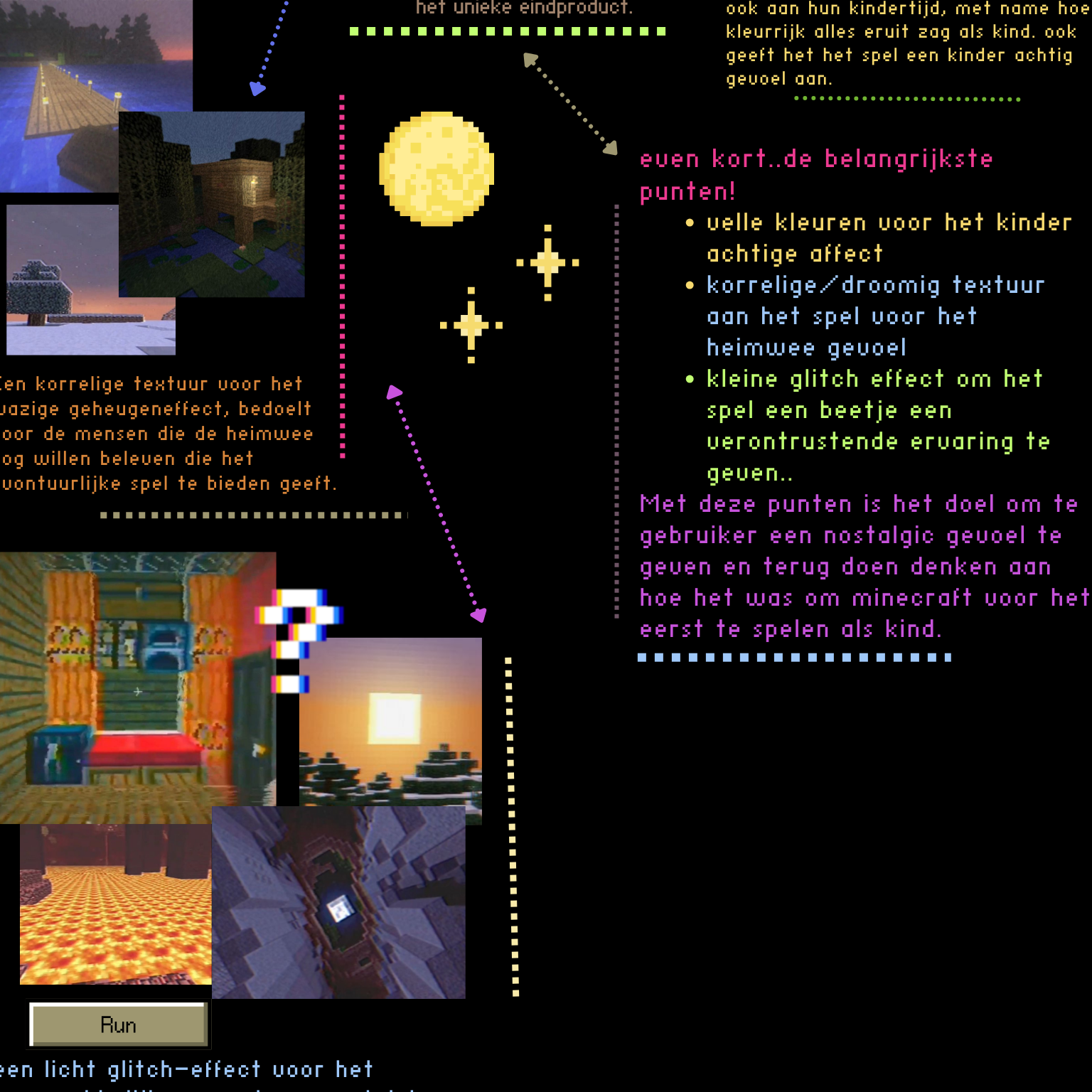
CurseForge · Minecraft mod
Nostalgical Dimension
We added a mainly added a dimension, biome and some blocks, among other things
Choose a version Pick your version below, then grab the matching file.
Quick answer
Which Nostalgical Dimension release should I use?
Latest stable file nostalgiacraft-1.0.0-forge-1.20.1.jar
Game version 1.21.1
Loader Forge
Nostalgical Dimension nostalgiacraft-1.0.0-forge-1.20.1.jar targets 1.21.1 with Forge. The project page does not say whether this file belongs on the client, dedicated server, or both. No extra mods listed for this file.
Where it goes
Is Nostalgical Dimension required on the client, server, or both?
The project page does not say whether this file belongs on the client, dedicated server, or both.
Client Source doesn’t say
Dedicated server Source doesn’t say
Loader for this release Forge
Required install it here Optional supported, not mandatory Not supported do not install here Source doesn’t say do not assume
The source does not explicitly classify this release as client-only or server-only.
What else does Nostalgical Dimension nostalgiacraft-1.0.0-forge-1.20.1.jar need?
nostalgiacraft-1.0.0-forge-1.20.1.jar. Change the file and its required mods may change too.
This file does not list any required mods. Do not add a library just because a different file uses it.
This file does not list any required or optional mods.
Before you install it
Add Nostalgical Dimension without breaking your instance.
Built for Nostalgical Dimension nostalgiacraft-1.0.0-forge-1.20.1.jar. Pick another file and the loader, install side or required mods may change.
- 01
Stick to this file
Use nostalgiacraft-1.0.0-forge-1.20.1.jar. It targets 1.21.1 with Forge; another release may have different loader, side or dependency requirements.
- 02
Bring the mods it needs
This file does not list any required mods. Do not add a library just because a different file uses it.
- 03
Put it on the correct side
The project page does not say whether this file belongs on the client, dedicated server, or both.
- 04
Pick the file you checked
Use the “Get this file” button beside nostalgiacraft-1.0.0-forge-1.20.1.jar. It opens that exact file at the source.
About this project
What does Nostalgical Dimension add?
Our game is an exciting exploration-based experience created as part of a school project. We have introduced a brand-new dimension filled with unique landscapes, challenges, and surprises. Within this dimension, players will encounter a specially designed biome, complete with its own environment, resources, and potential hazards.
To enhance the gameplay, we’ve also added several custom blocks, each serving a unique purpose—some may be useful for crafting, while others might introduce new mechanics or obstacles. Beyond these key features, we’ve implemented various improvements to make the world more immersive and engaging.
This project showcases our creativity and technical skills while bringing a fresh adventure for players to discover!
Project description from CurseForge.
Pick your setup
Nostalgical Dimension by Minecraft version and loader
Choose the version and loader you play, then open the matching release.
Check the dependencies, then try the file in a copied instance before changing a world you care about.
Recent files
Nostalgical Dimension versions and loaders
nostalgiacraft-1.0.0-forge-1.20.1.jar
17 Mar 2025
Client Source doesn’t say Server Source doesn’t say Dependencies No extras listed Listed on Release listing
Check the 1.21.1 · Forge setup Forge1.21.1 release
Looking for an older file? The official CurseForge project page is in Resources.
 mod
CurseForge + Modrinth · Minecraft
Plague's Chat Timestamps
A Minecraft mod that adds customizable timestamps to chat!
 mod
CurseForge + Modrinth · Minecraft
Bigger Stack Size
Stack all items to 64: potions, ender pearls, totems, buckets, signs, tools and more
 mod
CurseForge · Minecraft
Grand World: Overhauled Overworld
Taller mountains, richer forests, ancient giant trees, old roads and hand-built landmarks in every biome, with falling leaves and fireflies.