Kotlin for Forge Optional for Beyond Dimensions 0.7.32 for 26.2.0 neoforge
optionalMatching file found Matched file: Kotlin for Forge 6.5.0

CurseForge · Minecraft mod
Beyond Dimensions is a mod that provides storage solutions. It introduces a virtual storage system obtainable in the late-game of vanilla game
Quick answer
Beyond Dimensions 0.7.32 for 26.2.0 neoforge targets 26.2 with NeoForge. The project page does not say whether this file belongs on the client, dedicated server, or both. All 1 required mods have matching files.
Where it goes
The project page does not say whether this file belongs on the client, dedicated server, or both.
The source does not explicitly classify this release as client-only or server-only.
Beyond Dimensions 0.7.32 for 26.2.0 neoforge on 26.2. Every mod below is checked against that same setup.
Install CompixelUI first. We found matching files for this game-version and loader setup.
We only count dependency files that match this setup. A file for another loader does not fill the gap.
Before you install it
Built for Beyond Dimensions 0.7.32 for 26.2.0 neoforge on 26.2. Pick another file and the loader, install side or required mods may change.
Use Beyond Dimensions 0.7.32 for 26.2.0 neoforge. It targets 26.2 with NeoForge; another release may have different loader, side or dependency requirements.
Install CompixelUI first. We found matching files for this game-version and loader setup.
The project page does not say whether this file belongs on the client, dedicated server, or both.
Use the “Get this file” button beside Beyond Dimensions 0.7.32 for 26.2.0 neoforge. It opens that exact file at the source.
About this project
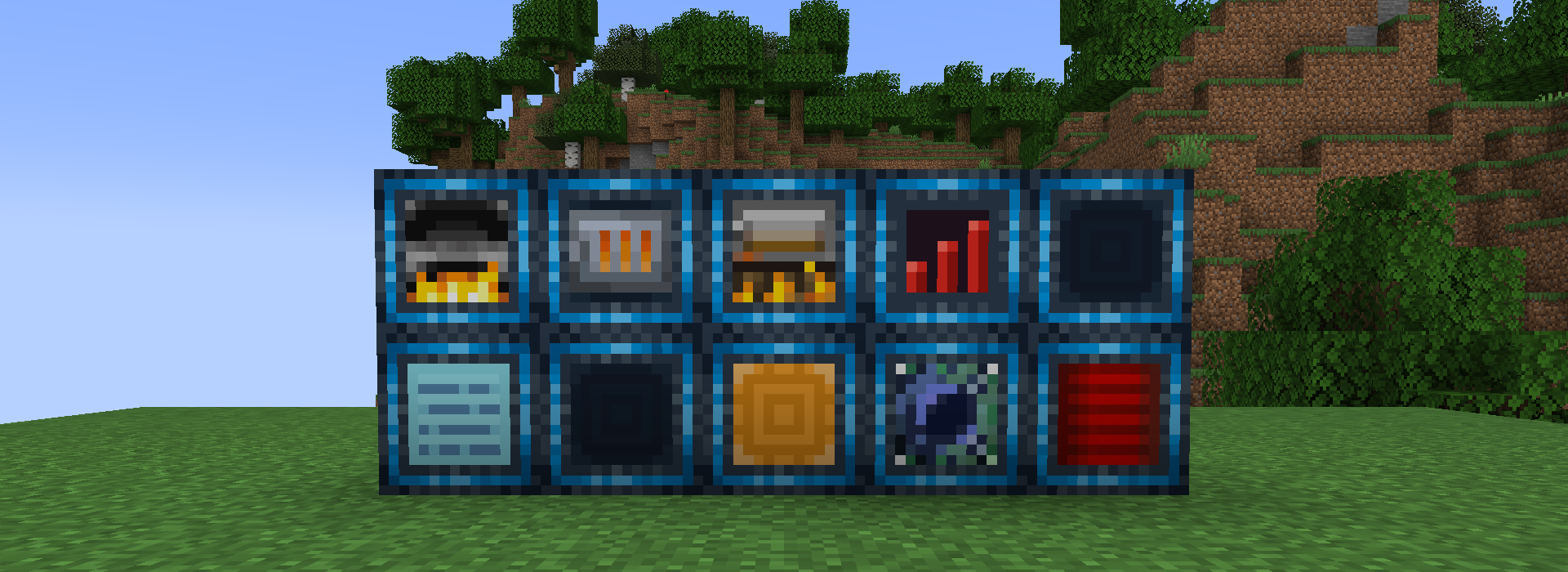
A storage mod for Minecraft. Store everything and access it from anywhere.
Beyond Dimensions adds the Dimensional Network: a storage system you can open anywhere with a hotkey, without keeping any chunks loaded. Share it with friends and connect it to pipes, machines and other logistics mods.
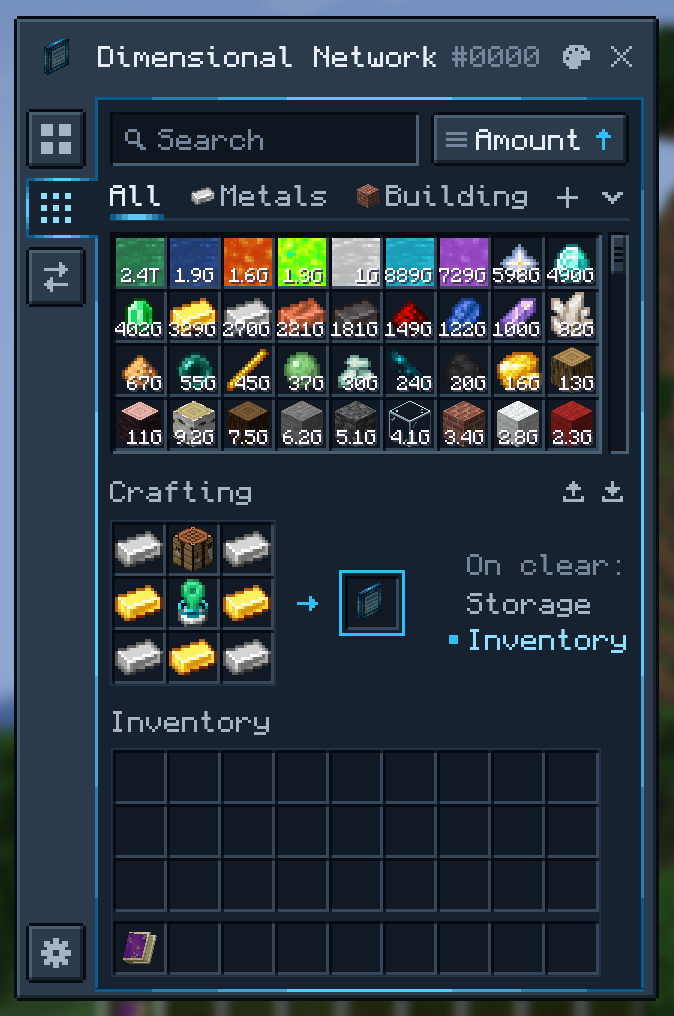
@, tag #, tooltip $, resource ID *, resource type ~, durability %<50 and extra data &. Leave things out with - and allow alternatives with |.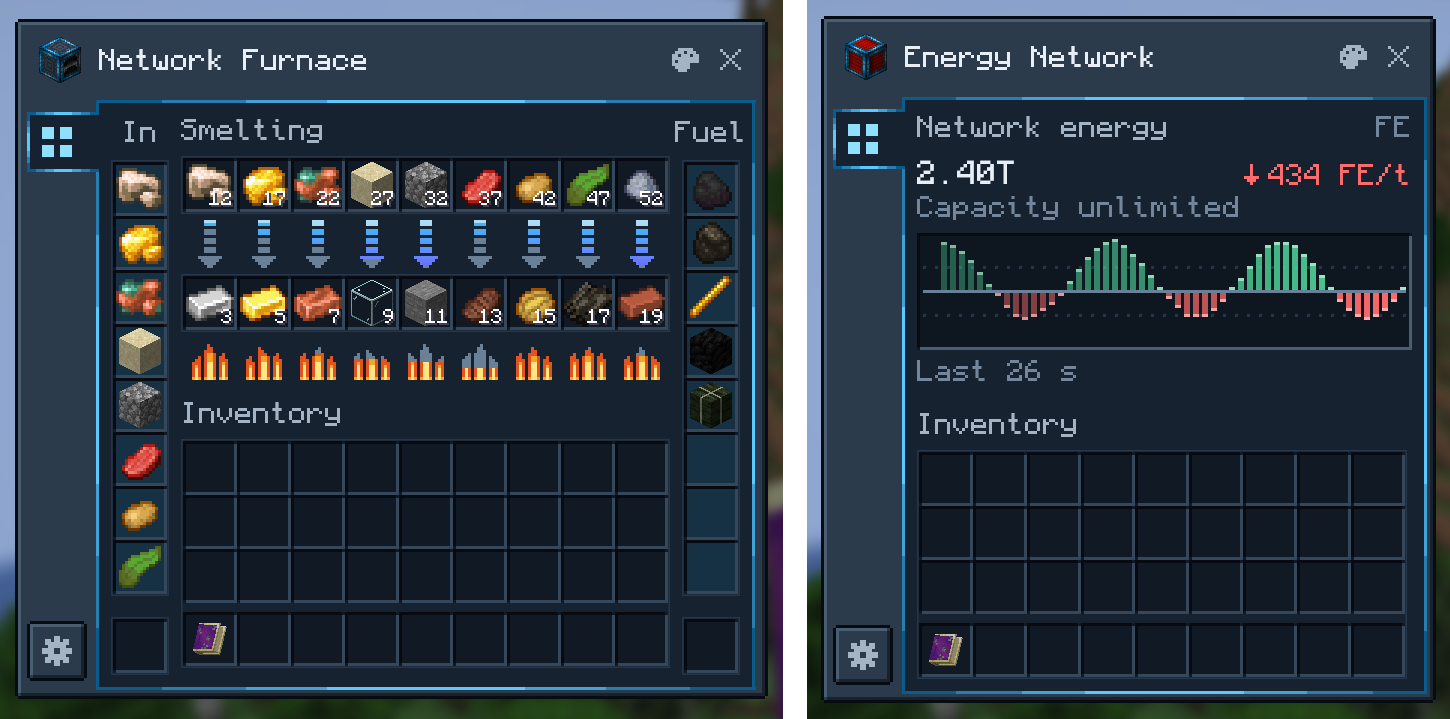
| Block | What it does |
|---|---|
| Dimensional Network Pathway | Opens the whole network to pipes, hoppers and other mods' storage |
| Dimensional Network Energy Pathway | Does the same for Forge Energy, with a live flow graph, and can push energy out |
| Network Interface | Pulls resources out of the network, or takes them in from outside |
| Network Pump | Pulls resources from neighboring containers into the network |
| Network Hopper | Collects dropped items, XP orbs and fluids |
| Network Furnace, Blast Furnace and Smoker | Smelters that take inputs and fuel straight from the network |
| Stock Emitter | Emits a redstone signal while a resource in the network is above or below a threshold |
| Network Terminal | Opens the network with a crafting grid |
| Network Controller | Manages a network's members and permissions |
Machines have filters, per-side input and output settings and redstone control. The Machine Configuration Card copies and pastes their settings in a few clicks.
| Item | What it does |
|---|---|
| Portable Network Terminal | Your terminal, in the inventory or a Curios slot |
| Network Magnet | Collects dropped items, XP orbs and fluids |
| Network Feeder | Feeds you automatically |
| Network Restocker | Restocks your inventory automatically |
| XP Rod | Stores and returns experience, or keeps you at a set level |
Each network has an owner, managers and members. Bind a Member Connector or Manager Connector to your network and give it to another player; using it brings them in. A player in several networks picks a primary one in the network switcher.
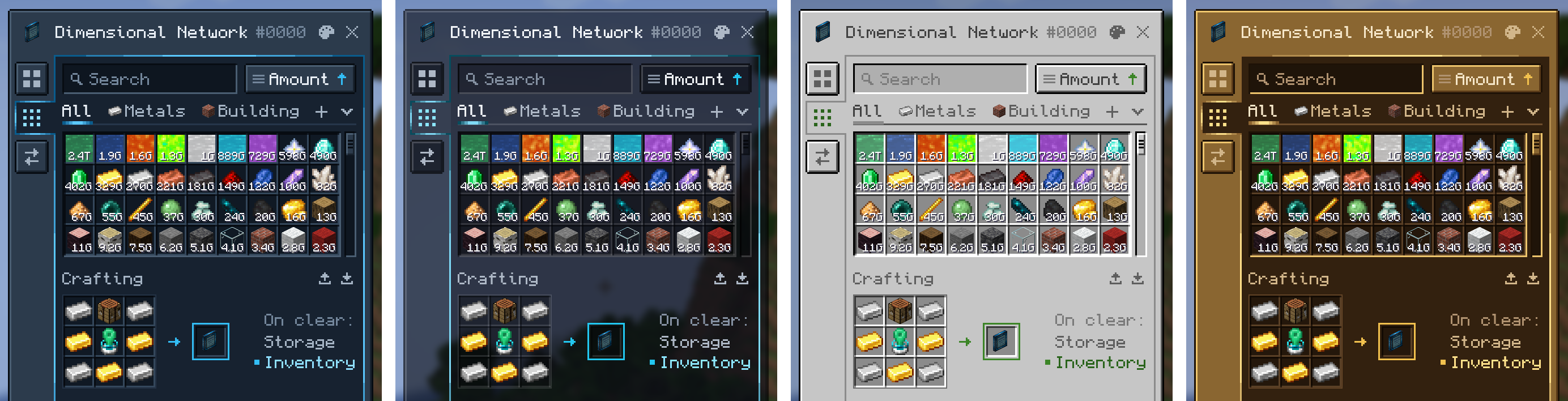
Choose from four color schemes (Beyond Dimensions Casing, Glass, Vanilla and Brass), or change any color in the in-game editor, which opens from the palette button on each window. Resource packs can add schemes of their own.
| Mod | What Beyond Dimensions adds |
|---|---|
| Applied Energistics 2 | The Dimensional ME Storage Cell puts a network into an ME system, with far better performance than a storage bus |
| Refined Storage | The RS Dimensional Pathway connects a network to an RS system |
| Mekanism | Chemical storage |
| Create | The Schematic Interface supplies Schematicannons from the network |
| Botania | Mana storage |
| Ars Nouveau | Source storage |
| Industrial Foregoing Souls | Warden soul storage |
| Just Enough Characters | Search uses its pinyin matching when it is installed |
Inventory Profiles Next is turned off in Beyond Dimensions' screens.
Download the file for your Minecraft version; its file page lists the dependencies it needs. Versions with the CompixelUI interface also need:
-with-kotlin, which includes it.| Minecraft | Loader | Status |
|---|---|---|
| 26.3 | NeoForge | Active |
| 26.2 | NeoForge | Active |
| 26.1 | NeoForge | Active |
| 1.21.11 | NeoForge | No longer updated |
| 1.21.1 | NeoForge | Active |
| 1.20.1 | Forge | Active |
| 1.12.2 | Forge | No longer updated |
Modpacks and servers can change networks and their contents with these guides:
Add-on developers will find the Maven repository and the API guides in the README.
Project description from CurseForge.
Pick your setup
Choose the version and loader you play, then open the matching release.
Check the dependencies, then try the file in a copied instance before changing a world you care about.
Recent files
beyonddimensions-26.2.0-neoforge-0.7.32.jar
28 Oct 2026
beyonddimensions-26.2.0-neoforge-0.7.31.jar
6 Sept 2026
beyonddimensions-26.2.0-neoforge-0.7.30.jar
5 Sept 2026
beyonddimensions-26.2.0-neoforge-0.7.29.jar
28 Aug 2026
beyonddimensions-26.2.0-neoforge-0.7.28.jar
26 Aug 2026
beyonddimensions-26.2.0-neoforge-0.7.27.jar
6 Aug 2026
beyonddimensions-26.2.0-neoforge-0.7.25.jar
6 Jul 2026
beyonddimensions-26.2.0-neoforge-0.7.24.jar
29 Jun 2026
beyonddimensions-26.2.0-neoforge-0.7.23.jar
28 Jun 2026
beyonddimensions-26.2.0-neoforge-0.7.21.jar
17 Jun 2026
Looking for an older file? The official CurseForge project page is in Resources.
 mod
Veinminer Addon - Use a hotkey to veinmine with a dynamic crosshair & block highlighting & shape selector
 mod
Veinminer Addon - Adds veinminer enchantment to enchanting tables & trades. Only tools with the enchantment can veinmine
 mod
Unique and upgradeable backpacks with customisation, Curios API/Trinkets integration and more!