Polymorph Optional for uncraft_neo-1.0.0-neoforge-1.21.4.jar
optionalNo matching file
CurseForge · Minecraft mod
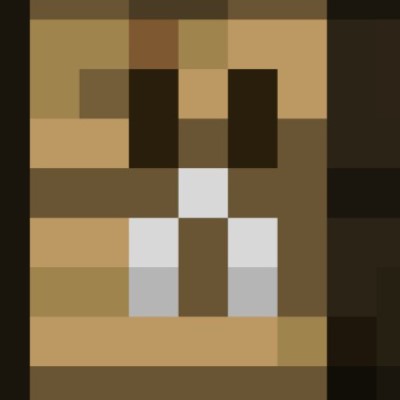
this mod alows you to uncraft items like buttons and more.
Quick answer
uncraft_neo-1.0.0-neoforge-1.21.4.jar targets 1.21.4 with NeoForge. The project page does not say whether this file belongs on the client, dedicated server, or both. No extra mods listed for this file.
Where it goes
The project page does not say whether this file belongs on the client, dedicated server, or both.
The source does not explicitly classify this release as client-only or server-only.
uncraft_neo-1.0.0-neoforge-1.21.4.jar. Change the file and its required mods may change too.
This file does not list any required mods. Do not add a library just because a different file uses it.
We only count dependency files that match this setup. A file for another loader does not fill the gap.
Before you install it
Built for uncraft_neo-1.0.0-neoforge-1.21.4.jar. Pick another file and the loader, install side or required mods may change.
Use uncraft_neo-1.0.0-neoforge-1.21.4.jar. It targets 1.21.4 with NeoForge; another release may have different loader, side or dependency requirements.
This file does not list any required mods. Do not add a library just because a different file uses it.
The project page does not say whether this file belongs on the client, dedicated server, or both.
Use the “Get this file” button beside uncraft_neo-1.0.0-neoforge-1.21.4.jar. It opens that exact file at the source.
About this project
Have you ever made 64 button by accident i have now you can uncraft them with this mod.
this mod alows you to uncraft items like buttons and more.
click the blue button up top it founds this project
link[https://modrinth.com/mod/uncraft] to modrinth page
Note no other mode item are not uncraft able
AND HUMAN MADE
have you ever made 64 button by accident now you can uncraft them
Project description from CurseForge.
Pick your setup
Choose the version and loader you play, then open the matching release.
Check the dependencies, then try the file in a copied instance before changing a world you care about.
Recent files
18 Jun 2026
18 Jun 2026
17 Jun 2026
uncraft-forge-1.20.1.jar
30 Mar 2026
uncraft-9.0.0-forge-1.20.1.jar
9 Feb 2026
uncraft-1.0.0-forge-1.20.1.jar
2 Feb 2026
uncraft-7.0.0-forge-1.20.1.jar
29 Jan 2026
uncraft-1.0.0-neoforge-1.21.8.jar
25 Jan 2026
uncraft-6.0.0-forge-1.20.1.jar
25 Jan 2026
uncraft-1.0.0-neoforge-1.21.1.jar
9 May 2025
uncraft-1.0.0-neoforge-1.21.4.jar
8 May 2025
uncraft-5.0.0-forge-1.20.1.jar
12 Apr 2025
Looking for an older file? The official CurseForge project page is in Resources.
 mod
An unofficial quality-of-life addon for Scannable Reforged with JEI drag-and-drop support.
 mod
This is an add-on module that requires 'Xiaoxiang Cultivatio' Once installed, a few ordinary cultivators will be strengthened into 'Prodigies'.
 mod
Quickly adjust spawn rate, ban bad mobs, change mob limit and more with in-game menu