Vampirism - Become a vampire! Needed by create vampirism 1.0 [Neoforge 1.21.1]
requiredMatching file found Matched file: Vampirism-1.21-1.10.13
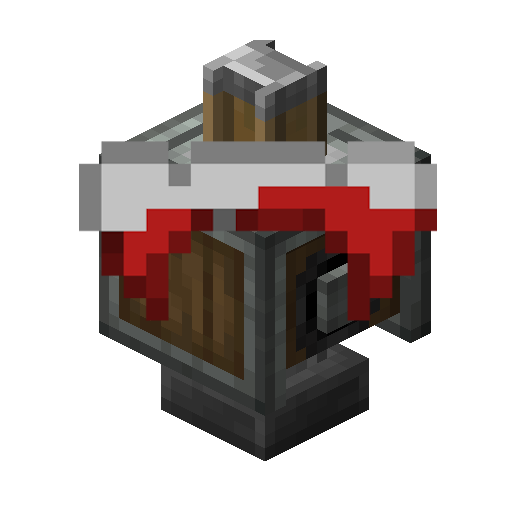
CurseForge · Minecraft mod
A Create mod for Vampirism
Quick answer
create vampirism 1.0 [Neoforge 1.21.1] targets 1.21.1 with NeoForge. The project page does not say whether this file belongs on the client, dedicated server, or both. All 4 required mods have matching files.
Where it goes
The project page does not say whether this file belongs on the client, dedicated server, or both.
The source does not explicitly classify this release as client-only or server-only.
create vampirism 1.0 [Neoforge 1.21.1]. Change the file and its required mods may change too.
Install Vampirism - Become a vampire!, Create, Just Enough Items (JEI), MezzConfig first. We found matching files for this game-version and loader setup. 3 come through another mod in the chain.
3 extra mods were pulled in by other dependencies. Indented rows show who needs each one. We only count dependency files that match this setup. A file for another loader does not fill the gap.
Before you install it
Built for create vampirism 1.0 [Neoforge 1.21.1]. Pick another file and the loader, install side or required mods may change.
Use create vampirism 1.0 [Neoforge 1.21.1]. It targets 1.21.1 with NeoForge; another release may have different loader, side or dependency requirements.
Install Vampirism - Become a vampire!, Create, Just Enough Items (JEI), MezzConfig first. We found matching files for this game-version and loader setup. 3 come through another mod in the chain.
The project page does not say whether this file belongs on the client, dedicated server, or both.
Use the “Get this file” button beside create vampirism 1.0 [Neoforge 1.21.1]. It opens that exact file at the source.
About this project
This mod needs Vampirism and Create to function!
JEI is recomended but not required
Please take your time and give us your Feedback
For bug Reports please use this link
This mod aims to add the ability to automate things from Vampirism with the Create mod.
Currently you can automate the Blood production for Vampires and Holy Water for Hunters (As of 0.2.0)
As of 0.3.0 you can craft the Blood Generator wich allows you with the use of a Human Heart to generate a smal amount of blood over time (Configurable in Config)
As of 0.4.0 you can craft 2 weapons, one for Vampire and one for hunters only. Also the Bottle filling has been changed to an extra block (should all work Well in Create 6.0 and 5.0)
If you have other ideas for the Mod (like balanceing the drop chances) feel free to write a comment
Some Items and Textures might change (for example the bloody mass item and the WIP items)
This is our first mod so any feedback is appreciated :)
Project description from CurseForge.
Pick your setup
Choose the version and loader you play, then open the matching release.
Check the dependencies, then try the file in a copied instance before changing a world you care about.
Recent files
create_vampirism-1.0.jar
4 Jun 2026
create_vampirism-1.20.1_0.5.0.jar
16 Jul 2025
create_vampirism-1.20.1_0.4.1.jar
13 May 2025
create_vampirism-1.20.1_0.4.0.jar
12 May 2025
create_vampirism-1.20.1_0.3.1.jar
7 May 2025
create_vampirism-1.20.1_0.3.0.jar
3 May 2025
create_vampirism-1.20.1_0.2.0.jar
11 Apr 2025
create_vampirism-1.20.1_0.1.0.jar
8 Apr 2025
Looking for an older file? The official CurseForge project page is in Resources.
 mod
Run your own Pokémon TCG card shop: rip packs, price cards, serve customers, grade slabs and play real PvP TCG matches.
 mod
EMC Bridge is a compatibility addon for ProjectE and ProjectE Integration that improves EMC calculations across modded recipes.
 mod
A lightweight mod that adds useful commands (like /tpa /repeat) and tweaks