Minecraft version
Back to mods 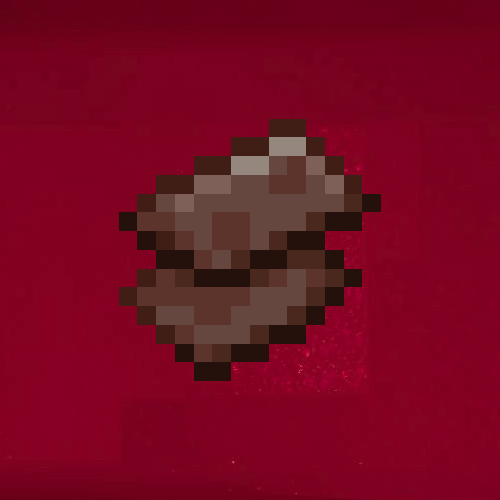
CurseForge · Minecraft mod
Netherite Tweaks & Fixes
Solves an issue that prevents Netherite (Ancient Debris) from spawning correctly in modded nether biomes.
Choose a version Pick your version below, then grab the matching file.
Quick answer
Which Netherite Tweaks & Fixes release should I use?
Latest stable file Netherite Tweaks - v1.2.2 -=- [1.21.8] NEOFORGE
Game version 1.21.8
Loader NeoForge
Netherite Tweaks & Fixes Netherite Tweaks - v1.2.2 -=- [1.21.8] NEOFORGE targets 1.21.8 with NeoForge. The project page does not say whether this file belongs on the client, dedicated server, or both. No extra mods listed for this file.
Where it goes
Is Netherite Tweaks & Fixes required on the client, server, or both?
The project page does not say whether this file belongs on the client, dedicated server, or both.
Client Source doesn’t say
Dedicated server Source doesn’t say
Loader for this release NeoForge
Required install it here Optional supported, not mandatory Not supported do not install here Source doesn’t say do not assume
The source does not explicitly classify this release as client-only or server-only.
What else does Netherite Tweaks & Fixes Netherite Tweaks - v1.2.2 -=- [1.21.8] NEOFORGE need?
Netherite Tweaks - v1.2.2 -=- [1.21.8] NEOFORGE. Change the file and its required mods may change too.
This file does not list any required mods. Do not add a library just because a different file uses it.
This file does not list any required or optional mods.
Before you install it
Add Netherite Tweaks & Fixes without breaking your instance.
Built for Netherite Tweaks & Fixes Netherite Tweaks - v1.2.2 -=- [1.21.8] NEOFORGE. Pick another file and the loader, install side or required mods may change.
- 01
Stick to this file
Use Netherite Tweaks - v1.2.2 -=- [1.21.8] NEOFORGE. It targets 1.21.8 with NeoForge; another release may have different loader, side or dependency requirements.
- 02
Bring the mods it needs
This file does not list any required mods. Do not add a library just because a different file uses it.
- 03
Put it on the correct side
The project page does not say whether this file belongs on the client, dedicated server, or both.
- 04
Pick the file you checked
Use the “Get this file” button beside Netherite Tweaks - v1.2.2 -=- [1.21.8] NEOFORGE. It opens that exact file at the source.
About this project
What does Netherite Tweaks & Fixes add?
TLDR: Fixes issues where the nether ores wouldn't appear in modded nether biomes.
Netherite tweaks is intended to fix a certain problem that can appear in heavy modpacks with new nether biomes. It will also fix nether quartz & nether gold ore spawning issues as a side-effect.
This mod can also be used in absence of these biome-related issues to make it appear slightly more often on average.
The best place to find Netherite is still y=16, but it can also spawn between y=8-24
Configuration
This mod now has configuration via the /modCFG command!
netheriteTweaksModdedBiomesFix Enables the modded biome fix for Netherite, spawns around as often as vanilla (true by default)
netheriteTweaksExtraNetherite Combined with above, spawns extra netherite to make it inline with how it was in v1.1 (false by default)
netheriteTweaksGoldModdedBiomesFix Enables the modded biome fix for Gold, spawns around as often as vanilla (true by default)
netheriteTweaksQuartzModdedBiomesFix Enables the modded biome fix for Quartz, spawns around as often as vanilla (true by default)
Project description from CurseForge.
Pick your setup
Netherite Tweaks & Fixes by Minecraft version and loader
Choose the version and loader you play, then open the matching release.
Minecraft version
1.21.4
1 loader buildMinecraft version
1.21.1
1 loader buildMinecraft version
1.20.1
1 loader buildCheck the dependencies, then try the file in a copied instance before changing a world you care about.
Recent files
Netherite Tweaks & Fixes versions and loaders
Netherite Tweaks - v1.2.2 -=- [1.21.8] NEOFORGE
netherite_tweaks_luna-1.2.2-neoforge-1.21.8.jar
1 Dec 2025
Client Source doesn’t say Server Source doesn’t say Dependencies No extras listed Listed on Release listing
Check the 1.21.8 · NeoForge setup 1.21.8NeoForge release
Netherite Tweaks - v1.2.2 -=- [1.21.1] NEOFORGE
netherite_tweaks_luna-1.2.2-neoforge-1.21.1.jar
1 Dec 2025
Client Source doesn’t say Server Source doesn’t say Dependencies No extras listed Listed on Release listing
Check the 1.21.1 · NeoForge setup 1.21.1NeoForge release
Netherite Tweaks - v1.2.2 -=- [1.20.1] FORGE
netherite_tweaks_luna-1.2.2-forge-1.20.1.jar
1 Dec 2025
Client Source doesn’t say Server Source doesn’t say Dependencies No extras listed Listed on Release listing
Check the 1.20.1 · Forge setup 1.20.1Forge release
Netherite Tweaks - v1.2.1 -=- [1.21.4] NEOFORGE
netherite_tweaks_luna-1.2.1-neoforge-1.21.4.jar
31 Oct 2025
Client Source doesn’t say Server Source doesn’t say Dependencies No extras listed Listed on Release listing
Check the 1.21.4 · NeoForge setup 1.21.4NeoForge release
Netherite Tweaks - v1.2.1 -=- [1.21.1] NEOFORGE
netherite_tweaks_luna-1.2.1-neoforge-1.21.1.jar
31 Oct 2025
Client Source doesn’t say Server Source doesn’t say Dependencies No extras listed Listed on Release listing
Check the 1.21.1 · NeoForge setup NeoForge1.21.1 release
Netherite Tweaks - v1.2.1 -=- [1.20.1] FORGE
netherite_tweaks_luna-1.2.1-forge-1.20.1.jar
31 Oct 2025
Client Source doesn’t say Server Source doesn’t say Dependencies No extras listed Listed on Release listing
Check the 1.20.1 · Forge setup 1.20.1Forge release
Netherite Tweaks - v1.2 -=- [1.21.4] NEOFORGE
netherite_tweaks_luna-1.2-neoforge-1.21.4.jar
1 Oct 2025
Client Source doesn’t say Server Source doesn’t say Dependencies No extras listed Listed on Release listing
Check the 1.21.4 · NeoForge setup 1.21.4NeoForge release
Netherite Tweaks - v1.2 -=- [1.21.1] NEOFORGE
netherite_tweaks_luna-1.2-neoforge-1.21.1.jar
1 Oct 2025
Client Source doesn’t say Server Source doesn’t say Dependencies No extras listed Listed on Release listing
Check the 1.21.1 · NeoForge setup NeoForge1.21.1 release
Netherite Tweaks - v1.2 -=- [1.20.1] FORGE
netherite_tweaks_luna-1.2-forge-1.20.1.jar
1 Oct 2025
Client Source doesn’t say Server Source doesn’t say Dependencies No extras listed Listed on Release listing
Check the 1.20.1 · Forge setup 1.20.1Forge release
Netherite Tweaks - v1.1 -=- [1.21.4] NEOFORGE
netherite_tweaks_luna-1.1-neoforge-1.21.4.jar
12 Jul 2025
Client Source doesn’t say Server Source doesn’t say Dependencies No extras listed Listed on Release listing
Check the 1.21.4 · NeoForge setup 1.21.4NeoForge release
Netherite Tweaks - v1.1 -=- [1.21.1] NEOFORGE
netherite_tweaks_luna-1.1-neoforge-1.21.1.jar
17 Apr 2025
Client Source doesn’t say Server Source doesn’t say Dependencies No extras listed Listed on Release listing
Check the 1.21.1 · NeoForge setup NeoForge1.21.1 release
Netherite Tweaks - v1.1 -=- [1.20.1] FORGE
netherite_tweaks_luna-1.1-forge-1.20.1.jar
17 Apr 2025
Client Source doesn’t say Server Source doesn’t say Dependencies No extras listed Listed on Release listing
Check the 1.20.1 · Forge setup 1.20.1Forge release
Looking for an older file? The official CurseForge project page is in Resources.
 mod
mod CurseForge · Minecraft
PatchLib - Bug Fixes, Crash Fixes & Mod Compat
A configurable collection of bug fixes, crash fixes and compatibility patches for mods like Tom's Simple Storage, Create, Vampirism, Toxony, Prickle and Arclight. Every patch auto-skips when the mod isn't installed. Stabilize your modpack or server.
 mod
mod CurseForge · Minecraft
Epic Fight Guard Fix
Mixin fixes for Epic Fight's shield/weapon guard system (base GuardSkill, Weapons of Miracles' Perfect Bulwark, and Epic Fight Nightfall's parry) plus unarmed combat and other core bugs.
 mod
mod CurseForge · Minecraft
TRANSCEND YURU
Adding the strongest entity