Cardinal Components API Needed by Mob Journal [FABRIC] [1.21.1] - [1.4.1]
requiredMatching file found Matched file: cardinal-components-api-6.1.3.jar
CurseForge · Minecraft mod
A Journal for all the mobs you've seen / discovered!
Quick answer
Mob Journal [FABRIC] [1.21.1] - [1.4.1] targets 1.21.1 with Fabric. The project page does not say whether this file belongs on the client, dedicated server, or both. All 1 required mods have matching files.
Where it goes
The project page does not say whether this file belongs on the client, dedicated server, or both.
The source does not explicitly classify this release as client-only or server-only.
Mob Journal [FABRIC] [1.21.1] - [1.4.1]. Change the file and its required mods may change too.
Install Cardinal Components API first. We found matching files for this game-version and loader setup.
We only count dependency files that match this setup. A file for another loader does not fill the gap.
Before you install it
Built for Mob Journal [FABRIC] [1.21.1] - [1.4.1]. Pick another file and the loader, install side or required mods may change.
Use Mob Journal [FABRIC] [1.21.1] - [1.4.1]. It targets 1.21.1 with Fabric; another release may have different loader, side or dependency requirements.
Install Cardinal Components API first. We found matching files for this game-version and loader setup.
The project page does not say whether this file belongs on the client, dedicated server, or both.
Use the “Get this file” button beside Mob Journal [FABRIC] [1.21.1] - [1.4.1]. It opens that exact file at the source.
About this project
Mob Journal is a lightweight and immersive mod that automatically records every mob you've encountered in your world. Track your discoveries, see detailed descriptions, and browse mobs by name or mod.
@mythology).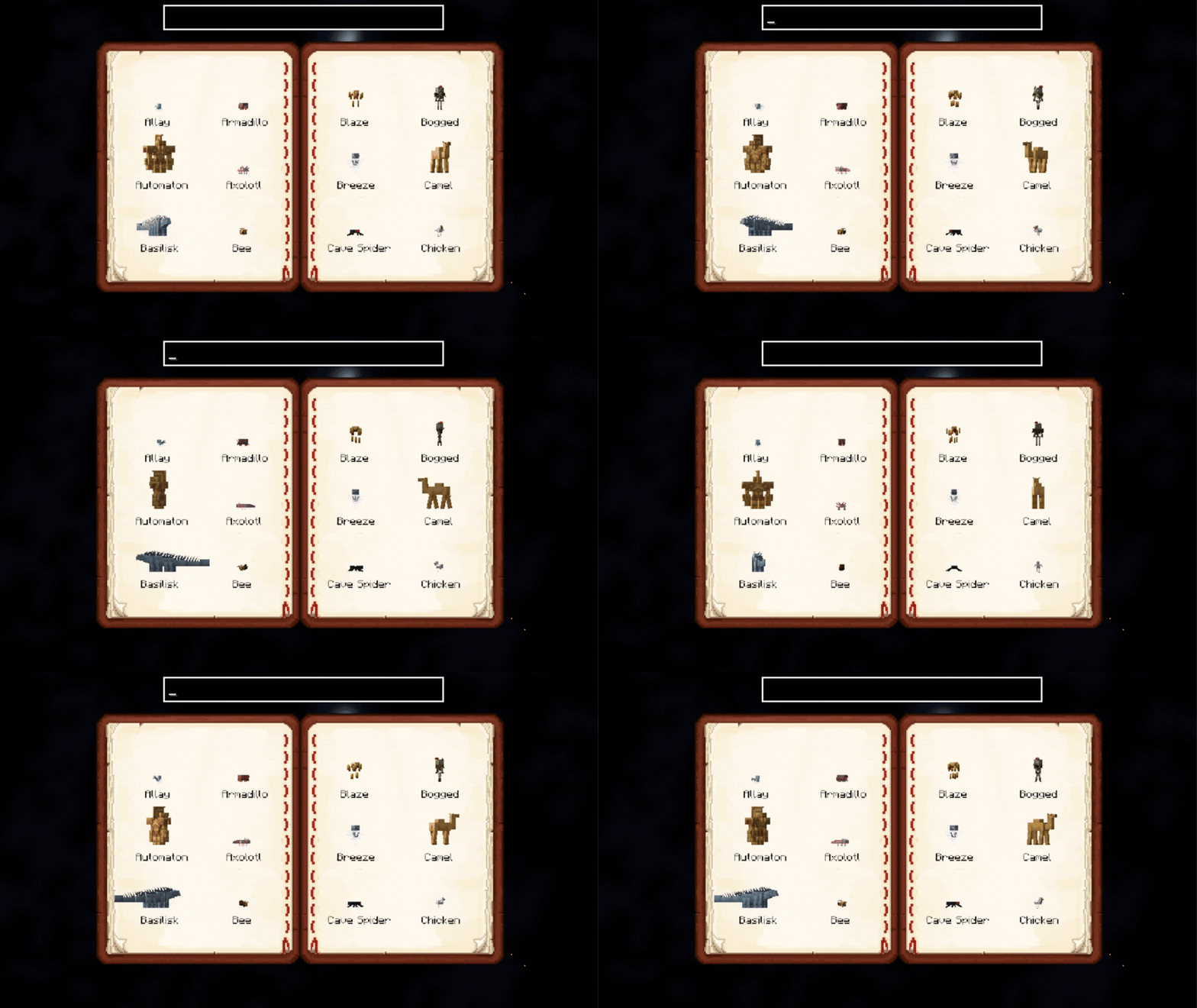
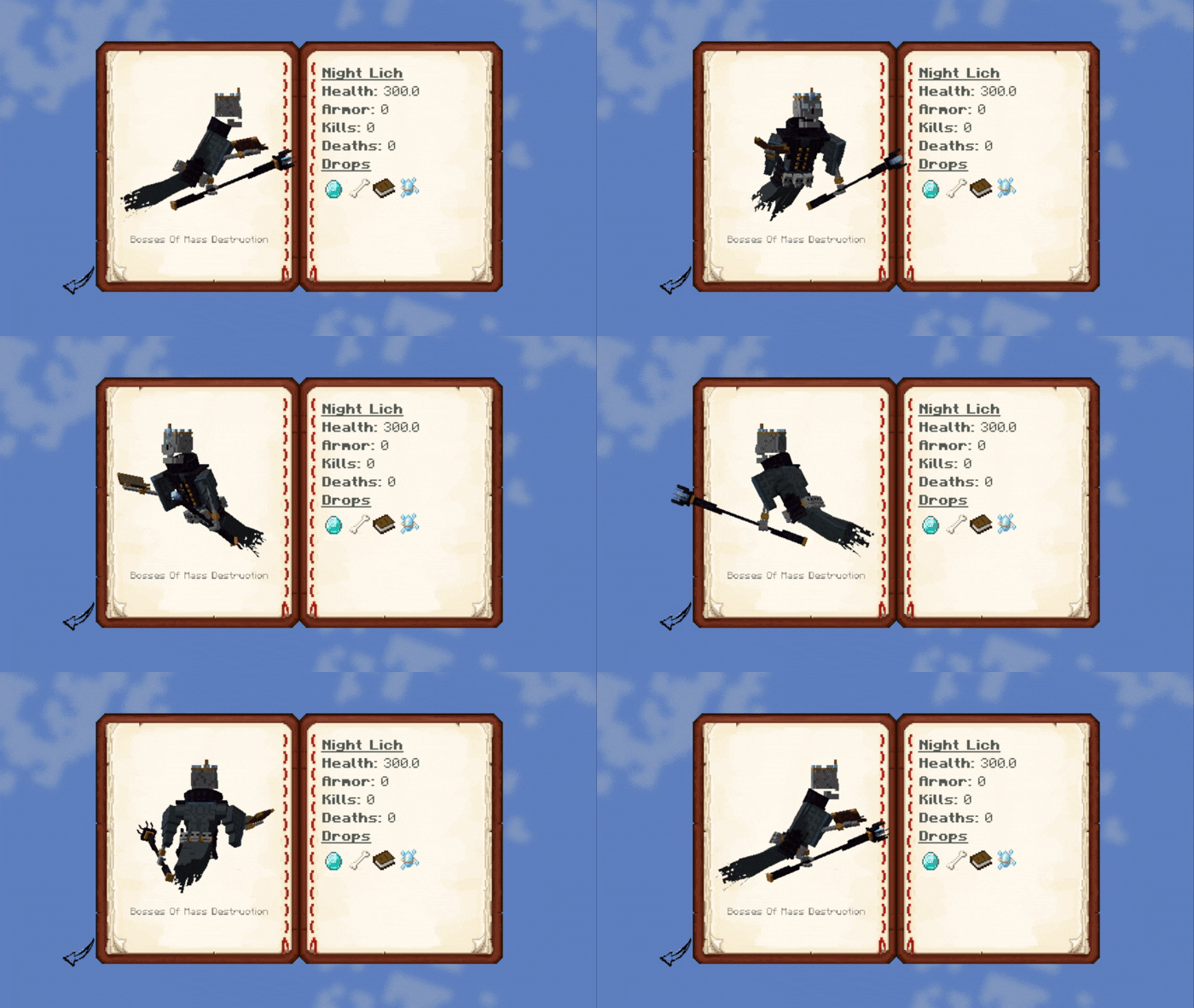
Open the journal with J (configurable in controls) (Only works if you have the Mob Journal item in your inventory)
Scroll through pages using the arrow buttons.
Click on a mob to view its details.
Use the search bar to find mobs quickly.
@modid, e.g. @minecraft or @mobs_of_mythology.Alt + Left click on a mob inside the grid list or detail will open up its render config!
Descriptions can be provided per mob or by default per mod. More on this in the README.
You can add custom mob descriptions using JSON files in:
assets/journal/mobs_desc/<mob_namespace>/<mob_name>.json
Supports simple Markdown with in-game formatting, icons, and loot placeholders.
Project description from CurseForge.
Pick your setup
Choose the version and loader you play, then open the matching release.
Check the dependencies, then try the file in a copied instance before changing a world you care about.
Recent files
journal-fabric-1.4.1.jar
6 Aug 2026
journal-neoforge-1.4.1.jar
6 Aug 2026
journal-fabric-1.4.1.jar
6 Aug 2026
journal-forge-1.4.1.jar
6 Aug 2026
journal-neoforge-1.4.0.jar
6 Aug 2026
journal-fabric-1.4.0.jar
6 Aug 2026
journal-1.3.9+1.20.1.jar
2 Feb 2026
journal-1.3.9+1.21.1.jar
2 Feb 2026
journal-1.3.8+1.20.1.jar
31 Jan 2026
journal-1.3.8+1.21.1.jar
31 Jan 2026
journal-1.3.7+1.20.1.jar
27 Jan 2026
journal-1.3.7+1.21.1.jar
27 Jan 2026
Looking for an older file? The official CurseForge project page is in Resources.
 mod
modBetter Lore adds a survival-friendly extension to the anvil. You can now create unique items by customizing your name or adding lore to them using anvil!
 mod
modOur mod is based off of the fantasy universe; Naruto, Marvel and God of War ETX
 mod
modmoon is infected