Minecraft version
Back to mods 
CurseForge · Minecraft mod
Immersive Overlays
Overlays useful info like coordinates and the time onto your HUD - as long as you have the right item in your inventory (or bundle!)
Choose a version Pick your version below, then grab the matching file.
Quick answer
Which Immersive Overlays release should I use?
Latest stable file Immersive Overlays 1.8.6 for 26.3 NeoForge
Game version 26.3
Loader NeoForge
Immersive Overlays 1.8.6 for 26.3 NeoForge targets 26.3 with NeoForge. The project page does not say whether this file belongs on the client, dedicated server, or both. No extra mods listed for this file.
Where it goes
Is Immersive Overlays required on the client, server, or both?
The project page does not say whether this file belongs on the client, dedicated server, or both.
Client Source doesn’t say
Dedicated server Source doesn’t say
Loader for this release NeoForge
Required install it here Optional supported, not mandatory Not supported do not install here Source doesn’t say do not assume
The source does not explicitly classify this release as client-only or server-only.
What else does Immersive Overlays 1.8.6 for 26.3 NeoForge need?
Immersive Overlays 1.8.6 for 26.3 NeoForge. Change the file and its required mods may change too.
This file does not list any required mods. Do not add a library just because a different file uses it.
This file does not list any required or optional mods.
Before you install it
Add Immersive Overlays without breaking your instance.
Built for Immersive Overlays 1.8.6 for 26.3 NeoForge. Pick another file and the loader, install side or required mods may change.
- 01
Stick to this file
Use Immersive Overlays 1.8.6 for 26.3 NeoForge. It targets 26.3 with NeoForge; another release may have different loader, side or dependency requirements.
- 02
Bring the mods it needs
This file does not list any required mods. Do not add a library just because a different file uses it.
- 03
Put it on the correct side
The project page does not say whether this file belongs on the client, dedicated server, or both.
- 04
Pick the file you checked
Use the “Get this file” button beside Immersive Overlays 1.8.6 for 26.3 NeoForge. It opens that exact file at the source.
About this project
What does Immersive Overlays add?
Immersive Overlays



This mod integrates a highly configurable coordinate overlay as an in-world mechanic, allowing it to only be visible as long as the player has a compass. In addition, it offers a similar overlay for clocks, showing the time of day.
Coordinate Overlays
Coordinate overlays for the player's X and Z coordinates are visible whenever the player has a compass in their inventory, including in a bundle.
When a player additionally has an item that displays depth, like a Supplementaries Altimeter or a Depth Gauge from mods like Caverns & Chasms or Spelunkery, the Y coordinate value is shown as well. If no item is available, a compass item is sufficient to show the overlay.
Time and Weather Overlays
An overlay displaying the current time of day is displayed whenever the player has a clcok in their inventory, including in a bundle.
When a player additionally has an item that displays the weather, like a Caverns & Chasms Barometer, the weather is shown as well. If no item is available, a clock item is sufficient to show the overlay.
Mod Compatibility
The mod has support for Spelunkery, Caverns & Chasms, and Supplementaries items out of the box. For other mods, items can be added to the mod's various config options.
Wind Overlays
An overlay displaying wind intensity and direction is displayed whenever the player has a gust gauge in their inventory, including in a bundle.
- With Breezy installed, this data is sourced from the Gust Gauge.
Credits
The concept for this mod came from a prototype by nöelle for Raspberry Flavoured. I took this concept and iterated on it in my mod, Raspberry Core, before finalizing it here as Immersive Overlays.
Textures and mod icon are also by nöelle.
Textures for Temperature Overlays and Season Overlays by ProbablyEkho.
Textures for No Man's Land, Abundant Atmosphere, and New World biome overlays by KevBo.
Project description from CurseForge.
Pick your setup
Immersive Overlays by Minecraft version and loader
Choose the version and loader you play, then open the matching release.
Minecraft version
26.2
2 loader buildsMinecraft version
26.1.2
2 loader buildsMinecraft version
26.1.1
2 loader buildsMinecraft version
26.1
2 loader buildsMinecraft version
1.21.1
2 loader buildsMinecraft version
1.20.1
2 loader buildsCheck the dependencies, then try the file in a copied instance before changing a world you care about.
Recent files
Immersive Overlays versions and loaders
Immersive Overlays 1.8.6 for 26.3 NeoForge
immersiveoverlays-1.8.6+26.3-neoforge.jar
20 Oct 2026
Client Source doesn’t say Server Source doesn’t say Dependencies No extras listed Listed on Release listing
Check the 26.3 · NeoForge setup NeoForge26.3 release
Immersive Overlays 1.8.6 for 26.3 Fabric
immersiveoverlays-1.8.6+26.3-fabric.jar
20 Oct 2026
Client Source doesn’t say Server Source doesn’t say Dependencies 1 required · 1 unchecked Listed on Release listing
Check the 26.3 · Fabric setup Fabric26.3 release
Immersive Overlays 1.8.6 for 26.2 NeoForge
immersiveoverlays-1.8.6+26.2-neoforge.jar
20 Oct 2026
Client Source doesn’t say Server Source doesn’t say Dependencies No extras listed Listed on Release listing
Check the 26.2 · NeoForge setup NeoForge26.2 release
Immersive Overlays 1.8.6 for 26.2 Fabric
immersiveoverlays-1.8.6+26.2-fabric.jar
20 Oct 2026
Client Source doesn’t say Server Source doesn’t say Dependencies 1 required · 1 unchecked Listed on Release listing
Check the 26.2 · Fabric setup Fabric26.2 release
Immersive Overlays 1.8.6 for 26.1 NeoForge
immersiveoverlays-1.8.6+26.1.2-neoforge.jar
20 Oct 2026
Client Source doesn’t say Server Source doesn’t say Dependencies No extras listed Listed on Release listing
Check the 26.1.2 · NeoForge setup NeoForge26.126.1.126.1.2 release
Immersive Overlays 1.8.6 for 26.1 Fabric
immersiveoverlays-1.8.6+26.1.2-fabric.jar
20 Oct 2026
Client Source doesn’t say Server Source doesn’t say Dependencies 1 required · 1 unchecked Listed on Release listing
Check the 26.1.2 · Fabric setup Fabric26.126.1.126.1.2 release
Immersive Overlays 1.8.6 for 1.21.1 NeoForge
immersiveoverlays-1.8.6+1.21.1-neoforge.jar
20 Oct 2026
Client Source doesn’t say Server Source doesn’t say Dependencies No extras listed Listed on Release listing
Check the 1.21.1 · NeoForge setup 1.21.1NeoForge release
Immersive Overlays 1.8.6 for 1.20.1 Forge
immersiveoverlays-1.8.6+1.20.1-forge.jar
20 Oct 2026
Client Source doesn’t say Server Source doesn’t say Dependencies No extras listed Listed on Release listing
Check the 1.20.1 · Forge setup 1.20.1Forge release
Immersive Overlays 1.8.6 for 1.21.1 Fabric
immersiveoverlays-1.8.6+1.21.1-fabric.jar
20 Oct 2026
Client Source doesn’t say Server Source doesn’t say Dependencies 1 required · 1 unchecked Listed on Release listing
Check the 1.21.1 · Fabric setup Fabric1.21.1 release
Immersive Overlays 1.8.6 for 1.20.1 Fabric
immersiveoverlays-1.8.6+1.20.1-fabric.jar
20 Oct 2026
Client Source doesn’t say Server Source doesn’t say Dependencies 1 required · 1 unchecked Listed on Release listing
Check the 1.20.1 · Fabric setup Fabric1.20.1 release
Immersive Overlays 1.8.5 for 26.3 NeoForge
immersiveoverlays-1.8.5+26.3-neoforge.jar
28 Sept 2026
Client Source doesn’t say Server Source doesn’t say Dependencies No extras listed Listed on Release listing
Check the 26.3 · NeoForge setup NeoForge26.3 release
Immersive Overlays 1.8.5 for 26.3 Fabric
immersiveoverlays-1.8.5+26.3-fabric.jar
22 Sept 2026
Client Source doesn’t say Server Source doesn’t say Dependencies 1 required · 1 unchecked Listed on Release listing
Check the 26.3 · Fabric setup Fabric26.3 release
Looking for an older file? The official CurseForge project page is in Resources.
 mod
mod CurseForge · Minecraft
Cozy Core
Light a hearth and home is safe: no monsters spawn, and creepers, fire and endermen leave your build alone. Plus wood in the stonecutter, re-dyeing, a few hard-to-find blocks, and your hotbar kept when you die.
 mod
mod CurseForge · Minecraft
Hexcraft Workshop
A Minecraft 1.20.1 Forge Hextech-style enhancement mod: 131 augments, unlimited stat forging, 44 items, world-wide World Hexes, and TACZ compatibility.
 mod
mod CurseForge · Minecraft
Swapping Double Hotbar
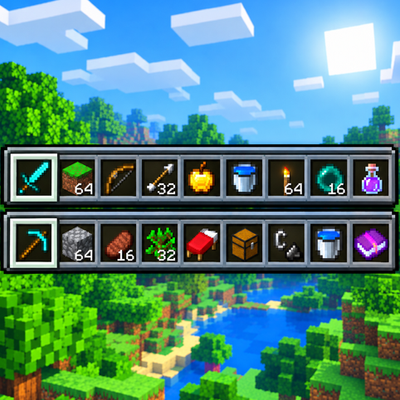
Adds a second hotbar row to Minecraft, letting you quickly swap item rows or swap individual slots with configurable controls. Includes in-game settings and enable/disable commands. Built for Fabric on Minecraft 26.1.2