Minecraft version
Back to mods 
CurseForge · Minecraft mod
cheat stick
Stick cheat and new mod, biome
Choose a version Pick your version below, then grab the matching file.
Quick answer
Which cheat stick release matches 1.20.1 Forge?
Best match for your filters cheat stick 1.2.2
Game version 1.20.1
Loader Forge
cheat stick 1.2.2 targets 1.20.1 with Forge. The project page does not say whether this file belongs on the client, dedicated server, or both. No extra mods listed for this file.
Where it goes
Is cheat stick required on the client, server, or both?
The project page does not say whether this file belongs on the client, dedicated server, or both.
Client Source doesn’t say
Dedicated server Source doesn’t say
Loader for this release Forge
Required install it here Optional supported, not mandatory Not supported do not install here Source doesn’t say do not assume
The source does not explicitly classify this release as client-only or server-only.
What else does cheat stick 1.2.2 need?
cheat stick 1.2.2 on 1.20.1 Forge. Every mod below is checked against that same setup.
This file does not list any required mods. Do not add a library just because a different file uses it.
This file does not list any required or optional mods.
Before you install it
Add cheat stick without breaking your instance.
Built for cheat stick 1.2.2 on 1.20.1 Forge. Pick another file and the loader, install side or required mods may change.
- 01
Stick to this file
Use cheat stick 1.2.2. It targets 1.20.1 with Forge; another release may have different loader, side or dependency requirements.
- 02
Bring the mods it needs
This file does not list any required mods. Do not add a library just because a different file uses it.
- 03
Put it on the correct side
The project page does not say whether this file belongs on the client, dedicated server, or both.
- 04
Pick the file you checked
Use the “Get this file” button beside cheat stick 1.2.2. It opens that exact file at the source.
About this project
What does cheat stick add?
✅ Cheat Stick – The Ultimate Mod of Absolute Power! 🪄🔥
Cheat Stick is a fun and wacky mod for Minecraft, created for anyone who loves cheat items, new dimensions, and… poop paintings 💩
🔧 Created with MCreator
✨ Mod Features
🪄 The 3 Cheat Sticks:
Stick of Explosion: Shoots flaming arrows 🔥
Stick of Nature: Shoots normal arrows at super speed 🌿
Stick Spectral: Shoots spectral arrows to track mobs 👻
🧱 The Cheat Block:
Gives you an insane jump boost 🦘
Emits light around it 💡
Perfect for exploring or running like Sonic.
🧑🎨 A Unique Painting:
- A modern art piece in the shape of poop 💩
Perfect for collectors… or trolls 😅
🌌 The Sticker Dimension:
A new dimension inspired by the Nether
A plain biome with custom colors
Includes a brand-new structure that spawns in the Sticker biome — explore it and discover what secrets it holds! 🏰
Ideal for testing cheat sticks and finding epic loot.
🛠️ Custom Crafting:
- All items are craftable in survival
(Though it’s totally OP 😈)
👨🌾 New Villager Profession:
- A new villager profession that sells the Cheat Sticks!
You can now trade with villagers to get your hands on these powerful sticks for your adventures.
🧪 Compatibility:
Minecraft 1.20.1
Forge
Created with MCreator
📷 Screenshots:
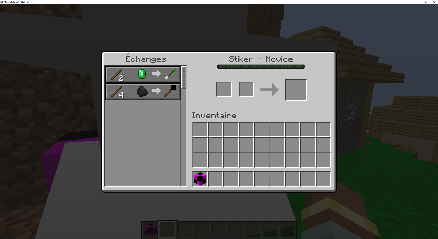
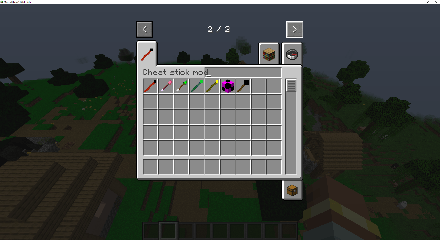
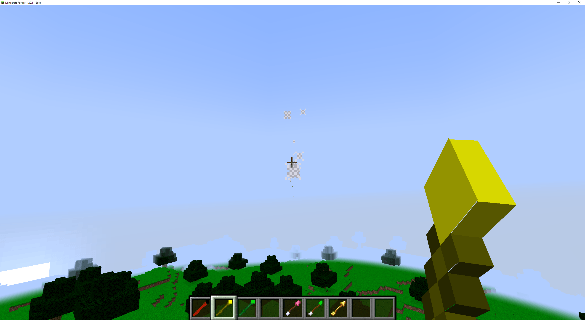
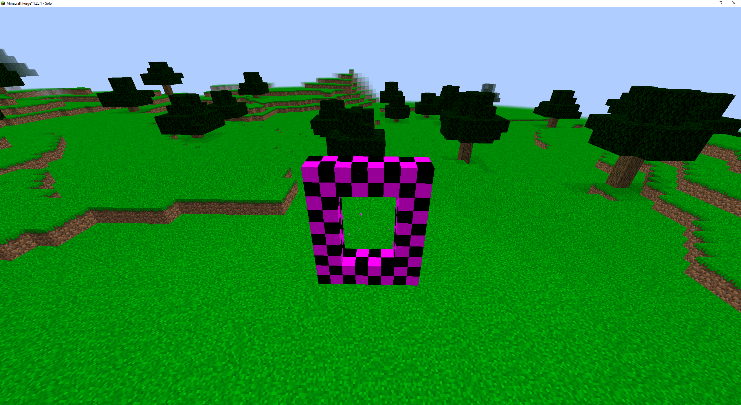
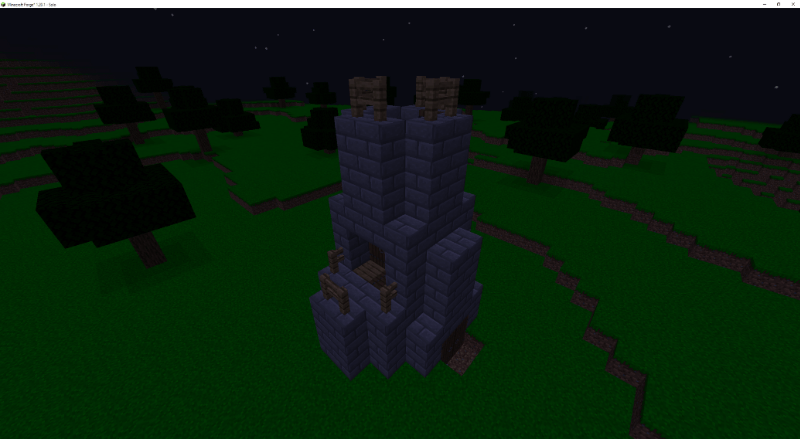
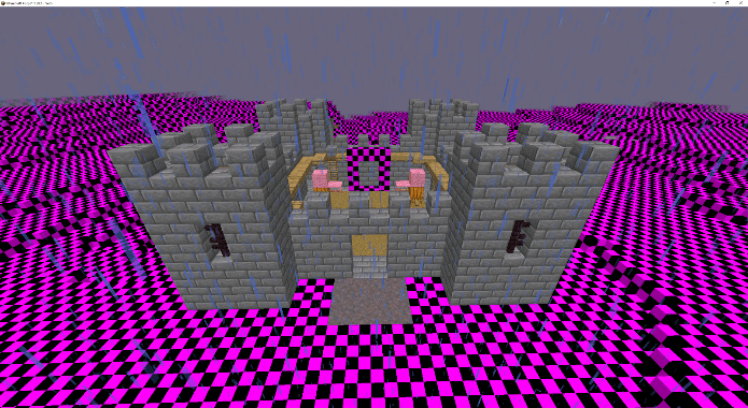
📦 Installation:
Install Forge for Minecraft 1.20.1
Drag the
.jarfile into yourmodsfolderLaunch Minecraft and enjoy your newfound power!
Project description from CurseForge.
Pick your setup
cheat stick by Minecraft version and loader
Choose the version and loader you play, then open the matching release.
Check the dependencies, then try the file in a copied instance before changing a world you care about.
Recent files
cheat stick versions and loaders
cheat stick 1.2.2
cheat_stick-1.2.2.jar
11 May 2025
Client Source doesn’t say Server Source doesn’t say Dependencies No extras listed Listed on Release listing
Check the 1.20.1 · Forge setup 1.20.1Forge release
cheat stick 1.2.1
cheat stick 1.2.1.jar
10 May 2025
Client Source doesn’t say Server Source doesn’t say Dependencies No extras listed Listed on Release listing
Check the 1.20.1 · Forge setup 1.20.1Forge release
cheat stick 1.2.0
cheat stick 1.2.0.jar
10 May 2025
Client Source doesn’t say Server Source doesn’t say Dependencies No extras listed Listed on Release listing
Check the 1.20.1 · Forge setup 1.20.1Forge release
cheat stick 1.1.9
cheat_stick-1.1.9.jar
10 May 2025
Client Source doesn’t say Server Source doesn’t say Dependencies No extras listed Listed on Release listing
Check the 1.20.1 · Forge setup 1.20.1Forge release
cheat stick 1.1.9
cheat_stick-1.1.8.jar
24 Apr 2025
Client Source doesn’t say Server Source doesn’t say Dependencies No extras listed Listed on Release listing
Check the 1.20.1 · Forge setup 1.20.1Forge release
cheat stick 1.1.8
cheat stick 1.1.8.jar
24 Apr 2025
Client Source doesn’t say Server Source doesn’t say Dependencies No extras listed Listed on Release listing
Check the 1.20.1 · Forge setup 1.20.1Forge release
cheat stick 1.1.7
cheat_stick-1.1.7.jar
23 Apr 2025
Client Source doesn’t say Server Source doesn’t say Dependencies No extras listed Listed on Release listing
Check the 1.20.1 · Forge setup 1.20.1Forge release
cheat stick 1.1.6
cheat_stick-1.1.6.jar
20 Apr 2025
Client Source doesn’t say Server Source doesn’t say Dependencies No extras listed Listed on Release listing
Check the 1.20.1 · Forge setup 1.20.1Forge release
cheat stick 1.1.5
cheat_stick-1.1.5.jar
20 Apr 2025
Client Source doesn’t say Server Source doesn’t say Dependencies No extras listed Listed on Release listing
Check the 1.20.1 · Forge setup 1.20.1Forge release
cheat stick 1.1.4
cheat_stick-1.1.4.jar
20 Apr 2025
Client Source doesn’t say Server Source doesn’t say Dependencies No extras listed Listed on Release listing
Check the 1.20.1 · Forge setup 1.20.1Forge release
cheat stick 1.1.3
cheat_stick-1.1.3.jar
19 Apr 2025
Client Source doesn’t say Server Source doesn’t say Dependencies No extras listed Listed on Release listing
Check the 1.20.1 · Forge setup 1.20.1Forge release
cheat stick 1.1.2
cheat_stick-1.2.0.jar
19 Apr 2025
Client Source doesn’t say Server Source doesn’t say Dependencies No extras listed Listed on Release listing
Check the 1.20.1 · Forge setup 1.20.1Forge release
Looking for an older file? The official CurseForge project page is in Resources.
 mod
CurseForge · Minecraft
The Eminence in Shadow: Shadow Garden & Atomic
Unleash "I am Atomic", wear the 99% Conductivity Slime Suit, wield 25+ 3D weapons, and fight/recruit Shadow & the Seven Shadows! / 『陰の実力者になりたくて!』再現MOD。I am Atomic・七陰武器・ボス戦&仲間化を実装!
 mod
CurseForge · Minecraft
Ebb Core
A core mod that introduces a new attribute system, custom potions, and highly configurable mob effect mechanics.
 mod
Modrinth · Minecraft
Not Enough Wands
Adds various very configurable utility wands to Minecraft