Minecraft version
Back to mods 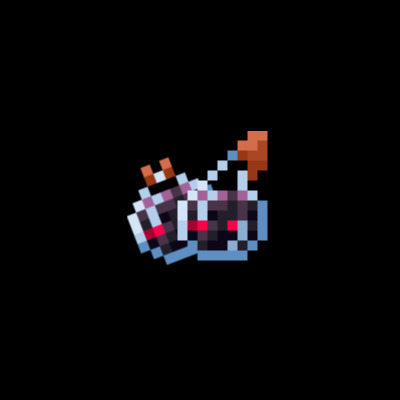
CurseForge · Minecraft mod
Splash Ominous
Splash Ominous introduces a new feature to the game: the ability to create splash potions from ominous bottles. This adds an exciting layer of strategy and utility, allowing players to harness the power of ominous bottles in hands
Choose a version Pick your version below, then grab the matching file.
Quick answer
Which Splash Ominous release should I use?
Latest stable file splashominous-neo-2.0.0.jar
Game version 1.21.5, 1.21.8, 1.21.4
Loader NeoForge
Splash Ominous splashominous-neo-2.0.0.jar targets 1.21.5, 1.21.8, 1.21.4 with NeoForge. The project page does not say whether this file belongs on the client, dedicated server, or both. No extra mods listed for this file.
Where it goes
Is Splash Ominous required on the client, server, or both?
The project page does not say whether this file belongs on the client, dedicated server, or both.
Client Source doesn’t say
Dedicated server Source doesn’t say
Loader for this release NeoForge
Required install it here Optional supported, not mandatory Not supported do not install here Source doesn’t say do not assume
The source does not explicitly classify this release as client-only or server-only.
What else does Splash Ominous splashominous-neo-2.0.0.jar need?
splashominous-neo-2.0.0.jar. Change the file and its required mods may change too.
This file does not list any required mods. Do not add a library just because a different file uses it.
This file does not list any required or optional mods.
Before you install it
Add Splash Ominous without breaking your instance.
Built for Splash Ominous splashominous-neo-2.0.0.jar. Pick another file and the loader, install side or required mods may change.
- 01
Stick to this file
Use splashominous-neo-2.0.0.jar. It targets 1.21.5, 1.21.8, 1.21.4 with NeoForge; another release may have different loader, side or dependency requirements.
- 02
Bring the mods it needs
This file does not list any required mods. Do not add a library just because a different file uses it.
- 03
Put it on the correct side
The project page does not say whether this file belongs on the client, dedicated server, or both.
- 04
Pick the file you checked
Use the “Get this file” button beside splashominous-neo-2.0.0.jar. It opens that exact file at the source.
About this project
What does Splash Ominous add?
Splash Ominous
Overview
Splash Ominous is a mod that introduces a new feature to the game: the ability to create splash potions & lingering potions from ominous bottles.
Features
- Splash Potion Creation: Convert ominous bottles into splash potions amd lingering potions.
Getting Started
To get started with Splash Ominous, follow these simple steps:
Installation: Download the mod from the official repository and add it to your Minecraft mods folder.
Brewing Splash Potions: Use the Brewing stand to convert ominous bottles into splash potions.
Brewing The Potions : Same As Brewing Normal Potions! Just Use The Ominous Bottle from pillger. And Brew AWAY!
Compatibility
Splash Ominous is compatible with Minecraft version 1.21+. Please ensure you are running the correct version of Minecraft to avoid any issues.
License
This mod is licensed under the GNU General Public License v3.0. For more details, please visit GNU General Public License v3.0.
Support
For support, suggestions, or feedback, submit an issue on our GitHub repository. This mod is licensed under the GNU General Public License v3.0.
Project description from CurseForge.
Pick your setup
Splash Ominous by Minecraft version and loader
Choose the version and loader you play, then open the matching release.
Minecraft version
1.21.7
1 loader buildMinecraft version
1.21.6
1 loader buildMinecraft version
1.21.5
2 loader buildsMinecraft version
1.21.4
2 loader buildsMinecraft version
1.21.3
2 loader buildsMinecraft version
1.21.2
2 loader buildsMinecraft version
1.21.1
2 loader buildsMinecraft version
1.21
2 loader buildsCheck the dependencies, then try the file in a copied instance before changing a world you care about.
Recent files
Splash Ominous versions and loaders
splashominous-neo-2.0.0.jar
splashominous-2.0.0.jar
27 Aug 2025
Client Source doesn’t say Server Source doesn’t say Dependencies No extras listed Listed on Release listing
Check the 1.21.8 · NeoForge setup 1.21.51.21.81.21.4NeoForge release
splash_ominous-2.0.0.jar
19 Apr 2025
Client Source doesn’t say Server Source doesn’t say Dependencies No extras listed Listed on Release listing
Check the 1.21.5 · Fabric setup 1.21.5Fabric1.21.41.21.3 release
1.0.1
splash_ominous-1.0.1.jar
24 Aug 2024
Client Optional Server Optional Dependencies No extras listed Listed on Release listing
Check the 1.21.1 · Fabric setup 1.21.1Fabric release
1.0.0
splash_ominous-1.0.0.jar
18 Jul 2024
Client Optional Server Optional Dependencies No extras listed Listed on Release listing
Check the 1.21 · Fabric setup 1.21Fabric release
Looking for an older file? The official CurseForge project page is in Resources.
 mod
CurseForge · Minecraft
Ascension Stability Fixes
Crash fixes and world protection for Create, Twilight Forest, Infinite Railways and FTB Library on NeoForge 1.21.1.
 mod
CurseForge · Minecraft
Create: Tailwind (Jetpacks!)
Take to the skies with a Create jetpack, or wear it with an elytra to boost your glide!
 mod
CurseForge · Minecraft
Obsidium
A volcanic tech, mythology, and industrial automation mod for Minecraft 1.21 (Fabric) featuring obsidian alloys, multiblock reactors, particle colliders, and cryo-thermic engines.