Fzzy Config Needed by anemos-1.1.0-1.21;2~5-neoforge.jar
requiredMatching file found Matched file: fzzy_config-0.7.7+fix1+1.21.3+neoforge

CurseForge · Minecraft mod
Unleash the true gamma and conquer the darkness!
Quick answer
anemos-1.1.0-1.21;2~5-neoforge.jar targets 1.21.5, 1.21.4, 1.21.3 with NeoForge. The project page does not say whether this file belongs on the client, dedicated server, or both. All 2 required mods have matching files.
Where it goes
The project page does not say whether this file belongs on the client, dedicated server, or both.
The source does not explicitly classify this release as client-only or server-only.
anemos-1.1.0-1.21;2~5-neoforge.jar on 1.21.2. Every mod below is checked against that same setup.
Install Fzzy Config, Kotlin for Forge first. We found matching files for this game-version and loader setup. 1 comes through another mod in the chain.
1 extra mod was pulled in by another dependency. Indented rows show who needs each one. We only count dependency files that match this setup. A file for another loader does not fill the gap.
Before you install it
Built for anemos-1.1.0-1.21;2~5-neoforge.jar on 1.21.2. Pick another file and the loader, install side or required mods may change.
Use anemos-1.1.0-1.21;2~5-neoforge.jar. It targets 1.21.5, 1.21.4, 1.21.3 with NeoForge; another release may have different loader, side or dependency requirements.
Install Fzzy Config, Kotlin for Forge first. We found matching files for this game-version and loader setup. 1 comes through another mod in the chain.
The project page does not say whether this file belongs on the client, dedicated server, or both.
Use the “Get this file” button beside anemos-1.1.0-1.21;2~5-neoforge.jar. It opens that exact file at the source.
About this project


📗 DESCRIPTION
Anemos is a client-side mod that gives you true fullbright by overriding Minecraft’s brightness cap (raised from 100 to 1500). It removes all darkness and shadows, making everything fully lit — regardless of time, biome, or dimension.
Vanilla gamma doesn’t work with shaders? No worries. It includes a fake night vision system that works flawlessly even with shaders enabled.
Got hit with Blindness or Darkness? The bypass system cancels those visual effects so you can see normally — though it's not recommended on servers without proper permissions!
It also supports fog control — allowing you to tweak fog visibility and density across different environments (like water, lava, or atmospheric). Whether you prefer zero fog or per-environment toggles, everything is fully adjustable.
✨ KEY FEATURES
🧩 USAGE
Open the config screen via Mod Menu or run the /configure anemos command to adjust features and fog settings.
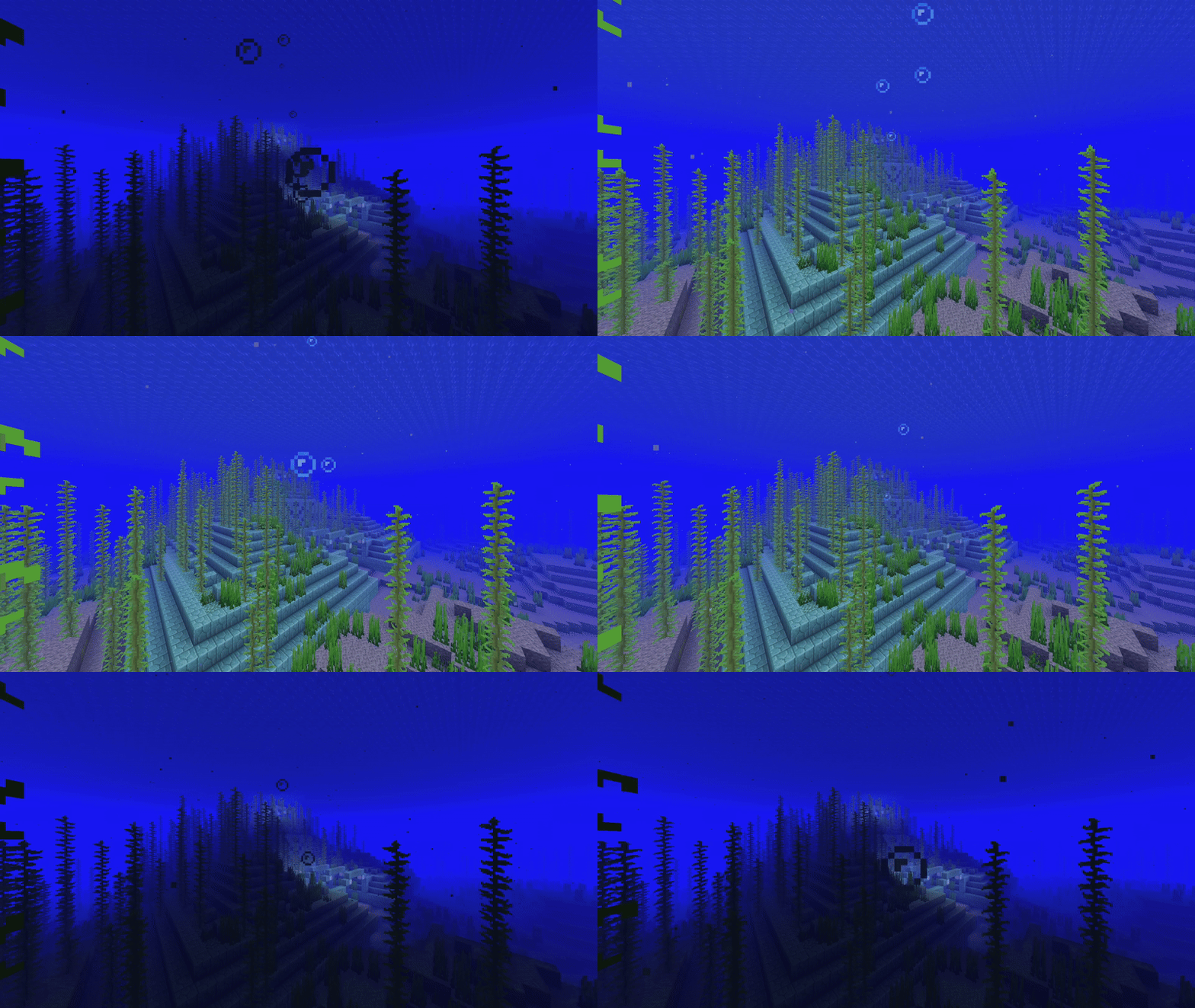
Project description from CurseForge.
Pick your setup
Choose the version and loader you play, then open the matching release.
Showing the newest 12 of 17 game versions. Older files are in the list below.
Check the dependencies, then try the file in a copied instance before changing a world you care about.
Recent files
6 May 2025
4 May 2025
4 May 2025
22 Apr 2025
22 Apr 2025
Looking for an older file? The official CurseForge project page is in Resources.
 mod
A Carpet mod (fabric-carpet) extension, a collection of carpet mod style useful tools and interesting features
 mod
Minecraft mod that applies armor trims to naturally generated armor and equipment from mobs, loot tables and trades
 mod
Stop rerolling villagers. Press Pick trade and select any 2 trades its profession can offer (max-level enchanted books included). Fast trade and saves time.
