TxniLib Needed by Mining Speed Tooltips MiningSpeedTooltips Fabric 1.0.0 for 1.21.5
requiredMatching file found Matched file: TxniLib Fabric 1.0.24 for 1.21.5

CurseForge · Minecraft mod
Adds information about harvest speed to all tools.
Quick answer
Mining Speed Tooltips MiningSpeedTooltips Fabric 1.0.0 for 1.21.5 targets 1.21.5 with Fabric. The project page does not say whether this file belongs on the client, dedicated server, or both. All 2 required mods have matching files.
Where it goes
The project page does not say whether this file belongs on the client, dedicated server, or both.
The source does not explicitly classify this release as client-only or server-only.
MiningSpeedTooltips Fabric 1.0.0 for 1.21.5 on Fabric. Every mod below is checked against that same setup.
Install TxniLib, Fabric API first. We found matching files for this game-version and loader setup.
We only count dependency files that match this setup. A file for another loader does not fill the gap.
Before you install it
Built for Mining Speed Tooltips MiningSpeedTooltips Fabric 1.0.0 for 1.21.5 on Fabric. Pick another file and the loader, install side or required mods may change.
Use MiningSpeedTooltips Fabric 1.0.0 for 1.21.5. It targets 1.21.5 with Fabric; another release may have different loader, side or dependency requirements.
Install TxniLib, Fabric API first. We found matching files for this game-version and loader setup.
The project page does not say whether this file belongs on the client, dedicated server, or both.
Use the “Get this file” button beside MiningSpeedTooltips Fabric 1.0.0 for 1.21.5. It opens that exact file at the source.
About this project

Mining Speed Tooltips is a simple mod that adds an extra line of info text to all digging tools, such as pickaxes, axes, and shovels, showing the user the actual digging speed of the tool. Since this is normally a hidden value in vanilla Minecraft, it is commonly confused with Attack Speed, and this mod clears up that confusion.






If you have Quark installed, Mining Speed Tooltips will modify the enhanced tooltips from Quark, adding an extra number for digging speed. This also works with Quark's comparison system, so if you're holding a tool in your main hand, and hover over another tool, it will display an animated green up arrow if that tool is faster, for example.

If you don't have Quark (or if you're holding shift) it will simply display an extra line of text after Attack Speed:

Project description from CurseForge.
Pick your setup
Choose the version and loader you play, then open the matching release.
Check the dependencies, then try the file in a copied instance before changing a world you care about.
Recent files
miningspeedtooltips-fabric-1.0.0-1.21.5.jar
25 Apr 2025
miningspeedtooltips-fabric-1.0.0-1.20.1.jar
25 Apr 2025
miningspeedtooltips-fabric-1.0.0-1.21.4.jar
25 Apr 2025
miningspeedtooltips-fabric-1.0.0-1.21.1.jar
25 Apr 2025
Looking for an older file? The official CurseForge project page is in Resources.
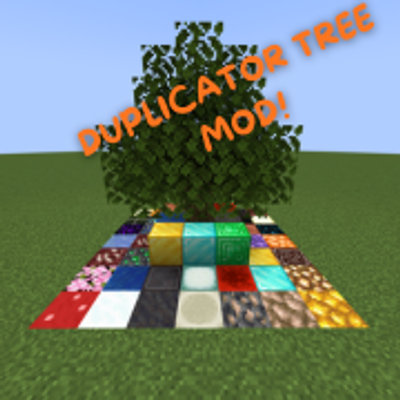 mod
DUPLICATE YOUR BLOCKS AND GET OP QUICKLY
 mod
DUPLICATE YOUR BLOCKS AND GET OP QUICKLY. Inspired by the Orespawn tree.
 mod
Voxy multiplayer support and Distant Horizons compatibility (unofficial). See fully rendered chunks and players thousands of blocks away in multiplayer.