Minecraft version
Back to mods 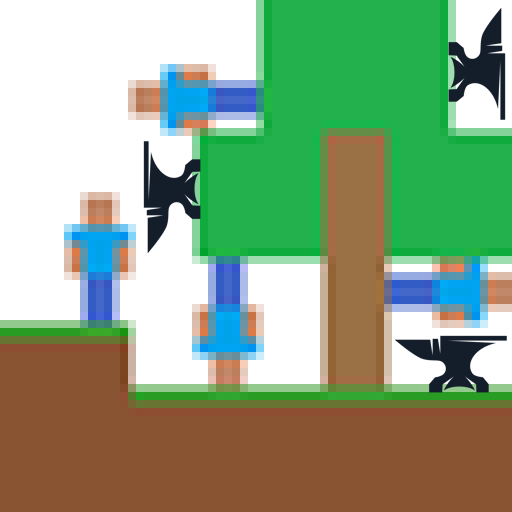
CurseForge · Minecraft mod
Gravity Control
Lets you change player gravity direction
Choose a version Pick your version below, then grab the matching file.
Quick answer
Which Gravity Control release should I use?
Latest stable file gravitychanger-neoforge-1.21.1-2.jar
Game version 1.21.1
Loader NeoForge
Gravity Control gravitychanger-neoforge-1.21.1-2.jar targets 1.21.1 with NeoForge. The project page does not say whether this file belongs on the client, dedicated server, or both. No extra mods listed for this file.
Where it goes
Is Gravity Control required on the client, server, or both?
The project page does not say whether this file belongs on the client, dedicated server, or both.
Client Source doesn’t say
Dedicated server Source doesn’t say
Loader for this release NeoForge
Required install it here Optional supported, not mandatory Not supported do not install here Source doesn’t say do not assume
The source does not explicitly classify this release as client-only or server-only.
What else does Gravity Control gravitychanger-neoforge-1.21.1-2.jar need?
gravitychanger-neoforge-1.21.1-2.jar. Change the file and its required mods may change too.
This file does not list any required mods. Do not add a library just because a different file uses it.
This file does not list any required or optional mods.
Before you install it
Add Gravity Control without breaking your instance.
Built for Gravity Control gravitychanger-neoforge-1.21.1-2.jar. Pick another file and the loader, install side or required mods may change.
- 01
Stick to this file
Use gravitychanger-neoforge-1.21.1-2.jar. It targets 1.21.1 with NeoForge; another release may have different loader, side or dependency requirements.
- 02
Bring the mods it needs
This file does not list any required mods. Do not add a library just because a different file uses it.
- 03
Put it on the correct side
The project page does not say whether this file belongs on the client, dedicated server, or both.
- 04
Pick the file you checked
Use the “Get this file” button beside gravitychanger-neoforge-1.21.1-2.jar. It opens that exact file at the source.
About this project
What does Gravity Control add?
Provides gravity changing functionality and API.
Note: this mod is based on but different to Gravity API by Fusion Flux. This is a fork of Gravity API from Fusion Flux that is on Forge. The Gravity API mod is originally based on the Gravity Changer mod by Gaider10.
The latest version of this mod provides:
- Gravity effects and potions
- Gravity anchor
- Gravity plate that generates gravity field. Its effect range can be customized.
These things are not obtainable on normal survival.
Some code and resources come from AmethystGravity mod.
Commands
This mod's commands are different to Gravity API's. These are the commands in the latest version of this mod:
/gravity set_base_direction <direction> [entities] sets the base gravity direction. (The base direction can be overridden by other things including effects, gravity anchor and gravity plating). Without [entities] argument it will target the command sender (the same applies to all commands). Examples: /gravity set_base_direction up /gravity set_base_direction up @e[type=!minecraft:player]
/gravity set_base_strength <strength> [entities] sets the base gravity strength. The strength effects will multiply on the base strength (instead of overriding it). Examples: /gravity set_base_strength 0.5 /gravity set_base_strength 0.5 @e
/gravity view shows the base gravity direction and strength of the command sender.
/gravity reset [entities] reset the base gravity direction and strength.
/gravity randomize_base_direction [entities] sets the base direction as a random direction.
/gravity set_relative_base_direction <relativeDirection> [entities] sets the gravity direction as a direction relative to the entity's viewing direction. The <relativeDirection> can be forward, backward, left, right, up or down.
/gravity set_dimension_gravity_strength <strength> sets the dimensional gravity strength for the current dimension.
/gravity view_dimension_info shows the dimensional gravity strength for the current dimension.
Project description from CurseForge.
Pick your setup
Gravity Control by Minecraft version and loader
Choose the version and loader you play, then open the matching release.
Minecraft version
1.20.1
1 loader buildCheck the dependencies, then try the file in a copied instance before changing a world you care about.
Recent files
Gravity Control versions and loaders
gravitychanger-neoforge-1.21.1-2.jar
28 Jun 2026
Client Source doesn’t say Server Source doesn’t say Dependencies No extras listed Listed on Release listing
Check the 1.21.1 · NeoForge setup 1.21.1NeoForge release
gravitychanger-forge-1.20.1-2.jar
29 Apr 2025
Client Source doesn’t say Server Source doesn’t say Dependencies No extras listed Listed on Release listing
Check the 1.20.1 · Forge setup 1.20.1Forge release
Looking for an older file? The official CurseForge project page is in Resources.
 mod
mod CurseForge · Minecraft
CBC Ballistic Computer
This mod greatly facilitates the use of cannons.
 mod
mod CurseForge · Minecraft
AutoMart
Automart is a Forge 1.20.1 roleplay mod adding an in-game smartphone with vehicle trading, banking, texts, contacts, voice calls, SIM cards, PIN security, notifications, and admin tools. Requires Lightman’s Currency; voice chat is optional.
 mod
mod CurseForge · Minecraft
Spells 'n Wands
An AI mod. That adds simple Magic.