Minecraft version
Back to mods 
CurseForge · Minecraft mod
FlatEdit+
A rework of the horrific superflat creation screen.
Choose a version Pick your version below, then grab the matching file.
Quick answer
Which FlatEdit+ release matches 1.21.2 Forge?
Best match for your filters [Forge 1.21.3] v2.0.0
Game version 1.21.3, 1.21.2
Loader Forge
FlatEdit+ [Forge 1.21.3] v2.0.0 targets 1.21.3, 1.21.2 with Forge. The project page does not say whether this file belongs on the client, dedicated server, or both. No extra mods listed for this file.
Where it goes
Is FlatEdit+ required on the client, server, or both?
The project page does not say whether this file belongs on the client, dedicated server, or both.
Client Source doesn’t say
Dedicated server Source doesn’t say
Loader for this release Forge
Required install it here Optional supported, not mandatory Not supported do not install here Source doesn’t say do not assume
The source does not explicitly classify this release as client-only or server-only.
What else does FlatEdit+ [Forge 1.21.3] v2.0.0 need?
[Forge 1.21.3] v2.0.0 on 1.21.2 Forge. Every mod below is checked against that same setup.
This file does not list any required mods. Do not add a library just because a different file uses it.
This file does not list any required or optional mods.
Before you install it
Add FlatEdit+ without breaking your instance.
Built for FlatEdit+ [Forge 1.21.3] v2.0.0 on 1.21.2 Forge. Pick another file and the loader, install side or required mods may change.
- 01
Stick to this file
Use [Forge 1.21.3] v2.0.0. It targets 1.21.3, 1.21.2 with Forge; another release may have different loader, side or dependency requirements.
- 02
Bring the mods it needs
This file does not list any required mods. Do not add a library just because a different file uses it.
- 03
Put it on the correct side
The project page does not say whether this file belongs on the client, dedicated server, or both.
- 04
Pick the file you checked
Use the “Get this file” button beside [Forge 1.21.3] v2.0.0. It opens that exact file at the source.
About this project
What does FlatEdit+ add?
<center>
Isn't it such a hassle to use external sites just to create custom superflat presets?
</center>
<center>
Have you ever wanted to create custom presets right inside of Minecraft?
</center>
FlatEdit+ (the superior superflat customization system)
FlatEdit+ is a client-side quality-of-life Minecraft mod that overhauls the Superflat World Creation System, giving players much greater control, clarity, and power when designing custom flat worlds.
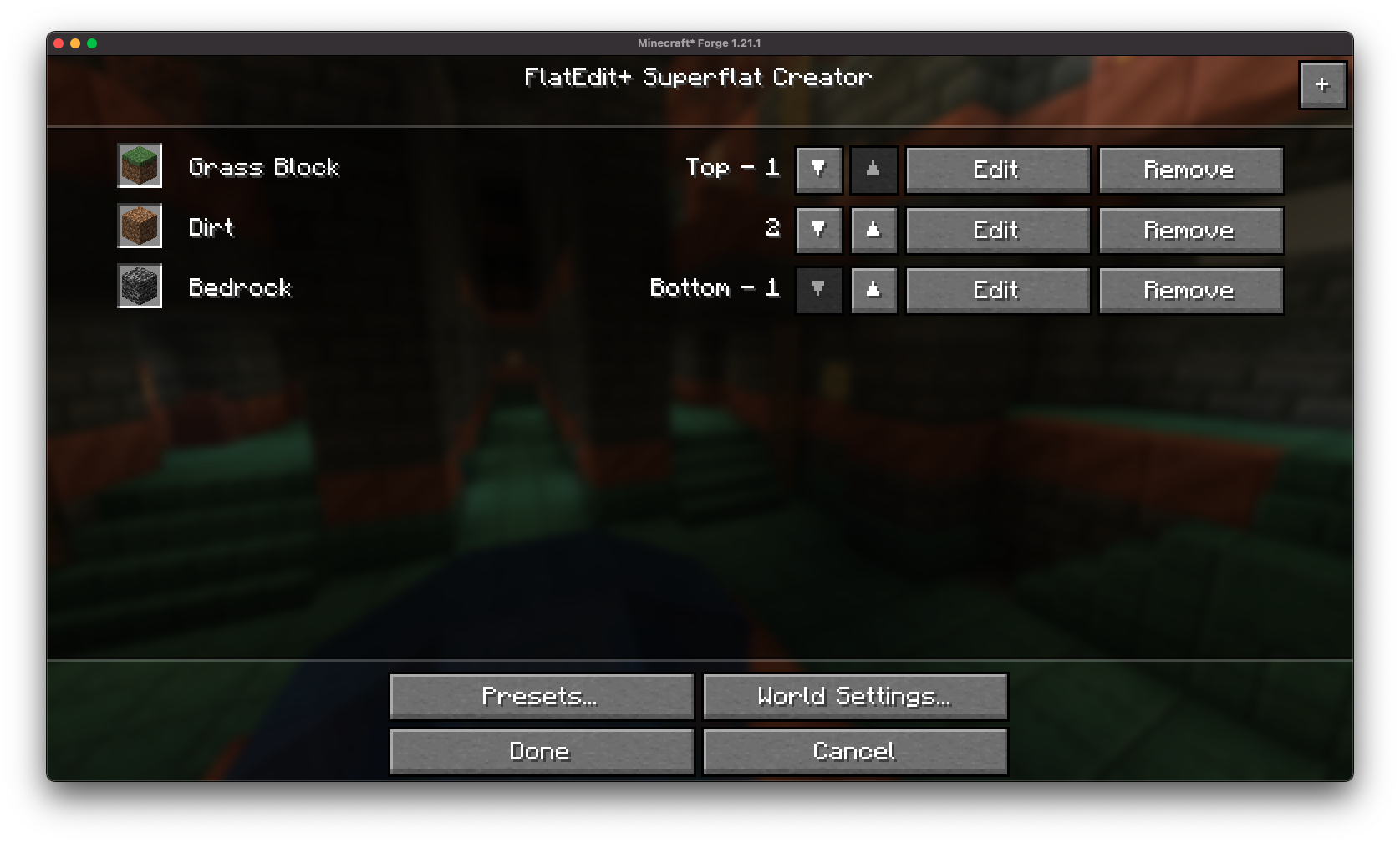
Instead of clunky layer editing and limited preset functionality, FlatEdit+ introduces a streamlined, intuitive interface designed for both casual builders and hardcore flatworld crafters.
✨ Features
Redesigned Superflat GUI:
A complete revamp of the vanilla Superflat customization screen, with a modern and user-friendly layout.
Vanilla-like Accessibility: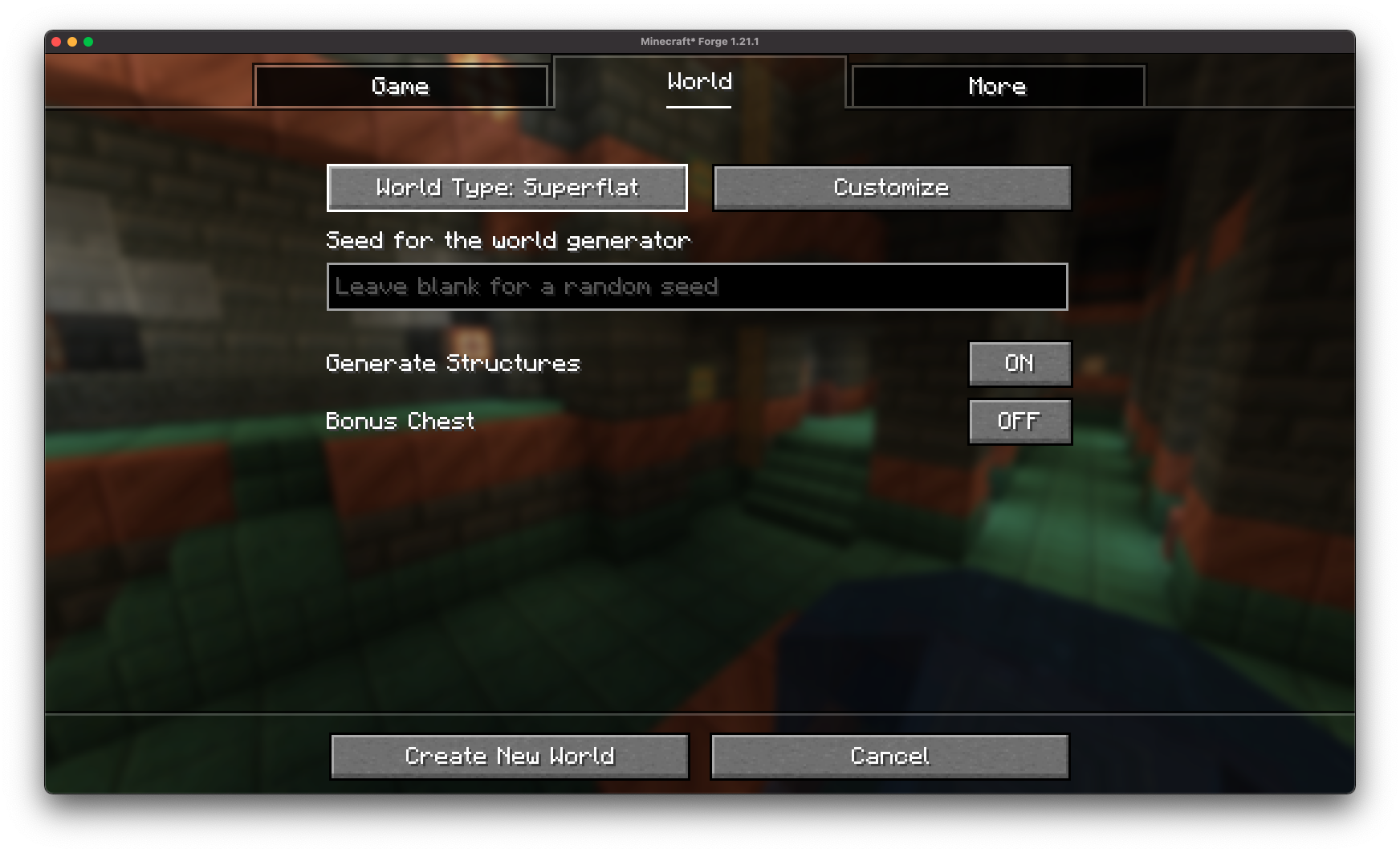
The re-imagined superflat customization screen is accessible through the vanilla world creation screen!
Easy Configuration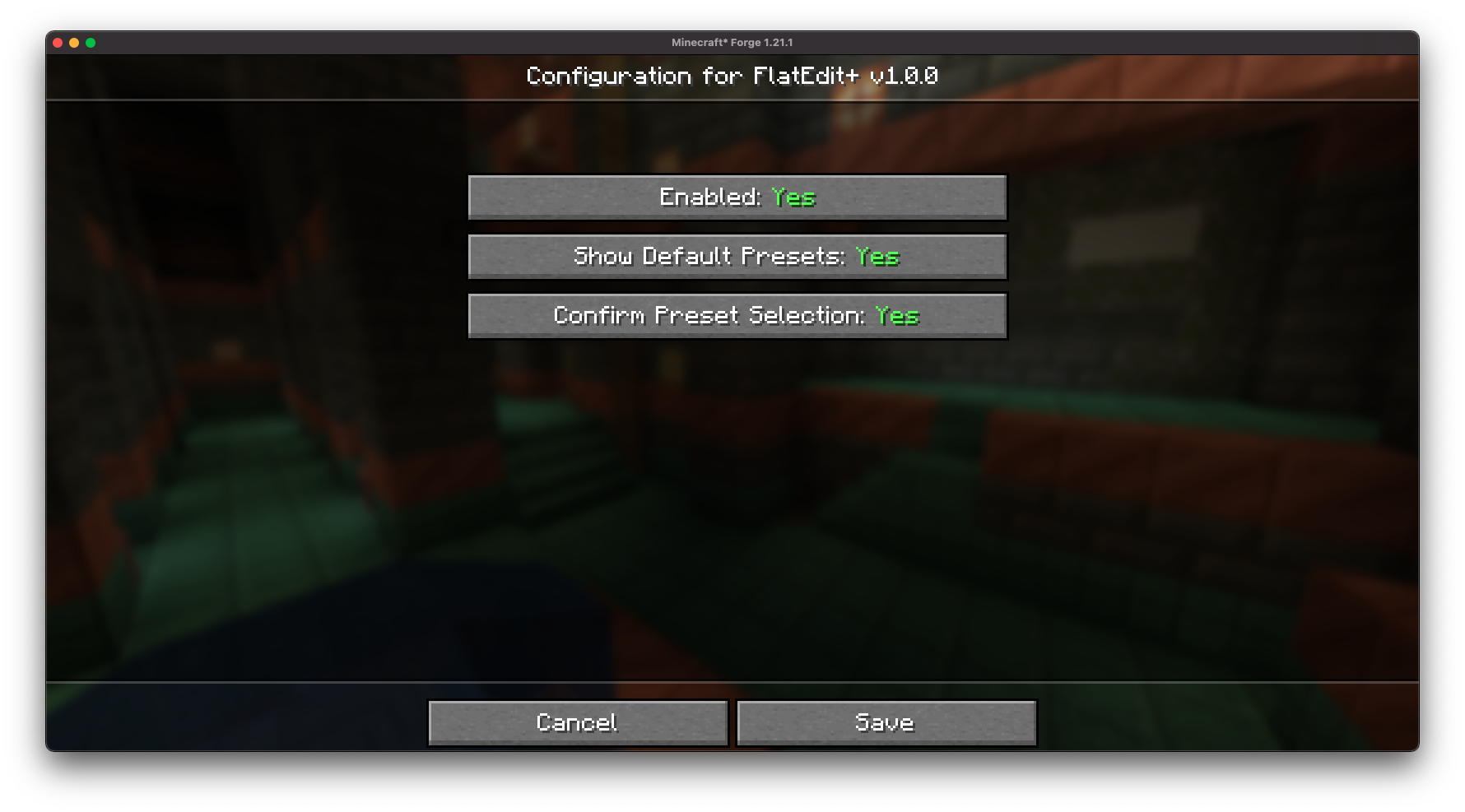
FlatEdit+ provides an easy-to-access configuration screen, allowing you to customize the superflat customization screen to your liking!
Layer Management Made Easy:
Quickly add, remove, reorder, and edit layers with real-time previews and improved controls.
Material Search and Filters: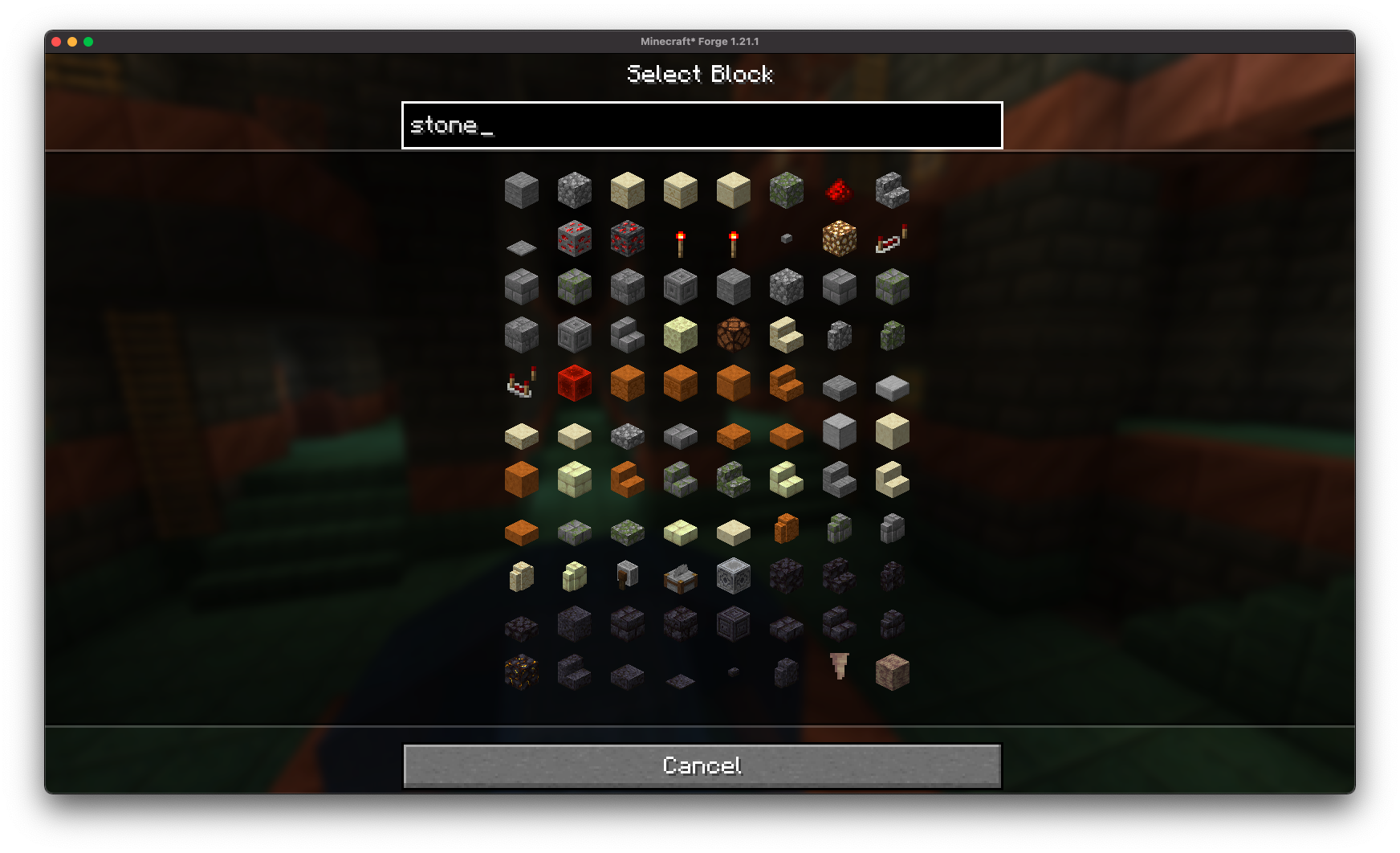
Find the exact blocks you want with searchable material lists.
Full World Customization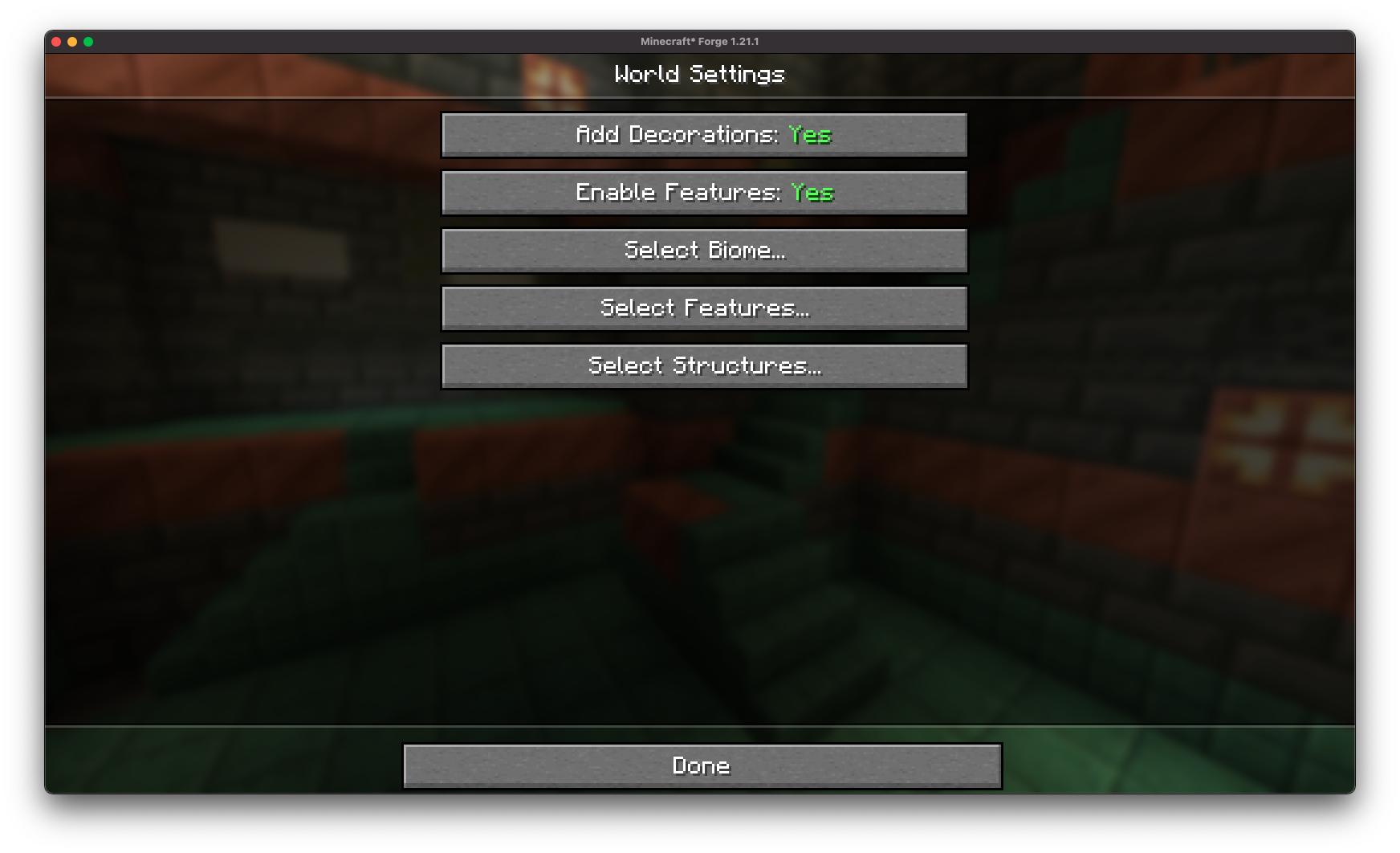
Gain access to full customization over all superflat world settings.
Structure Generation Toggles: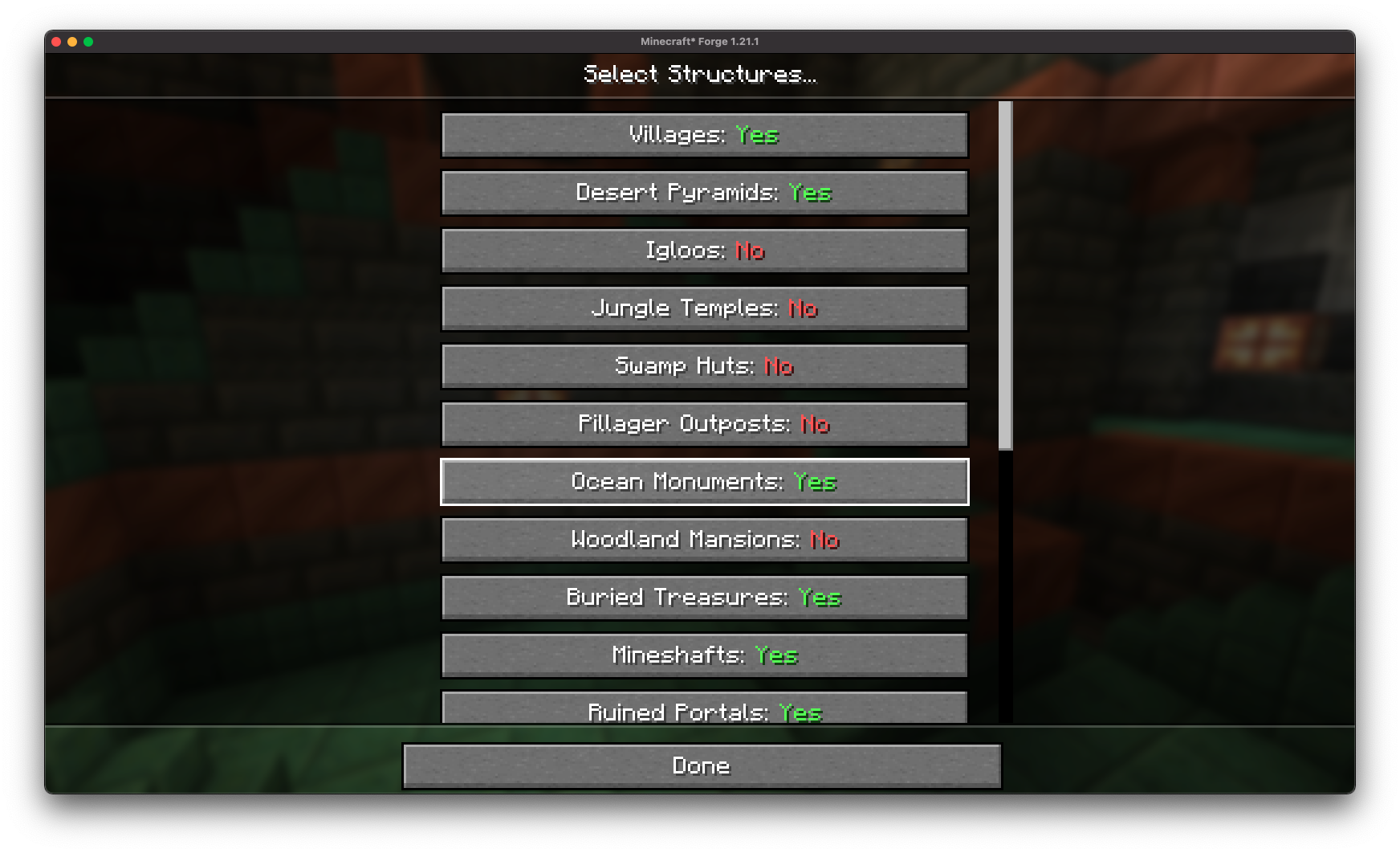
Fine-tune world structures (villages, mineshafts, strongholds, etc.) directly from the creation screen without needing presets.
Decoration Toggles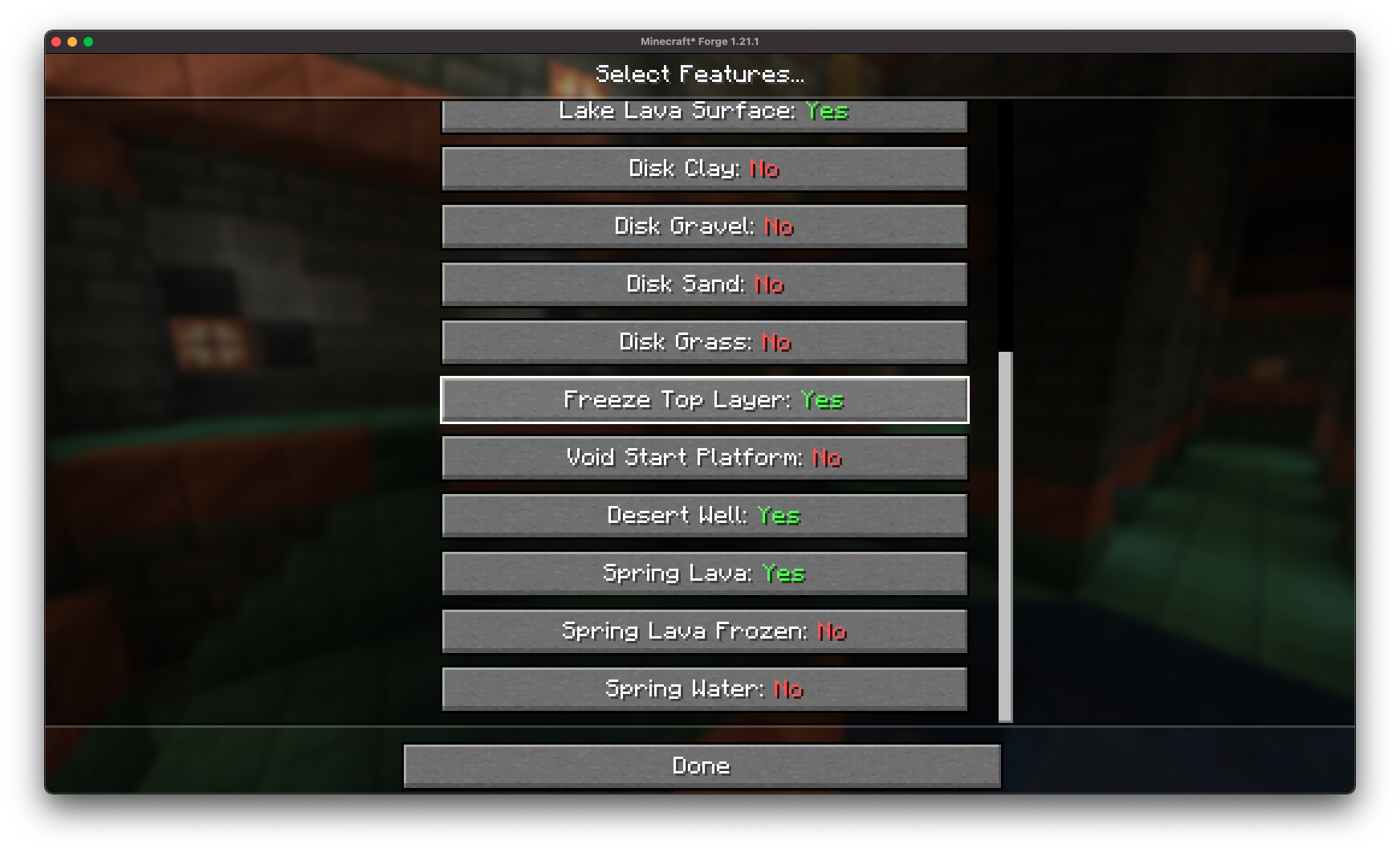
Easily disable or enable specific features (lava lakes, frozen top layer, desert wells) directly from Minecraft.
Preset Saving and Loading: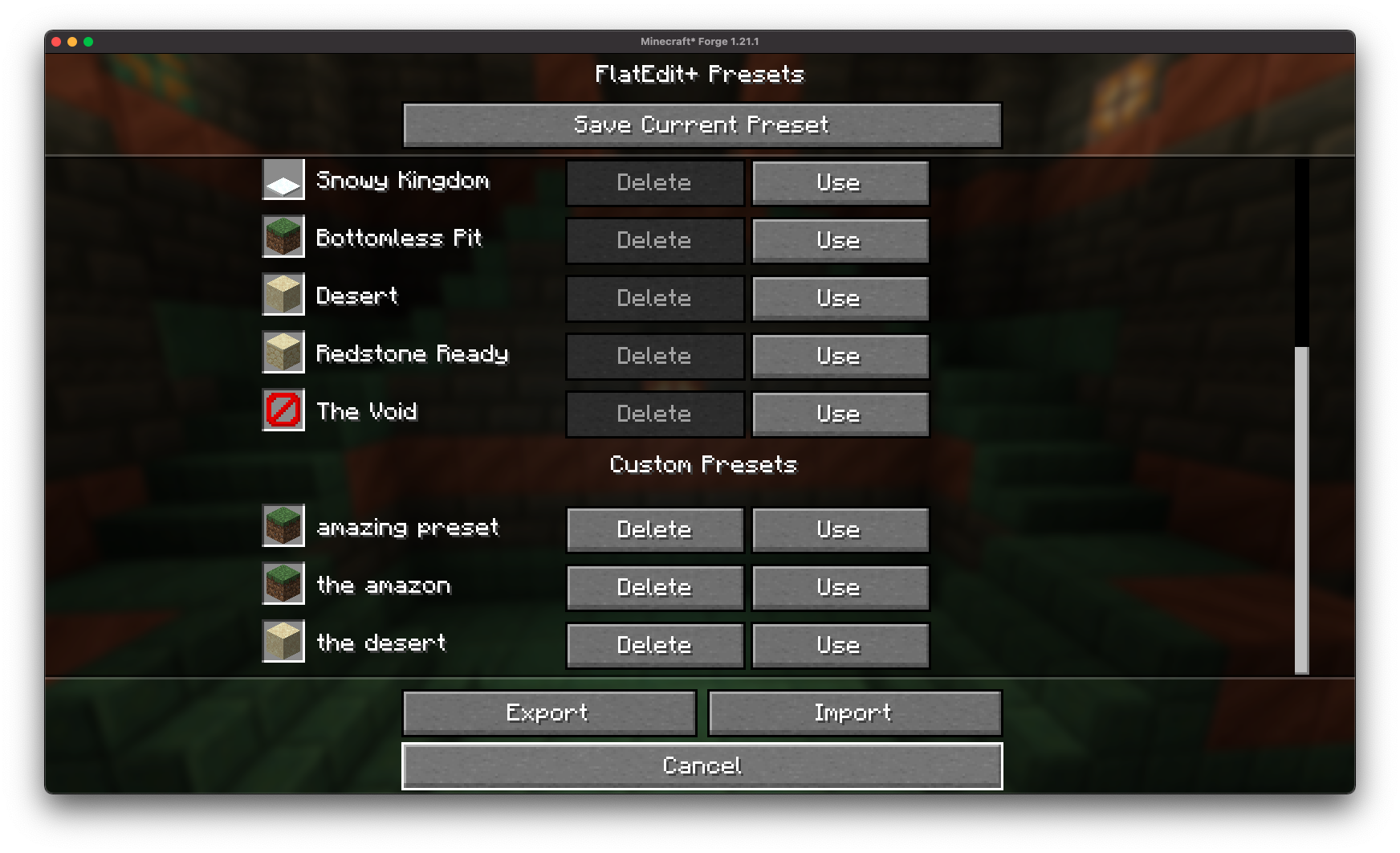
Save your custom superflat configurations to easily reuse later!
Preset Exporting and Sharing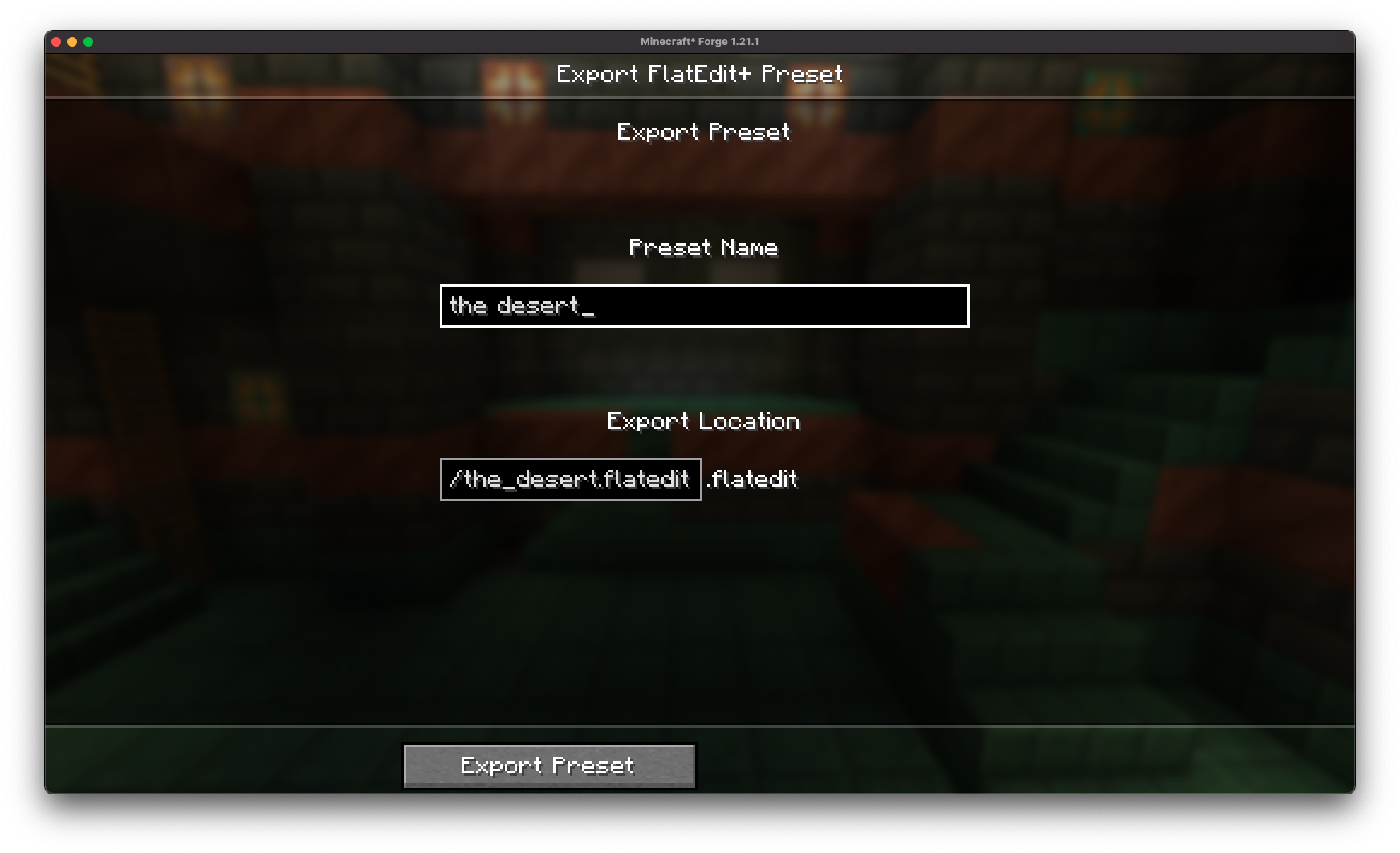
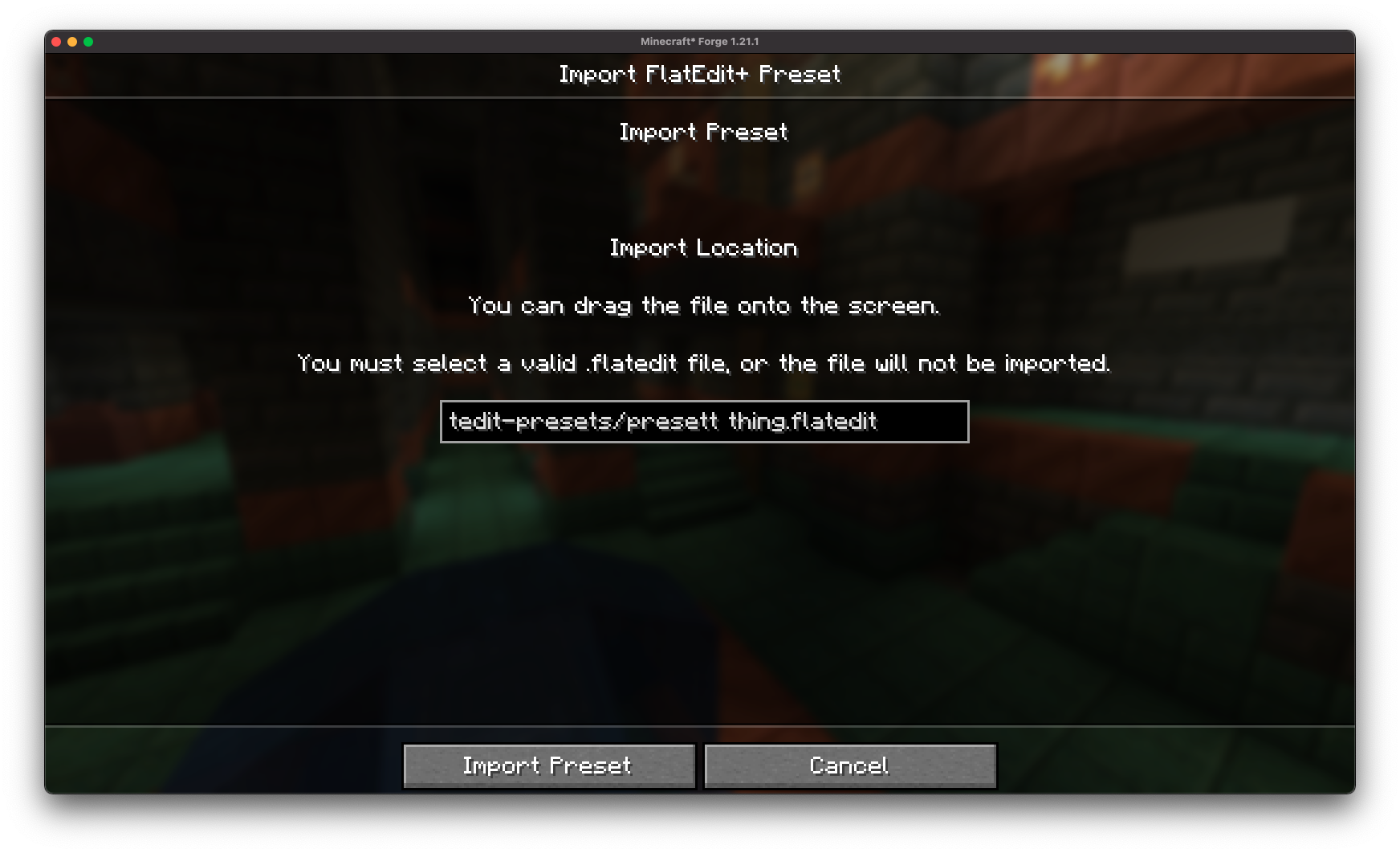
With the .flatedit format, you can easily export your superflat presets to files and share with friends!
Full Vanilla Compatibility: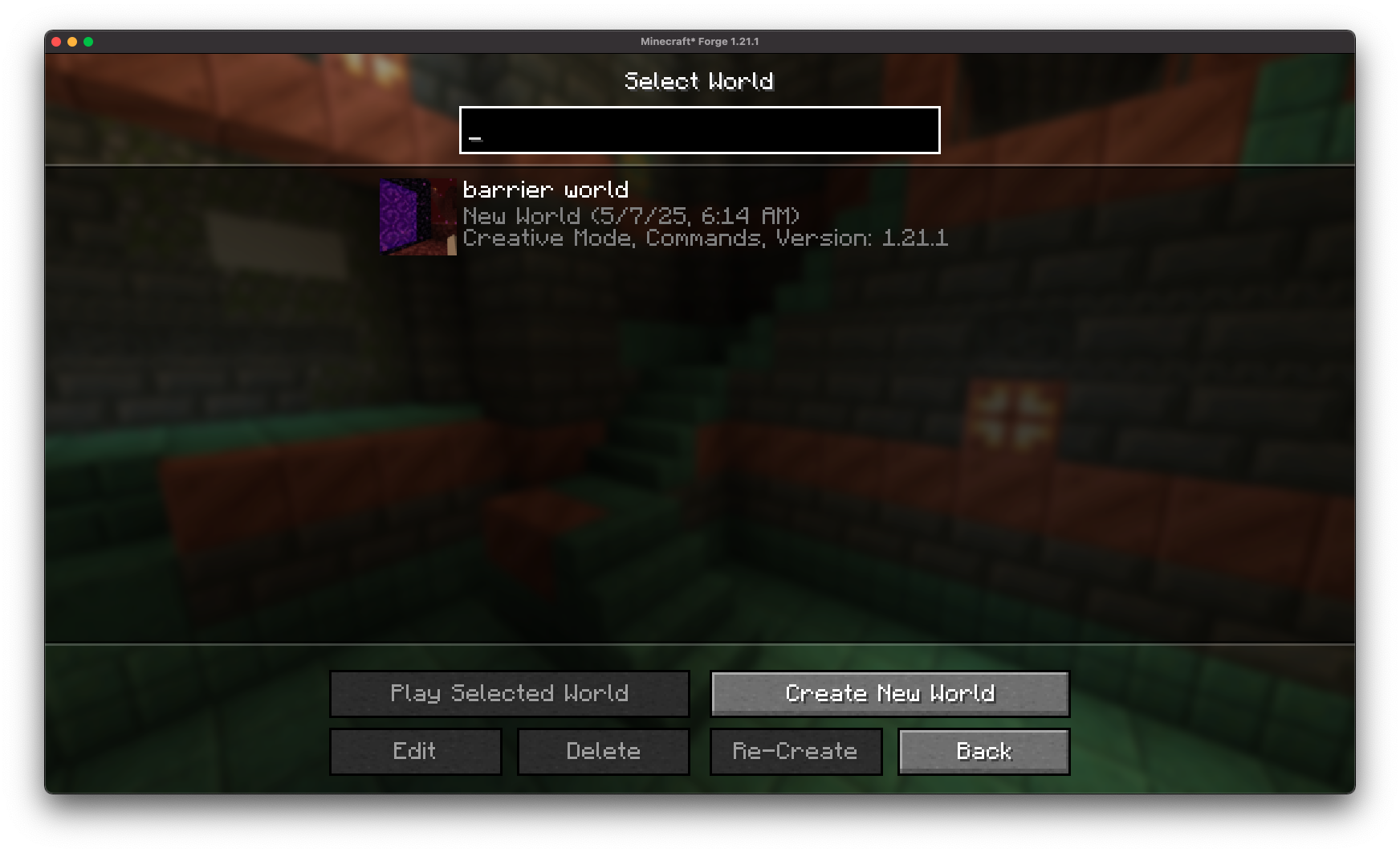
Worlds created with FlatEdit+ are fully compatible with vanilla Minecraft (no mod required once the world is generated).
Installation/Dependencies
This mod requires BoxLib a Client-side library mod developed by me.
- Install Minecraft Forge/Fabric/Neoforge: Download and install the appropriate modloader for your Minecraft version.
- Download the mod: Download the latest release of Debug Keybind for your specific modloader and Minecraft version
- Download BoxLib: Download the latest release of BoxLib for your specific modloader and Minecaft version
- Place the mod jars: Drop the downloaded jar files into your Minecraft mods folder. The location of this folder varies depending on your operating system.
Fabric Dependencies
Forge/NeoForge Dependencies
This mod requires BoxLib a Client-side library mod developed by me.
Contributing
We encourage contributions! Don’t hesitate to open issues or pull requests through the GitHub Repository. Your input helps the mod improve and evolve.
Translations
We welcome translations! If you’re interested in translating this mod, please locate the localization files and submit a pull request. Your contributions help make the mod accessible to more users worldwide.
Support
If you encounter any issues, please open an issue on the GitHub repository.
Building
If you’d like to build this mod on your own machine, follow these steps.
- Download the source code from GitHub (Code -> Download zip)
- Extract the zip file onto your local machine, and open the folder.
- Open a terminal prompt in said folder
- Run the command “gradlew build”
- The fabric build will be in “fabric/build/libs”
- The forge build will be in “forge/build/libs”
- The neoforge build will be in “neoforge/build/libs”
Project description from CurseForge.
Pick your setup
FlatEdit+ by Minecraft version and loader
Choose the version and loader you play, then open the matching release.
Minecraft version
26.1.1
3 loader buildsMinecraft version
26.1
3 loader buildsMinecraft version
1.21.11
4 loader buildsMinecraft version
1.21.8
4 loader buildsMinecraft version
1.21.7
4 loader buildsMinecraft version
1.21.6
4 loader buildsMinecraft version
1.21.5
4 loader buildsMinecraft version
1.21.4
4 loader buildsMinecraft version
1.21.3
4 loader buildsMinecraft version
1.21.2
4 loader buildsMinecraft version
1.21.1
4 loader buildsShowing the newest 12 of 13 game versions. Older files are in the list below.
Check the dependencies, then try the file in a copied instance before changing a world you care about.
Recent files
FlatEdit+ versions and loaders
[Forge 1.21.3] v2.0.0
FlatEditPlus-forge-2.0.0.jar
18 May 2025
Client Source doesn’t say Server Source doesn’t say Dependencies No extras listed Listed on Release listing
Check the 1.21.2 · Forge setup Forge1.21.31.21.2 release
Looking for an older file? The official CurseForge project page is in Resources.
 mod
CurseForge · Minecraft
Easy2Trade
Automate villager trading with a single click. Set a trade amount, choose the items you need, or use Max Trade for the best possible result.
 mod
Modrinth · Minecraft
Easy2Trade
Automate villager trading with a single click. Set a trade amount, choose the items you need, or use Max Trade for the best possible result.
 mod
CurseForge · Minecraft
Riptide Everywhere
Allows you to use Riptide in any weather condition.