Obsidian Weave Needed by Zombies Hate Light zombieshateslight-neoforge-26.3-1.3.2.jar
requiredMatching file found Matched file: obsidianweave-neoforge-26.3-1.2.1.jar
CurseForge · Minecraft mod
Zombies and other mobs will try to destroy your light sources
Quick answer
Zombies Hate Light zombieshateslight-neoforge-26.3-1.3.2.jar targets 26.3 with NeoForge. The project page does not say whether this file belongs on the client, dedicated server, or both. All 1 required mods have matching files.
Where it goes
The project page does not say whether this file belongs on the client, dedicated server, or both.
The source does not explicitly classify this release as client-only or server-only.
zombieshateslight-neoforge-26.3-1.3.2.jar. Change the file and its required mods may change too.
Install Obsidian Weave first. We found matching files for this game-version and loader setup.
We only count dependency files that match this setup. A file for another loader does not fill the gap.
Before you install it
Built for Zombies Hate Light zombieshateslight-neoforge-26.3-1.3.2.jar. Pick another file and the loader, install side or required mods may change.
Use zombieshateslight-neoforge-26.3-1.3.2.jar. It targets 26.3 with NeoForge; another release may have different loader, side or dependency requirements.
Install Obsidian Weave first. We found matching files for this game-version and loader setup.
The project page does not say whether this file belongs on the client, dedicated server, or both.
Use the “Get this file” button beside zombieshateslight-neoforge-26.3-1.3.2.jar. It opens that exact file at the source.
About this project
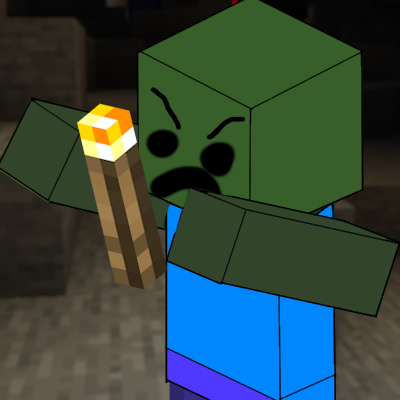
In most zombie survival scenarios, light is your greatest ally. It’s the line between life and death. But in Zombies Hate Light, the undead have realized that your light is an insult to their kingdom.
They don't just want to break down your door anymore, they want to extinguish your hope.
How it works: This mod transforms the undead from simple predators into active saboteurs. Instead of just wandering aimlessly, zombies will now identify your light sources as targets of irritation. They will actively seek out, and systematically destroy the blocks that keep the darkness at bay.
Why it’s different: Most mods make zombies afraid of light. This mod makes them hate it. It turns your base defense into a ticking clock, how long can you keep the lights on before the darkness wins?
Now since version 1.3.0, this can be changed through datapacks (it's called affected_blocks), and you can also affect what mobs will try to destroy lights through affected_entities
You can modify the behavior by creating a datapack and adding the following JSON files:
data/se/itssimple/zombieshateslight/tags/blocks/affected_blocks.json - Define what blocks the monster will attempt to break.{
"replace": false,
"values": [
"minecraft:torch",
"minecraft:wall_torch",
"minecraft:lantern",
"minecraft:shroomlight",
"minecraft:redstone_lamp",
"minecraft:campfire",
"minecraft:beacon"
]
}
data/se/itssimple/zombieshateslight/tags/entity_type/affected_entities.json - Define which monsters will exhibit this behaviour.{
"replace": false,
"values": [
"minecraft:zombie"
]
}
Note: Setting
"replace": falseensures that your changes are added to the default list rather than replacing it entirely.
Project description from CurseForge.
Pick your setup
Choose the version and loader you play, then open the matching release.
Check the dependencies, then try the file in a copied instance before changing a world you care about.
Recent files
2 Nov 2026
2 Nov 2026
2 Nov 2026
2 Nov 2026
2 Nov 2026
2 Nov 2026
2 Nov 2026
2 Nov 2026
2 Nov 2026
7 May 2026
15 Apr 2026
5 Apr 2026
Looking for an older file? The official CurseForge project page is in Resources.
 mod
An unofficial Fabric port of Timeless and Classics Zero. The most Immersive and Customizable modern FPS experience in Minecraft
 mod
A Skibidi Toilet-inspired Minecraft mod featuring the Upgraded Speaker Strider, powerful attacks, combat drones, epic animations, and stunning visual effects! 🔊
 mod
A remake of Natura for modern versions. Thirteen woods and their biomes, Nether plants and machines, and the refreshed old creatures.