Patchouli Optional for Simply Speakers 0.10.2 - Fabric 26.2
optionalNo matching file

CurseForge · Minecraft mod
Allows players to play custom audio from a local URL in-game using a speaker block.
Quick answer
Simply Speakers 0.10.2 - Fabric 26.2 targets 26.2 with Fabric. The project page does not say whether this file belongs on the client, dedicated server, or both. All 4 required mods have matching files.
Where it goes
The project page does not say whether this file belongs on the client, dedicated server, or both.
The source does not explicitly classify this release as client-only or server-only.
Simply Speakers 0.10.2 - Fabric 26.2 on 26.2. Every mod below is checked against that same setup.
Install OpenUI MC, PacketWeave, Architectury API, Fabric API first. We found matching files for this game-version and loader setup.
We only count dependency files that match this setup. A file for another loader does not fill the gap.
Before you install it
Built for Simply Speakers 0.10.2 - Fabric 26.2 on 26.2. Pick another file and the loader, install side or required mods may change.
Use Simply Speakers 0.10.2 - Fabric 26.2. It targets 26.2 with Fabric; another release may have different loader, side or dependency requirements.
Install OpenUI MC, PacketWeave, Architectury API, Fabric API first. We found matching files for this game-version and loader setup.
The project page does not say whether this file belongs on the client, dedicated server, or both.
Use the “Get this file” button beside Simply Speakers 0.10.2 - Fabric 26.2. It opens that exact file at the source.
About this project
Simply Speakers adds configurable speaker blocks that play your own MP3 and WAV audio in Minecraft. Upload files in game, build synchronized speaker networks across large areas, and control playback with redstone.
Simply Speakers does not stream arbitrary internet URLs. The upload interface accepts files from your local computer and transfers validated MP3 or WAV audio to the server.
On Minecraft 1.21.1, installing Sable 2.0.5 enables correct spatial audio for speakers placed on Sable physics bodies. Audio follows moving, rotating, and scaled bodies without restarting playback. Networks can span multiple moving bodies and ordinary world speakers.
Sable is optional. Simply Speakers works normally without it; only moving-body spatial compatibility is unavailable.
Create Aeronautics is not required by Simply Speakers. Install Aeronautics and its dependencies only if you want its physics-body blocks and gameplay. Aeronautics is currently available for NeoForge 1.21.1.
Sable Companion is already bundled with Simply Speakers, and Sable's official jar includes its physics backend. Users should not install those components separately.
Audio files are stored in simply_speakers_audios inside the world's save directory. To add one manually:
<your-uuid>.mp3 or <your-uuid>.wav and place it in simply_speakers_audios.audio_manifest.json:{
"your-uuid": {
"uuid": "your-uuid",
"originalFilename": "your-song.mp3"
}
}
Sable integration is currently available only on the Minecraft 1.21.1 builds.
speakerRange: Default range for new speakers, from 1 to 512 blocks (default: 64)disableUpload: Disable in-game uploadsmaxUploadSize: Maximum upload size in bytesdebugLogging: Enable verbose troubleshooting logsProject description from CurseForge.
Pick your setup
Choose the version and loader you play, then open the matching release.
Check the dependencies, then try the file in a copied instance before changing a world you care about.
Recent files
simplyspeakers-fabric-26.2-0.10.2.jar
22 Oct 2026
simplyspeakers-neoforge-26.2-0.10.2.jar
22 Oct 2026
Looking for an older file? The official CurseForge project page is in Resources.
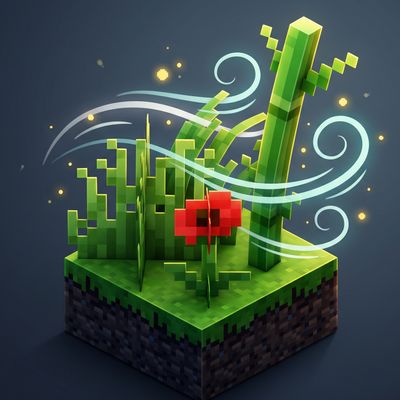 mod
Turn Minecraft's static flora into a living, breathing ecosystem with damped-spring entity physics, seamless multi-block bending, and gentle ambient wind waves.
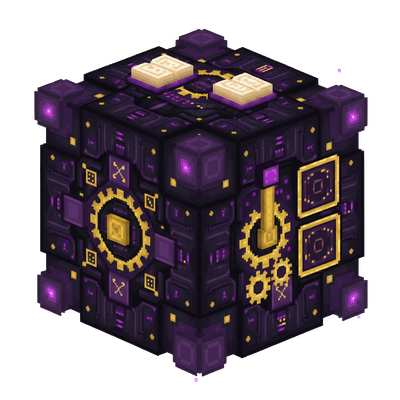 mod
Adds a compact Ender-based item transport system. Ender Pouches linked to the same channel share one inventory, enabling easy long-distance item transfer and automation.
 mod
One guided path through the whole ecosystem — story missions, daily contracts, faction quests and space-race milestones that turn a pile of mods into a designed journey.