Create Needed by Alloyed Mining alloyed-1.0.jar
requiredMatching file found Matched file: Create 6.0.8 for mc1.20.1
CurseForge · Minecraft mod
dds a new way to obtain Andesite Alloy
Quick answer
Alloyed Mining alloyed-1.0.jar targets 1.20.1 with Forge. The project page does not say whether this file belongs on the client, dedicated server, or both. All 1 required mods have matching files.
Where it goes
The project page does not say whether this file belongs on the client, dedicated server, or both.
The source does not explicitly classify this release as client-only or server-only.
alloyed-1.0.jar. Change the file and its required mods may change too.
Install Create first. We found matching files for this game-version and loader setup.
We only count dependency files that match this setup. A file for another loader does not fill the gap.
Before you install it
Built for Alloyed Mining alloyed-1.0.jar. Pick another file and the loader, install side or required mods may change.
Use alloyed-1.0.jar. It targets 1.20.1 with Forge; another release may have different loader, side or dependency requirements.
Install Create first. We found matching files for this game-version and loader setup.
The project page does not say whether this file belongs on the client, dedicated server, or both.
Use the “Get this file” button beside alloyed-1.0.jar. It opens that exact file at the source.
About this project
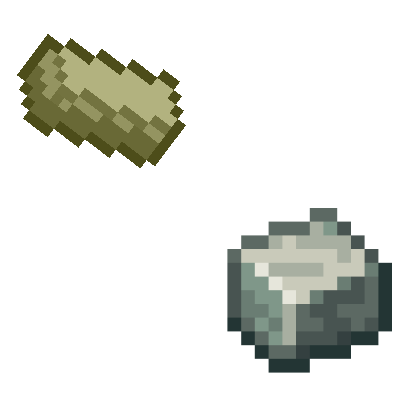
Alloyed adds an alternative way to produce Andesite Alloy by mining a unique ore found deep in caves, rather than relying on the traditional tree-based recipes from the Create mod. This mod is designed to integrate smoothly with any version of Create, but if the Create mod is not present, the ore will still generate naturally in the world — though it will be unusable for crafting.
How it works:
Explore underground to find the new Alloyed Ore embedded in cave walls.
Mine the ore to collect raw materials for Andesite Alloy.
Smelt the ore in a standard furnace to prepare it for alloying.
Use a Blast Furnace or the Create mod’s Blasting Machine to complete the alloying process and obtain Andesite Alloy.
This approach encourages exploration and mining, giving players a fresh way to gather materials for Create mod machinery and components without needing to farm trees or depend on other methods.
Compatible with all Create mod versions, Alloyed ensures your world generation and crafting options stay flexible. Perfect for players who want to expand their resource gathering with immersive, cave-focused gameplay.
Special thanks to the creator of the Create mod for their amazing work and inspiration.
Disclaimer: Without the Create mod installed, this mod’s features may not function as intended. The ore will generate but cannot be used for crafting or processing.
Project description from CurseForge.
Pick your setup
Choose the version and loader you play, then open the matching release.
Check the dependencies, then try the file in a copied instance before changing a world you care about.
Recent files
alloyed-1.0-SNAPSHOT.jar
19 May 2025
Looking for an older file? The official CurseForge project page is in Resources.
 mod
modA Tiny Lib for easy creation of Multiblocks with a built-in ghost system. Made to be packaged with other mods
 mod
modAn addon for Create Aeronautics that adds gases, aircraft mechanics, warp travel, and new utility systems.
 mod
modVisualize Create Aeronautics contraption diagram force vectors in 3D.