Just Enough Items (JEI) Optional for Endless Inventory-fabric-1.20.2-1.1.2.jar
optionalMatching file found Matched file: jei-1.20.2-fabric-16.0.0.2.jar

CurseForge · Minecraft mod
Mod that provide infinite inventory of player
Quick answer
Endless Inventory-fabric-1.20.2-1.1.2.jar targets 1.20.2 with Fabric. The project page does not say whether this file belongs on the client, dedicated server, or both. No extra mods listed for this file.
Where it goes
The project page does not say whether this file belongs on the client, dedicated server, or both.
The source does not explicitly classify this release as client-only or server-only.
Endless Inventory-fabric-1.20.2-1.1.2.jar on Fabric. Every mod below is checked against that same setup.
This file does not list any required mods. Do not add a library just because a different file uses it.
We only count dependency files that match this setup. A file for another loader does not fill the gap.
Before you install it
Built for Endless Inventory-fabric-1.20.2-1.1.2.jar on Fabric. Pick another file and the loader, install side or required mods may change.
Use Endless Inventory-fabric-1.20.2-1.1.2.jar. It targets 1.20.2 with Fabric; another release may have different loader, side or dependency requirements.
This file does not list any required mods. Do not add a library just because a different file uses it.
The project page does not say whether this file belongs on the client, dedicated server, or both.
Use the “Get this file” button beside Endless Inventory-fabric-1.20.2-1.1.2.jar. It opens that exact file at the source.
About this project

Endless Inventory is a Minecraft mod providing an RPG like, infinite space inventory.
Neoforge-1.21 is the version when I started this project.
endless_inventory:test_endinv) or press specific key I.Click Crafter button to toggle inner crafting menu and [FORGE] it supports Jei's recipe transfer.!
shift-click To crafter>inventory>pagectrl-click To page>inventory>crafterWith attached endInv page screen:
I in gui: open EndlessInventoryMenuctrl+Left Click in menu: quick move item from menu to endInv.A in page area: add item to bookmarkA in bookmark page area: remove item from bookmarkclient and server config.toml to customize the behavior of EndInv to suit specific needs. See Configuration part.
This mod provides both client and server-side configurations:
Texture mode - Help to change the texture of attached screen
| Mode | Description |
|---|---|
| FromResource | Vanilla menu background texture clipped |
| Transparent | Render transparent background |
| DedicatedLocation | Allow to define dedicated texture. (See Texture config part) |
attachingMenuScreen, determine whether to attach endInv with menu screens.
rows, of Endless Inventory Screen and Attached Screen
columns, of attached screen
auto_suit_column, adjust column count if the gui size is too big to contain menu and AS.
enable_debug, open screen debug that shows gui info. (see screen debug)
max_page_bars, the max count showing side of page.
[Experimental] enable pages
/endinv
backup : backup endless_inventories.dat filenew : create a new Endless Inventorypublic/restricted/private : Accessibility of new EndInv default to publicofIndex :<no arg> : get player's current endInv index in levelEndInvs<index> : get endinv by index in levelEndInvsopen : open endinv, anyone can run this, but only the accessible players or ops can open.setDefault : set player's default endInv in opening menu.setOwner: set endinv's owner to executor player.addWhiteList : add executor player to endinv's allowlist.removeWhiteList : remove executor player from endinv's allowlist.setAccessibility <public/restricted/private>: set endinv's accessibility.remove: remove current endinv from level endinv data, before this a backup file will be created.<forceRemove>: boolean : this will force remove endinv though backup failed..jar file in your mods folder.DEDICATED_LOCATION allows using custom texture in resource packs, to use refer such locations:
In assets/endless_inventory/textures/gui/*:
item_grid.png for common pages, derived from chest menu's generic54.pngtabs.png for page switch tabs, derived from achievements gui spritesitem_entry.png for item entry display (enchantment book classify page), derived from generic54 by removing vertical rules to form row stripsrenderBg method of ItemEntryDisplay.class does it so X).Project description from CurseForge.
Pick your setup
Choose the version and loader you play, then open the matching release.
Showing the newest 12 of 16 game versions. Older files are in the list below.
Check the dependencies, then try the file in a copied instance before changing a world you care about.
Recent files
Endless-Inventory-fabric-26.3-1.1.4.2.jar
30 Oct 2026
Endless Inventory-fabric-26.3-1.1.4.1.jar
7 Oct 2026
Endless Inventory-fabric-26.2-1.1.4.1.jar
5 Oct 2026
4 Oct 2026
Endless Inventory-fabric-26.1-1.1.4.jar
4 Oct 2026
24 Jul 2026
Endless Inventory-fabric-26.1-1.1.3.5.jar
27 Apr 2026
Endless Inventory-fabric-26.1-1.1.3.4.jar
25 Apr 2026
Endless Inventory-fabric-1.21.11-1.1.3.2.jar
20 Mar 2026
1 Mar 2026
24 Feb 2026
24 Jan 2026
Looking for an older file? The official CurseForge project page is in Resources.
 mod
Adds a multiblock kitchen that shows recipes you can make with what ingredients you have available.
 mod
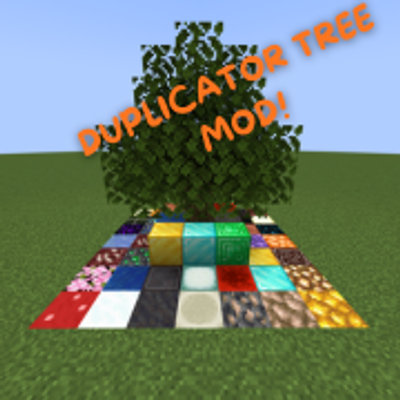
DUPLICATE YOUR BLOCKS AND GET OP QUICKLY. Inspired by the Orespawn tree.
 mod
A better night sky: thousands of colored twinkling stars, the Milky Way, nebulae, galaxies, shooting stars, meteor showers, comets and northern lights, plus sunsets, halos and rainbows by day. Client-side, for Fabric, NeoForge and Forge. Shader Compatible!