Minecraft version
Back to mods 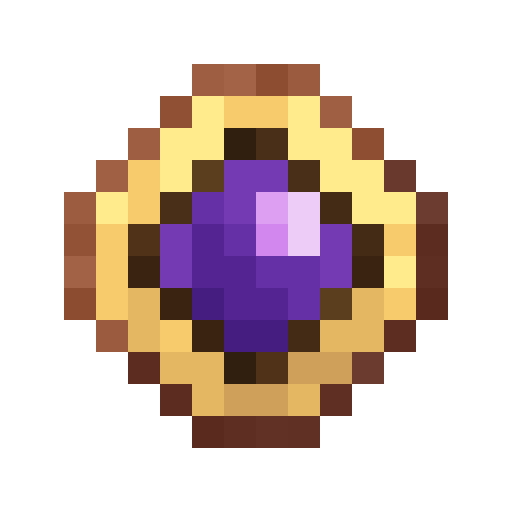
CurseForge · Minecraft mod
Portalgems
A mod adding simple handheld teleporters to easily switch dimensions
Choose a version Pick your version below, then grab the matching file.
Quick answer
Which Portalgems release should I use?
Latest stable file portalgems-1.0.1.jar
Game version 1.21.1
Loader NeoForge
portalgems-1.0.1.jar targets 1.21.1 with NeoForge. The project page does not say whether this file belongs on the client, dedicated server, or both. No extra mods listed for this file.
Where it goes
Is Portalgems required on the client, server, or both?
The project page does not say whether this file belongs on the client, dedicated server, or both.
Client Source doesn’t say
Dedicated server Source doesn’t say
Loader for this release NeoForge
Required install it here Optional supported, not mandatory Not supported do not install here Source doesn’t say do not assume
The source does not explicitly classify this release as client-only or server-only.
What else does portalgems-1.0.1.jar need?
portalgems-1.0.1.jar. Change the file and its required mods may change too.
This file does not list any required mods. Do not add a library just because a different file uses it.
This file does not list any required or optional mods.
Before you install it
Add Portalgems without breaking your instance.
Built for portalgems-1.0.1.jar. Pick another file and the loader, install side or required mods may change.
- 01
Stick to this file
Use portalgems-1.0.1.jar. It targets 1.21.1 with NeoForge; another release may have different loader, side or dependency requirements.
- 02
Bring the mods it needs
This file does not list any required mods. Do not add a library just because a different file uses it.
- 03
Put it on the correct side
The project page does not say whether this file belongs on the client, dedicated server, or both.
- 04
Pick the file you checked
Use the “Get this file” button beside portalgems-1.0.1.jar. It opens that exact file at the source.
About this project
What does Portalgems add?
Portalgems
A minecraft mod adding simple handheld teleporters (called Gem) to easily switch dimensions. It is fully datapack customizable.
Customization
Adding custom Gems
To add your own gem, create a recipe for it like this:
{
  "type": "minecraft:crafting_shaped",
  "category": "misc",
  "key": {
    "G": {
      "item": "minecraft:gold_ingot"
    },
    "S": {
      "item": "minecraft:yellow_stained_glass_pane"
    }
  },
  "pattern": [
    " G ",
    "GSG",
    " G "
  ],
  "result": {
    "components": {
      "portalgems:destination": {
        "color": "#FFCFFF00",
        "dimension": "minecraft:the_end",
        "position": [
          0,
          80,
          0
        ]
      }
    },
    "count": 1,
    "id": "portalgems:gem"
  }
}
You can use the recipe types you want, it does not have to be shaped.
Important: the relevant Part is the results. That's where the customizations comes in. Inside the components/portalgems:destination part you see three fields:
color: The desired tint color of the gem in the middle in ARGB (required)dimension: The dimension id to teleport into (required)position: The exact position to teleport to in the specified dimension (optional)
Note that if you don't set the position the gem will try to teleport to the other dimension like a chorus fruit would but just interdimensionally. This can lead to it not finding a valid position. In that case try to move a bit in any direction so it can find a valid target position
Config (WIP)
The following is configurable:
cooldown: The cooldown of gems in tickstwoway: If using any gem in it's dimension (e.g. Using the nether gem in the nether) should teleport you back to the overworld
Known Bugs / Problems
- Sometimes not teleporting
- Possible causes:
- Server doesn't have dimension
- Server hasn't loaded the dimension
- No valid target position found (see above)
- Teleporting in caves although your start position was much higher
- Possible causes:
- The way we find a target position is by choosing a random offset added to your current position in the target dimension. After choosing that we test every y level below that until we find a valid spot (If the chosen offset didn't work, we repeat it a couple more times)
Project description from CurseForge.
Pick your setup
Portalgems by Minecraft version and loader
Choose the version and loader you play, then open the matching release.
Check the dependencies, then try the file in a copied instance before changing a world you care about.
Recent files
Portalgems versions and loaders
portalgems-1.0.1.jar
13 Jun 2025
Client Source doesn’t say Server Source doesn’t say Dependencies No extras listed Listed on Release listing
Check the 1.21.1 · NeoForge setup NeoForge1.21.1 release
portalgems-0.2.jar
10 Jun 2025
Client Source doesn’t say Server Source doesn’t say Dependencies No extras listed Listed on Release listing
Check the 1.21.1 · NeoForge setup NeoForge1.21.1 release
portalgems-0.1.jar
2 Jun 2025
Client Source doesn’t say Server Source doesn’t say Dependencies No extras listed Listed on Release listing
Check the 1.21.1 · NeoForge setup NeoForge1.21.1 release
Looking for an older file? The official CurseForge project page is in Resources.
 mod
CurseForge · Minecraft
Beaconhold
More functions for the beacon: no hostile spawns and loaded chunks near a beacon, and an API for other mods.
 mod
CurseForge · Minecraft
Railhold
Trains of minecarts linked with chains, locomotives that burn coal, and storage minecarts.
 mod
CurseForge · Minecraft
Markethold
Balance of the trades: no Mending in the trades and in fishing, with a list of blocked enchantments.