Happy Wall Painting! Needed by Sweet Pink Drop HappyWallPainting_Addon_SweetPinkDrop-1.1.0.jar
requiredMatching file found Matched file: HappyWallPainting-1.3.0.jar
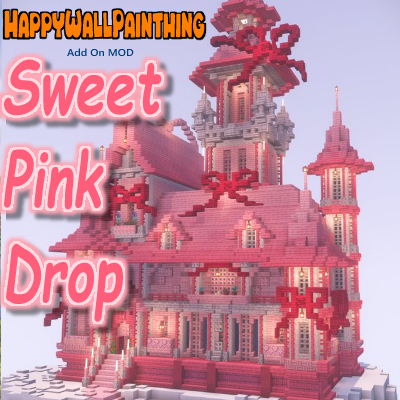
CurseForge · Minecraft mod
An add-on for Happy Wall Painting that brings gentle pink gradients into your world.
Quick answer
Sweet Pink Drop HappyWallPainting_Addon_SweetPinkDrop-1.1.0.jar targets 1.21.1 with NeoForge. The project page does not say whether this file belongs on the client, dedicated server, or both. All 1 required mods have matching files.
Where it goes
The project page does not say whether this file belongs on the client, dedicated server, or both.
The source does not explicitly classify this release as client-only or server-only.
HappyWallPainting_Addon_SweetPinkDrop-1.1.0.jar. Change the file and its required mods may change too.
Install Happy Wall Painting! first. We found matching files for this game-version and loader setup.
We only count dependency files that match this setup. A file for another loader does not fill the gap.
Before you install it
Built for Sweet Pink Drop HappyWallPainting_Addon_SweetPinkDrop-1.1.0.jar. Pick another file and the loader, install side or required mods may change.
Use HappyWallPainting_Addon_SweetPinkDrop-1.1.0.jar. It targets 1.21.1 with NeoForge; another release may have different loader, side or dependency requirements.
Install Happy Wall Painting! first. We found matching files for this game-version and loader setup.
The project page does not say whether this file belongs on the client, dedicated server, or both.
Use the “Get this file” button beside HappyWallPainting_Addon_SweetPinkDrop-1.1.0.jar. It opens that exact file at the source.
About this project

Sweet Pink Drop is an add-on mod for Happy Wall Painting, introducing a selection of soft and sweet pink gradient blocks.
Perfect for romantic builds, cozy interiors, or dreamy fantasy towns, this pack adds gentle hues like RoseCandy, StrawberryMilk, and SakuraMist.
This add-on requires Happy Wall Painting v1.3.0 or later to function.
Expand your palette. Paint your world in pink.
Special Thanks:The key visual artwork was created by しきたす. Follow the account: X
Subscribe to the UrotanMOD Official Guide for more updates and tutorials,
and follow me on X to see more of what’s coming!
Sweet Pink Drop は、Happy Wall Painting を拡張するアドオンMODです。
ローズキャンディ、ストロベリーミルク、サクラミストなど、やわらかく甘美なピンク系グラデーションのブロックを追加します。
ロマンチックな建築、あたたかな室内、夢見るファンタジータウンに最適です。
このアドオンのご利用には Happy Wall Painting v1.3.0 以降のバージョンが必要です。
あなたの世界を、ピンクで彩りましょう。
Special Thanks:キービジュアルの建築はしきたすさんです フォローはこちら!: X
アップデートやチュートリアルの情報はUrotanMOD Official Guideで、
最新の進捗はXで発信しています!
Project description from CurseForge.
Pick your setup
Choose the version and loader you play, then open the matching release.
Check the dependencies, then try the file in a copied instance before changing a world you care about.
Recent files
19 Nov 2025
HappyWallPainting_Addon_SweetPinkDrop-1.0.0.jar
13 Jun 2025
Looking for an older file? The official CurseForge project page is in Resources.
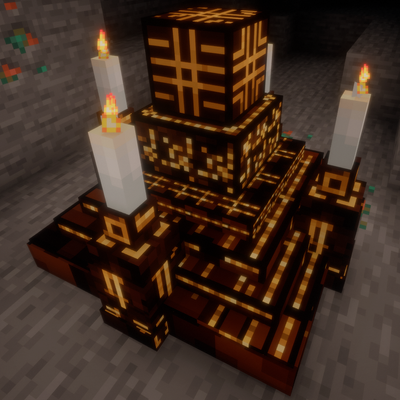 mod
modA survival horror experience shaped by community feedback, combining uncanny creature variants, reality-breaking events, and oppressive audio with a true objective: assemble the altar and overcome the presence consuming your world.
 mod
modallows to swap weapon skill,adds new weapon skills to epic fight weapons;has integration with iron spells
 mod
modA Tensura: Reincarnated add-on that expands race evolution paths, adds new skills, and adds new custom races.