Create Needed by Create: Resource Vents create_resource_vents-1.3.jar
requiredMatching file found Matched file: Create 6.0.8 for mc1.20.1

CurseForge · Minecraft mod
Reworking of Create: Molten Vents to be lean and modern
Quick answer
Create: Resource Vents create_resource_vents-1.3.jar targets 1.20.1 with Forge. The project page does not say whether this file belongs on the client, dedicated server, or both. All 1 required mods have matching files.
Where it goes
The project page does not say whether this file belongs on the client, dedicated server, or both.
The source does not explicitly classify this release as client-only or server-only.
create_resource_vents-1.3.jar. Change the file and its required mods may change too.
Install Create first. We found matching files for this game-version and loader setup.
We only count dependency files that match this setup. A file for another loader does not fill the gap.
Before you install it
Built for Create: Resource Vents create_resource_vents-1.3.jar. Pick another file and the loader, install side or required mods may change.
Use create_resource_vents-1.3.jar. It targets 1.20.1 with Forge; another release may have different loader, side or dependency requirements.
Install Create first. We found matching files for this game-version and loader setup.
The project page does not say whether this file belongs on the client, dedicated server, or both.
Use the “Get this file” button beside create_resource_vents-1.3.jar. It opens that exact file at the source.
About this project

Create: Resource Vents is a reworking of Create: Molten Vents, made to be completely backwards compatible with Molten Vents, automatically upgrading any dormant or active Molten Vent already in the world, provided they are defined in the config.
Locating Resource Vents:
You can find resource vents strewn across the surface of the Overworld and more rarely in the Nether.
Activating Resource Vents:
To activate a Resource Vent, you must place a Superheating Blaze Burner above the Resource Vent, and it will activate after 10 seconds.
Technical implementation details can be found in the GitHub's Wiki page, which is currently a work in progress.
Deploy a Minecraft server using our official hosting partner.
Project description from CurseForge.
Pick your setup
Choose the version and loader you play, then open the matching release.
Check the dependencies, then try the file in a copied instance before changing a world you care about.
Recent files
19 Nov 2025
24 Jun 2025
23 Jun 2025
23 Jun 2025
16 Jun 2025
Looking for an older file? The official CurseForge project page is in Resources.
 mod
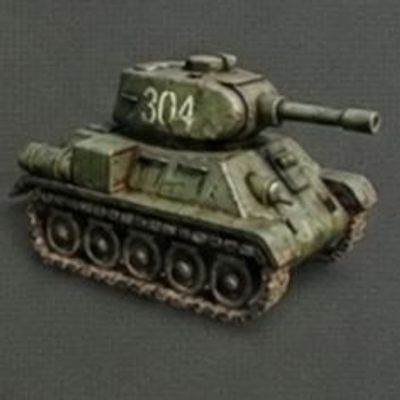
Adds balanced survival crafting recipes for Trajan's Tanks, including tanks, components, and ammunition. Makes the mod's vehicles obtainable in survival without changing its original content.
 mod
Become your favorite Book of Dragons species! Transform, fly, customize your genetics, bond with riders, and experience Minecraft as a dragon.
 mod
Tweaks for AAAParticles such as rendering/performance optimizations an isolated post-processing particle bloom pipeline.