Fabric API Needed by Blueprint overlay Blueprints 26.2.12
requiredMatching file found Matched file: [26.2] Fabric API 0.161.0+26.2
CurseForge · Minecraft mod
A Minecraft client side mod to project, scale and rotate real blueprint schematics and images into your world as in-place references for creating accurate builds.
Quick answer
Blueprint overlay Blueprints 26.2.12 targets 26.2 with Fabric. The project page does not say whether this file belongs on the client, dedicated server, or both. All 1 required mods have matching files.
Where it goes
The project page does not say whether this file belongs on the client, dedicated server, or both.
The source does not explicitly classify this release as client-only or server-only.
Blueprints 26.2.12 on 26.2. Every mod below is checked against that same setup.
Install Fabric API first. We found matching files for this game-version and loader setup.
We only count dependency files that match this setup. A file for another loader does not fill the gap.
Before you install it
Built for Blueprint overlay Blueprints 26.2.12 on 26.2. Pick another file and the loader, install side or required mods may change.
Use Blueprints 26.2.12. It targets 26.2 with Fabric; another release may have different loader, side or dependency requirements.
Install Fabric API first. We found matching files for this game-version and loader setup.
The project page does not say whether this file belongs on the client, dedicated server, or both.
Use the “Get this file” button beside Blueprints 26.2.12. It opens that exact file at the source.
About this project
A client side mod I created to project reference images and schematics into the minecraft world.
You need to be holding an ItemFrame in either your hand or your offhand to see the images.
The default key "O" will launch the config which will create folders for you to upload images in your filesystem:
{Minecraft}/config/blueprints/{world name}/{dimension name}
![Main config screen] 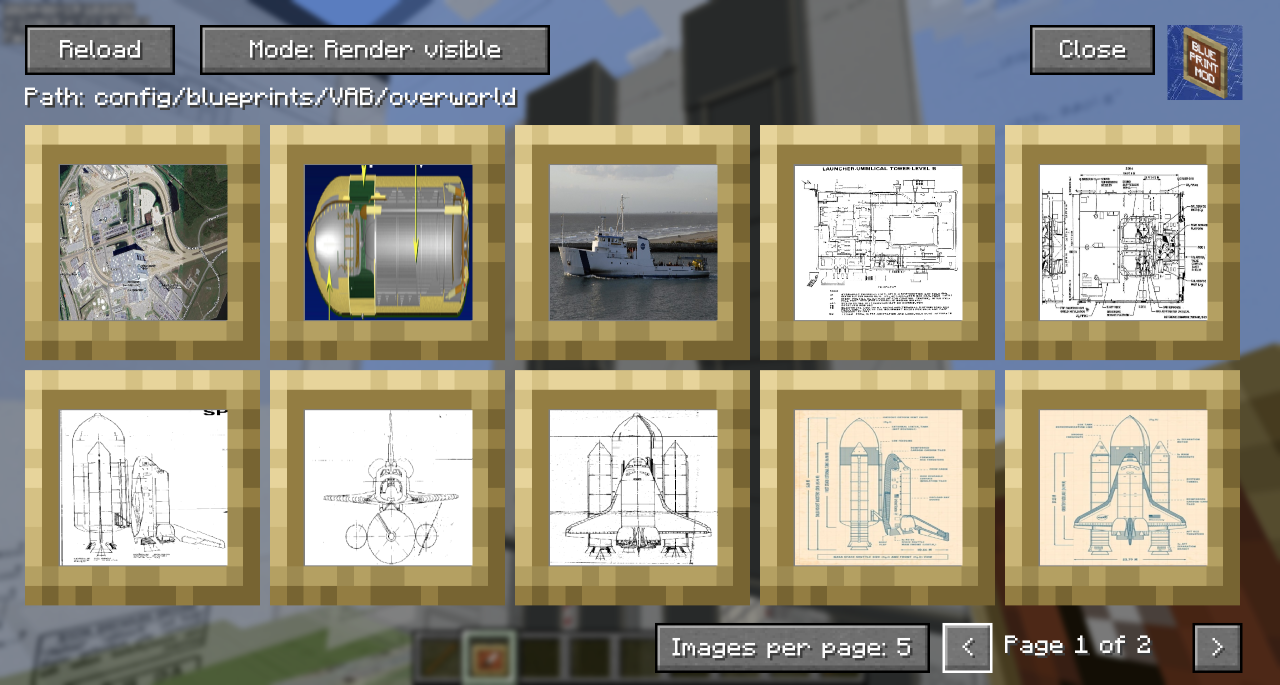
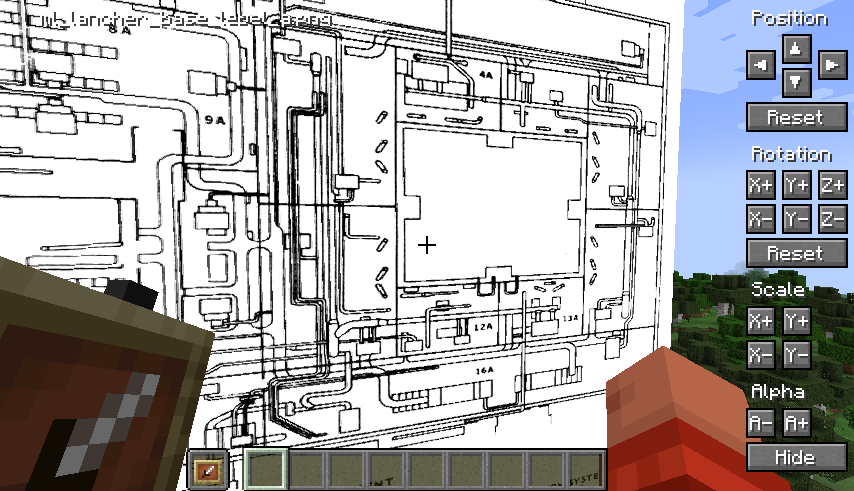
Position tweaking is player-facing aware: e.g. left is always left
You can hold down Shift to increase the amount of change each button applies for bigger tweaks.
You can hold down Ctrl to reduce the amount of change each button applies for small tweaks.
You can hold down both Shift and Ctrl to make big changes to settings on each click.
A quick overview can be seen in this video which was the reason I created the mod:
Project description from CurseForge.
Pick your setup
Choose the version and loader you play, then open the matching release.
Showing the newest 12 of 13 game versions. Older files are in the list below.
Check the dependencies, then try the file in a copied instance before changing a world you care about.
Recent files
blueprints.2024-26.2.12.jar
4 Jul 2026
Looking for an older file? The official CurseForge project page is in Resources.
 mod
Breed faster Happy Ghasts, boost flight speed with Speed Potions or Snowballs, and inspect mount stats with a Book and Quill.
 mod
A new world option lets you customize the initial border size, and the border will expand as you earn achievements...
 mod
Checks installed mods for available updates