Armor Poser Optional for Player Armor Stands 0.9.5 for neoforge 1.21.10
optionalMatching file found Matched file: ArmorPoser-neoforge-1.21.10-12.3.0.jar

CurseForge · Minecraft mod
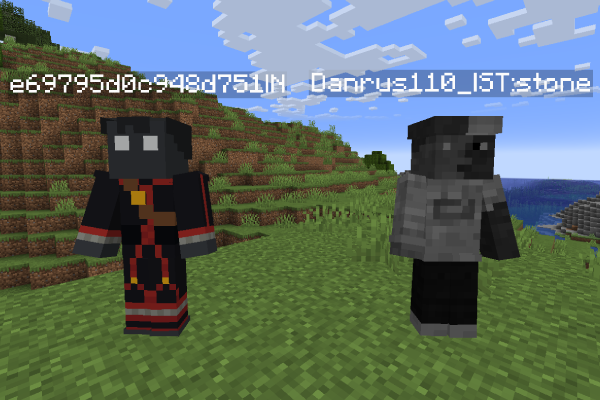
Make named armor stands looks like players!
Quick answer
Player Armor Stands 0.9.5 for neoforge 1.21.10 targets 1.21.10 with NeoForge. The project page does not say whether this file belongs on the client, dedicated server, or both. All 1 required mods have matching files.
Where it goes
The project page does not say whether this file belongs on the client, dedicated server, or both.
The source does not explicitly classify this release as client-only or server-only.
Player Armor Stands 0.9.5 for neoforge 1.21.10. Change the file and its required mods may change too.
Install YetAnotherConfigLib first. We found matching files for this game-version and loader setup.
We only count dependency files that match this setup. A file for another loader does not fill the gap.
Before you install it
Built for Player Armor Stands 0.9.5 for neoforge 1.21.10. Pick another file and the loader, install side or required mods may change.
Use Player Armor Stands 0.9.5 for neoforge 1.21.10. It targets 1.21.10 with NeoForge; another release may have different loader, side or dependency requirements.
Install YetAnotherConfigLib first. We found matching files for this game-version and loader setup.
The project page does not say whether this file belongs on the client, dedicated server, or both.
Use the “Get this file” button beside Player Armor Stands 0.9.5 for neoforge 1.21.10. It opens that exact file at the source.
About this project




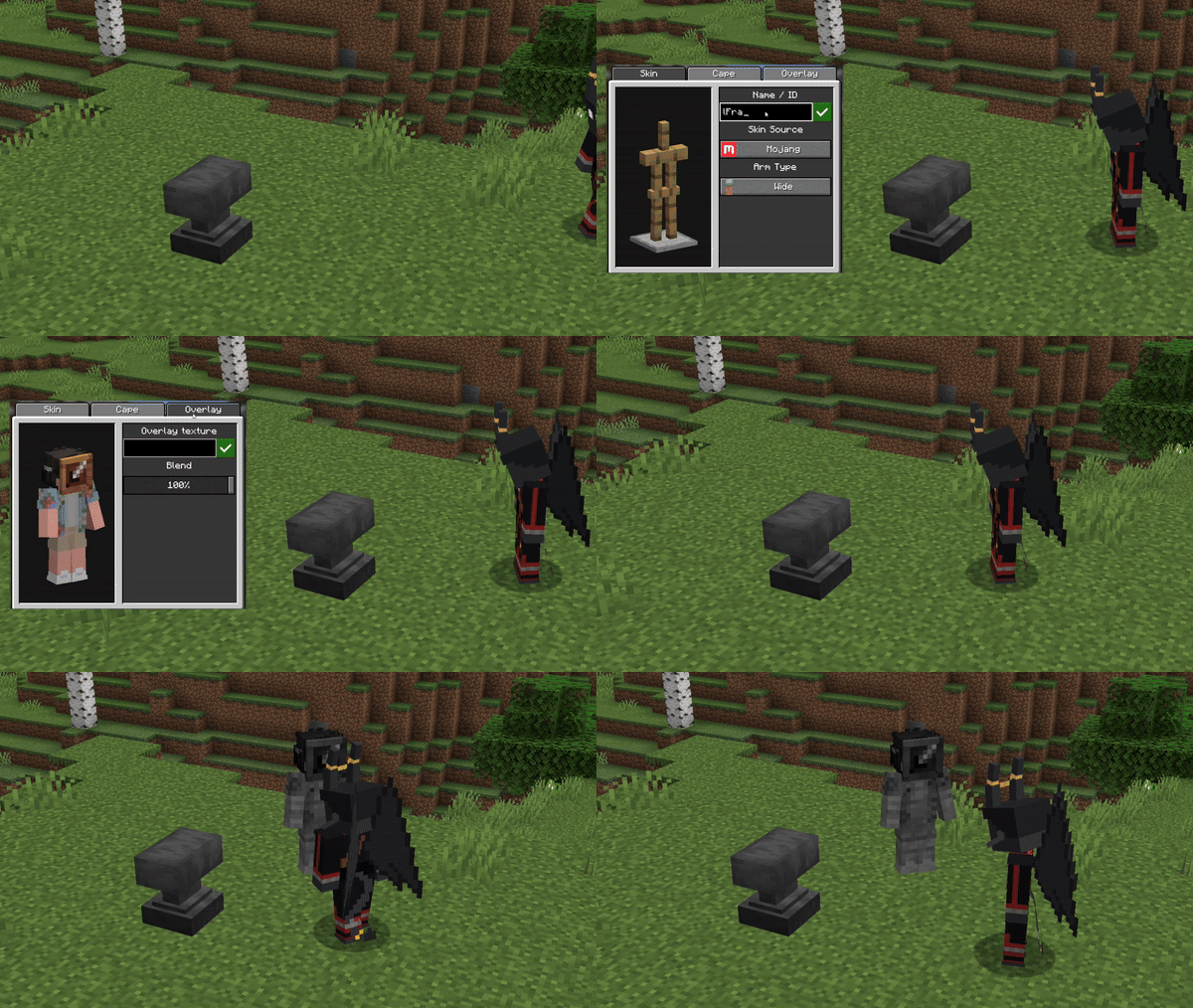

| Modificator | Description | Preview |
|---|---|---|
| Name|C | Display the Cape on Armor Stand | 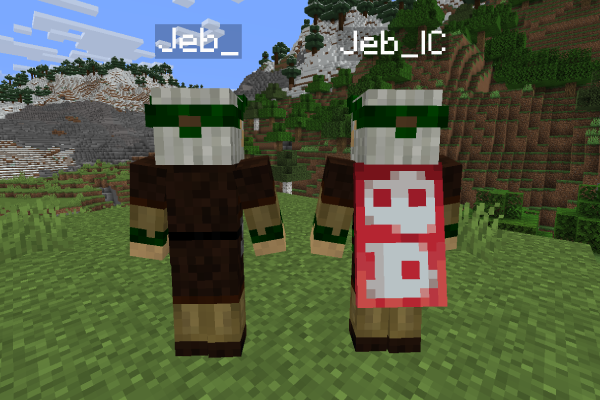 |
| Name|S | Makes arms look Slim | 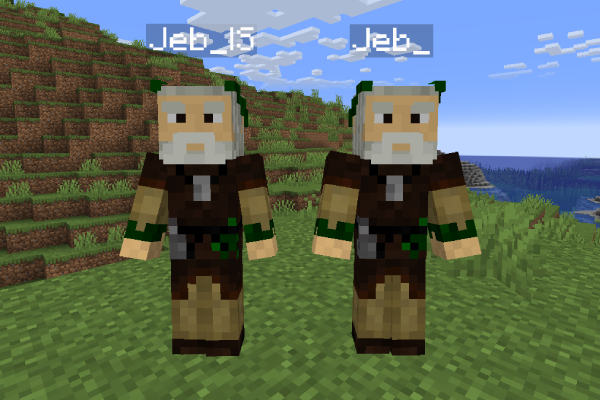 |
| Name|T:block-texute-name%100 | Applies the Texture specified after “:” (from assets/minecraft/textures/blocks). You can use %number to specify how much the texture will blend with the skin. |
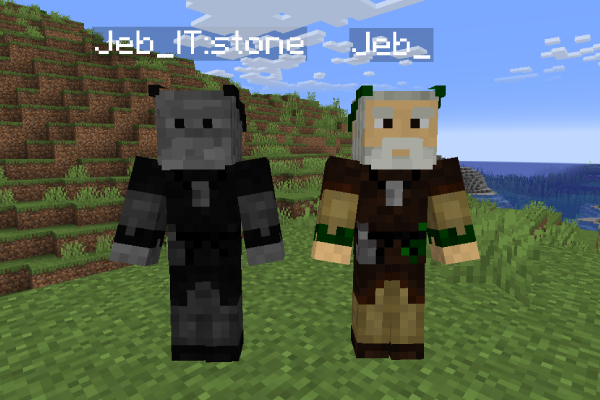 |
| skin_id|N | Loads skin from NameMC servers (e.g https://namemc.com/skin/skin_id) |
 |
undefined
Project description from CurseForge.
Pick your setup
Choose the version and loader you play, then open the matching release.
Showing the newest 12 of 13 game versions. Older files are in the list below.
Check the dependencies, then try the file in a copied instance before changing a world you care about.
Recent files
pas-0.9.5-NFG-1.21.10.jar
16 Apr 2026
pas-0.9.5-FBR-1.21.10.jar
16 Apr 2026
pas-0.9.4-FBR-26.1.jar
12 Apr 2026
pas-0.9.4-FBR-1.21.8.jar
12 Apr 2026
pas-0.9.4-NFG-1.21.8.jar
12 Apr 2026
pas-0.9.4-NFG-1.21.5.jar
12 Apr 2026
pas-0.9.4-FBR-1.21.5.jar
12 Apr 2026
pas-0.9.4-NFG-1.21.4.jar
12 Apr 2026
pas-0.9.4-FBR-1.21.4.jar
12 Apr 2026
pas-0.9.4-FBR-1.21.11.jar
12 Apr 2026
pas-0.9.4-NFG-1.21.10.jar
12 Apr 2026
pas-0.9.4-FBR-1.21.10.jar
12 Apr 2026
Looking for an older file? The official CurseForge project page is in Resources.
 mod
Vanilla+ additions: Jars, signposts, faucets, weather vanes spring launchers, sconces, planters, lights, decoration and automation
 mod
Adds a series of tools like cameras and tripods and a photo scoring system (Think Pokemon Snap) to take photos and catalogue all creatures in various ways
 mod
Modern weapons. Tactical gear. A high-stakes multiplayer extraction shooter inside Minecraft.