Minecraft version
Back to mods 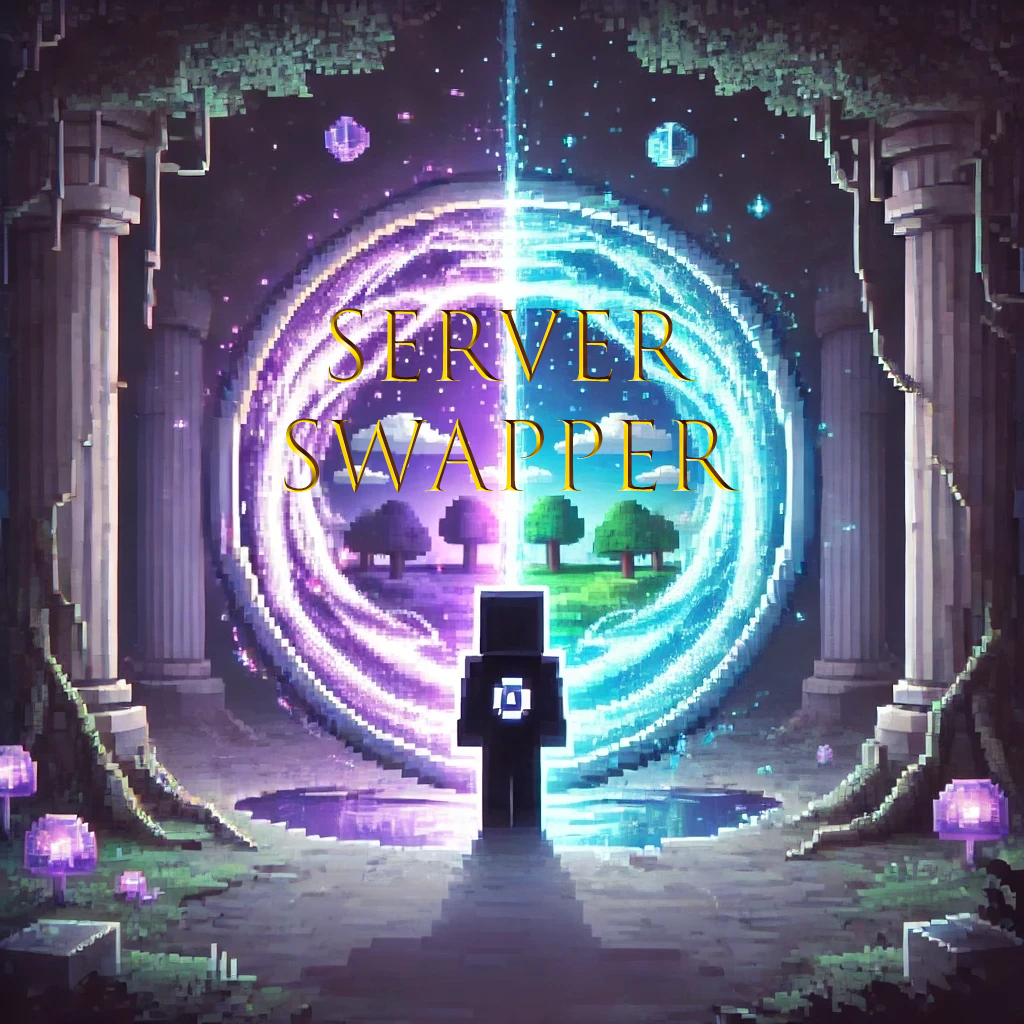
CurseForge · Minecraft mod
Server Swapper
Allows portal use between neoforge servers
Choose a version Pick your version below, then grab the matching file.
Quick answer
Which Server Swapper release should I use?
Latest stable file serverswapper-1.0.3.jar
Game version 1.21.1
Loader NeoForge
Server Swapper serverswapper-1.0.3.jar targets 1.21.1 with NeoForge. The project page does not say whether this file belongs on the client, dedicated server, or both. No extra mods listed for this file.
Where it goes
Is Server Swapper required on the client, server, or both?
The project page does not say whether this file belongs on the client, dedicated server, or both.
Client Source doesn’t say
Dedicated server Source doesn’t say
Loader for this release NeoForge
Required install it here Optional supported, not mandatory Not supported do not install here Source doesn’t say do not assume
The source does not explicitly classify this release as client-only or server-only.
What else does Server Swapper serverswapper-1.0.3.jar need?
serverswapper-1.0.3.jar. Change the file and its required mods may change too.
This file does not list any required mods. Do not add a library just because a different file uses it.
This file does not list any required or optional mods.
Before you install it
Add Server Swapper without breaking your instance.
Built for Server Swapper serverswapper-1.0.3.jar. Pick another file and the loader, install side or required mods may change.
- 01
Stick to this file
Use serverswapper-1.0.3.jar. It targets 1.21.1 with NeoForge; another release may have different loader, side or dependency requirements.
- 02
Bring the mods it needs
This file does not list any required mods. Do not add a library just because a different file uses it.
- 03
Put it on the correct side
The project page does not say whether this file belongs on the client, dedicated server, or both.
- 04
Pick the file you checked
Use the “Get this file” button beside serverswapper-1.0.3.jar. It opens that exact file at the source.
About this project
What does Server Swapper add?
Server Portal Mod
Are you looking for a portal to switch between Neoforge servers? Well here it is!
Key Features
- Customizable Portals: Create special portals that act as gateways to other server instances or specific IPs/ports. The portals have a distinctive gold appearance with dynamic particle effects.
- Persistent Server Destinations: Server administrators can easily manage a list of predefined server connections (name, IP, port) using intuitive in-game commands.
- Cross-Server Chat (via RCON): Connect chat across your entire server network, allowing players on different servers to communicate seamlessly.
- Configurable Message Formats: Tailor the appearance of cross-server chat messages, player join messages, and player leave messages using placeholders and various color codes.
How it Enhances Your Server
- Easy Server Hubs: Create a central hub that links to your survival, creative, minigame, or resource servers.
- Intuitive Navigation: Players don't need to disconnect and reconnect; simply walk through a portal.
- Immersive Experience: The custom visuals make portal travel feel unique and magical.
- Unified Community: Foster a more connected player base by enabling real-time chat and presence notifications across all linked servers.
- Admin Control: Commands for adding, removing, and listing server destinations put you in charge of your network's flow.
Commands (OP & LuckPerms Integration)
/swp create <name>– Spawn a portal to a saved server destination./swp list– View all saved server destinations./swp add <name> <ip> <port>– Add a new server destination to the config./swp remove <name>– Remove a saved server destination./swp reload– Reload the mod's configuration./swp help– Display mod commands.
Configuration
There's a ton of config options, basically everything I could think anyone would want to change! This includes particle size, cooldown time, teleport delay, portal frame block, and much more. You can now also extensively customize the cross server chat message formats, including support for Minecraft's native § color codes, the common & format, and Solstice color tags, along with dynamic placeholders for server name, player name, LuckPerms prefix/suffix, and message content.
Limitations
- Single Player Incompatibility: The mod does not currently work in single-player mode and is designed specifically for multiplayer Neoforge servers (Work in Progress).
- RCON Dependency for Chat: Cross-server chat functionality requires proper RCON configuration on all linked servers.
- Must be on client and server!
Project description from CurseForge.
Pick your setup
Server Swapper by Minecraft version and loader
Choose the version and loader you play, then open the matching release.
Check the dependencies, then try the file in a copied instance before changing a world you care about.
Recent files
Server Swapper versions and loaders
serverswapper-1.0.3.jar
27 Jun 2025
Client Source doesn’t say Server Source doesn’t say Dependencies No extras listed Listed on Release listing
Check the 1.21.1 · NeoForge setup NeoForge1.21.1 release
serverswapper-1.0.2.jar
27 Jun 2025
Client Source doesn’t say Server Source doesn’t say Dependencies No extras listed Listed on Release listing
Check the 1.21.1 · NeoForge setup NeoForge1.21.1 release
serverswapper-1.0.1.jar
27 Jun 2025
Client Source doesn’t say Server Source doesn’t say Dependencies No extras listed Listed on Release listing
Check the 1.21.1 · NeoForge setup NeoForge1.21.1 release
serverswapper-1.0.0.jar
26 Jun 2025
Client Source doesn’t say Server Source doesn’t say Dependencies No extras listed Listed on Release listing
Check the 1.21.1 · NeoForge setup NeoForge1.21.1 release
Looking for an older file? The official CurseForge project page is in Resources.
 mod
CurseForge · Minecraft
XP: Attribute Core
It adds a wide variety of RPG-style attributes
 mod
CurseForge · Minecraft
Combat Punchy! Epic Fight x Punchy x Punchy!Moves
Automatic combat and animation switching for Epic Fight, Punchy, and Punchy!Moves. Supports WOM; no Epic Tweaks required.
 mod
CurseForge · Minecraft
Caldarium
Generators, batteries, chargers and cables for Forge Energy. Nine generators that each run on something different, eight tiers, and an artificial sun that powers solar panels day and night.