
Minecraft version
Back to mods 
CurseForge · Minecraft mod
ChatManager
Chat Management mod that chat channels, chat formatting and chat styling, as well as message filtering and notifications
Choose a version Pick your version below, then grab the matching file.
Quick answer
Which ChatManager release should I use?
Latest stable file chatmanager-NEOFORGE-1.21.1-1.3.7.jar
Game version 1.21.1
Loader NeoForge
chatmanager-NEOFORGE-1.21.1-1.3.7.jar targets 1.21.1 with NeoForge. The project page does not say whether this file belongs on the client, dedicated server, or both. No extra mods listed for this file.
Where it goes
Is ChatManager required on the client, server, or both?
The project page does not say whether this file belongs on the client, dedicated server, or both.
Client Source doesn’t say
Dedicated server Source doesn’t say
Loader for this release NeoForge
Required install it here Optional supported, not mandatory Not supported do not install here Source doesn’t say do not assume
The source does not explicitly classify this release as client-only or server-only.
What else does chatmanager-NEOFORGE-1.21.1-1.3.7.jar need?
chatmanager-NEOFORGE-1.21.1-1.3.7.jar. Change the file and its required mods may change too.
This file does not list any required mods. Do not add a library just because a different file uses it.
This file does not list any required or optional mods.
Before you install it
Add ChatManager without breaking your instance.
Built for chatmanager-NEOFORGE-1.21.1-1.3.7.jar. Pick another file and the loader, install side or required mods may change.
- 01
Stick to this file
Use chatmanager-NEOFORGE-1.21.1-1.3.7.jar. It targets 1.21.1 with NeoForge; another release may have different loader, side or dependency requirements.
- 02
Bring the mods it needs
This file does not list any required mods. Do not add a library just because a different file uses it.
- 03
Put it on the correct side
The project page does not say whether this file belongs on the client, dedicated server, or both.
- 04
Pick the file you checked
Use the “Get this file” button beside chatmanager-NEOFORGE-1.21.1-1.3.7.jar. It opens that exact file at the source.
About this project
What does ChatManager add?
ChatManager
a highly configurable chat mod for modern Minecraft servers. It introduces powerful, customizable chat channels and advanced formatting, making community discussions clearer and easier to moderate. With deep placeholder and permission support, ChatManager is the perfect backbone for servers that want professionalism and flexibility in their chat experience.
Before

After
Message Notifications
Features
- Client-side Message Filtering: Players’ clients only display messages from the channels they join or select, reducing spam and making it easy to focus on relevant conversations.
- Configurable Chat Channels: Easily set up channels like General, Market, Help, and Offtopic, each with its own formatting and permissions. Channel colors and styles are fully customizable.
- Placeholder Support: Dynamically insert data such as player names, locations, world time, levels, health, server stats, and much more into chat messages with built-in placeholders.
- LuckPerms Integration: Seamlessly show player prefixes and suffixes using LuckPerms data (Servers Only, do not install luckperms in your singleplayer world).
- Rich Formatting: Style your chat using Minecraft’s component system, including colors, gradients, tags, and more for a modern look.
- Permissions Control: Restrict access and usage of channels based on permissions excellent for server moderation and specialized chat rooms.
- Command-based Channel Switching: Swap channels, send private or public messages, and more all through intuitive commands.
- Performance Friendly: Lightweight design ensures minimal impact on server performance.
- Compatibility: Compatible with ChatHeads and FTB Essentials Nicknames! Need more compatibility? Join the discord and let me know!
Existing Placeholders
- {chatmanager:player} - For getting the players display name
- {chatmanager:mspt} - For getting the MS per tick, a performance metric
- {chatmanager:level} - For getting the name of the level
- {chatmanager:motd} - For getting the MOTD on the server
- {chatmanager:player_count} - For returning the player count on the server
- {chatmanager:player_ping} - for returning the players ping
- {chatmanager:player_x} - get the player x
- {chatmanager:player_y} - get the player y
- {chatmanager:player_z} - get the player z
- {chatmanager:player_xyz} - get all three coordinates at once
- {chatmanager:player_max_health} - get the players max health
- {chatmanager:player_health} - get the players current health
- {chatmanager:player_hunger} - get the players current hunger
- {player_armor:defense,SLOT} -- Shows defense amount of the armor in the given slot.
- {player_armor:color,COLOR,SLOT} -- For dyed armor, gets the color component (CHOICES: red, green, blue, hex) in the slot.
- {player_armor:durability,MODE,SLOT} -- Durability info: current or max for the slot. (choices are: "current" or "max")
- {player_armor:material,SLOT} -- Name of the armor material in the slot.
Modded Placeholders
FTB Ranks
- {ftbranks:rank} - For getting the highest priority rank on the player
LuckPerms
- {luckperms:suffix} - Get the suffix thats attached to the player
- {luckperms:prefix} - Get the prefix that's attached to the player
Project description from CurseForge.
Pick your setup
ChatManager by Minecraft version and loader
Choose the version and loader you play, then open the matching release.
Minecraft version
1.21.7
1 loader buildMinecraft version
1.21.1
1 loader buildCheck the dependencies, then try the file in a copied instance before changing a world you care about.
Recent files
ChatManager versions and loaders
chatmanager-NEOFORGE-1.21.1-1.3.7.jar
21 Aug 2025
Client Source doesn’t say Server Source doesn’t say Dependencies No extras listed Listed on Release listing
Check the 1.21.1 · NeoForge setup NeoForge1.21.1 release
chatmanager-NEOFORGE-1.21.1-1.3.6.jar
15 Aug 2025
Client Source doesn’t say Server Source doesn’t say Dependencies 1 required · 1 unchecked Listed on Release listing
Check the 1.21.1 · NeoForge setup NeoForge1.21.1 release
chatmanager-NEOFORGE-1.21.1-1.3.5.jar
6 Aug 2025
Client Source doesn’t say Server Source doesn’t say Dependencies No extras listed Listed on Release listing
Check the 1.21.1 · NeoForge setup NeoForge1.21.1 release
chatmanager-NEOFORGE-1.21.1-1.3.4.jar
25 Jul 2025
Client Source doesn’t say Server Source doesn’t say Dependencies 1 required · 1 unchecked Listed on Release listing
Check the 1.21.1 · NeoForge setup NeoForge1.21.1 release
chatmanager-1.21.7-NEOFORGE-1.3.3.jar
20 Jul 2025
Client Source doesn’t say Server Source doesn’t say Dependencies No extras listed Listed on Release listing
Check the 1.21.8 · NeoForge setup 1.21.8NeoForge1.21.7 release
chatmanager-NEOFORGE-1.3.3.jar
20 Jul 2025
Client Source doesn’t say Server Source doesn’t say Dependencies No extras listed Listed on Release listing
Check the 1.21.1 · NeoForge setup NeoForge1.21.1 release
chatmanager-NEOFORGE-1.3.2.jar
10 Jul 2025
Client Source doesn’t say Server Source doesn’t say Dependencies No extras listed Listed on Release listing
Check the 1.21.1 · NeoForge setup NeoForge1.21.1 release
chatmanager-NEOFORGE-1.3.1.jar
9 Jul 2025
Client Source doesn’t say Server Source doesn’t say Dependencies No extras listed Listed on Release listing
Check the 1.21.1 · NeoForge setup NeoForge1.21.1 release
chatmanager-NEOFORGE-1.3.0.jar
9 Jul 2025
Client Source doesn’t say Server Source doesn’t say Dependencies No extras listed Listed on Release listing
Check the 1.21.1 · NeoForge setup NeoForge1.21.1 release
chatmanager-NEOFORGE-1.2.0.jar
9 Jul 2025
Client Source doesn’t say Server Source doesn’t say Dependencies No extras listed Listed on Release listing
Check the 1.21.1 · NeoForge setup NeoForge1.21.1 release
chatmanager-NEOFORGE-1.1.3.jar
6 Jul 2025
Client Source doesn’t say Server Source doesn’t say Dependencies No extras listed Listed on Release listing
Check the 1.21.1 · NeoForge setup NeoForge1.21.1 release
chatmanager-NEOFORGE-1.1.2.jar
4 Jul 2025
Client Source doesn’t say Server Source doesn’t say Dependencies No extras listed Listed on Release listing
Check the 1.21.1 · NeoForge setup NeoForge1.21.1 release
Looking for an older file? The official CurseForge project page is in Resources.
 mod
CurseForge · Minecraft
Unyielding
Companion mod for Cobblemon Unyielding: ranks, gym leader tags, a spawn leaderboard with a dancing podium, a Tome of Souls, and giant items
 mod
CurseForge · Minecraft
IE Conveyor Refinements
A tiny mod to brush-up IE conveyors. right-click to pick up items, improve rendering.
 mod
CurseForge · Minecraft
Not Trade Cycling ,but pick
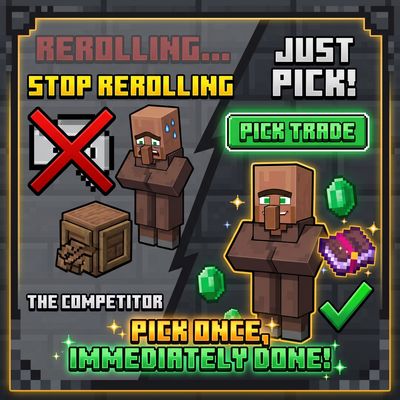
Stop rerolling villagers. Just pick. Open a new villager’s trade screen, press Pick trade, and choose any 2 trades its profession can offer (enchanted books at max level included). They replace the villager’s starting trades.