Minecraft version
Back to mods 
CurseForge · Minecraft mod
Permanent Effects
This mod adds permanent effects.
Choose a version Pick your version below, then grab the matching file.
Quick answer
Which Permanent Effects release should I use?
beta file Permanent Effects 1.0.0-Forge 1.20.1
Game version 1.20.1
Loader Forge
Permanent Effects 1.0.0-Forge 1.20.1 targets 1.20.1 with Forge. The project page does not say whether this file belongs on the client, dedicated server, or both. No extra mods listed for this file.
Where it goes
Is Permanent Effects required on the client, server, or both?
The project page does not say whether this file belongs on the client, dedicated server, or both.
Client Source doesn’t say
Dedicated server Source doesn’t say
Loader for this release Forge
Required install it here Optional supported, not mandatory Not supported do not install here Source doesn’t say do not assume
The source does not explicitly classify this release as client-only or server-only.
What else does Permanent Effects 1.0.0-Forge 1.20.1 need?
Permanent Effects 1.0.0-Forge 1.20.1. Change the file and its required mods may change too.
This file does not list any required mods. Do not add a library just because a different file uses it.
This file does not list any required or optional mods.
Before you install it
Add Permanent Effects without breaking your instance.
Built for Permanent Effects 1.0.0-Forge 1.20.1. Pick another file and the loader, install side or required mods may change.
- 01
Stick to this file
Use Permanent Effects 1.0.0-Forge 1.20.1. It targets 1.20.1 with Forge; another release may have different loader, side or dependency requirements.
- 02
Bring the mods it needs
This file does not list any required mods. Do not add a library just because a different file uses it.
- 03
Put it on the correct side
The project page does not say whether this file belongs on the client, dedicated server, or both.
- 04
Pick the file you checked
Use the “Get this file” button beside Permanent Effects 1.0.0-Forge 1.20.1. It opens that exact file at the source.
About this project
What does Permanent Effects add?
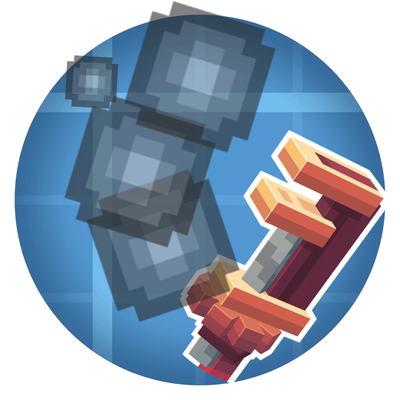
This mod adds permanent effects to enhance your survival mode gameplay! Using this mod, you can apply effects by crafting a permanent effector and using it. Using either Compressed Diamonds or Compressed Netherite, you can upgrade you permanent effects. You can make Compressed Diamonds by combining two diamonds and a hammer in a smithing table. Similarly, you can make Compressed Netherite by combining two netherite ingots and a hammer in a smithing table.
Please give me suggestions in the comments. I am open to any ideas to help improve this mod.
My mods 1.20.1 versions are NOT going to be receiving new updates.
Project description from CurseForge.
Pick your setup
Permanent Effects by Minecraft version and loader
Choose the version and loader you play, then open the matching release.
Minecraft version
1.21.1
1 loader buildMinecraft version
1.20.1
1 loader buildCheck the dependencies, then try the file in a copied instance before changing a world you care about.
Recent files
Permanent Effects versions and loaders
Permanent Effects 1.0.0-Forge 1.20.1
permanenteffects-1.0.0-forge-1.20.1.jar
4 Jul 2025
Client Source doesn’t say Server Source doesn’t say Dependencies No extras listed Listed on Release listing
Check the 1.20.1 · Forge setup 1.20.1Forge beta
Permanent Effects 1.0.0-Neoforge 1.21.1
permanenteffects-1.0.0-neoforge-1.21.1.jar
4 Jul 2025
Client Source doesn’t say Server Source doesn’t say Dependencies No extras listed Listed on Release listing
Check the 1.21.1 · NeoForge setup NeoForge1.21.1 beta
Permanent Effects 1.0.0-Neoforge 1.21.4
permanenteffects-1.0.0-neoforge-1.21.4.jar
4 Jul 2025
Client Source doesn’t say Server Source doesn’t say Dependencies No extras listed Listed on Release listing
Check the 1.21.4 · NeoForge setup 1.21.4NeoForge beta
Looking for an older file? The official CurseForge project page is in Resources.
 mod
mod CurseForge · Minecraft
Create: Smog
Adds pollution to Create. Compatible with PoTR.
 mod
mod CurseForge · Minecraft
Federation Of Kaos: Kaos Protocol
TaCZ gun progression and upkeep: learn guns from blueprints, then deal with wear, jams, fouling, repairs and graded parts.
 mod
mod CurseForge · Minecraft
Federation Of Kaos: Augment Protocol
Armor-gated augments: craftable passive, active and flex augments, plus Recall Pads, plasma weapons, a jetpack, a parachute and a grapple.