Minecraft version
Back to mods 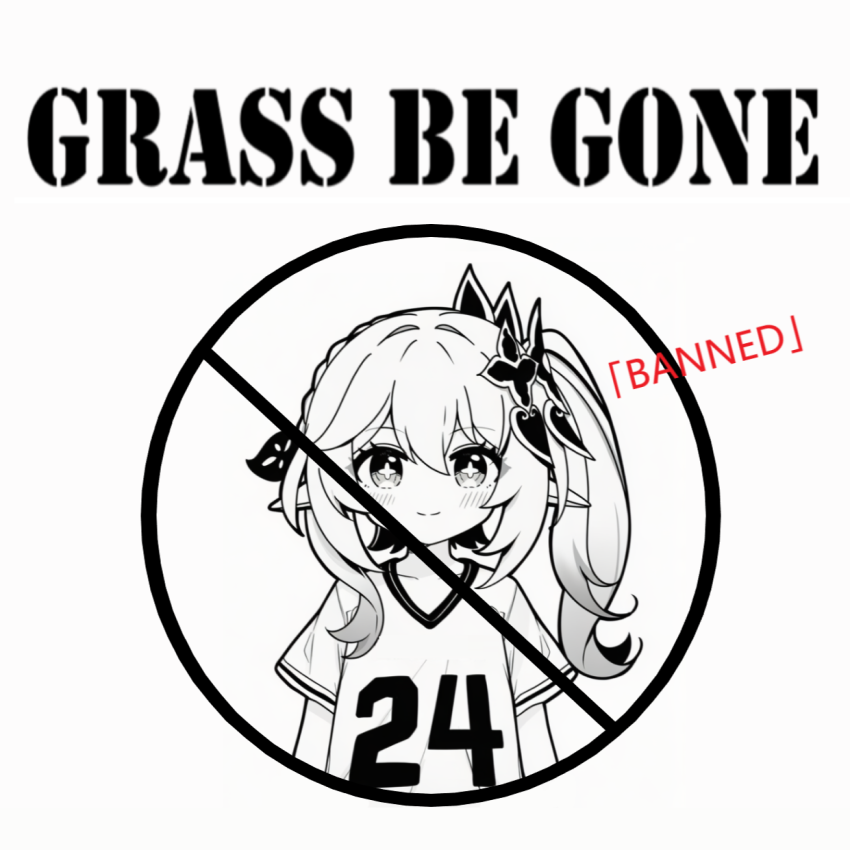
CurseForge · Minecraft mod
Grass Be Gone
Let you blacklist specific grass, flowers, and block from world ground feature generation, with fine-tuned control.
Choose a version Pick your version below, then grab the matching file.
Quick answer
Which Grass Be Gone release should I use?
Latest stable file GrassBeGone-Forge-1.20.1-1.0.0.jar
Game version 1.20.1
Loader Forge
Grass Be Gone GrassBeGone-Forge-1.20.1-1.0.0.jar targets 1.20.1 with Forge. The project page does not say whether this file belongs on the client, dedicated server, or both. No extra mods listed for this file.
Where it goes
Is Grass Be Gone required on the client, server, or both?
The project page does not say whether this file belongs on the client, dedicated server, or both.
Client Source doesn’t say
Dedicated server Source doesn’t say
Loader for this release Forge
Required install it here Optional supported, not mandatory Not supported do not install here Source doesn’t say do not assume
The source does not explicitly classify this release as client-only or server-only.
What else does Grass Be Gone GrassBeGone-Forge-1.20.1-1.0.0.jar need?
GrassBeGone-Forge-1.20.1-1.0.0.jar. Change the file and its required mods may change too.
This file does not list any required mods. Do not add a library just because a different file uses it.
This file does not list any required or optional mods.
Before you install it
Add Grass Be Gone without breaking your instance.
Built for Grass Be Gone GrassBeGone-Forge-1.20.1-1.0.0.jar. Pick another file and the loader, install side or required mods may change.
- 01
Stick to this file
Use GrassBeGone-Forge-1.20.1-1.0.0.jar. It targets 1.20.1 with Forge; another release may have different loader, side or dependency requirements.
- 02
Bring the mods it needs
This file does not list any required mods. Do not add a library just because a different file uses it.
- 03
Put it on the correct side
The project page does not say whether this file belongs on the client, dedicated server, or both.
- 04
Pick the file you checked
Use the “Get this file” button beside GrassBeGone-Forge-1.20.1-1.0.0.jar. It opens that exact file at the source.
About this project
What does Grass Be Gone add?
🌾 GrassBeGone - No More Annoying Grass
Sometimes you find the perfect flat land to build your base—only to see it covered in grass everywhere. So you spend time breaking them one by one or flooding them with water, only to end up with a backpack full of unwanted seeds.
Or maybe you just feel that certain plant blocks shouldn't be generating on the surface, but editing data packs is too much trouble.
This mod is made for that exact pain.
By default, it disables the generation of minecraft:grass (not including tall grass, so you can still obtain seeds the usual way).
You can also configure GrassBeGone.toml to blacklist the generation of specific plants—including those from other mods.
It does not affect bone meal use—bone meal can still grow grass and flowers as usual.
Terrain generation (like stone and ores) is not affected by this mod.
有时候你找到了一块不错的平地,正想建造基地,却发现地上全是草。你只好一点点打掉或用水冲走,结果又捡了一地种子,把背包塞得满满的。
或者你就是觉得有些方块不该生成在世界表面,但是调整数据包很麻烦。
本模组就是为了解决这个问题。
默认禁止生成 minecraft:grass(不包括 tall_grass,高草依然可以打种子),
你也可以在配置文件 GrassBeGone.toml 中,禁止生成特定的花草(包括其他模组添加的)。
它不会影响骨粉催生草和花的机制。
地形生成(石头和矿物)不受mod此影响。
Project description from CurseForge.
Pick your setup
Grass Be Gone by Minecraft version and loader
Choose the version and loader you play, then open the matching release.
Check the dependencies, then try the file in a copied instance before changing a world you care about.
Recent files
Grass Be Gone versions and loaders
GrassBeGone-Forge-1.20.1-1.0.0.jar
12 Jul 2025
Client Source doesn’t say Server Source doesn’t say Dependencies No extras listed Listed on Release listing
Check the 1.20.1 · Forge setup 1.20.1Forge release
Looking for an older file? The official CurseForge project page is in Resources.
 mod
CurseForge · Minecraft
Limitless: Beyond Infinity
Become Satoru Gojo in Minecraft: Infinity, Six Eyes, Blue, Red, 200% Hollow Purple, Unlimited Void Domain Expansion, Falling Blossom, Absolute Perception, Ore Vision, Radial Menu, and anime voice lines. (EN / ES)
 mod
CurseForge + Modrinth · Minecraft
Create: Transit
Let one Create logistics network request from another
 mod
CurseForge + Modrinth · Minecraft
ShatterLib | OctoLib
Collection of shared code for OctoStudios' mods