Just Enough Items (JEI) Optional for Easy Dyes easydyes-1.18.2-1.1.jar
optionalMatching file found Matched file: 10.6.1.1023 for Forge 1.18.2
CurseForge · Minecraft mod
Makes it easier to obtain dyes & to work with them
Quick answer
Easy Dyes easydyes-1.18.2-1.1.jar targets 1.18.2 with Forge. The project page does not say whether this file belongs on the client, dedicated server, or both. No extra mods listed for this file.
Where it goes
The project page does not say whether this file belongs on the client, dedicated server, or both.
The source does not explicitly classify this release as client-only or server-only.
easydyes-1.18.2-1.1.jar. Change the file and its required mods may change too.
This file does not list any required mods. Do not add a library just because a different file uses it.
We only count dependency files that match this setup. A file for another loader does not fill the gap.
Before you install it
Built for Easy Dyes easydyes-1.18.2-1.1.jar. Pick another file and the loader, install side or required mods may change.
Use easydyes-1.18.2-1.1.jar. It targets 1.18.2 with Forge; another release may have different loader, side or dependency requirements.
This file does not list any required mods. Do not add a library just because a different file uses it.
The project page does not say whether this file belongs on the client, dedicated server, or both.
Use the “Get this file” button beside easydyes-1.18.2-1.1.jar. It opens that exact file at the source.
About this project
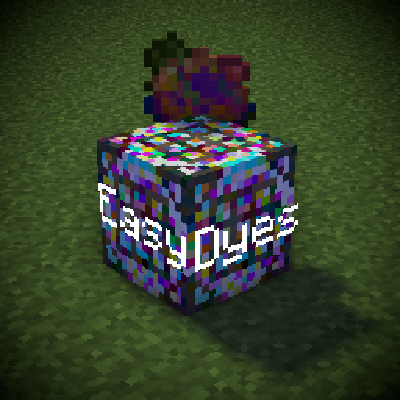
Easy Dyes is a small mod to make it easier to get vanilla dyes and allows you to turn one color into another (if you have at least one). It also adds new crafting stations to easily create uncolored, black, or white versions of blocks (such as Beds and Terracotta), and lucky blocks that drop dyes.
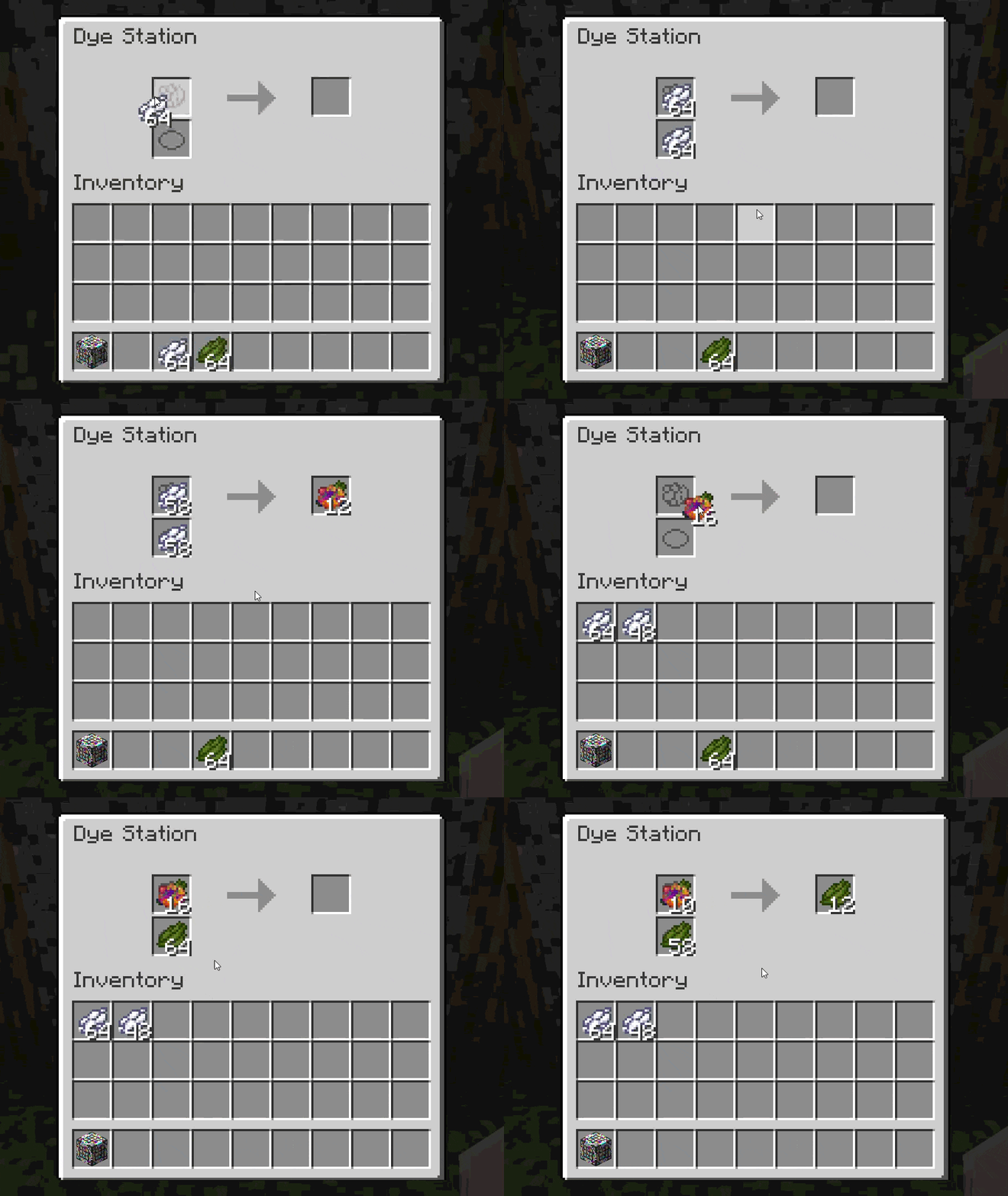

The highlight of the mod. Insert the same dye twice, doesn't matter which, and you receive Mixed Dye. This can be inserted along with another dye, converting the mixed dye into that one. Basically, you can convert any dye into another color at a 1:1 ratio, assuming you already own the target dye. 
These randomly spawn in Plains and Forests, can be broken without a tool, and drop a solid amount of random vanilla dyes. This makes it easier to obtain rare dyes such as Green Dye. They can't be crafted 
Beyond the Dye Station, there are three more, that can be crafted and then used to change the dye of vanilla blocks and items. - Bleaching Machine: turns it white, 200 ticks/item - Blacking Machine: turns it black, 200 ticks/item - Dye Removal Machine: turns into colorless version (such as Terracotta), 100 ticks/item 
There are three new flowers for more variation in the world, and easier access to the less common Dyes! They drop the flower, can be crafted into one dye, or smelted for another. - Sea Holly, found near Beaches and Rivers, common, blue & purple - Hellebore, found in Forests, green & lime - Black Rampion, found in Forests, black & brown  Also, White Tulips give White Dye instead of Light Gray Dye. This makes it far easier to get in peaceful, and there are already many other flowers that give some variation of gray.

Project description from CurseForge.
Pick your setup
Choose the version and loader you play, then open the matching release.
Check the dependencies, then try the file in a copied instance before changing a world you care about.
Recent files
23 Mar 2026
13 Jul 2025
Looking for an older file? The official CurseForge project page is in Resources.
 mod
A lightweight Tinkers' Construct addon featuring tools, new materials, and exclusive projectile traits.
 mod
A lightweight client-side mod for effortless inventory management in Minecraft.
 mod
Adds an stone that lets you transmute items into other items. Just like ProjectE's Philosopher's Stone, but more fair.