Minecraft version
Back to mods 
CurseForge · Minecraft mod
Nico's advanced banning
adds various moderation commands.
Choose a version Pick your version below, then grab the matching file.
Quick answer
Which Nico's advanced banning release should I use?
Latest stable file advanced_banning-1.0.1-forge-1.19.2.jar
Game version 1.19.2
Loader Forge
Nico's advanced banning advanced_banning-1.0.1-forge-1.19.2.jar targets 1.19.2 with Forge. The project page does not say whether this file belongs on the client, dedicated server, or both. No extra mods listed for this file.
Where it goes
Is Nico's advanced banning required on the client, server, or both?
The project page does not say whether this file belongs on the client, dedicated server, or both.
Client Source doesn’t say
Dedicated server Source doesn’t say
Loader for this release Forge
Required install it here Optional supported, not mandatory Not supported do not install here Source doesn’t say do not assume
The source does not explicitly classify this release as client-only or server-only.
What else does Nico's advanced banning advanced_banning-1.0.1-forge-1.19.2.jar need?
advanced_banning-1.0.1-forge-1.19.2.jar. Change the file and its required mods may change too.
This file does not list any required mods. Do not add a library just because a different file uses it.
This file does not list any required or optional mods.
Before you install it
Add Nico's advanced banning without breaking your instance.
Built for Nico's advanced banning advanced_banning-1.0.1-forge-1.19.2.jar. Pick another file and the loader, install side or required mods may change.
- 01
Stick to this file
Use advanced_banning-1.0.1-forge-1.19.2.jar. It targets 1.19.2 with Forge; another release may have different loader, side or dependency requirements.
- 02
Bring the mods it needs
This file does not list any required mods. Do not add a library just because a different file uses it.
- 03
Put it on the correct side
The project page does not say whether this file belongs on the client, dedicated server, or both.
- 04
Pick the file you checked
Use the “Get this file” button beside advanced_banning-1.0.1-forge-1.19.2.jar. It opens that exact file at the source.
About this project
What does Nico's advanced banning add?
This mod adds various commands like tempbanning and muting to help server owners and moderators punish their players easily
/TempBan [player] [days] [hours] [minutes] [seconds] [reason] - bans the target player for the selected length and stores the reason in the /punishmentinfo command
/Mute [player] [reason] - permanently mutes target player, not allowing them to use the chat or any /msg variants
/Tempmute [player] [days] [hours] [minutes] [seconds] [reason] - does the same as mute, where the target player cannot use the chat or any /msg variants and stores the reason in the /punishmentinfo command
/Softmute [player] [reason] - mutes the player so they can't use public chats but still allows them to use /msg and its variants
/Tempsoftmute [player] [days] [hours] [minutes] [seconds] [reason] - does the same as softmute, but only for the selected time
/unban [player] - unbans target player and marks that they were pardoned and by whom in the /punishmentinfo command
/unmute [player] - does the same as unban but for removing mutes
/punishedplayers - gives a list of all currently punished players
/punishmentinfo [player] - gives all current and past punishments that a player has had, if it has been pardoned, it will have a note next to it saying that it was pardoned
Project description from CurseForge.
Pick your setup
Nico's advanced banning by Minecraft version and loader
Choose the version and loader you play, then open the matching release.
Check the dependencies, then try the file in a copied instance before changing a world you care about.
Recent files
Nico's advanced banning versions and loaders
advanced_banning-1.0.1-forge-1.19.2.jar
17 Jul 2025
Client Source doesn’t say Server Source doesn’t say Dependencies No extras listed Listed on Release listing
Check the 1.19.2 · Forge setup 1.19.2Forge release
Looking for an older file? The official CurseForge project page is in Resources.
 mod
mod CurseForge + Modrinth · Minecraft
Krylix
Krylix is a client-side kill feed and PvP tracking mod for Minecraft Forge. It shows every kill in real time with player and mob heads, weapon icons, and a health readout, tracks hostile-mob kills for your world, gives you a crosshair health indicator, and
 mod
mod CurseForge + Modrinth · Minecraft
Trash Cans
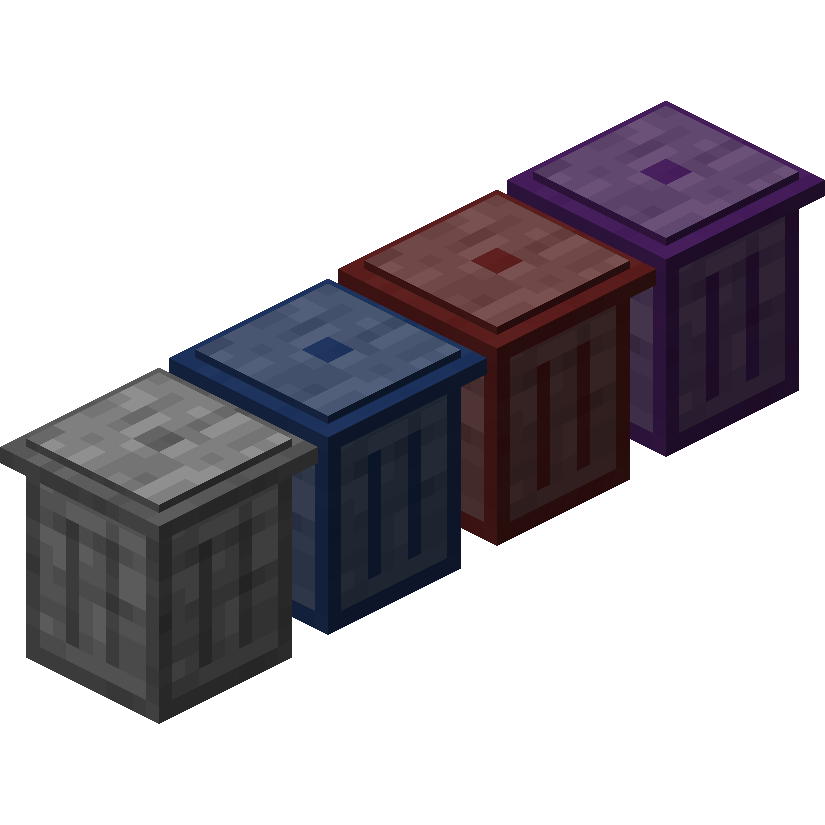
Trash Cans adds trash cans which can be used to void items, liquids, and energy!
 mod
mod CurseForge · Minecraft
Easy Sit
Easily sit anywhere you want!