Minecraft version
Back to mods 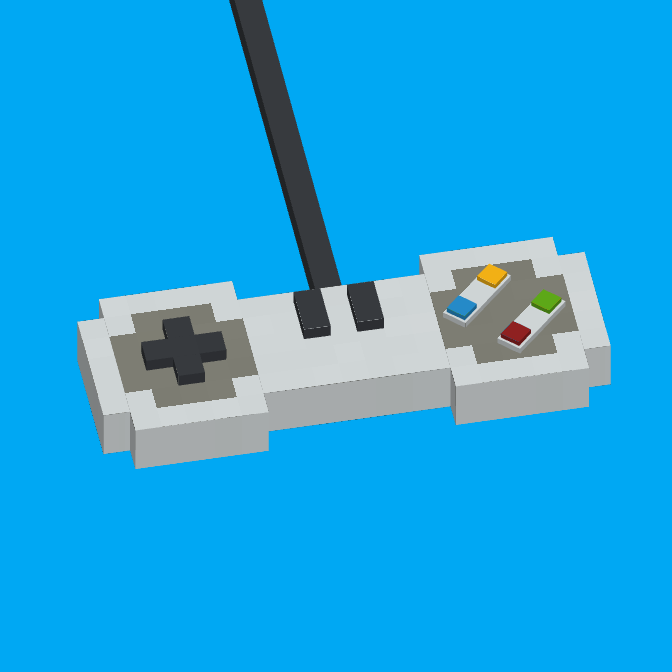
CurseForge · Minecraft mod
GamePad+
GamePad+ takes controller support to the next level, offering a more natural and accessible experience for all players.
Choose a version Pick your version below, then grab the matching file.
Quick answer
Which GamePad+ release should I use?
beta file gamepad_plus-v0.2.1beta-mv1.20.1forge
Game version 1.20.1
Loader Forge
GamePad+ gamepad_plus-v0.2.1beta-mv1.20.1forge targets 1.20.1 with Forge. The project page does not say whether this file belongs on the client, dedicated server, or both. No extra mods listed for this file.
Where it goes
Is GamePad+ required on the client, server, or both?
The project page does not say whether this file belongs on the client, dedicated server, or both.
Client Source doesn’t say
Dedicated server Source doesn’t say
Loader for this release Forge
Required install it here Optional supported, not mandatory Not supported do not install here Source doesn’t say do not assume
The source does not explicitly classify this release as client-only or server-only.
What else does GamePad+ gamepad_plus-v0.2.1beta-mv1.20.1forge need?
gamepad_plus-v0.2.1beta-mv1.20.1forge. Change the file and its required mods may change too.
This file does not list any required mods. Do not add a library just because a different file uses it.
This file does not list any required or optional mods.
Before you install it
Add GamePad+ without breaking your instance.
Built for GamePad+ gamepad_plus-v0.2.1beta-mv1.20.1forge. Pick another file and the loader, install side or required mods may change.
- 01
Stick to this file
Use gamepad_plus-v0.2.1beta-mv1.20.1forge. It targets 1.20.1 with Forge; another release may have different loader, side or dependency requirements.
- 02
Bring the mods it needs
This file does not list any required mods. Do not add a library just because a different file uses it.
- 03
Put it on the correct side
The project page does not say whether this file belongs on the client, dedicated server, or both.
- 04
Pick the file you checked
Use the “Get this file” button beside gamepad_plus-v0.2.1beta-mv1.20.1forge. It opens that exact file at the source.
About this project
What does GamePad+ add?
🎮 GamePad+ – Advanced Controller Support
GamePad+ takes controller support to the next level, offering a more natural and accessible experience for all players.
⚠️ ANTI-CHEAT DISCLAIMER:
Now that the mod is strictly client-side and allows you to join multiplayer environments, please note that we cannot guarantee how custom or aggressive third-party Server Anti-Cheats will react to the modified input handling. Use this mod on public servers at your own risk. The author takes absolutely no responsibility for any server-side bans, restrictions, or actions taken against your account.
⚙️ In-Game Settings Menu
The mod includes a dedicated configuration menu that can be opened by pressing Z (default keybind) on your keyboard. Through this menu, you can fully customize your experience:
- Keybinds & Sensitivity: Rebind your controller buttons and tweak the camera movement speed to your liking.
- Joystick Advanced Properties: Fine-tune your sticks by adjusting the deadzone (perfect for preventing stick drift) and toggling axis inversion.
- General Options: Access miscellaneous settings to polish your gameplay feel.
This mod was inspired by memories from my childhood, when I used to play Minecraft on Xbox 360 and everything felt so intuitive with a controller.
Based on that idea, I decided to create a mod that brings real controller support to Minecraft Java Edition, with plans to expand it even further in the future.
Upcoming features include:
- Other customizable parameters in the settings menu.
- On-screen help with the buttons.
- 3D projection of the player on the screen.
- Simplified GUIs for vanilla blocks (like the crafting table), optimized for controller use
There is also a config file to change some parameters of the mod.
Project description from CurseForge.
Pick your setup
GamePad+ by Minecraft version and loader
Choose the version and loader you play, then open the matching release.
Check the dependencies, then try the file in a copied instance before changing a world you care about.
Recent files
GamePad+ versions and loaders
gamepad_plus-v0.2.1beta-mv1.20.1forge
gamepad_plus-v0.2.1beta-mv1.20.1forge.jar
14 Jun 2026
Client Source doesn’t say Server Source doesn’t say Dependencies No extras listed Listed on Release listing
Check the 1.20.1 · Forge setup 1.20.1Forge beta
gamepad_plus-v0.2.0beta-mv1.20.1forge
gamepad_plus-v0.2.0beta-mv1.20.1forge.jar
30 Aug 2025
Client Source doesn’t say Server Source doesn’t say Dependencies No extras listed Listed on Release listing
Check the 1.20.1 · Forge setup 1.20.1Forge beta
gamepad_plus-v0.1.0beta-mv1.20.1forge
gamepad_plus-v0.1.0beta-mv1.20.1forge.jar
18 Jul 2025
Client Source doesn’t say Server Source doesn’t say Dependencies No extras listed Listed on Release listing
Check the 1.20.1 · Forge setup 1.20.1Forge beta
Looking for an older file? The official CurseForge project page is in Resources.
 mod
CurseForge · Minecraft
Wannabe Bosses
A mod that aims to add interesting boss-fights inspired by different characters.
 mod
CurseForge · Minecraft
Dimensioncraft world
Mod add, dimension,weapons and armors
 mod
CurseForge · Minecraft
Trajan's Crafted Addon
Adds balanced survival crafting recipes for Trajan's Tanks, including tanks, components, and ammunition. Makes the mod's vehicles obtainable in survival without changing its original content.