One Enough Lib Needed by One Enough Item OneEnoughItem-neoforge-26.1.2-1.0.0.jar
requiredMatching file found Matched file: OELib-neoforge-26.1-0.2.3-dev2.jar

CurseForge · Minecraft mod
With OEI, you can effortlessly replace duplicate items with a single designated representative item.
Quick answer
One Enough Item OneEnoughItem-neoforge-26.1.2-1.0.0.jar targets 26.1.2 with NeoForge. The project page does not say whether this file belongs on the client, dedicated server, or both. All 2 required mods have matching files.
Where it goes
The project page does not say whether this file belongs on the client, dedicated server, or both.
The source does not explicitly classify this release as client-only or server-only.
OneEnoughItem-neoforge-26.1.2-1.0.0.jar. Change the file and its required mods may change too.
Install One Enough Lib, One Enough Lib first. We found matching files for this game-version and loader setup.
We only count dependency files that match this setup. A file for another loader does not fill the gap.
Before you install it
Built for One Enough Item OneEnoughItem-neoforge-26.1.2-1.0.0.jar. Pick another file and the loader, install side or required mods may change.
Use OneEnoughItem-neoforge-26.1.2-1.0.0.jar. It targets 26.1.2 with NeoForge; another release may have different loader, side or dependency requirements.
Install One Enough Lib, One Enough Lib first. We found matching files for this game-version and loader setup.
The project page does not say whether this file belongs on the client, dedicated server, or both.
Use the “Get this file” button beside OneEnoughItem-neoforge-26.1.2-1.0.0.jar. It opens that exact file at the source.
About this project
This mod was developed to resolve the issue of duplicated item dictionaries in modpacks – three types of silver, four types of lead, five types of tomatoes, six types of corn – each with distinct recipes.
With OEI, you can effortlessly replace duplicate items with unique designated representatives.
17 types of tomatoes in a modpack
Six types of silver ore in a modpack
All with independent recipes!
Those days are now over. With OEI, items are replaced with their designated representatives immediately upon creation!
OEI is datapack-driven and supports hot reloading. Configure replacements at data/oei/replacements using this simple syntax:
[
    {
        "matchItems": [
            "#forge:ore",
            "minecraft:potato",
            "minecraft:carrot"
        ],
        "resultItems": "minecraft:egg"
    }
]
List item IDs to replace under matchItems, and specify the designated representative in resultItems.
Warning: Never replace an item with itself – this may cause critical bugs!
OEI supports tag matching. If tag-based replacements require game reloads, use raw item IDs instead (likely due to mod conflicts).
Built-in Editor (v1.0.3+):
Press CTRL+R to open the GUI editor for codeless replacement configuration!
The editor includes recipe deduplication – see official documentation.
OEI replaces items at the earliest possible stage – not by scanning player inventories.
Example: Replacing all items with eggs instantly transforms the creative inventory: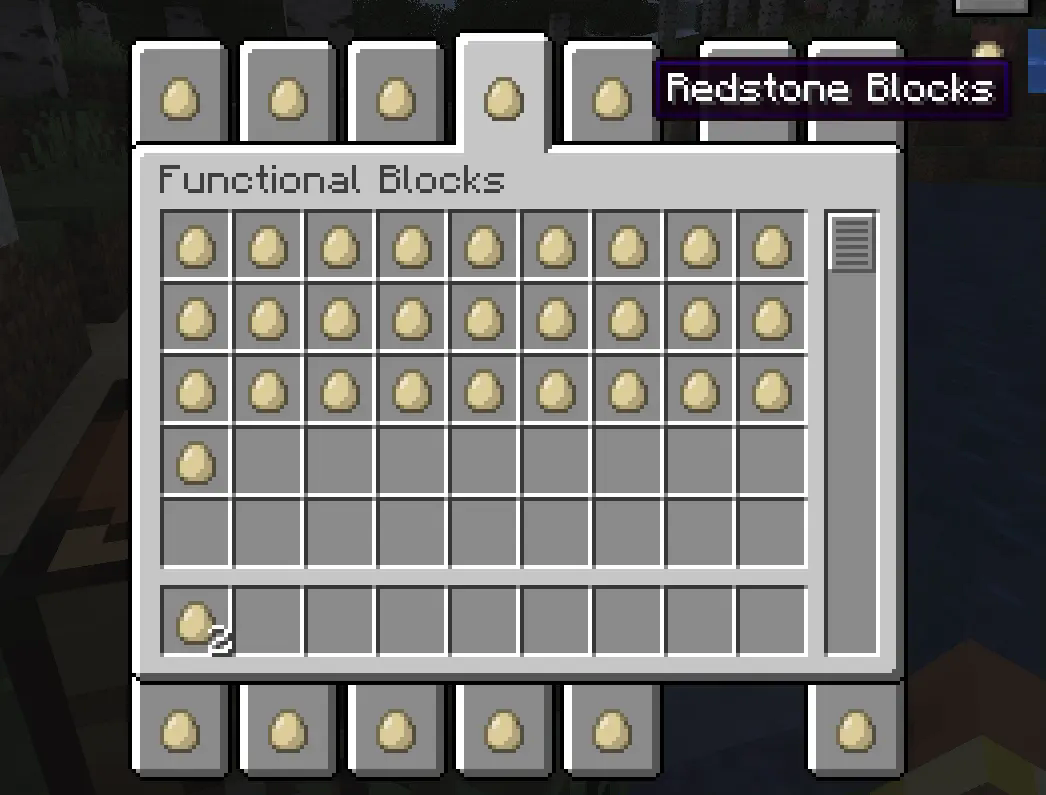
Recipes automatically adapt. Here, iron ingots → eggs in a furnace recipe: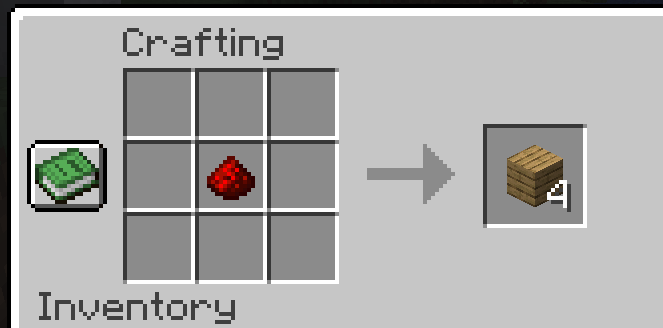
All recipes are automatically processed, including JEI displays: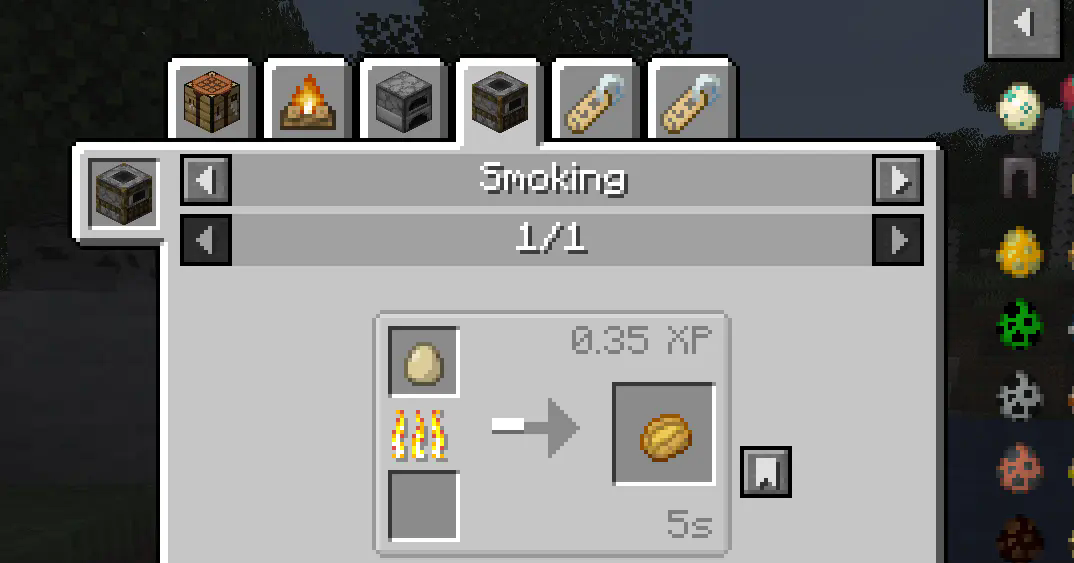
Works with trades, advancements, and nearly all non-hardcoded recipes.
Additionally, replacing items with air will completely remove them. However, for compatibility reasons, such changes will not take effect in the Creative Mode inventory or JEI displays.
Enable in config to extend replacements to item interaction contexts (e.g., healing iron golems with eggs after replacing iron ingots).
Use when standard recipe replacement fails for specific mods.
Note: Only affects item detection – does not fully inherit original item functionality.
Project description from CurseForge.
Pick your setup
Choose the version and loader you play, then open the matching release.
Showing the newest 12 of 20 game versions. Older files are in the list below.
Check the dependencies, then try the file in a copied instance before changing a world you care about.
Recent files
3 Aug 2026
17 Apr 2026
17 Apr 2026
6 Apr 2026
26 Mar 2026
17 Jan 2026
16 Jan 2026
13 Dec 2025
27 Nov 2025
12 Oct 2025
28 Aug 2025
28 Aug 2025
Looking for an older file? The official CurseForge project page is in Resources.
 mod
modFilling in the block variant gaps and adding tons of new ones!
 mod
modA hilariously optimized level of detail mod for low end (and high end) machines that retains vanilla performance
 mod
modCoremod for the modpack All The Mons