Minecraft version
Back to mods 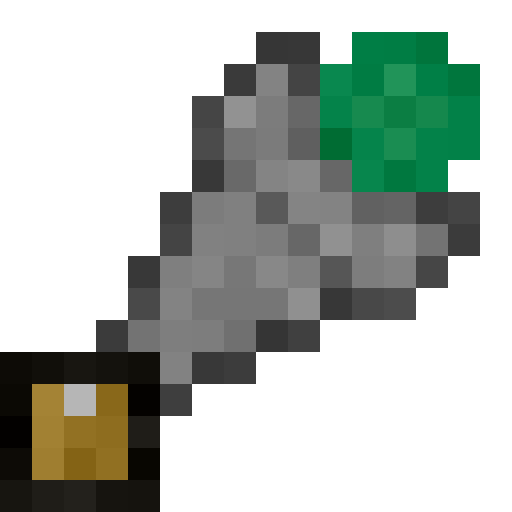
CurseForge · Minecraft mod
Pick There
Adds An item to redirect your pickups to your chests
Choose a version Pick your version below, then grab the matching file.
Quick answer
Which Pick There release should I use?
Latest stable file pickthere-1.0.0.jar
Game version 1.7.10
Loader Forge
Pick There pickthere-1.0.0.jar targets 1.7.10 with Forge. The project page does not say whether this file belongs on the client, dedicated server, or both. No extra mods listed for this file.
Where it goes
Is Pick There required on the client, server, or both?
The project page does not say whether this file belongs on the client, dedicated server, or both.
Client Source doesn’t say
Dedicated server Source doesn’t say
Loader for this release Forge
Required install it here Optional supported, not mandatory Not supported do not install here Source doesn’t say do not assume
The source does not explicitly classify this release as client-only or server-only.
What else does Pick There pickthere-1.0.0.jar need?
pickthere-1.0.0.jar. Change the file and its required mods may change too.
This file does not list any required mods. Do not add a library just because a different file uses it.
This file does not list any required or optional mods.
Before you install it
Add Pick There without breaking your instance.
Built for Pick There pickthere-1.0.0.jar. Pick another file and the loader, install side or required mods may change.
- 01
Stick to this file
Use pickthere-1.0.0.jar. It targets 1.7.10 with Forge; another release may have different loader, side or dependency requirements.
- 02
Bring the mods it needs
This file does not list any required mods. Do not add a library just because a different file uses it.
- 03
Put it on the correct side
The project page does not say whether this file belongs on the client, dedicated server, or both.
- 04
Pick the file you checked
Use the “Get this file” button beside pickthere-1.0.0.jar. It opens that exact file at the source.
About this project
What does Pick There add?
PickThere - Smart Item Redirection
Transform your item collection experience with intelligent inventory management!
PickThere adds a powerful device that automatically redirects picked-up items to your selected storage containers, eliminating the tedious back-and-forth of manual inventory management.
🎯 What is PickThere?
The Pick There Device is a craftable item that lets you select unlimited storage containers (chests, barrels, etc.) and automatically sends picked-up items directly to them. No more running back to chests every few minutes!
✨ Key Features
🔧 Dual Selection System
- Regular Selection (Gold Wireframes): Items go to any available space
- Same-Item-Only Selection (Red Wireframes): Only accepts items already stored inside
👁️ Visual Highlighting
- Selected inventories glow with colored wireframe outlines
- Gold for regular selections, red for same-item-only
- Only visible when holding the Pick There Device
🧠 Smart Distribution Logic
Intelligent 5-phase item insertion system:
- Stack with existing items in same-item-only inventories (priority)
- Stack with existing items in regular inventories
- Insert into same-item-only inventories with matching item types
- Insert into regular inventories with matching item types
- Insert into any available regular inventory space
🎛️ Easy Controls
- Shift + Right-click inventory: Toggle selection
- Left-click inventory: Toggle same-item-only mode
- Right-click air: Switch selection mode
- Shift + Right-click air: Enable/disable pickup redirection
🔄 Flexible Management
- Unlimited selections: No limit on how many inventories you can select
- Distance control: Configurable pickup range (unlimited by default)
- Toggle on/off: Disable redirection without losing selections
- Easy reset: Craft the device alone to clear all data
📋 How to Use
Crafting Recipe
I G I
G E G
I G I
- I = Iron Ingot
- G = Gold Ingot
- E = Ender Pearl
Quick Start Guide
- Craft your Pick There Device
- Hold it and Shift + Right-click on chests to select them
- Watch them glow with golden wireframes
- Pick up items and watch them automatically go to your chests!
Advanced Usage
- Use Left-click to make inventories "same-item-only" (red wireframes)
- These will only accept items they already contain
- Perfect for sorting systems and organized storage
⚙️ Configuration
Fully configurable through the config file:
- Pickup distance: Set range limits or keep unlimited
- Visual effects: Toggle wireframe outlines
- Sound effects: Enable/disable audio feedback
- Tooltip details: Control information display
🔧 Technical Details
- Client-side rendering: Smooth wireframe highlighting with no server lag
- Smart caching: Optimized performance for large selection lists
- NBT data storage: Selections persist through game sessions
- Modpack compatible: Works great with popular modpacks like GTNH
🎮 Perfect For
- Base builders who want automated item collection
- Miners tired of inventory management
- Sorting system enthusiasts who need precise item routing
- Modpack players dealing with complex storage setups
- Anyone who values efficiency and convenience
🌟 Why Choose PickThere?
Unlike simple item magnets or basic sorting systems, PickThere gives you complete control over where your items go. The dual selection system lets you create sophisticated routing rules, while the visual feedback ensures you always know what's selected.
Whether you're building a massive storage warehouse or just want your mining trips to be more efficient, PickThere adapts to your playstyle.
📦 Installation
- Download and install Minecraft Forge for 1.7.10
- Download PickThere from CurseForge
- Drop the jar file into your
modsfolder - Launch and enjoy!
🔗 Links
- Source Code: GitHub Repository
- Issues & Suggestions: GitHub Issues
- 1.20.1 Version: Also available for modern Minecraft!
Transform your Minecraft experience - never manually sort items again!
Compatible with Minecraft 1.7.10 + Forge 10.13.4.1558+
Project description from CurseForge.
Pick your setup
Pick There by Minecraft version and loader
Choose the version and loader you play, then open the matching release.
Check the dependencies, then try the file in a copied instance before changing a world you care about.
Recent files
Pick There versions and loaders
pickthere-1.0.0.jar
3 Aug 2025
Client Source doesn’t say Server Source doesn’t say Dependencies No extras listed Listed on Release listing
Check the 1.7.10 · Forge setup Forge1.7.10 release
Looking for an older file? The official CurseForge project page is in Resources.
 mod
mod CurseForge + Modrinth · Minecraft
Clutter No More
Fixes the game's inventory clutter problem by unifying Stairs and Slabs into a single block: Transform your full blocks into other shapes with the press of a keybind!
 mod
mod Modrinth · Minecraft
AEInfinityBooster
Adds Infinite Range Card and Dimension Card to AE2
 mod
mod CurseForge · Minecraft
FNViaViewer
See what's new without updating: join 26.3 servers from 1.21.11 and see their real new blocks, items and sounds.