Minecraft version
Back to mods 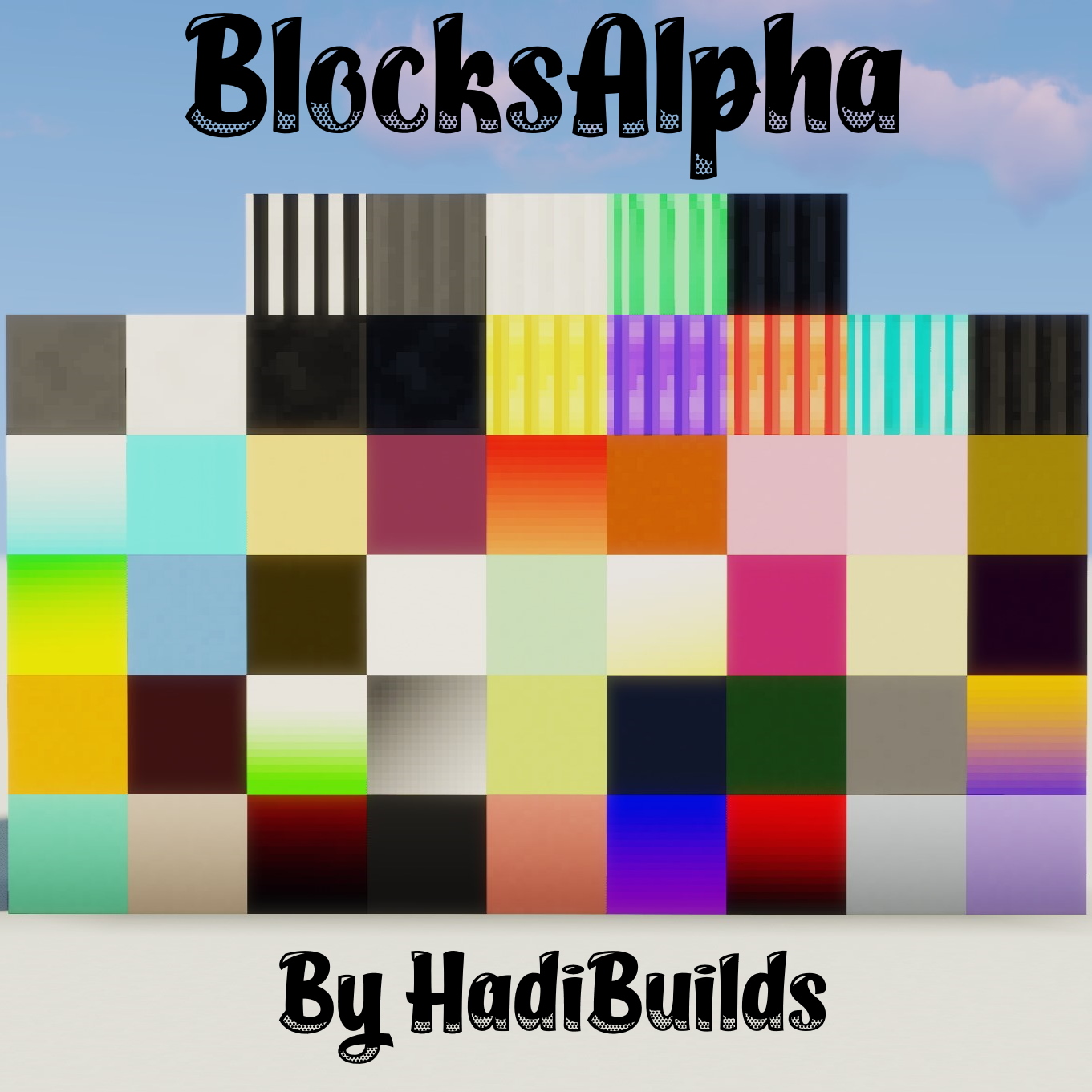
CurseForge · Minecraft mod
BlocksAlpha
Expands Minecraft’s creative palette with 750+ new blocks, providing extra concrete colors, stairs, slabs, fences, walls, luxury materials, gradients, quartz variants, and more. All versions supported from 1.12.2 to 1.21.4.
Choose a version Pick your version below, then grab the matching file.
Quick answer
Which BlocksAlpha release matches 1.21.4 NeoForge?
Best match for your filters BlocksAlpha V1.8 (1.21.4)
Game version 1.21.4
Loader NeoForge
BlocksAlpha V1.8 (1.21.4) targets 1.21.4 with NeoForge. The project page does not say whether this file belongs on the client, dedicated server, or both. No extra mods listed for this file.
Where it goes
Is BlocksAlpha required on the client, server, or both?
The project page does not say whether this file belongs on the client, dedicated server, or both.
Client Source doesn’t say
Dedicated server Source doesn’t say
Loader for this release NeoForge
Required install it here Optional supported, not mandatory Not supported do not install here Source doesn’t say do not assume
The source does not explicitly classify this release as client-only or server-only.
What else does BlocksAlpha V1.8 (1.21.4) need?
BlocksAlpha V1.8 (1.21.4) on 1.21.4 NeoForge. Every mod below is checked against that same setup.
This file does not list any required mods. Do not add a library just because a different file uses it.
This file does not list any required or optional mods.
Before you install it
Add BlocksAlpha without breaking your instance.
Built for BlocksAlpha V1.8 (1.21.4) on 1.21.4 NeoForge. Pick another file and the loader, install side or required mods may change.
- 01
Stick to this file
Use BlocksAlpha V1.8 (1.21.4). It targets 1.21.4 with NeoForge; another release may have different loader, side or dependency requirements.
- 02
Bring the mods it needs
This file does not list any required mods. Do not add a library just because a different file uses it.
- 03
Put it on the correct side
The project page does not say whether this file belongs on the client, dedicated server, or both.
- 04
Pick the file you checked
Use the “Get this file” button beside BlocksAlpha V1.8 (1.21.4). It opens that exact file at the source.
About this project
What does BlocksAlpha add?
Welcome to BlocksAlpha Mod!
-BlocksAlpha is a Minecraft mod that adds a huge variety of new blocks to the game, giving you more ways to build, decorate, and customize your world. From an expanded selection of colored concrete to many other creative block types, this mod is perfect for builders who want more texture, color, and design options in their creations. With more updates, we will continue adding many more blocks to help you build and decorate. It adds concretes of many colors as well as fences, slabs, walls and stairs.
-If you have any feature requests or notice any bug, please submit them.
-More Mods by HadiBuilds:
BlocksAlpha: (Available For All Versions) Adds a lot of blocks for building.
PhonesCraft: (Updated): Adds a lot of phones and other electronic devices for decoration/roleplay purposes.
PhonesAlpha: (1.12.2 Only): Adds a lot of phones and other electronic devices for decoration/roleplay purposes.
JUUL Mod: (1.12.2 Only): Adds vaping devices in Minecraft which you can craft and use from and get effects.
FoodsAlpha: (1.12.2 Only): Adds realistic foods and fruits, a requirement for JUUL Mod.
FuzzyDrinks: (1.12.2 Only): Adds realistic fizzy drinks to Minecraft.
Project description from CurseForge.
Pick your setup
BlocksAlpha by Minecraft version and loader
Choose the version and loader you play, then open the matching release.
Minecraft version
1.21.1
1 loader buildMinecraft version
1.20.1
1 loader buildMinecraft version
1.19.4
1 loader buildMinecraft version
1.19.2
1 loader buildMinecraft version
1.18.2
1 loader buildMinecraft version
1.16.5
1 loader buildMinecraft version
1.15.2
1 loader buildMinecraft version
1.14.4
1 loader buildMinecraft version
1.12.2
1 loader buildCheck the dependencies, then try the file in a copied instance before changing a world you care about.
Recent files
BlocksAlpha versions and loaders
BlocksAlpha V1.8 (1.21.4)
BlocksAlpha-V1.8-1.21.4.jar
12 Sept 2025
Client Source doesn’t say Server Source doesn’t say Dependencies No extras listed Listed on Release listing
Check the 1.21.4 · NeoForge setup 1.21.4NeoForge release
BlocksAlpha V1.7 (1.21.4)
BlocksAlpha-V1.7-1.21.4.jar
30 Aug 2025
Client Source doesn’t say Server Source doesn’t say Dependencies No extras listed Listed on Release listing
Check the 1.21.4 · NeoForge setup 1.21.4NeoForge release
BlocksAlpha V1.6 (1.21.4)
BlocksAlpha-V1.6-1.21.4.jar
27 Aug 2025
Client Source doesn’t say Server Source doesn’t say Dependencies No extras listed Listed on Release listing
Check the 1.21.4 · NeoForge setup 1.21.4NeoForge release
BlocksAlpha V1.5 (1.21.4)
BlocksAlpha-V1.5-1.21.4.jar
15 Aug 2025
Client Source doesn’t say Server Source doesn’t say Dependencies No extras listed Listed on Release listing
Check the 1.21.4 · NeoForge setup 1.21.4NeoForge release
BlocksAlpha V1.4 (1.21.4)
BlocksAlpha-V1.4-1.21.4.jar
14 Aug 2025
Client Source doesn’t say Server Source doesn’t say Dependencies No extras listed Listed on Release listing
Check the 1.21.4 · NeoForge setup 1.21.4NeoForge release
Looking for an older file? The official CurseForge project page is in Resources.
 mod
CurseForge · Minecraft
Chat Items: Show Items, Inventory & Ender Chest in Chat
Type [item], [armor], [inv] or [ender] in chat to link held items, armor, Shulker Boxes, Bundles, inventory & Ender chest. Server-side — vanilla clients supported!
 mod
CurseForge + Modrinth · Minecraft
TofuCraftReload
This mod is a remake of Old Mod TofuCraft made by tsuteto. add soybean As a new all-purpose food!
 mod
CurseForge · Minecraft
Truce Dialogue and Town Lib
Dialogue tree library for Minecraft mods