Architectury API Needed by Quick Skin Quick-Skin-26.2-v3.0.0 [NeoForge]
requiredMatching file found Matched file: [NeoForge 26.2] v21.1.9

CurseForge · Minecraft mod
Sick of wasting time with Minecraft’s slow launcher just to change your skin? Quick Skin lets you swap skins instantly even on “offline” servers and gives you access to every official Minecraft cape.
Quick answer
Quick Skin Quick-Skin-26.2-v3.0.0 [NeoForge] targets 26.2 with NeoForge. The project page does not say whether this file belongs on the client, dedicated server, or both. All 1 required mods have matching files.
Where it goes
The project page does not say whether this file belongs on the client, dedicated server, or both.
The source does not explicitly classify this release as client-only or server-only.
Quick-Skin-26.2-v3.0.0 [NeoForge]. Change the file and its required mods may change too.
Install Architectury API first. We found matching files for this game-version and loader setup.
We only count dependency files that match this setup. A file for another loader does not fill the gap.
Before you install it
Built for Quick Skin Quick-Skin-26.2-v3.0.0 [NeoForge]. Pick another file and the loader, install side or required mods may change.
Use Quick-Skin-26.2-v3.0.0 [NeoForge]. It targets 26.2 with NeoForge; another release may have different loader, side or dependency requirements.
Install Architectury API first. We found matching files for this game-version and loader setup.
The project page does not say whether this file belongs on the client, dedicated server, or both.
Use the “Get this file” button beside Quick-Skin-26.2-v3.0.0 [NeoForge]. It opens that exact file at the source.
About this project
The default Minecraft skin system is rigid. Changing your look requires leaving the game, you're stuck with standard resolutions, and cool customizations like animated capes are impossible. QuickSkin completely overhauls this experience, giving you total control over your appearance directly in-game with powerful features for both single-player and multiplayer.

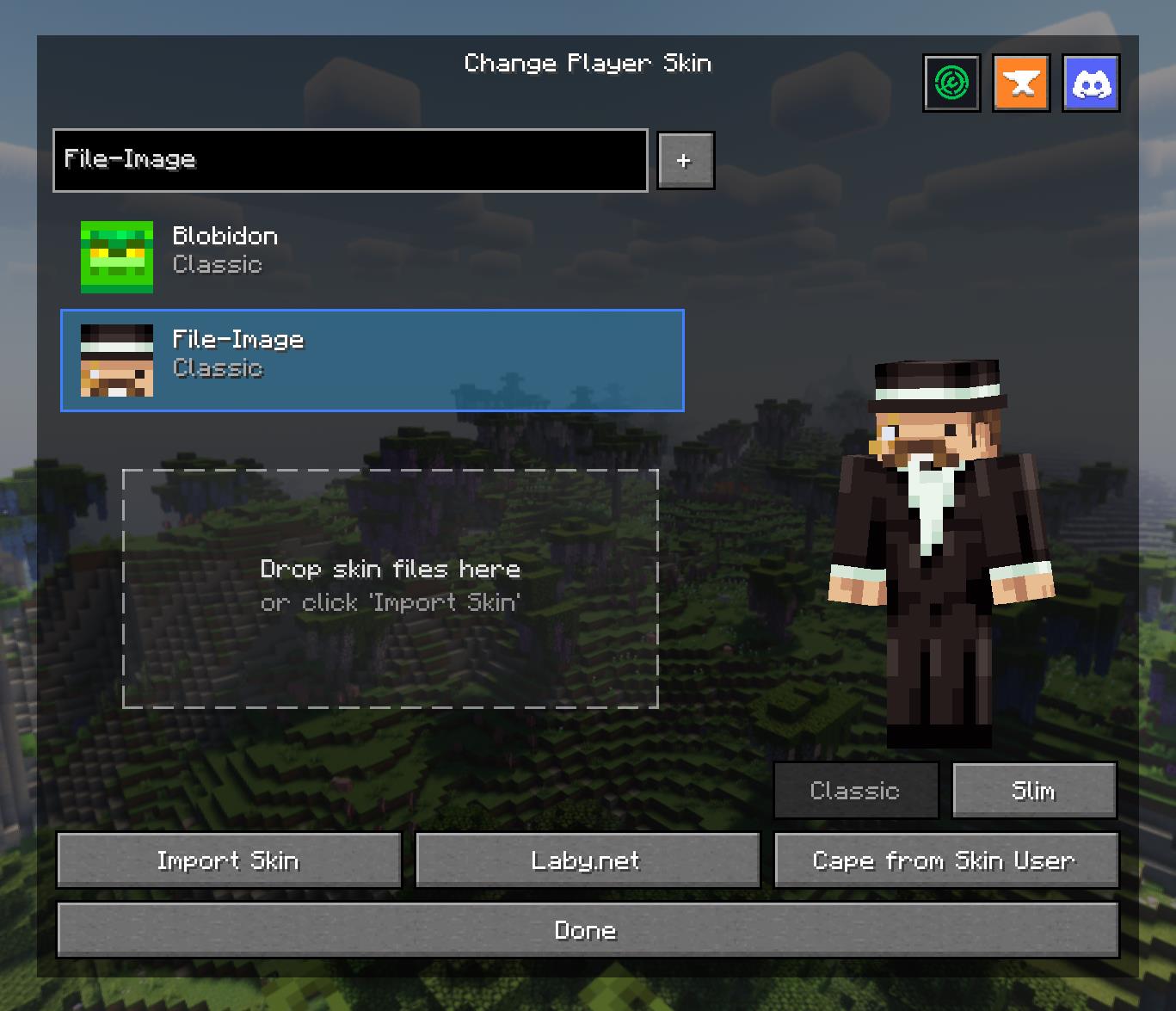
Access a powerful and intuitive menu from the Title or Pause screen to manage your entire look.
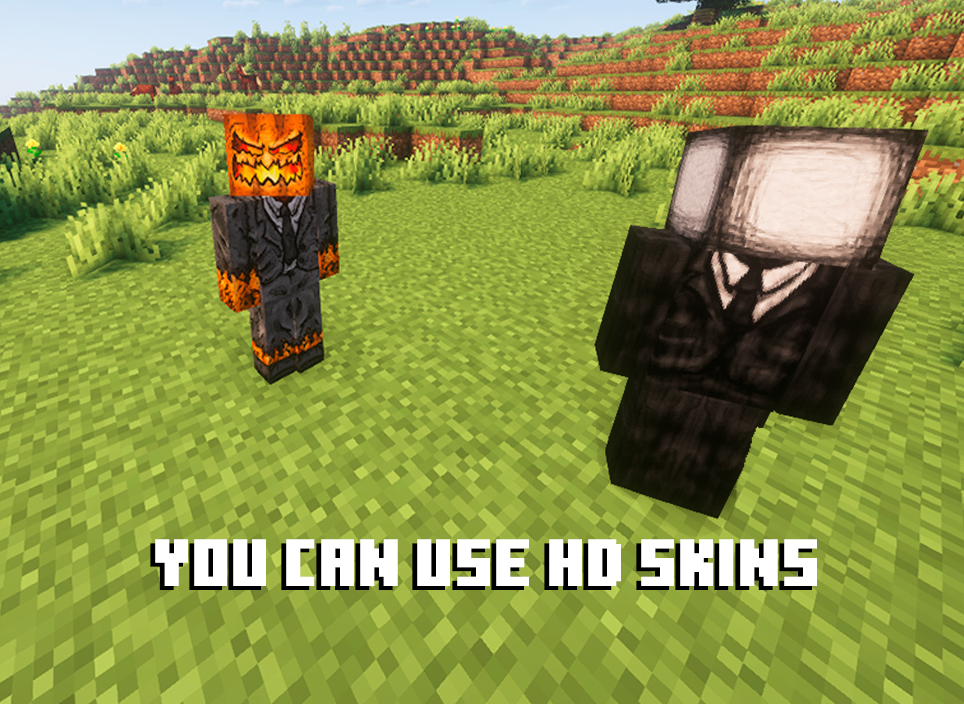
Break free from 64x64 limitations! QuickSkin's HD Texture Processor allows you to use high-resolution skins.
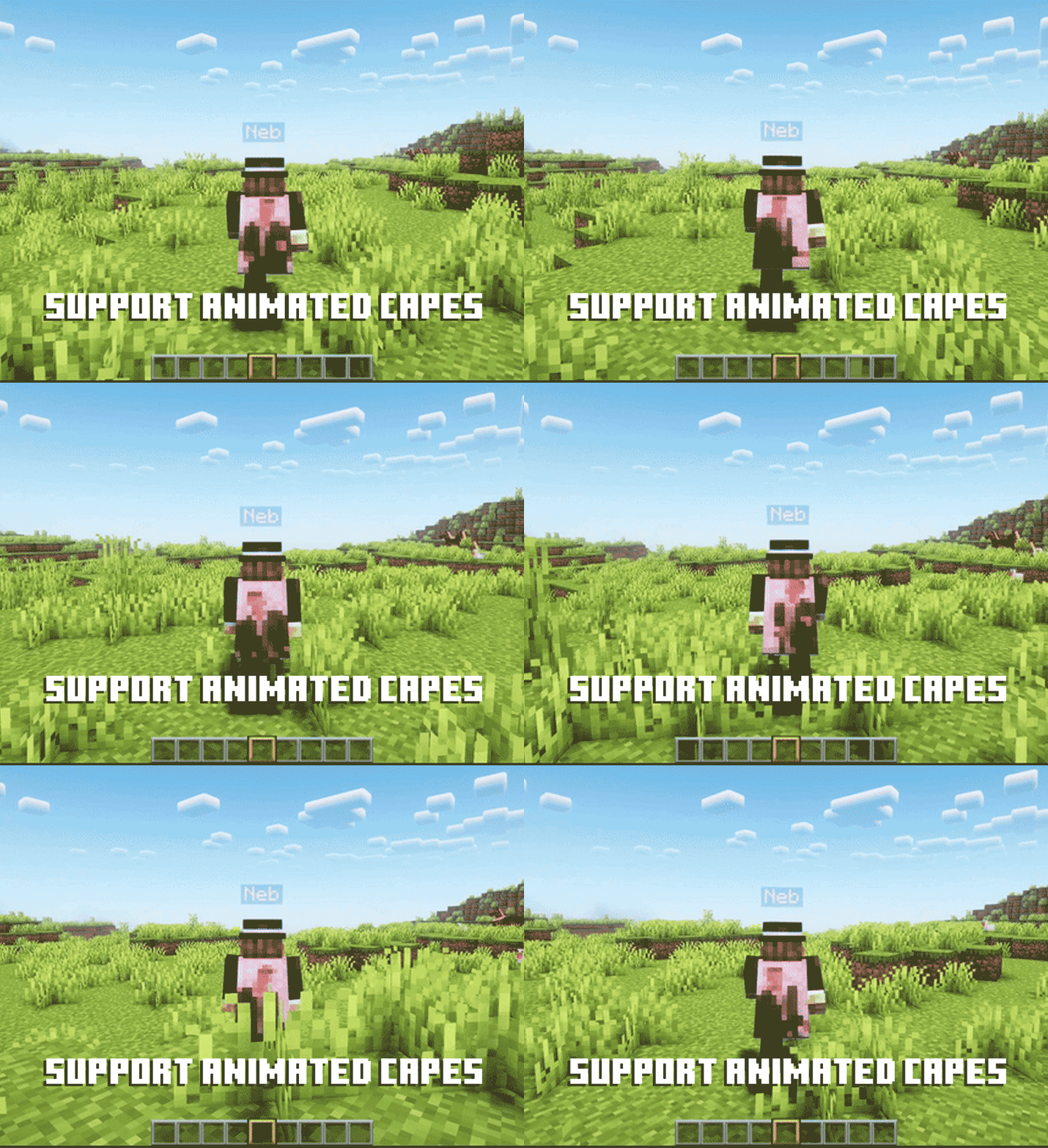
Equip dynamic, eye-catching animated capes using standard GIF files.
QuickSkin is designed to work seamlessly alongside popular player customization, rendering, and utility mods.
Currently supported mods include:
If you find any conflicts, please report them!
❤ Discord ➜ https://discord.gg/EeQgres2Fz
Project description from CurseForge.
Pick your setup
Choose the version and loader you play, then open the matching release.
Showing the newest 12 of 14 game versions. Older files are in the list below.
Check the dependencies, then try the file in a copied instance before changing a world you care about.
Recent files
Quick Skin - NeoForge - 26.2-3.0.0.jar
12 Sept 2026
Quick Skin - Fabric - 26.2-3.0.0.jar
12 Sept 2026
Quick Skin - NeoForge - 26.1.2-3.0.0.jar
12 Sept 2026
Quick Skin - Fabric - 26.1.2-3.0.0.jar
12 Sept 2026
Quick Skin - NeoForge - 26.1.1-3.0.0.jar
12 Sept 2026
Quick Skin - Fabric - 26.1.1-3.0.0.jar
12 Sept 2026
Quick Skin - NeoForge - 26.1-3.0.0.jar
12 Sept 2026
Quick Skin - Fabric - 26.1-3.0.0.jar
12 Sept 2026
10 Mar 2026
10 Mar 2026
10 Mar 2026
10 Mar 2026
Looking for an older file? The official CurseForge project page is in Resources.
 mod
modPut torches on slabs! Hang lanterns from slabs! Place blocks on slabs! Stack blocks on those blocks on those slabs! Slabbed makes it work! Slabbed!!!
 mod
modColonyRank ranks MineColonies colonies by progression stats with two scoring systems, six presets, in-game commands, ignored-colonies management, and Discord webhook posting. NeoForge 1.21.1 & Forge 1.20.1.
 mod
modIt is better die with honor..., suicide animations without /kill