Cloth Config API (Fabric/Forge/NeoForge) Needed by Graphene !!!Graphene-2.1.2-1.19.4-1.20.2-Forge.jar
requiredMatching file found Matched file: [Forge 1.20(.1)] v11.1.136
CurseForge · Minecraft mod
Optimize entities and rendering
Quick answer
Graphene !!!Graphene-2.1.2-1.19.4-1.20.2-Forge.jar targets 1.20.2, 1.19.4, 1.20.1 with Forge. The project page does not say whether this file belongs on the client, dedicated server, or both. All 1 required mods have matching files.
Where it goes
The project page does not say whether this file belongs on the client, dedicated server, or both.
The source does not explicitly classify this release as client-only or server-only.
!!!Graphene-2.1.2-1.19.4-1.20.2-Forge.jar on 1.20. Every mod below is checked against that same setup.
Install Cloth Config API (Fabric/Forge/NeoForge) first. We found matching files for this game-version and loader setup.
We only count dependency files that match this setup. A file for another loader does not fill the gap.
Before you install it
Built for Graphene !!!Graphene-2.1.2-1.19.4-1.20.2-Forge.jar on 1.20. Pick another file and the loader, install side or required mods may change.
Use !!!Graphene-2.1.2-1.19.4-1.20.2-Forge.jar. It targets 1.20.2, 1.19.4, 1.20.1 with Forge; another release may have different loader, side or dependency requirements.
Install Cloth Config API (Fabric/Forge/NeoForge) first. We found matching files for this game-version and loader setup.
The project page does not say whether this file belongs on the client, dedicated server, or both.
Use the “Get this file” button beside !!!Graphene-2.1.2-1.19.4-1.20.2-Forge.jar. It opens that exact file at the source.
About this project




Graphene is a powerful, free and open-source performance mod for Minecraft 1.19.4 and above. It fixes a handful of vanilla bugs and boosts frame-rate, startup speed and server tick-time while remaining highly configurable and compatible with almost everything else in your mod folder.
Whether you run a light client pack or a 400-mod kitchen-sink, Graphene usually “just works” and the gains are especially visible on crowded servers.
Open an issue on the official Graphene repo (link at the top of this page).
Before you post:
Where is the newest file?
Head to the Modrinth project page – every approved build is there.
Can I ship it in my pack?
Yes. Graphene is MIT-licensed; redistribute freely.
Version support policy?
We target the platforms that need optimisation most first, then the widest-used versions, then the rest when time allows.
| MC version | Forge | NeoForge | Fabric | Quilt | Plug-ins |
|---|---|---|---|---|---|
| 1.21.6-1.21.8 | plan | full | full | – | plan |
| 1.21.3-1.21.5 | – | paused | full | – | plan |
| 1.21-1.21.1 | full | full | full | full | plan |
| 1.20.3-1.20.6 | plan* | – | partial | partial | plan |
| 1.20.2 | full | – | full | full | plan |
| 1.20.1 | full | full | full | full | plan |
| 1.20 | full | – | plan | plan | plan |
| 1.19.4 | full | – | plan | plan | – |
| 1.12.2 | beta | – | – | – | – |
*1.20.4 & 1.20.6
Do these checks before blaming Graphene:
If the crash survives the steps above, open a GitHub issue with logs attached.
Both Graphene and EntityCulling use LogisticsCraft/OcclusionCulling to implement similar features, which may cause conflicts!
Graphene is built for the average player, not for one specific setup. Every optimisation can be toggled in config/graphene.toml. If a feature breaks your pack or feels wrong, just switch it off – the rest will still help.
Enjoy the extra frames!
Project description from CurseForge.
Pick your setup
Choose the version and loader you play, then open the matching release.
Check the dependencies, then try the file in a copied instance before changing a world you care about.
Recent files
31 Oct 2025
Looking for an older file? The official CurseForge project page is in Resources.
 mod
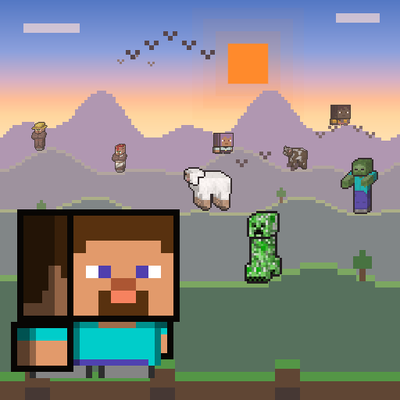
Shows mobs and players far past your render distance, on the game's terrain and on Voxy and Distant Horizons terrain, with birds in the sky.
 mod
This mod includes XRay or block finder, entity highlighting, kill aura, etc
 mod
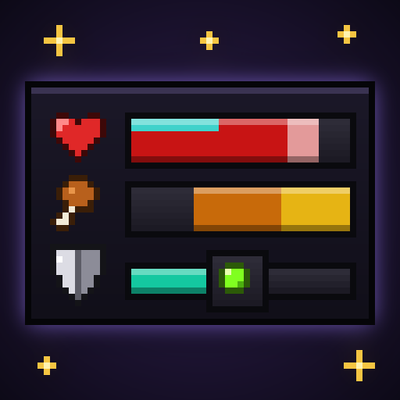
Better User Experience, health bar, hunger bar, no more fire all over the screen, customize the HUD how ever you like and more.