Minecraft version
Back to mods 
CurseForge · Minecraft mod
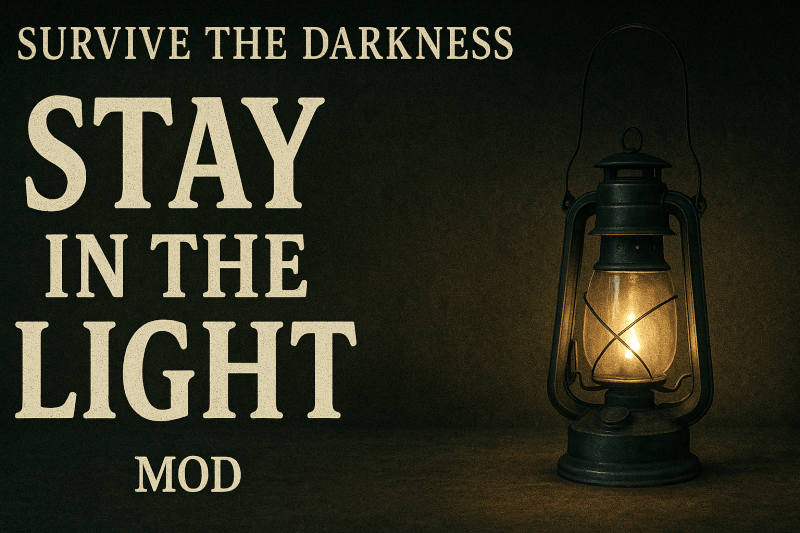
Stay in the Light
Mobs in the Overworld avoid lanterns and other adjustable lightsources.
Choose a version Pick your version below, then grab the matching file.
Quick answer
Which Stay in the Light release should I use?
Latest stable file MobLightAvoidance-1.0.0+1.19.2.jar
Game version 1.19.2
Loader Forge
Stay in the Light MobLightAvoidance-1.0.0+1.19.2.jar targets 1.19.2 with Forge. The project page does not say whether this file belongs on the client, dedicated server, or both. No extra mods listed for this file.
Where it goes
Is Stay in the Light required on the client, server, or both?
The project page does not say whether this file belongs on the client, dedicated server, or both.
Client Source doesn’t say
Dedicated server Source doesn’t say
Loader for this release Forge
Required install it here Optional supported, not mandatory Not supported do not install here Source doesn’t say do not assume
The source does not explicitly classify this release as client-only or server-only.
What else does Stay in the Light MobLightAvoidance-1.0.0+1.19.2.jar need?
MobLightAvoidance-1.0.0+1.19.2.jar. Change the file and its required mods may change too.
This file does not list any required mods. Do not add a library just because a different file uses it.
This file does not list any required or optional mods.
Before you install it
Add Stay in the Light without breaking your instance.
Built for Stay in the Light MobLightAvoidance-1.0.0+1.19.2.jar. Pick another file and the loader, install side or required mods may change.
- 01
Stick to this file
Use MobLightAvoidance-1.0.0+1.19.2.jar. It targets 1.19.2 with Forge; another release may have different loader, side or dependency requirements.
- 02
Bring the mods it needs
This file does not list any required mods. Do not add a library just because a different file uses it.
- 03
Put it on the correct side
The project page does not say whether this file belongs on the client, dedicated server, or both.
- 04
Pick the file you checked
Use the “Get this file” button beside MobLightAvoidance-1.0.0+1.19.2.jar. It opens that exact file at the source.
About this project
What does Stay in the Light add?
Stay in the Light makes nuisance mobs in the Overworld avoid configurable light sources.
Lanterns, glowstone, and other strong emitters push mobs back, while weaker sources (like torches) are only effective in large, impractical numbers.
This lets you carve out safe, natural pathways without having to wall off every area with fences. Light itself becomes your defense. Villages become safety nets, paths become safety lines.
✨ Features
- ✅ Overworld Only – Nether/End mobs stay dangerous as usual.
- ✅ Weighted Lighting System – torches = weak, lanterns = strong, config controls how much.
- ✅ Configurable JSON Tags – add modded light sources and mobs to custom categories.
- ✅ Adjustable Balance – tweak thresholds, falloff distance, repath rate, and more in the
.tomlconfig. - ✅ Exemption List – certain mobs (bosses, raiders, phantoms, etc.) are unaffected and behave normally.
- ✅ Performance-friendly – lightweight AI tweak, no coremodding.
❌ Excluded Mobs (ignore light)
- Guardians & Elder Guardians
- Phantoms
- Endermen
- Pillagers, Vindicators, Evokers, Illusioners, Ravagers, Witches
- All Nether mobs
- All End mobs
- All Bosses (Wither, Ender Dragon, Warden, etc.)
⚙️ Modpack-friendly.
Everything can be re-tuned via config and JSON, so pack creators can decide how safe or dangerous their worlds should feel.
Project description from CurseForge.
Pick your setup
Stay in the Light by Minecraft version and loader
Choose the version and loader you play, then open the matching release.
Check the dependencies, then try the file in a copied instance before changing a world you care about.
Recent files
Stay in the Light versions and loaders
MobLightAvoidance-1.0.0+1.19.2.jar
25 Aug 2025
Client Source doesn’t say Server Source doesn’t say Dependencies No extras listed Listed on Release listing
Check the 1.19.2 · Forge setup 1.19.2Forge release
Looking for an older file? The official CurseForge project page is in Resources.
 mod
mod CurseForge + Modrinth · Minecraft
AzureLib
Java Minecraft mod using Bedrock models to create custom models and animations for items, blocks, entities
 mod
mod CurseForge · Minecraft
Wave Matrix
In game music player. Full control over the Minecraft OST or your own music files. (ogg)
 mod
mod CurseForge · Minecraft
MCDoom (Unofficial) - AzureLib 3.x Port
Unofficial update of AzureDoom's MCDoom for Minecraft 1.21.1, rebuilt against AzureLib 3.1.11 so it works with the modern library. Same content, no gameplay changes.