Minecraft version
Back to mods 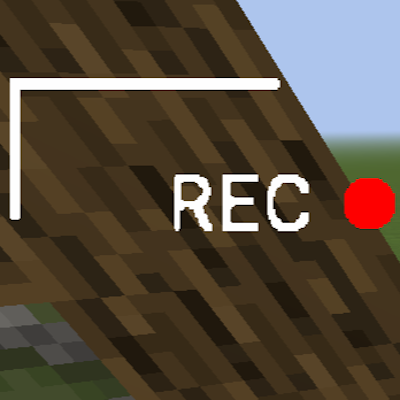
CurseForge · Minecraft mod
CameraHUD
Add the famous "REC" camera hud into the game.
Choose a version Pick your version below, then grab the matching file.
Quick answer
Which CameraHUD release should I use?
Latest stable file camerahud-1.0.0.jar
Game version 1.20.1
Loader Forge
camerahud-1.0.0.jar targets 1.20.1 with Forge. The project page does not say whether this file belongs on the client, dedicated server, or both. No extra mods listed for this file.
Where it goes
Is CameraHUD required on the client, server, or both?
The project page does not say whether this file belongs on the client, dedicated server, or both.
Client Source doesn’t say
Dedicated server Source doesn’t say
Loader for this release Forge
Required install it here Optional supported, not mandatory Not supported do not install here Source doesn’t say do not assume
The source does not explicitly classify this release as client-only or server-only.
What else does camerahud-1.0.0.jar need?
camerahud-1.0.0.jar. Change the file and its required mods may change too.
This file does not list any required mods. Do not add a library just because a different file uses it.
This file does not list any required or optional mods.
Before you install it
Add CameraHUD without breaking your instance.
Built for camerahud-1.0.0.jar. Pick another file and the loader, install side or required mods may change.
- 01
Stick to this file
Use camerahud-1.0.0.jar. It targets 1.20.1 with Forge; another release may have different loader, side or dependency requirements.
- 02
Bring the mods it needs
This file does not list any required mods. Do not add a library just because a different file uses it.
- 03
Put it on the correct side
The project page does not say whether this file belongs on the client, dedicated server, or both.
- 04
Pick the file you checked
Use the “Get this file” button beside camerahud-1.0.0.jar. It opens that exact file at the source.
About this project
What does CameraHUD add?
CameraHUD
An immersive Minecraft experience with a simple and effective camera HUD.
Have you always dreamed of an interface that makes you feel like a cameraman in your Minecraft world? CameraHUD adds a minimalist and customizable HUD (Heads-Up Display) that transforms your view.
Features :
- Camera HUD : Displays a simple camera interface on your screen, perfect for cinematics or video creation.
- Full Control : Adjust the HUD's transparency directly in your mod's configuration file.
- Lightweight and Compatible : Designed to run smoothly and be compatible with other mods, CameraHUD is the perfect addition to any adventure.
How It Works :
CameraHUD adds a simple visual effect to your screen in first-person view. It's ideal for those who enjoy building, taking screenshots, or making short films in Minecraft.
Configuration :
The mod generates a configuration file where you can enable or disable the HUD and adjust its opacity.
- enableHUD : Enables or disables the HUD.
- hudOpacity : Controls the HUD's transparency (from 0 to 255).
Project description from CurseForge.
Pick your setup
CameraHUD by Minecraft version and loader
Choose the version and loader you play, then open the matching release.
Check the dependencies, then try the file in a copied instance before changing a world you care about.
Recent files
CameraHUD versions and loaders
camerahud-1.0.0.jar
25 Aug 2025
Client Source doesn’t say Server Source doesn’t say Dependencies No extras listed Listed on Release listing
Check the 1.20.1 · Forge setup 1.20.1Forge release
Looking for an older file? The official CurseForge project page is in Resources.
 mod
CurseForge + Modrinth · Minecraft
Reliable Gliders
A mod that adds a simple, immersive, and balanced Glider to the game!
 mod
CurseForge · Minecraft
CalamitousCore
A Compilation of tweaks for Terramity Calamitous Edition
 mod
CurseForge · Minecraft
No Trade Cycling, Just Pick
Stop rerolling villagers. Press Pick trade and select any 2 trades its profession can offer (max-level enchanted books included). Fast trade and saves time.